Week 1
Teacher’s guide:
The students should be introduced to the topic “Operations on numbers”.
Objective:
- To improve understanding of the topic of operations on numbers
- To develop logical thinking
- Develop a basic knowledge of computer language (binary number system)
Before you begin, familiarise yourself with the safety procedures [ safety insructions].
Introduction
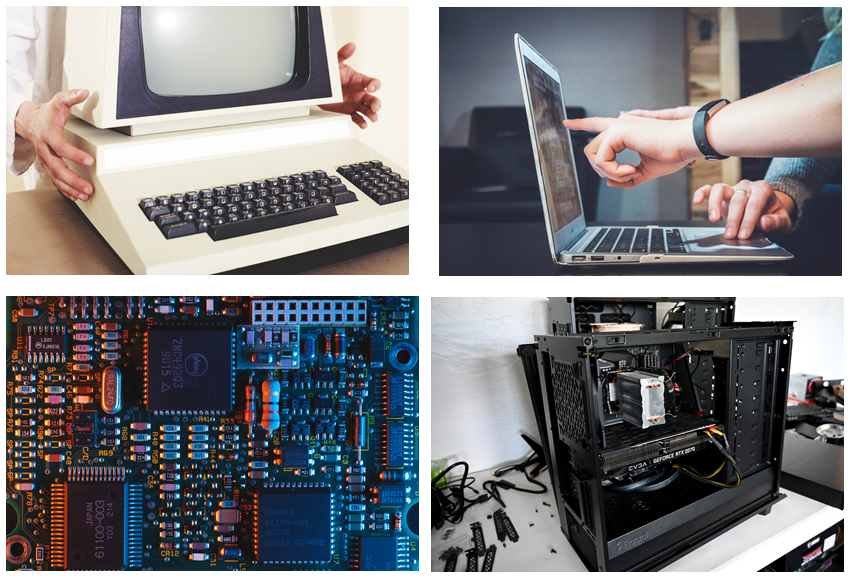
A computer is an electronic machine which can be programmed. It processes information and makes calculations [1].
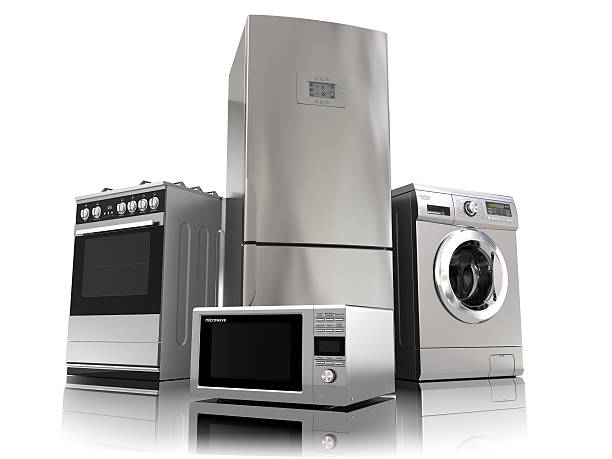
Today, computers are used in many devices that people use. For example, microwave ovens, mobile phones, washing machines and personal computers.
The way a computer works
The way we see and feel images, sounds, text and other information is very different from how a computer does it. Information on a computer is stored, transmitted and processed as zeros “0” and ones “1”. In other words, a computer uses binary code and the binary number system [2].

For example, the computer sees the word “Hello” as “01001000 01100101 01101100 01101111”, the number “5” as “101”.
Resources:
[1] https://htfi.ru/po/chto_takoe_kompyuter.html
[2] http://it-uroki.ru/uroki/urok-3-kak-rabotaet-kompyuter.html
Practical part
Tell the students:
Let’s learn how to write numbers in computer language. Then you will write your birthday in computer language.
Show examples on the board:
Example
Aigerim’s birthday is June 10. June is the sixth month of the year, so we have to write the following numbers: 10 и 6.
Step 1
Write the following numbers on the board, separated by a space: 16, 8, 4, 2, 1
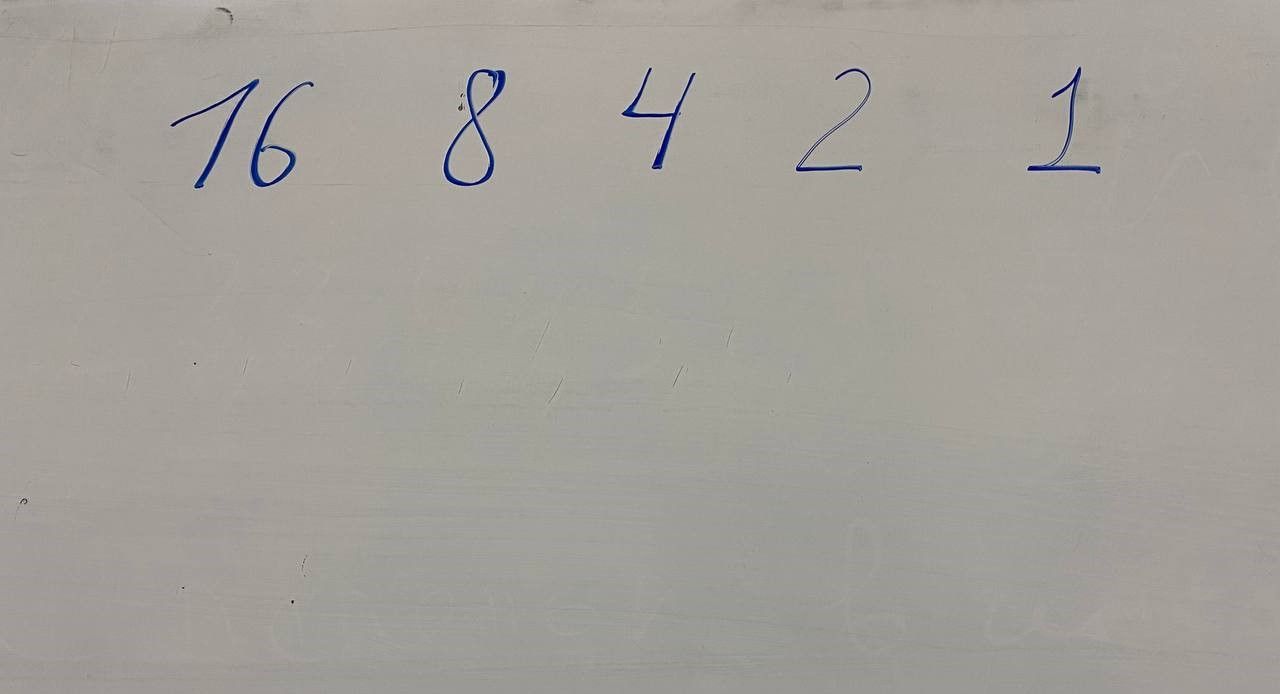
The first number we should get is 10. Ask the students:
How do we get the number 10 using only the numbers written on the board and the addition operation?
We can get the number 10 by adding 8 and 2.
8 + 2 = 10
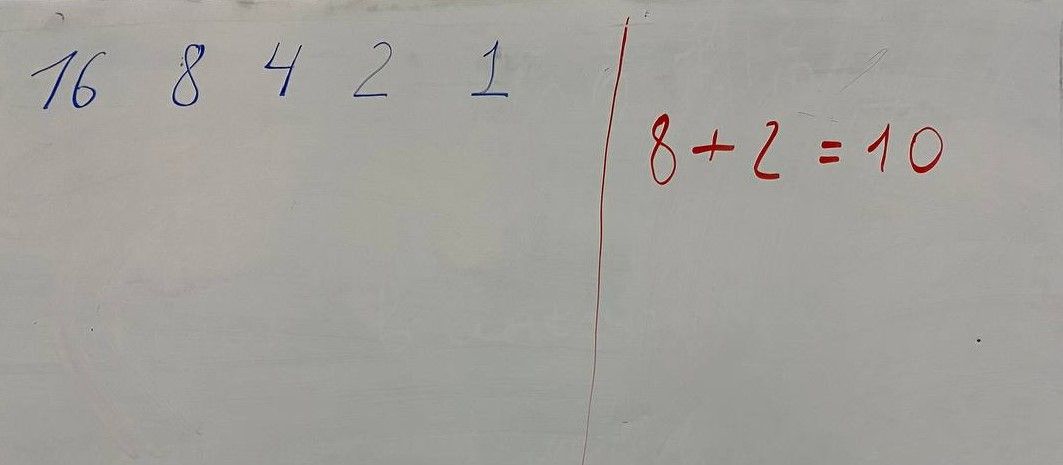
Now write the number 1 underneath the numbers we used
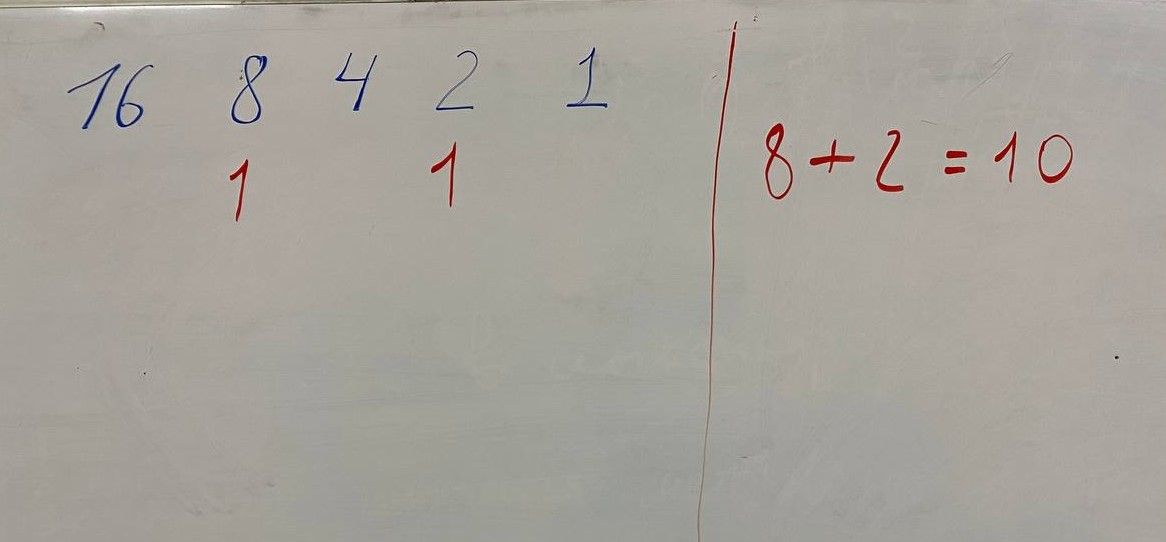
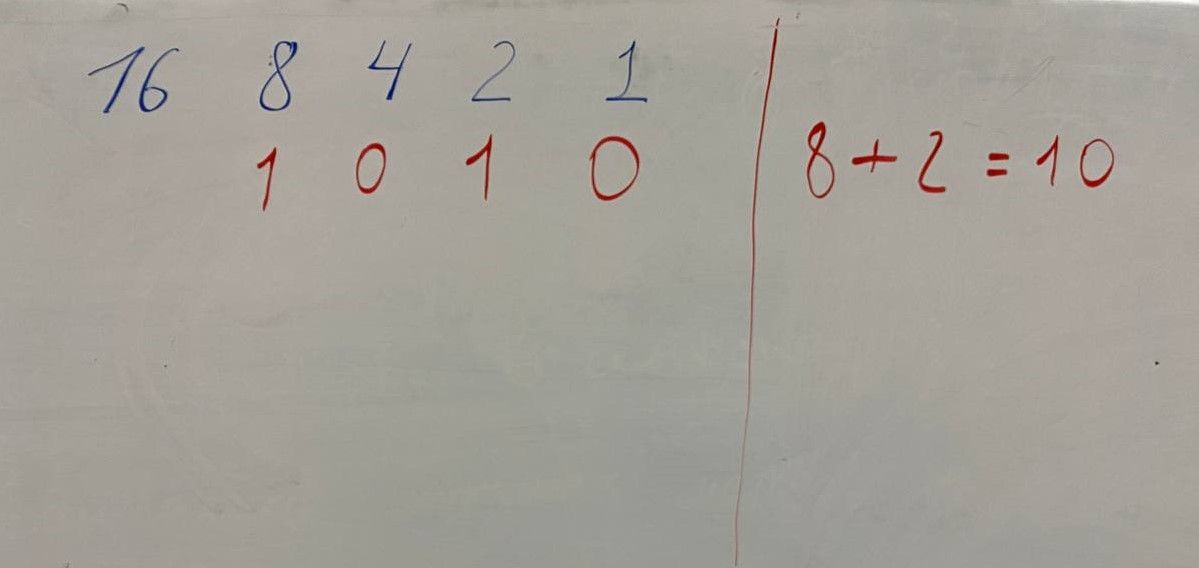
From left to right, after the first one, put zeros under the numbers that we did not use
The second number to be written is 6. To get 6 using the numbers written on the board we can add 4 and 2
4 + 2 = 6
Under the numbers used we write 1
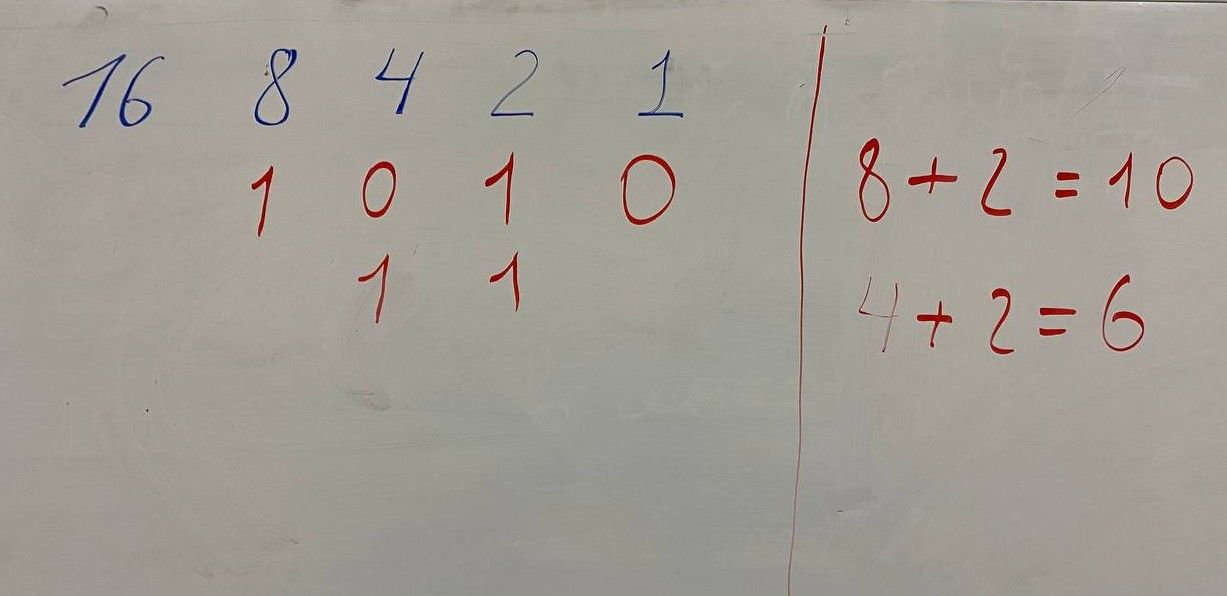
From left to right, after the first one, put zeros under the numbers that we did not use
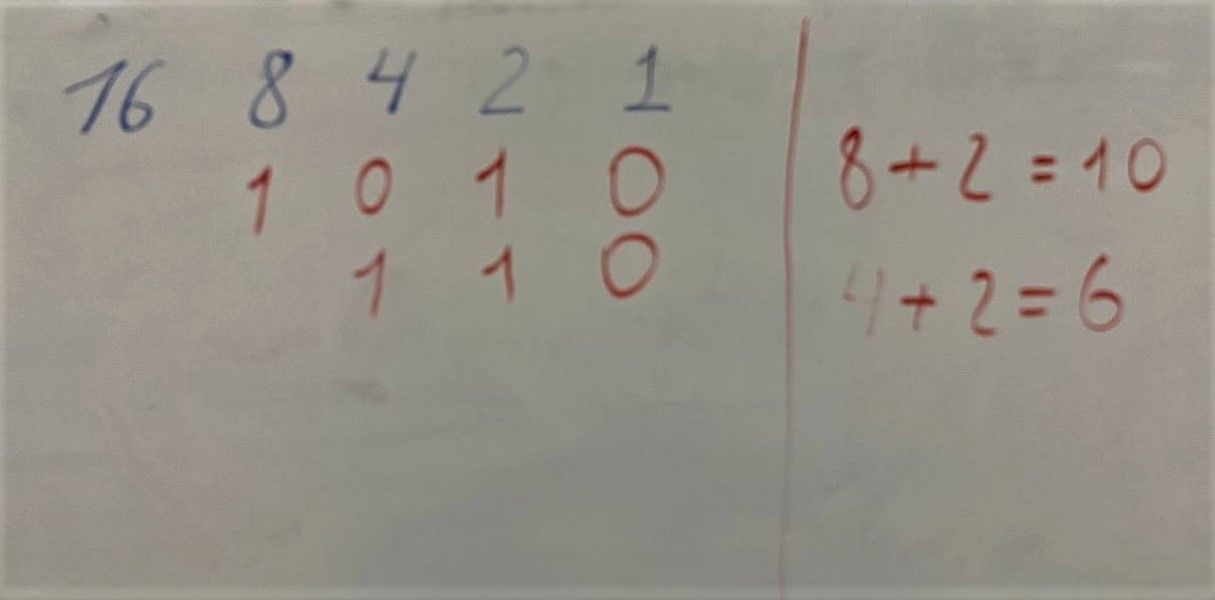
We have written the numbers 10 and 6 in computer language (via binary notation):
1 0 1 0
1 1 0.
After discussing the examples, allow the students to write their day and month of birth through binary code on separate sheets of paper. To check their results, download the table [ download ].
Step 2
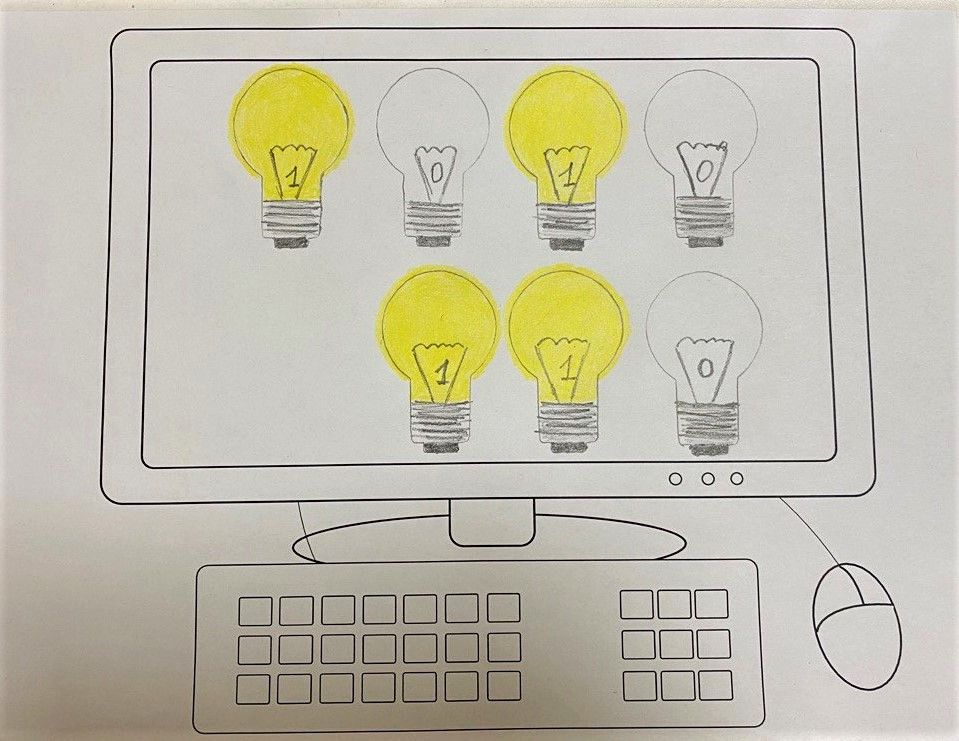
In the next stage hand out the computer picture sheets [ download ] to the students. Ask them to show their day and month of birth through the light bulbs. The students should draw bulbs corresponding to the number of numbers they have received on the computer screen. The following picture shows an example for 10 and 6 (June 10).
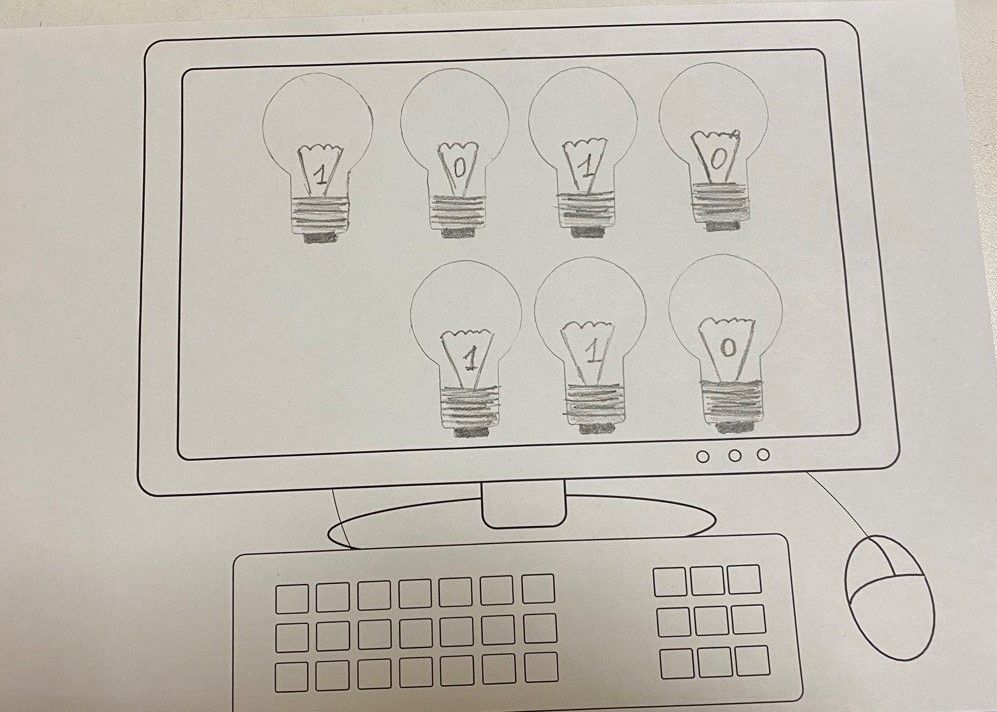
If pupils find it difficult to draw the bulbs, you can use stencils [ download ]. The bulbs that replace number 1 should be painted yellow, and those that replace 0 should be colourless. You should use coloured pencils in yellow and black.