
Week 1
Goals:
To learn how to create a website in the Tilda Publishing website builder
To learn how to add a visually impaired feature to a website
Expected results:
After learning the project, students will:
- – be able to communicate well with the teacher
- – analyze and summarize information
- – Form a responsible attitude to learning
- – accustomed to working independently
- – independent logical reasoning and conclusion
- – increased creativity
Introduction
Access to the Internet in today’s information society is a guarantee for individuals to realize their right to freely receive and impart information, and a prerequisite for the successful exercise of human rights in many areas. While creating revolutionary opportunities for some users to seek, receive and disseminate information, the Internet is at the same time becoming a new line of division, creating digital barriers for others. One of the social groups most affected by the digital divide is people with disabilities.
Interdisciplinary Connections:
Computer science (working with the c++ programming language)
Artistic work (learning to decorate a site)
Teacher’s guide:
- For the evaluation of the project, in the first week, provide this material (PBL rubrics) to students so that
– students understand in advance what criteria they need to prepare for,
– Students are able to independently assess their peers.
- At the beginning of the lesson it is recommended:
- To stimulate interest in the project, ask a few “leading questions”, such as:
– Do you spend a lot of time on websites?
– Does the site where you sit have a function for the visually impaired?
– Can you make a website?
– What website builders do you know?

The financial and technical inaccessibility of information technology for people with disabilities and the resulting digital barriers prevent them from learning, working, earning and playing an active role in society. As a result, they remain one of the most vulnerable and excluded populations in the world.
The fundamental international instrument in the field of rights of people with disabilities is the UN Convention on the Rights of Persons with Disabilities, adopted by the UN General Assembly Resolution 61/106 of 13 December 2006. The Convention sets accessibility as a key principle (Article 3). It is the cornerstone in ensuring the rights of persons with disabilities and is interpreted by the Committee on the Rights of Persons with Disabilities as an essential precondition for persons with disabilities to enjoy their civil, political, economic, social and cultural rights and fundamental freedoms.
The Republic of Kazakhstan ratified the Convention on the Rights of Persons with Disabilities by law on 20 February 2015.
Persons with disabilities refer to a wide range of users, including those with visual impairments (blind and visually impaired), hearing impairments (deaf and hard of hearing), speech, locomotor system, cognitive and neurological impairments.
In order to overcome the digital divide, strengthen the human potential of persons with disabilities and realize their full rights and freedoms, while promoting access to affordable assistive devices, it is important to create equal opportunities for them to access information, especially through accessibility of Internet content and digital technologies.
In the spirit and letter of the Convention, the state has a fundamental obligation to create the necessary conditions and ensure that the equal rights of persons with disabilities to access information, including the internet, are respected. Under Article 9 of the CRPD, States Parties are required to promote all necessary conditions to enable persons with disabilities to use all channels of information and means of communication as they choose, namely
- Develop minimum standards and guidelines for the accessibility of facilities and services open or provided to the public, put them into effect and monitor their implementation;
- Promote access by persons with disabilities to new information and communication technologies (ICT) and systems, including the Internet;
- Encourage the design, development, production and dissemination of inherently accessible ICTs and systems so that accessibility is achieved at minimum cost.
In the run-up to and following ratification of the RK Convention on the Rights of Persons with Disabilities, a number of regulations and legislative changes have been adopted to bring national legislation in line with its provisions.
Resources:
Доступность цифровых продуктов для людей с инвалидностью (drfl.kz)
Practical part
The first and second week you create a website in the Tilda website builder. And in the third week you will add a feature for the visually impaired to the site. The site will be dedicated to the capital city of Astana.
This week you create the site and edit the home pages.
Step 1.
Go to the Tilda website builder at the link below:
Step 2.
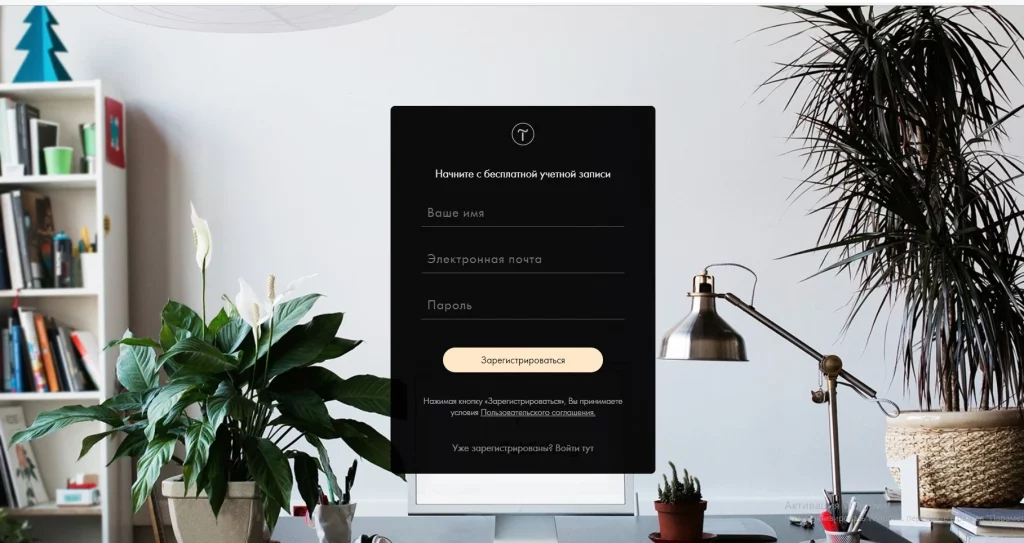
Go to the Tilda Designer website by clicking on “Register”. (You will need to open it if you don’t have an email. You can open this email through Google. You can create a new account for yourself by clicking on the link provided: Create a Google Account )
Fill in the required details in the new window that opens and register. After registering you need to confirm your email by going to the email you registered with.
Step 3.
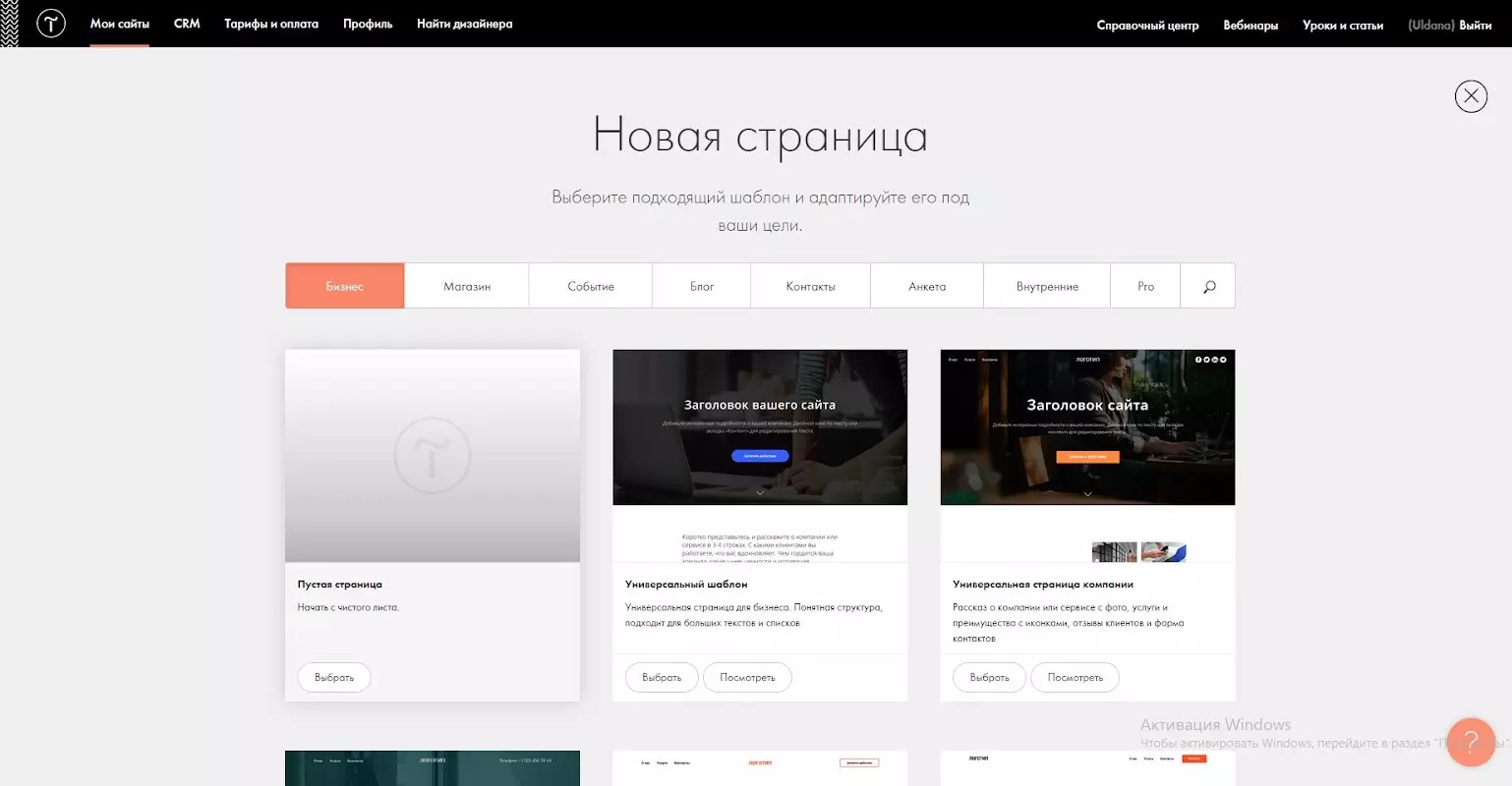
Click the “Create new website” button.
You will be taken to the My project window. From there click on “Create new page”. Select “Empty page” in the window that opens.
Step 4.
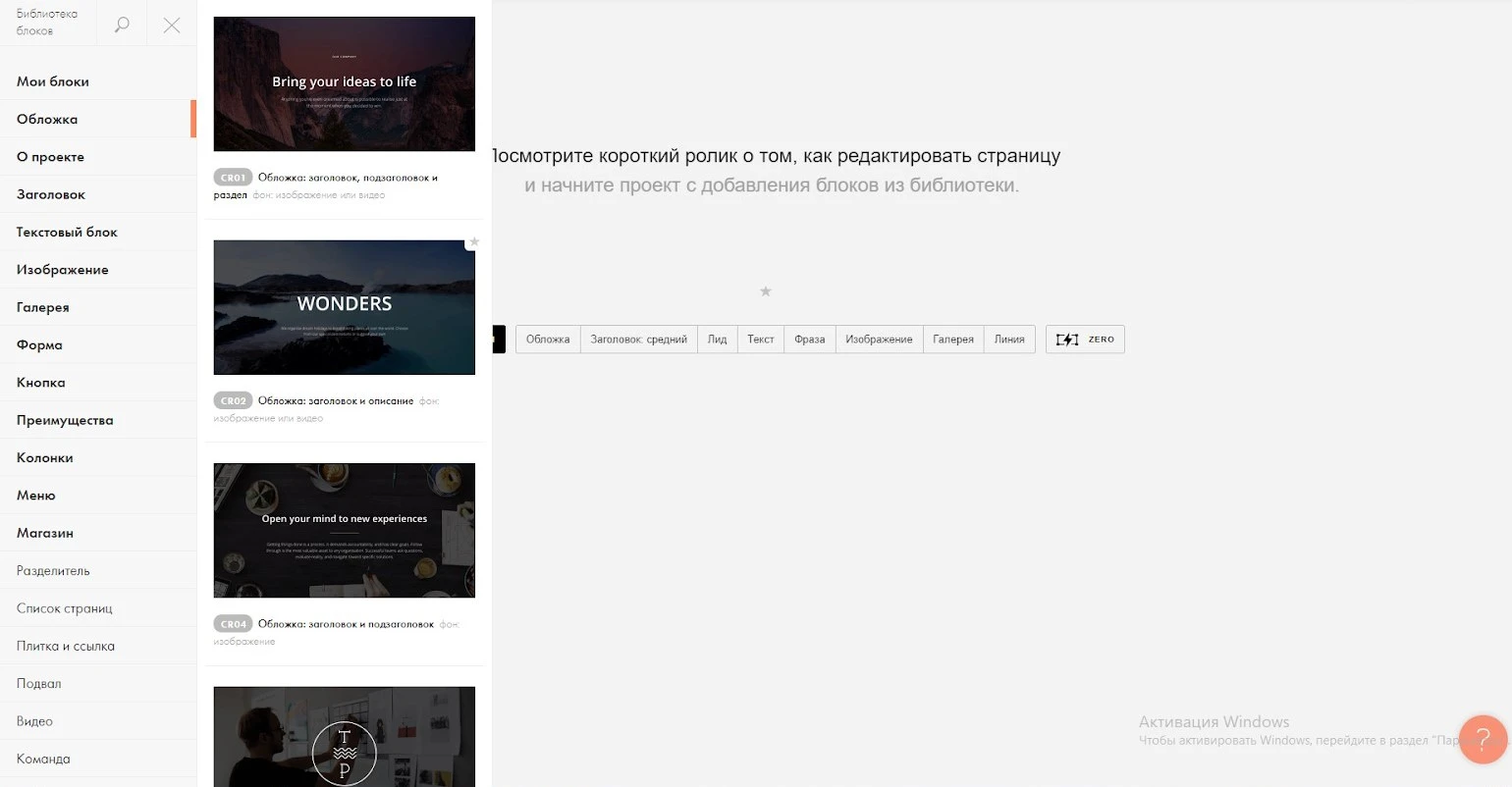
In the window that opens, click on the “All Units” button. Go to “covers” and select “CR02”.
Step 5.
The site will be dedicated to the city of Astana. First click on the link and upload the necessary images: link
Step 6.
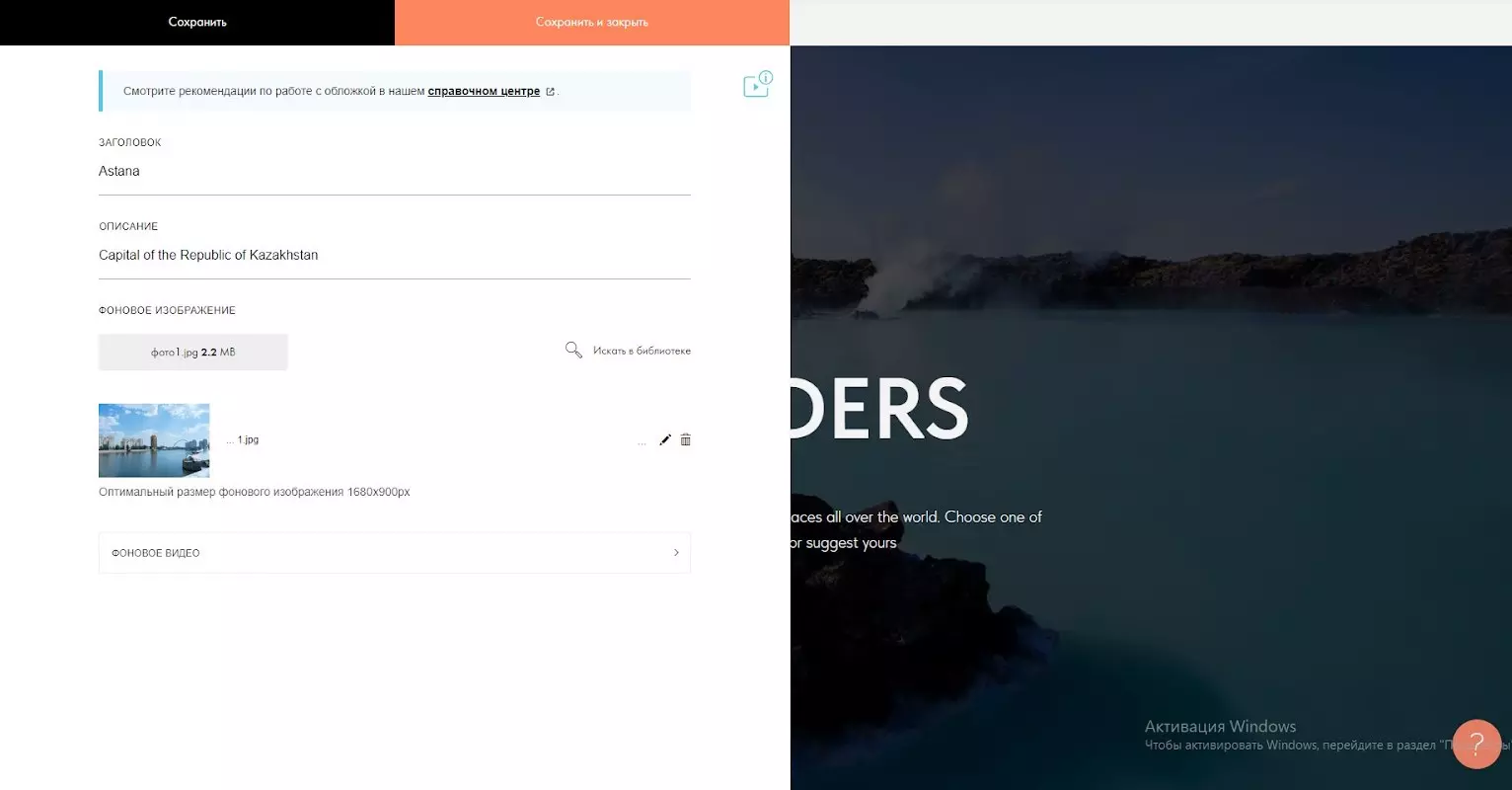
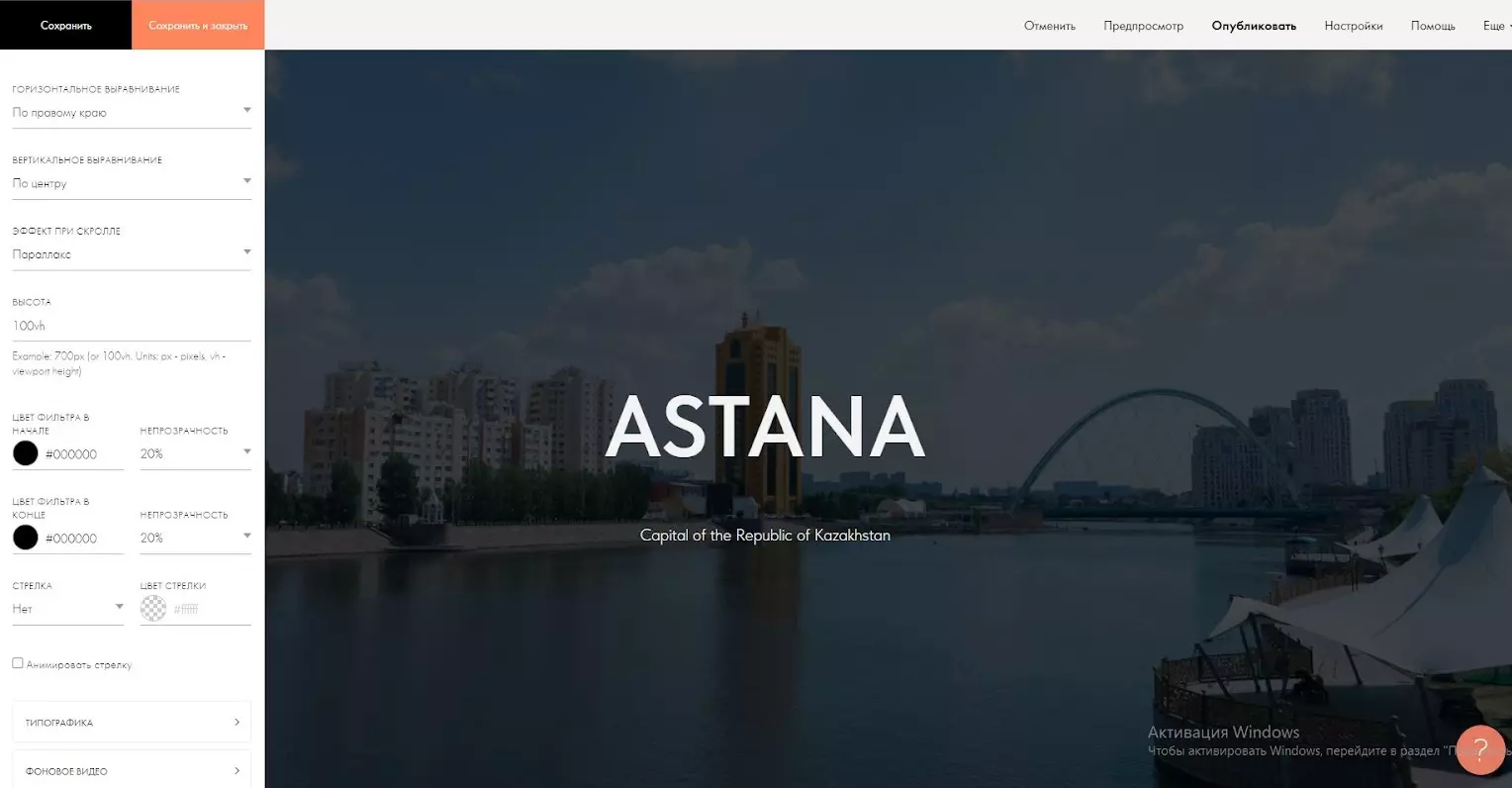
Start editing by clicking the “Content” button on the first page. Enter the words Astana in the “HEADER” section and the Capital of the Republic of Kazakhstan in the “DESCRIPTION” section. Place the image in the “Background image” section “photo1” from the uploaded photos.
Step 6.
Click the “Save and Close” button and save. The image and details on the first page are then swapped.
The image and details on the first page are then swapped. Then swap the image and details on the first page. Go to Settings, horizontal alignment – right edge, effect when scrolling – parallax, transparency – change to 20% and save.
Step 7.
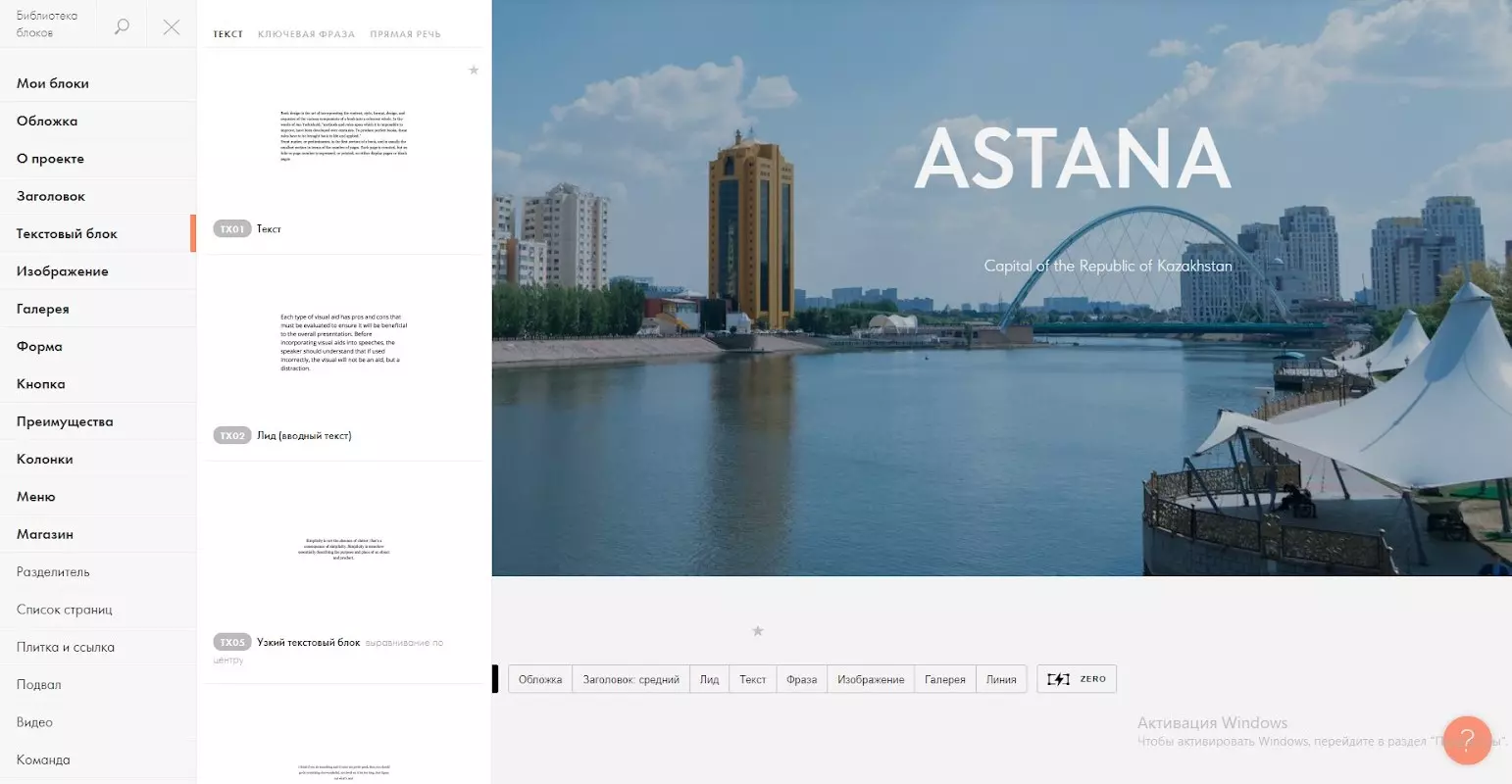
To create a second page, press “Add”, select “Text Box” and select “TX01”.
Text: “By presidential decree of 6 May 1998, Akmola was renamed Astana. The international presentation of the new capital was held on June 10, 1998. In 1999, Astana was awarded the title of “City of Peace” by UNESCO.”
Step 8.
Edit by pressing the “Content” button. Enter the text below into the text. Click the “Save and Close” button and save.
Text: “By presidential decree of 6 May 1998, Akmola was renamed Astana. The international presentation of the new capital was held on June 10, 1998. In 1999, Astana was awarded the title of “City of Peace” by UNESCO.”
Step 9.
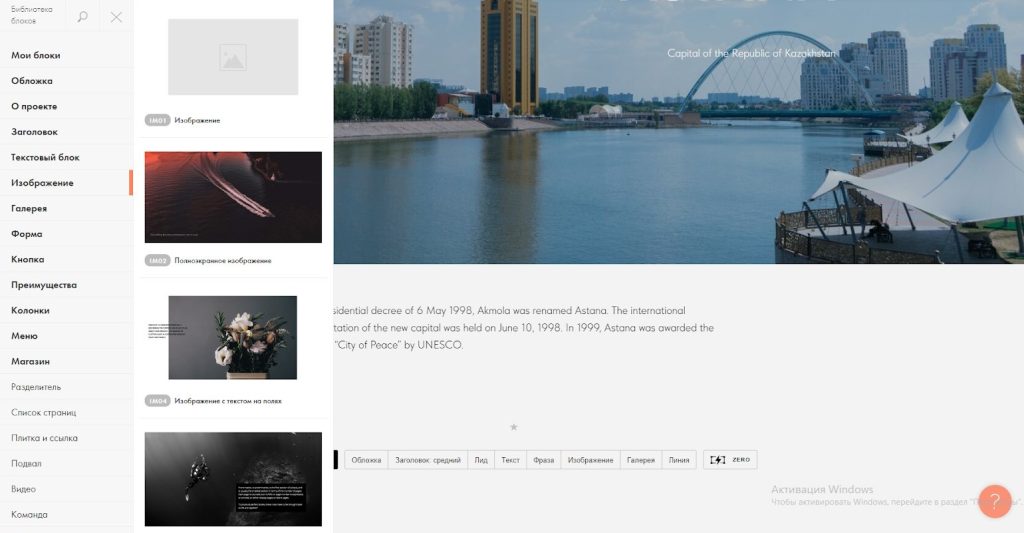
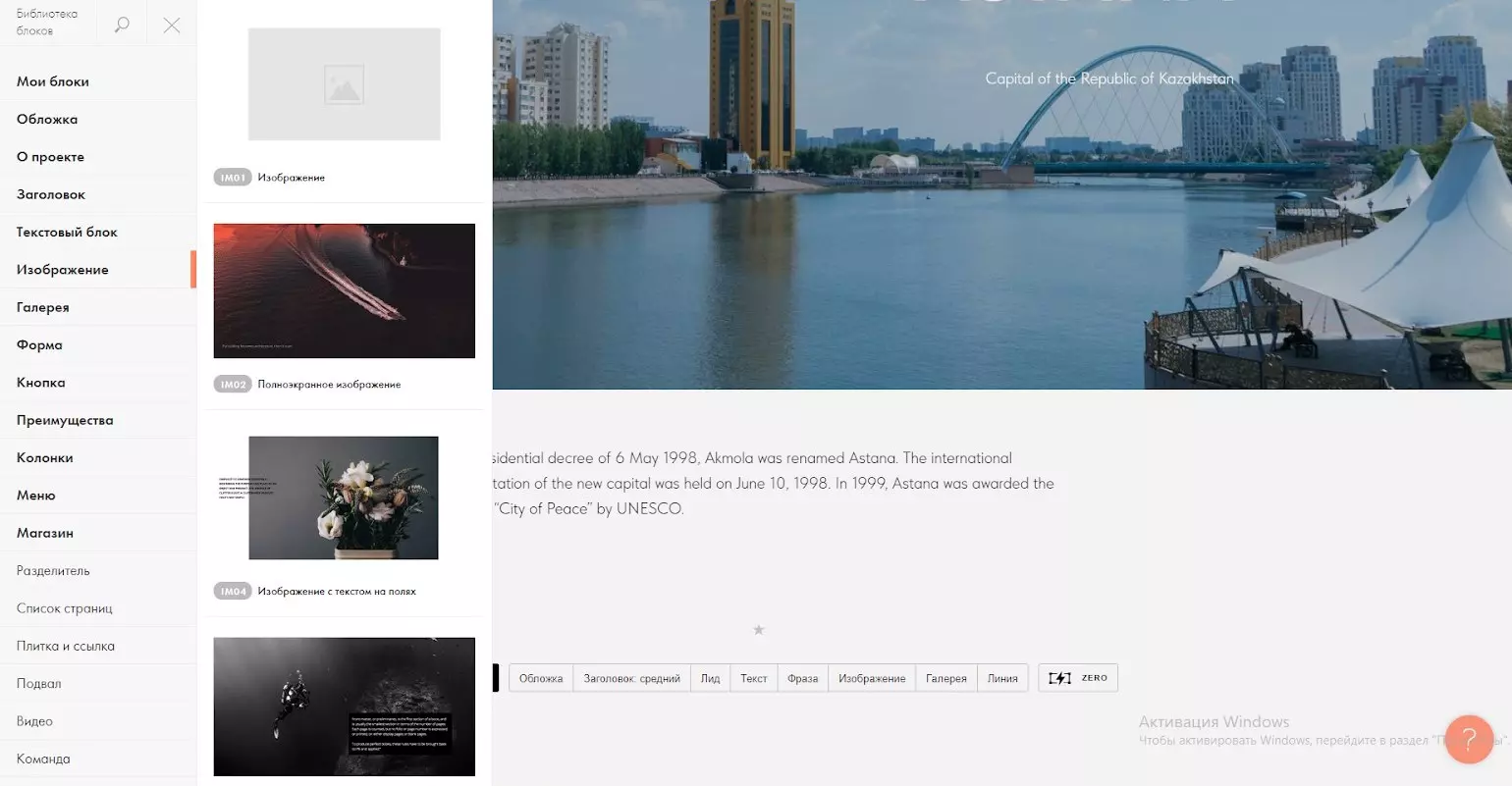
To add the next third page, you add a new page by clicking the “Add” button. After clicking the “Add” button, go to the “image” section and select “IM01”.
Step 10.
Replace the image by pressing the “Content” button. Load “photo2” into it. Click the “Save and Close” button.
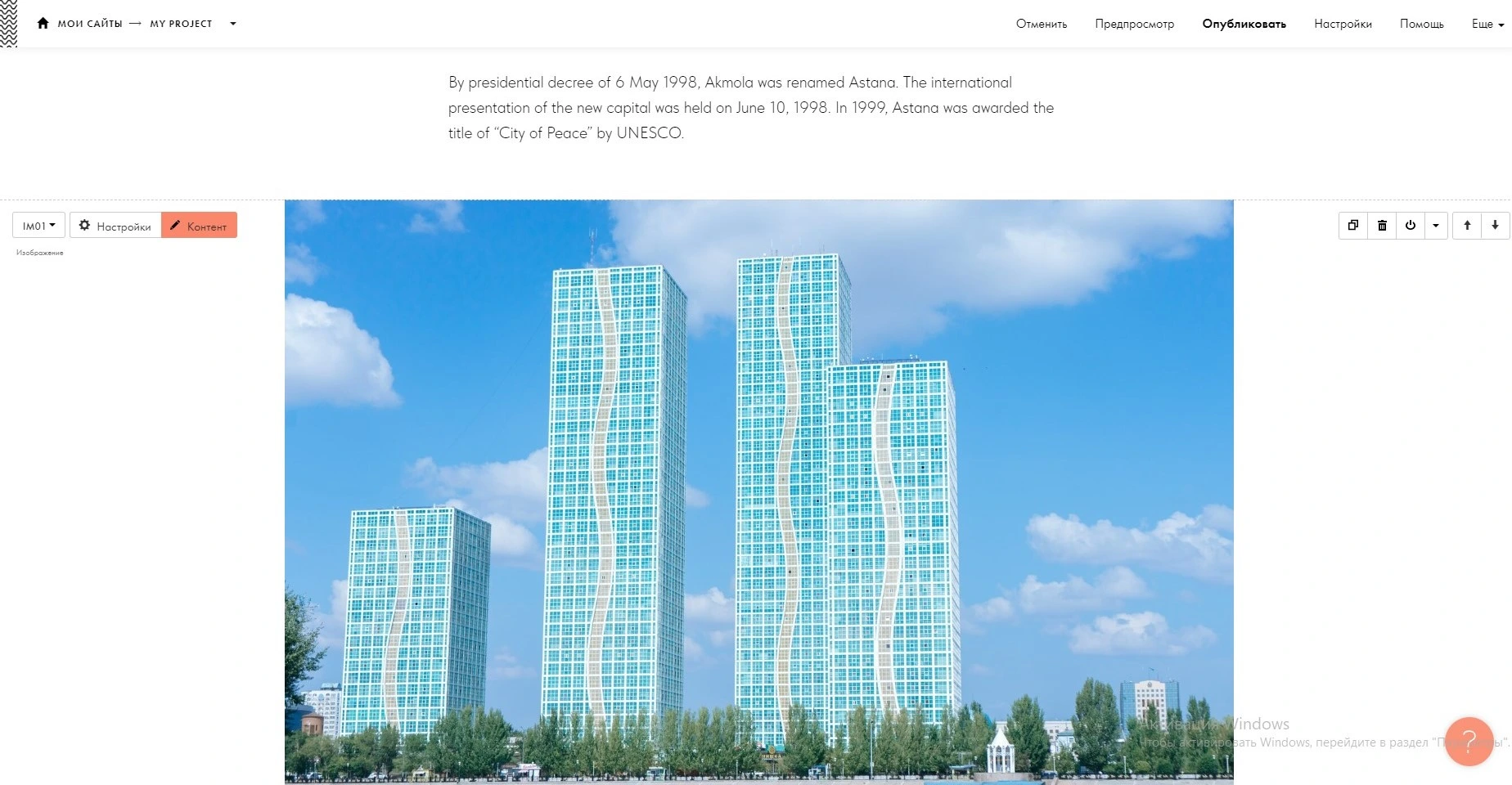
Step 11.
To create a fourth page, press “Add”, select “Text Box” and select “TX01”.
Step 12.
As usual, by clicking on the “Content” button, you will write the text below in the “Text” section. Then click on the “Save and Close” button.
Text: “At present, the capital has an area of over 722 square kilometers and a population of over 1 million people. The city consists of four districts – Almaty, Saryarka, Yesil and Baikonur. The dynamic development of the city’s economy is becoming attractive to many investors. The economy of the city is based on trade, industrial production, transport, communication and construction.”