
Multiplication and division
Area Model Introduction by PhET Interactive Simulations, University of Colorado Boulder, licensed under CC-BY-4.0 (https://phet.colorado.edu)
Objective:
- Familiarity with the multiplication table and memorization;
- The operation of division;
- Relating the operation of division and multiplication.
This virtual activity is designed to be used in math lessons in the next chapter:
- Grade 2. “Multiplication and division”
Theoretical part
Multiplication Operation
Imagine you are a baker and you want to bake lots of delicious pies. How many pies will you get if you use 2 cups of flour for each pie?
That’s where multiplication comes to our rescue!
Multiplication is the addition of identical groups.
In our case:
1 pie = 2 cups of flour
2 pies = 2 cups of flour + 2 cups of flour = 4 cups of flour.
3 pies = 2 cups flour + 2 cups flour + 2 cups flour + 2 cups flour = 6 cups flour
Let’s write it down like this:
2 x 3 = 6, where:
2 is the multiplier (what we are multiplying) – the amount of flour for 1 pie
3 is the multiplier (how many times we multiply) – the number of pies
6 is the product (the result of multiplication) – the total amount of flour.
Division operation
The more pies we bake, the more flour we use!
Now let’s imagine that you have 8 delicious apples and you want to put them equally into 2 baskets. How many apples will be in each basket?
Division will help us with that.
Division is dividing a number into equal groups.
In our case:
8 apples / 2 = 4 apples in each basket
We write it like this:
8 : 2 = 4, where:
8 is the divisor (what we are dividing) – the total number of apples
2 is the divisor (how many groups we divide into) – the number of baskets
4 is the quotient (the result of division) – the number of apples in each basket.
Let’s write it like this:
8 : 2 = 4, where:
8 is the divisor (what we are dividing) – the total number of apples
2 is the divisor (how many groups we divide into) – the number of baskets
4 is the quotient (the result of division) – the number of apples in each basket.
The more apples, the more baskets with the same number of apples you get!
Multiplication and division are like two sides of the same coin:
- By multiplying, we increase the quantity several times (bake more pies).
- By dividing, we break the quantity into groups (arranging the apples in baskets).
Virtual experiment
The “multiplication” simulation is an aid for students to familiarize themselves with the multiplication table. The screen introduces the multiplication operation in the form of the Pythagoras table. By manipulating the numbers, he gets the results of multiplication.
Course of Work:
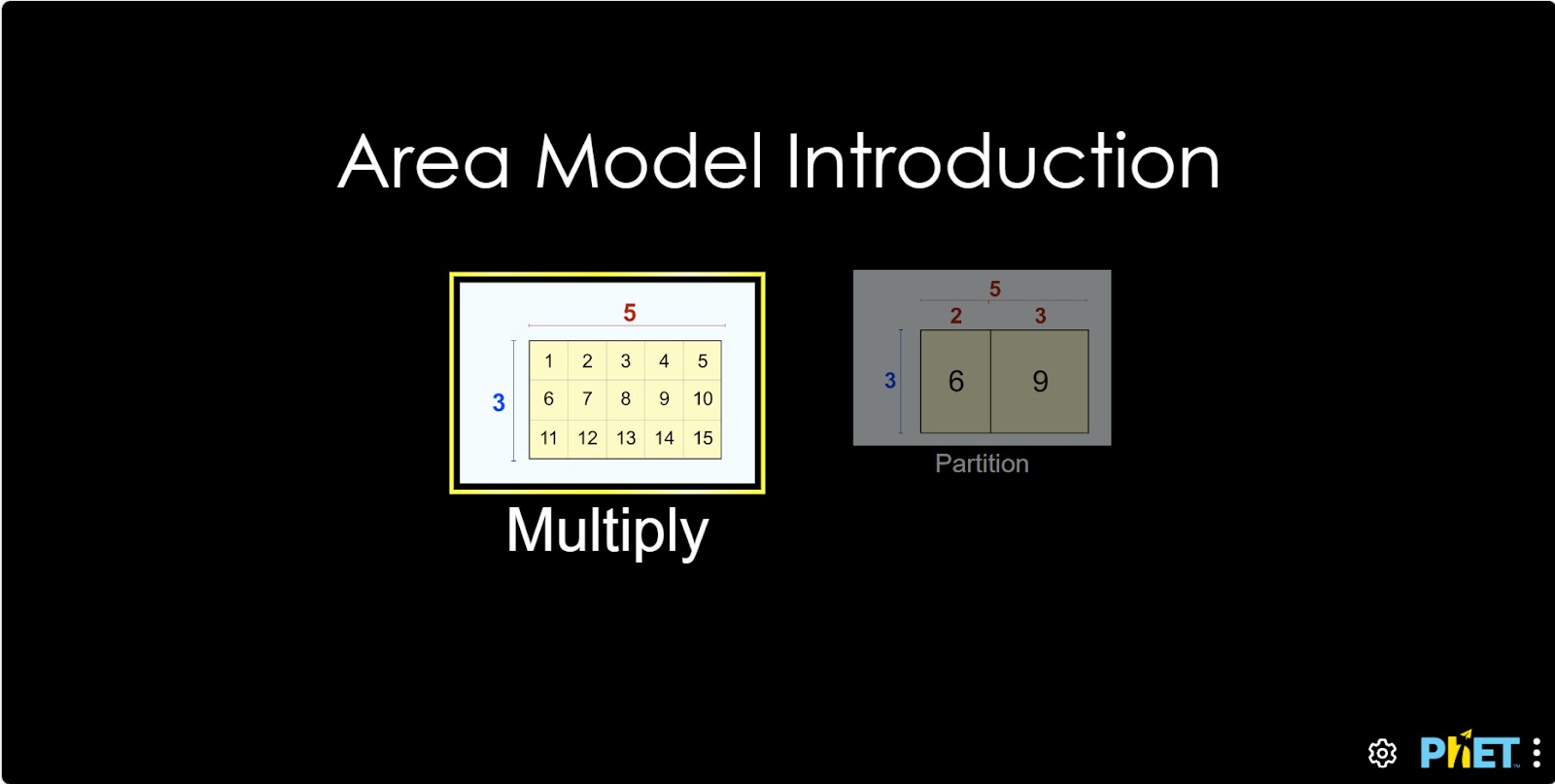
Step 1. Start the simulation: you will be presented with 2 different modes, “Multiply” and “Partition”. You will work on this experiment in the “Multiply” section. Open the “Multiply” section.
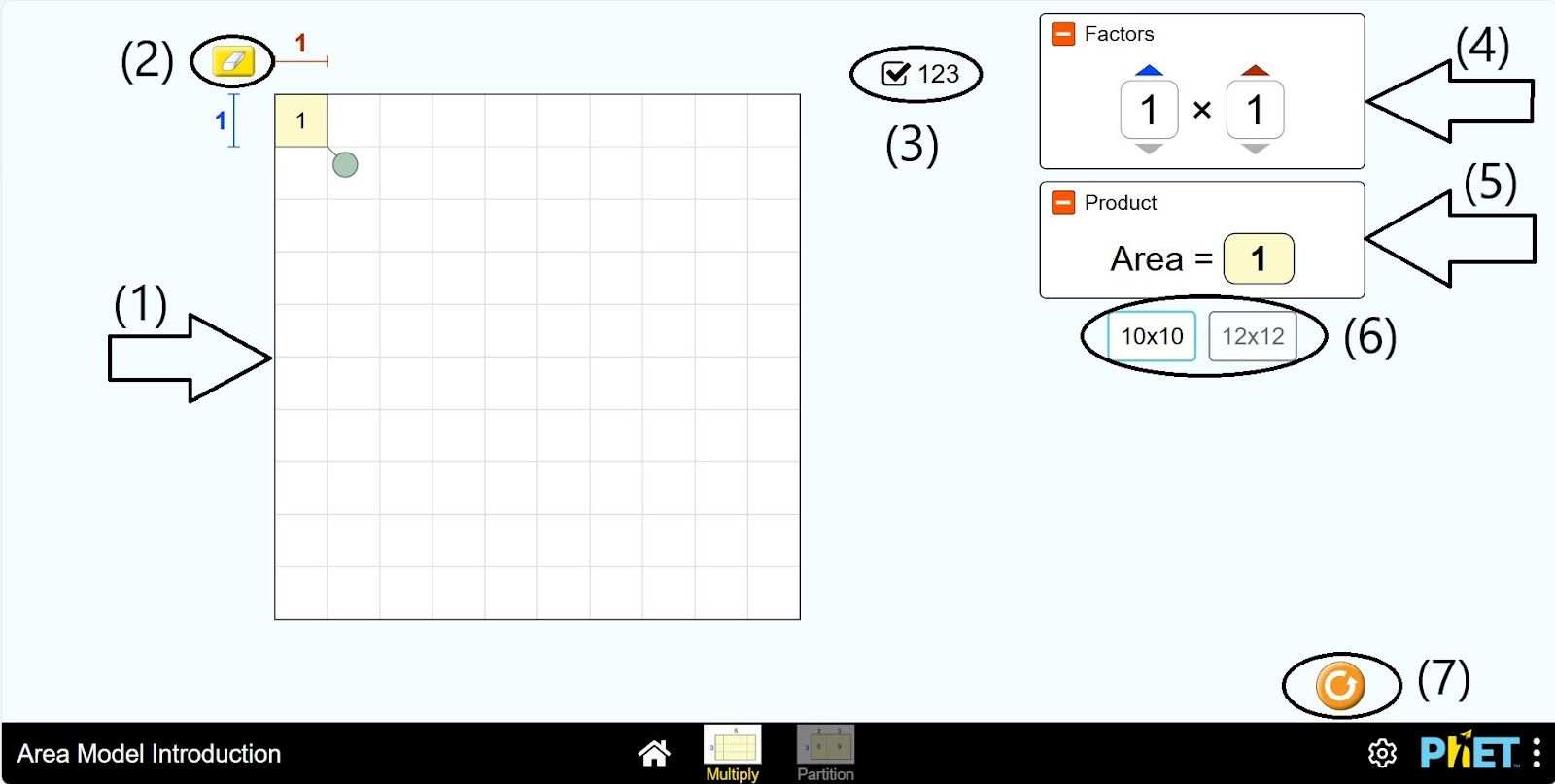
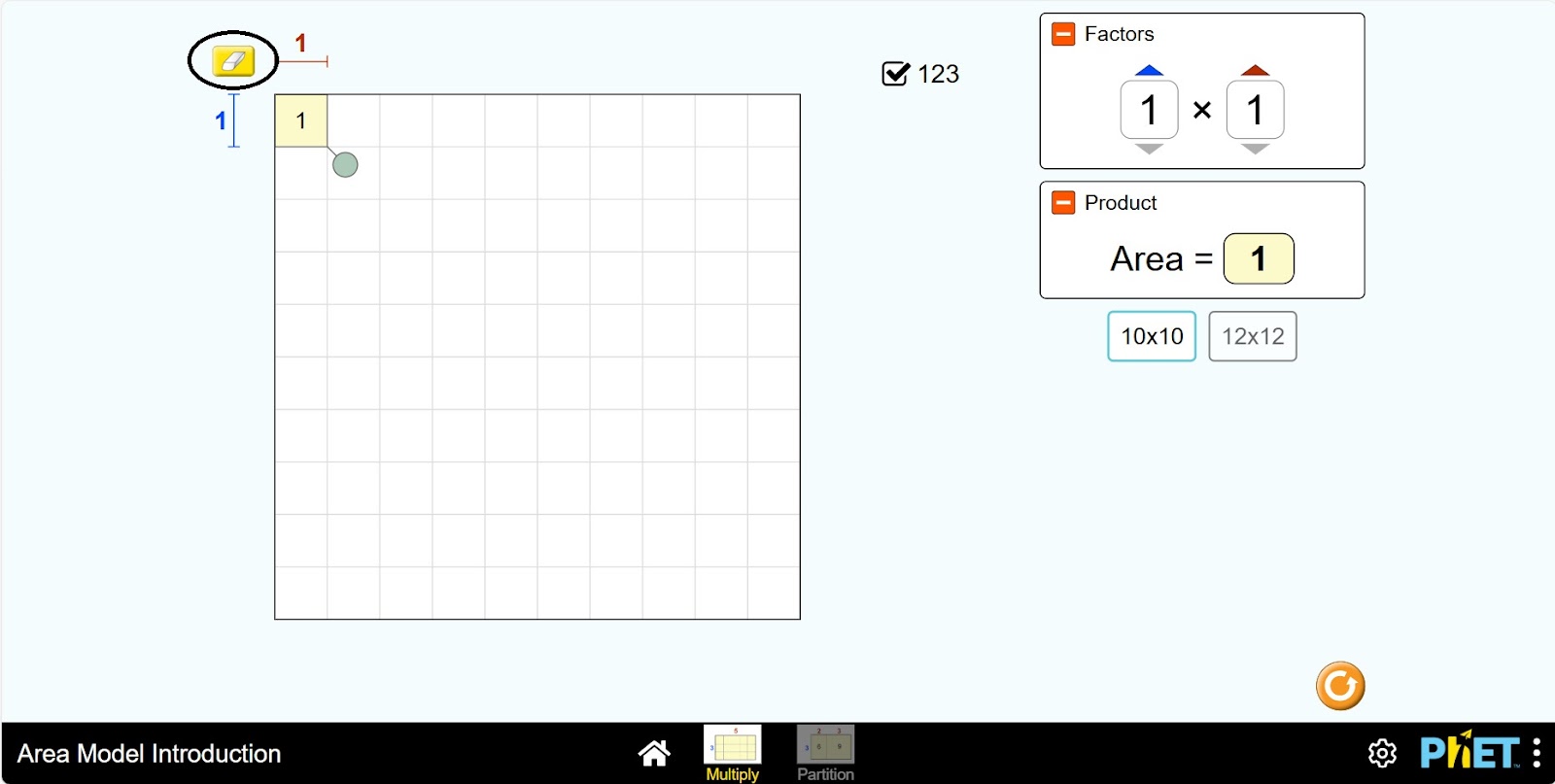
Step 2. Given to you in the work area:
- Pythagoras table (1);
- Eraser (2);
- Show and hide table numbers button (3);
- Multiplication and multiplier number board (4);
- Multiplication results table (5);
- Pythagoras table size: 10*10 and 12*12 (6);
- Reset button (7).
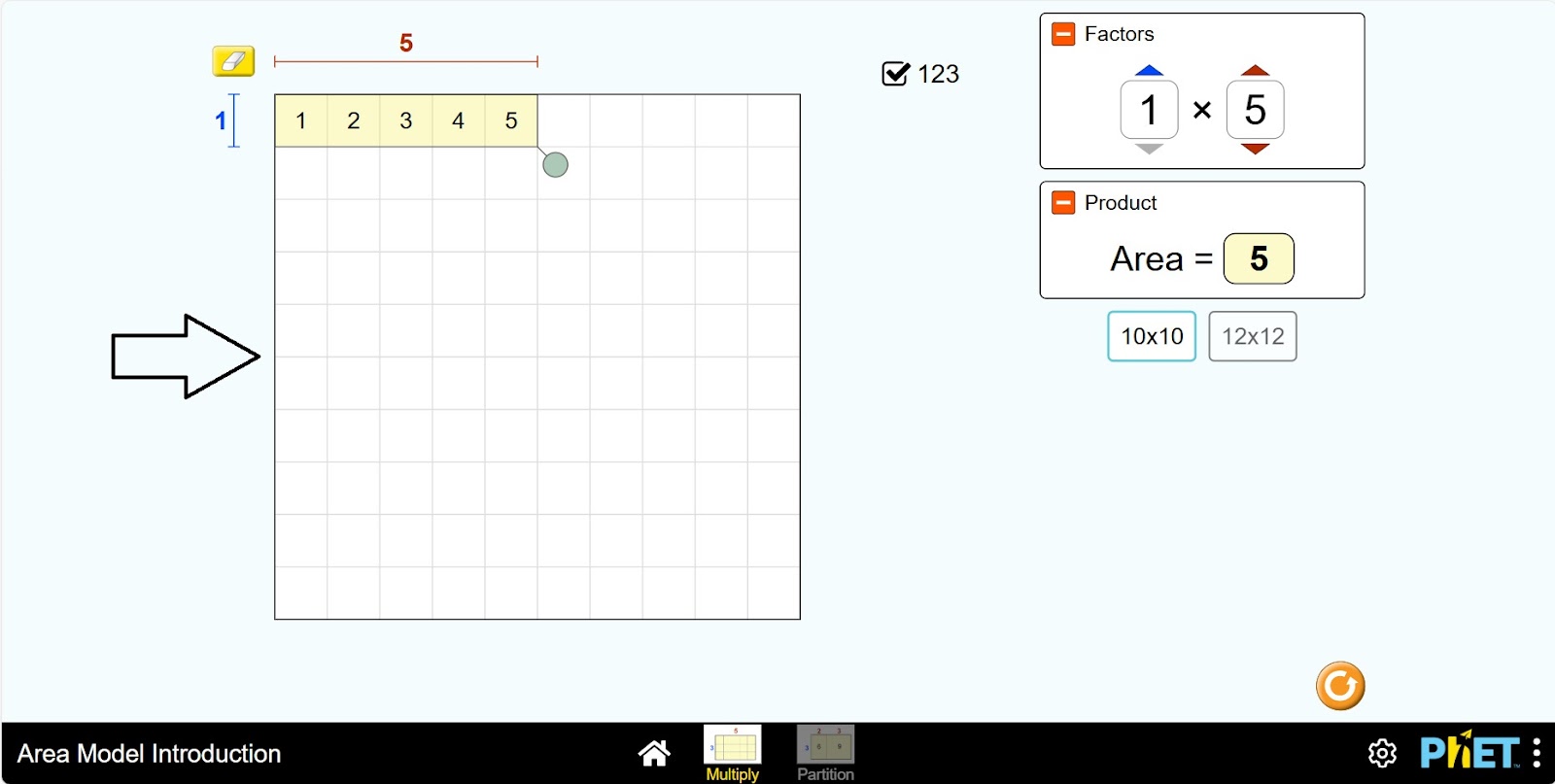
Step 3. The Pythagoras table shows the expression 1*1: 1*1=1. You can see the result of numbers up to 10 multiplied by 1 by left-clicking and moving to the right. For example, 1*5=5.
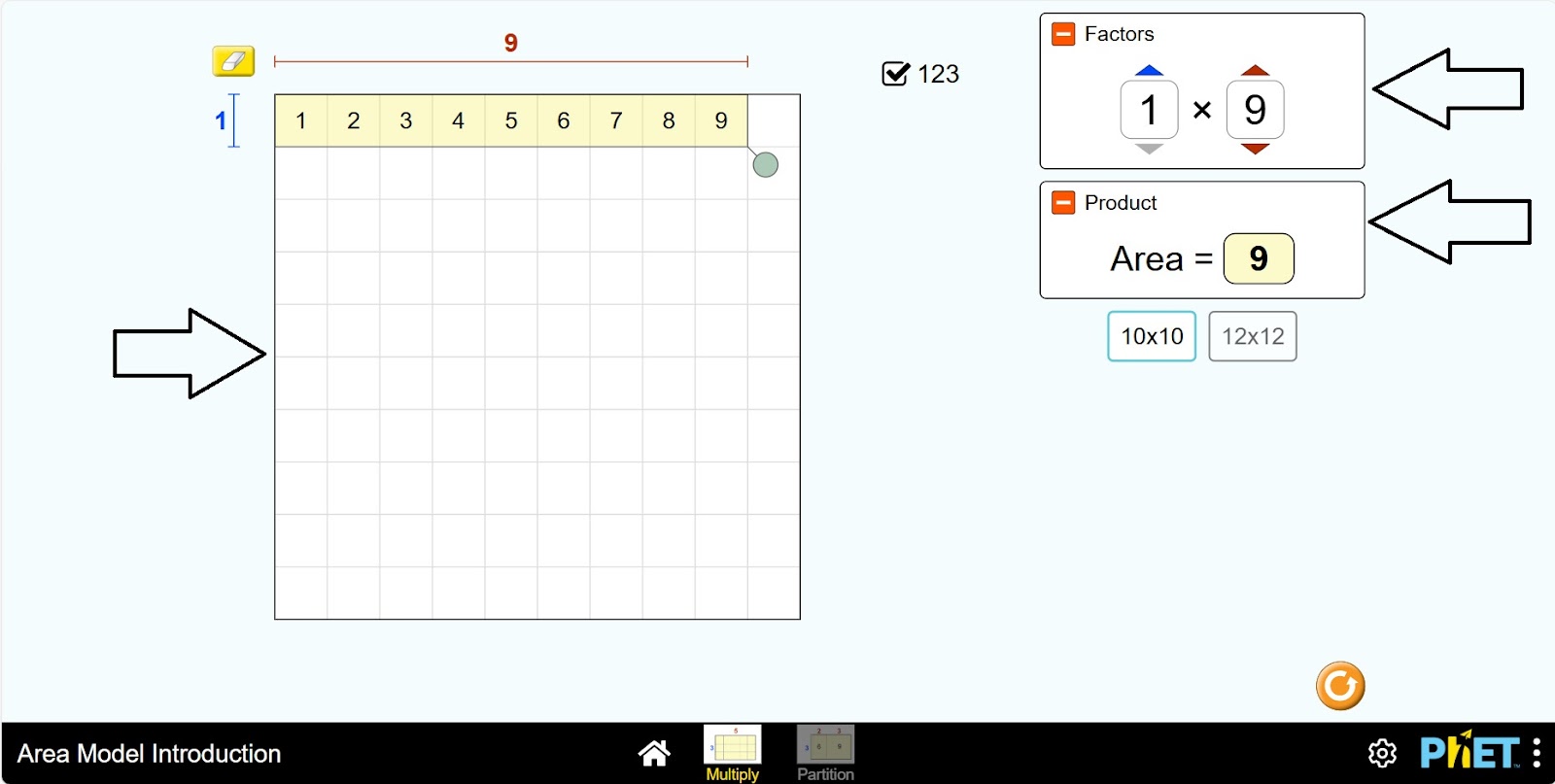
Step 4. You can see the expressions 1*9=9 in the multiplication and multiplication numbers pane and in the multiplication results pane.
Step 5. Clean the table with an eraser.
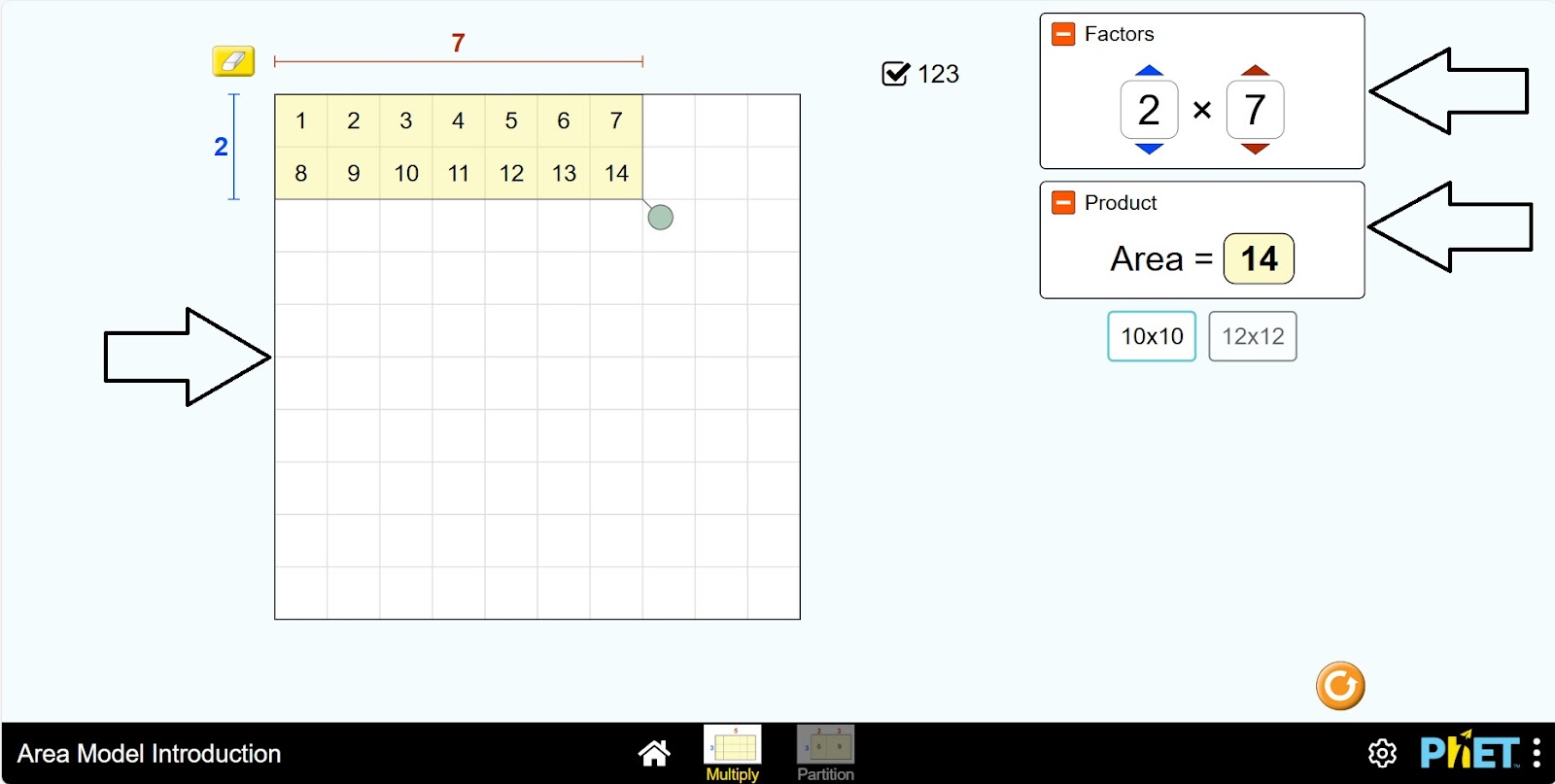
Step 6. Move the table down one unit. You have the expression 2*1: 2*1=2. You can see the result of numbers up to 10 multiplied by 2 by left clicking and moving to the right. For example, 2*7=14. You can see the expression information on the right side of the screen.
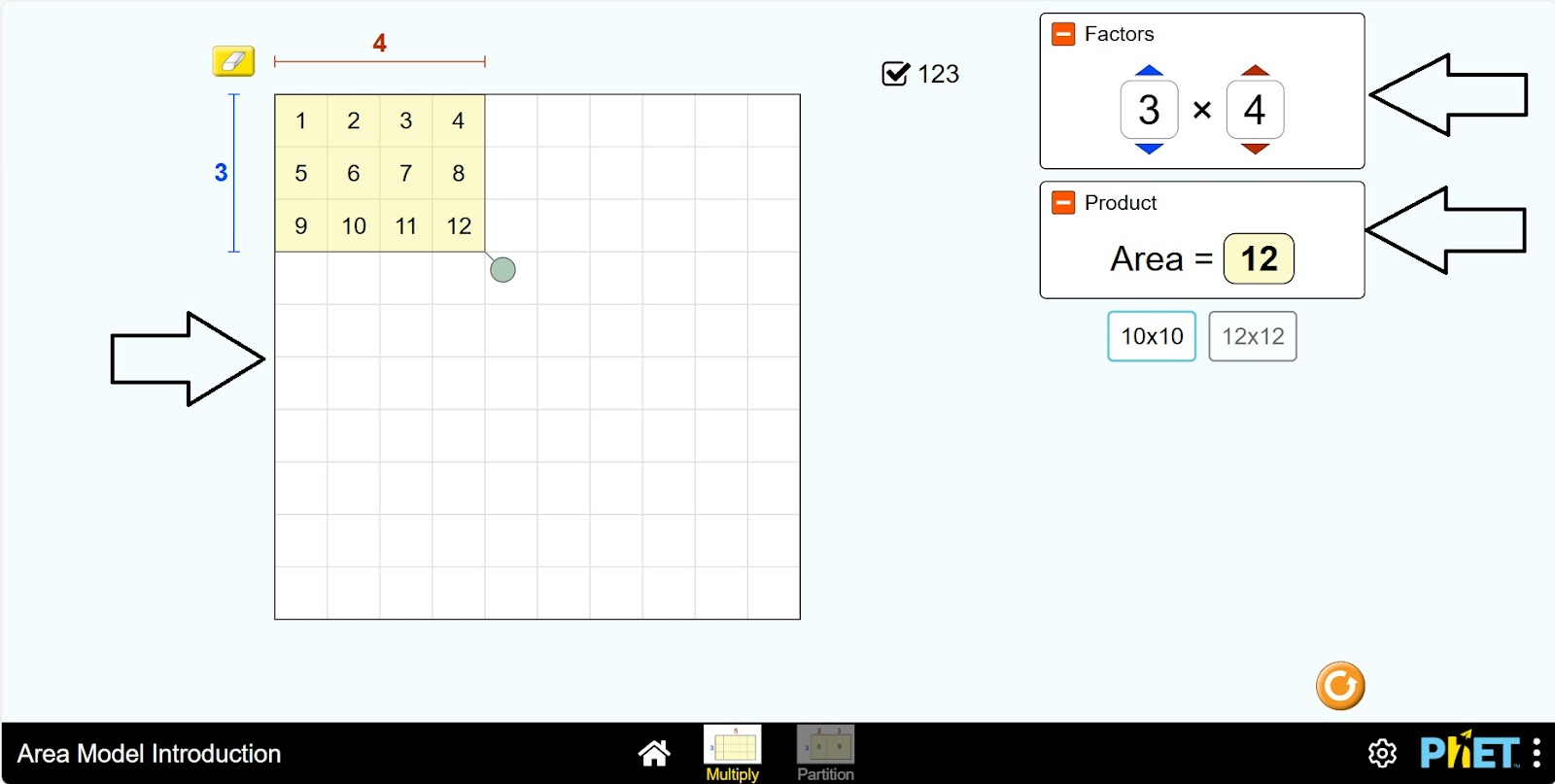
Step 7. Clear the table with an eraser and move the table down two units. You have the expression 3*1: 3*1=3. Here you can see the result of numbers up to 10 multiplied by 3. For example, 3*4=12. On the right side of the screen, there are more details.
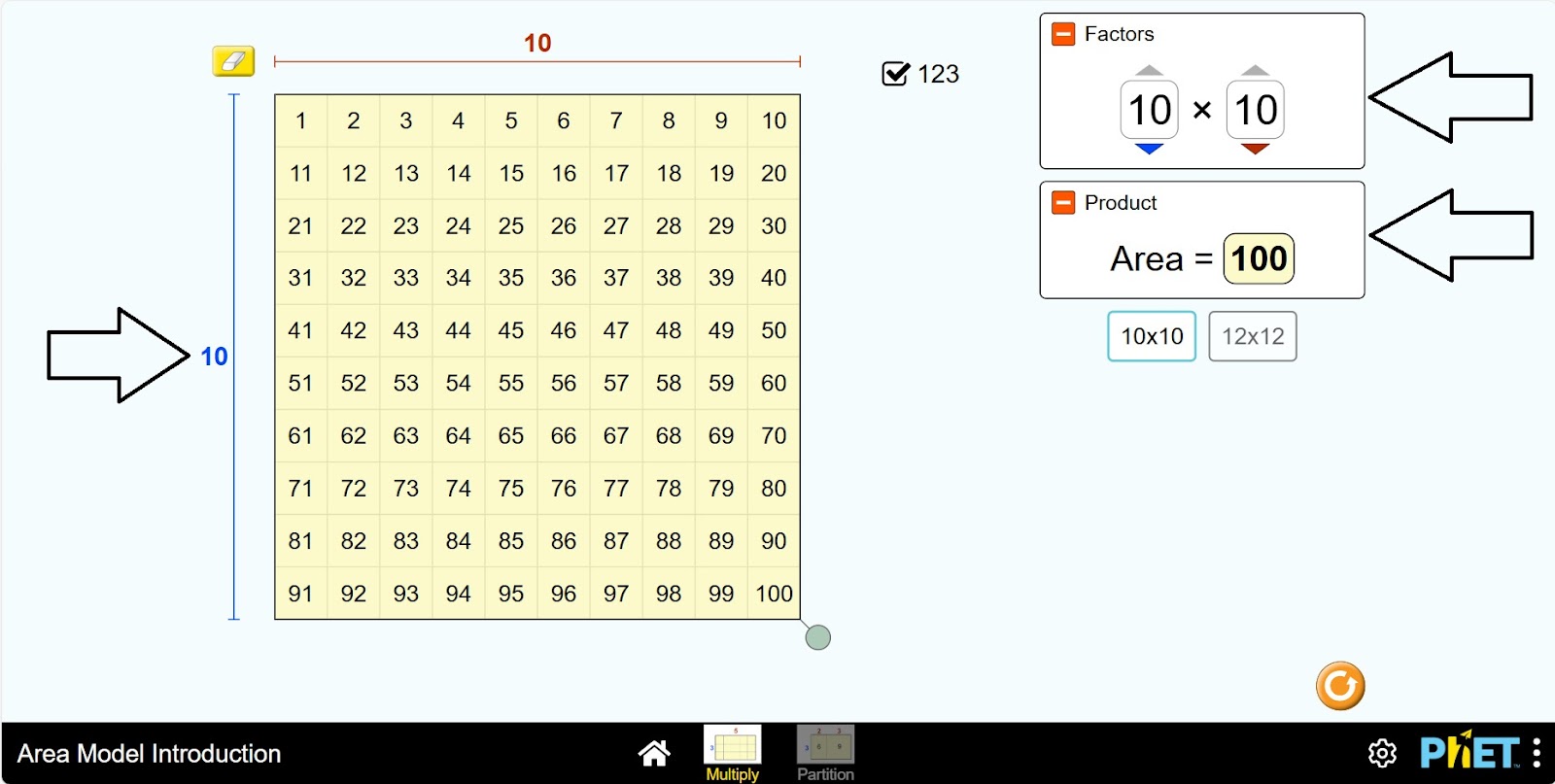
Step 8. Thus, familiarize yourself with the multiplication table by moving the table down and to the right. The table shows the multiplier and the multiplier up to 10. So you can see the product 10*10=100.
Step 9. If you change the size of Pythagoras table to 12*12, you can learn the product 12*12=144.
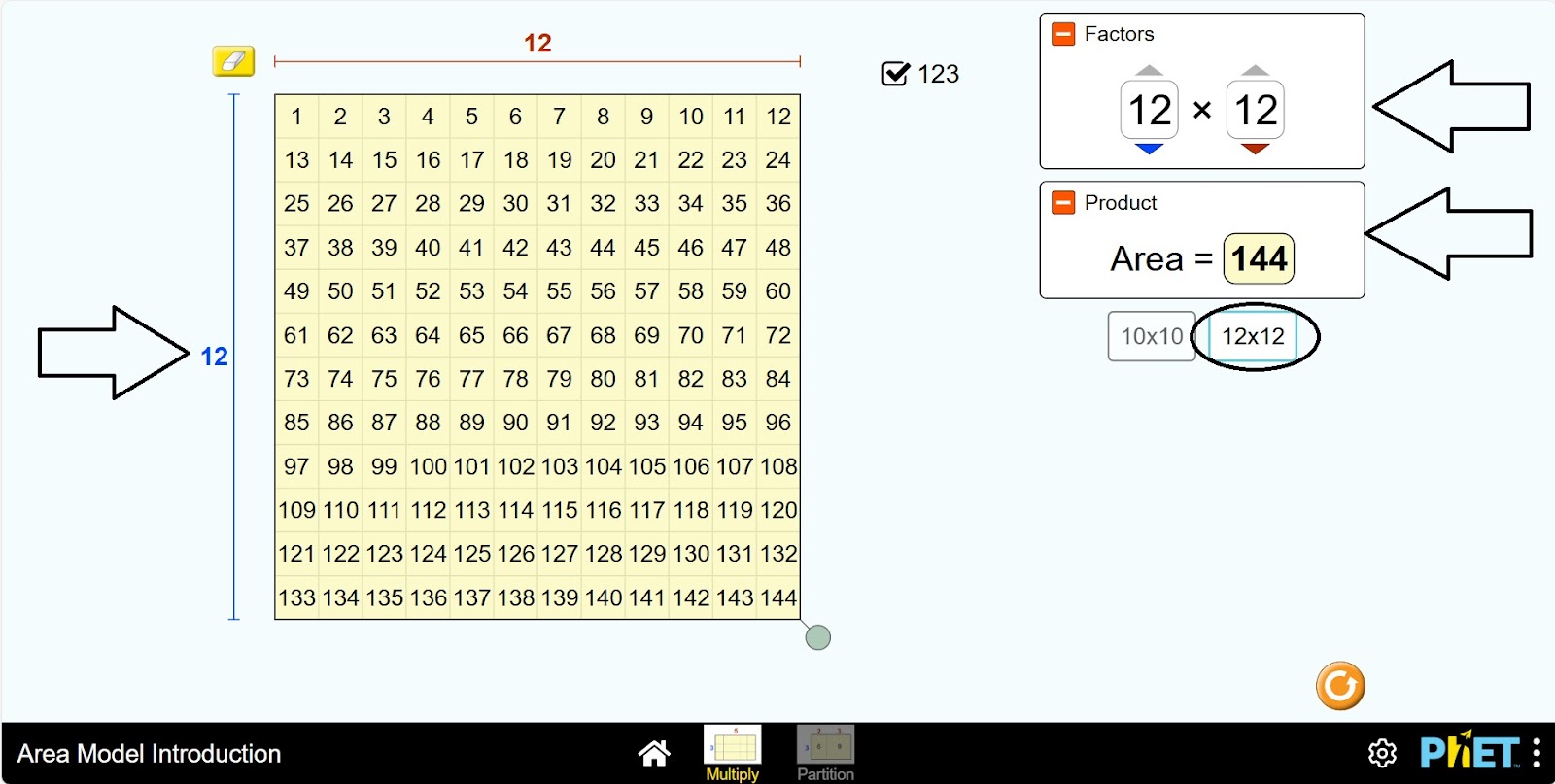
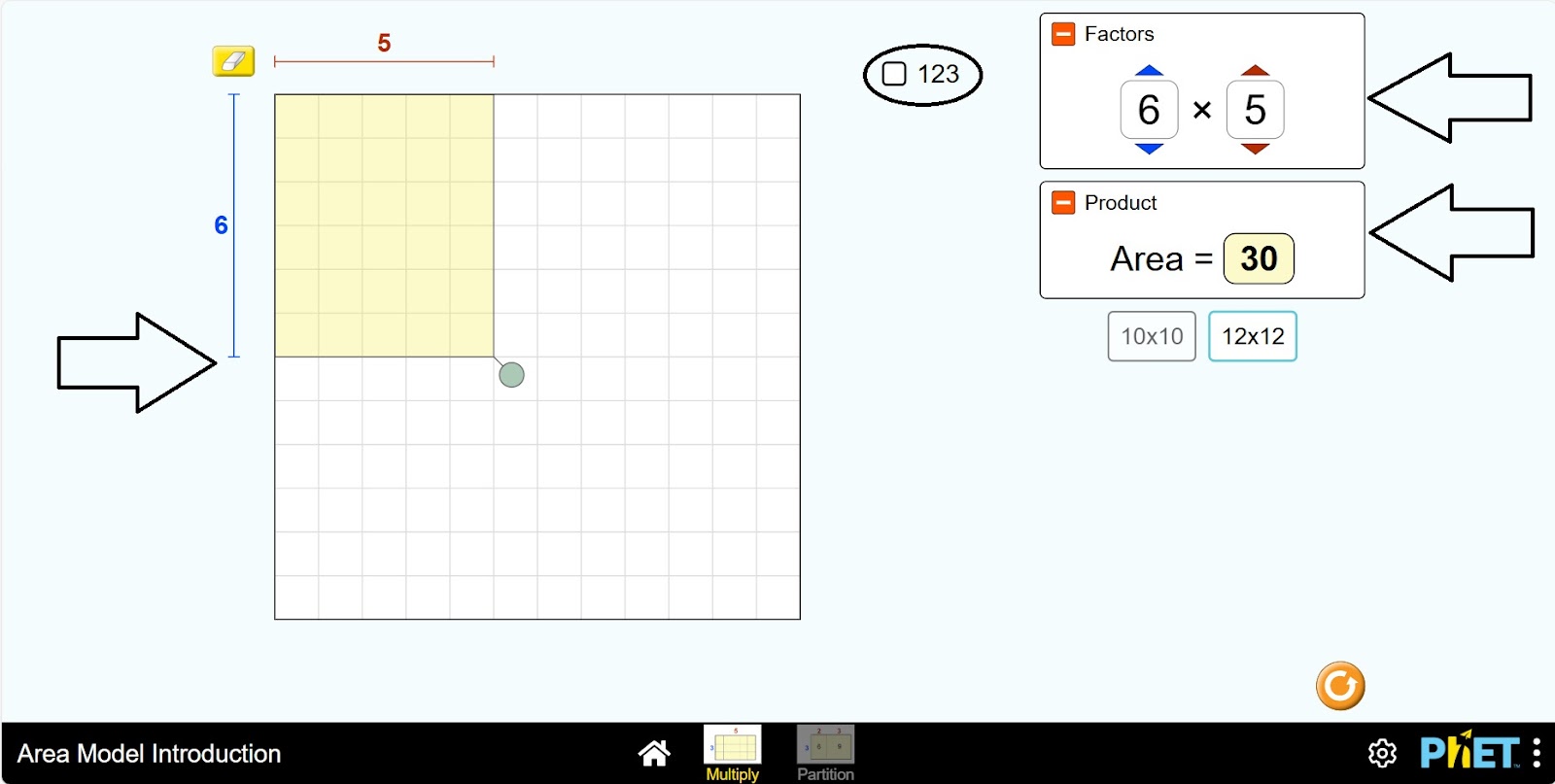
Step 10. You can learn the multiplication table by changing the numbers in the multiplier and multiplier number panel. The table automatically changes according to the multiplier and multiplicand. You can see the result of multiplication on the board. You can click show and hide the numbers in the table and not show the numbers.
Conclusion
Students learn how to multiply using the Pythagoras table by doing this virtual activity. It will be interesting for students as they will work with the multiplication operation visually and make it easier to memorize the multiplication table.