
Adding Rational Numbers Using a Coordinate Line
Number Line: Distance by PhET Interactive Simulations, University of Colorado Boulder, licensed under CC-BY-4.0 (https://phet.colorado.edu)
Objective:
- To perform addition and subtraction of whole numbers using a coordinate line;
- Perform addition and subtraction of rational numbers using the same and different symbols;
- To find distances between points on a coordinate line.
This virtual activity is designed to be used in the math lessons in the next chapter:
- Grade 6. “Rational numbers and applying techniques to them”
Theoretical part
1. Definition and representation
- Positive numbers are numbers greater than zero (0).
- Negative numbers are numbers less than zero (0).
- Zero (0) is neither a positive nor a negative number.
Examples:
- Positive numbers: 1, 2, 3, 10, 100, …
- Negative numbers: -1, -2, -3, -10, -100, …
2. Comparing positive and negative numbers on the number axis
- Positive numbers are to the right of zero on the number axis.
- Negative numbers are to the left of zero on the number axis.
- The further a number is from zero, the greater it is (modulo).
3. Operations on positive and negative numbers
Addition:
- The sum of two numbers with the same sign (positive or negative) is a number with the same sign.
- The sum of two numbers with different signs is the difference of the moduli of these numbers, and the sign of the sum is the same as the sign of the larger number.
Subtraction:
- Subtracting a number of one sign from a number of another sign is equal to adding the moduli of those numbers, and the sign of the result is the same as the sign of the first (decreasing) number.
Multiplication:
- The product of two numbers with the same sign (positive or negative) is a positive number.
- The product of two numbers with different signs is a negative number.
Division:
- The division of two numbers with the same sign (positive or negative) is a positive number.
- The division of two numbers with different signs is a negative number.
4. Modulus of a number
The modulus of a number is its absolute value, i.e., its distance from zero. The modulus of a number is always a non-negative number.
Notation: The modulus of a is written as |a|.
Examples: |5| = 5, |-3| = 3, |0| = 0.
Virtual Experiment
The Number Line: Modeling Distance simulation teaches students to subtract in different contexts, identify patterns, and generalize about how to interpret subtraction as distance. The Explore screen allows students to explore subtraction with two objects and determine whether the distance between them is taken into account in subtraction. The Generic screen provides flexibility to reason about subtraction in any context or out of context, and generalizes the concept of subtraction as the distance between two integers on a number line.
Workflow:
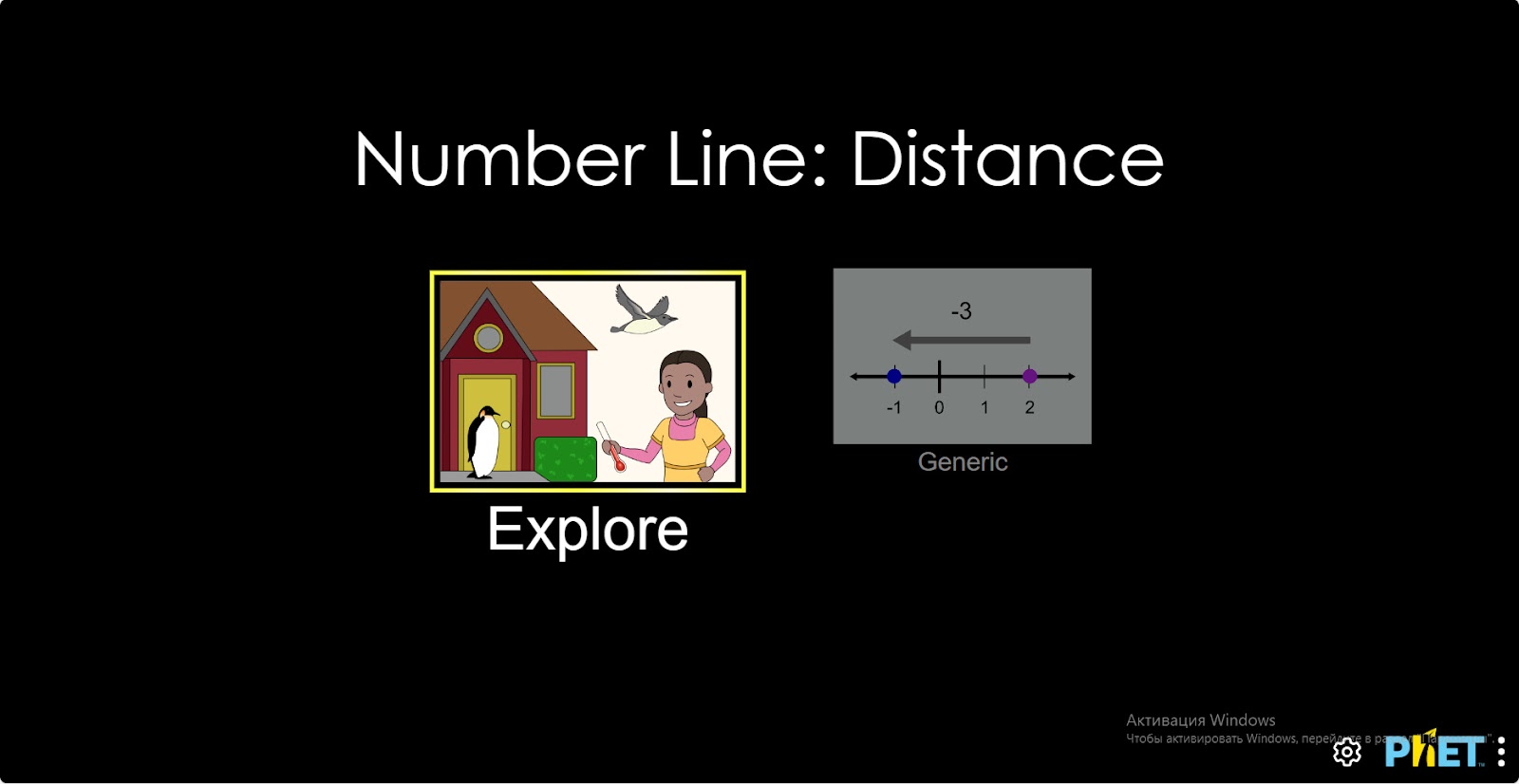
Step 1. Start the simulation: You will be given 2 different modes, “Explore” and “Generic”. Open the “Explore” section.
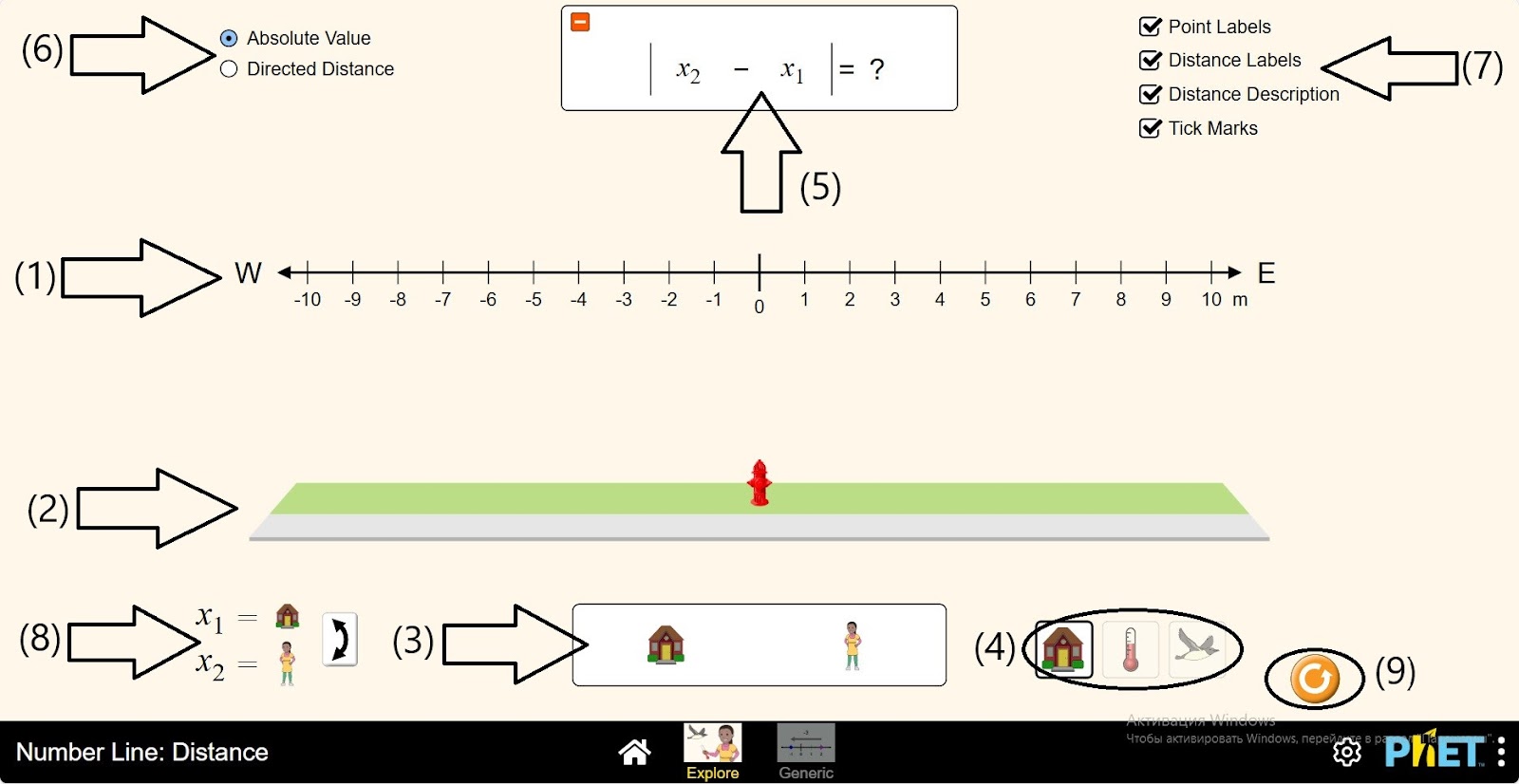
Step 2. In the workspace you are provided with
- Coordinate axis (1);
- Placement bodies plane (2);
- Bodies to be placed (3);
- Various conditions to be calculated (4);
- A table for calculating the distance between two bodies (5);
- Absolute and simple value buttons (6);
- Buttons to show and hide coordinate axis data (7);
- Body toggle button (8);
- Reload button (9).
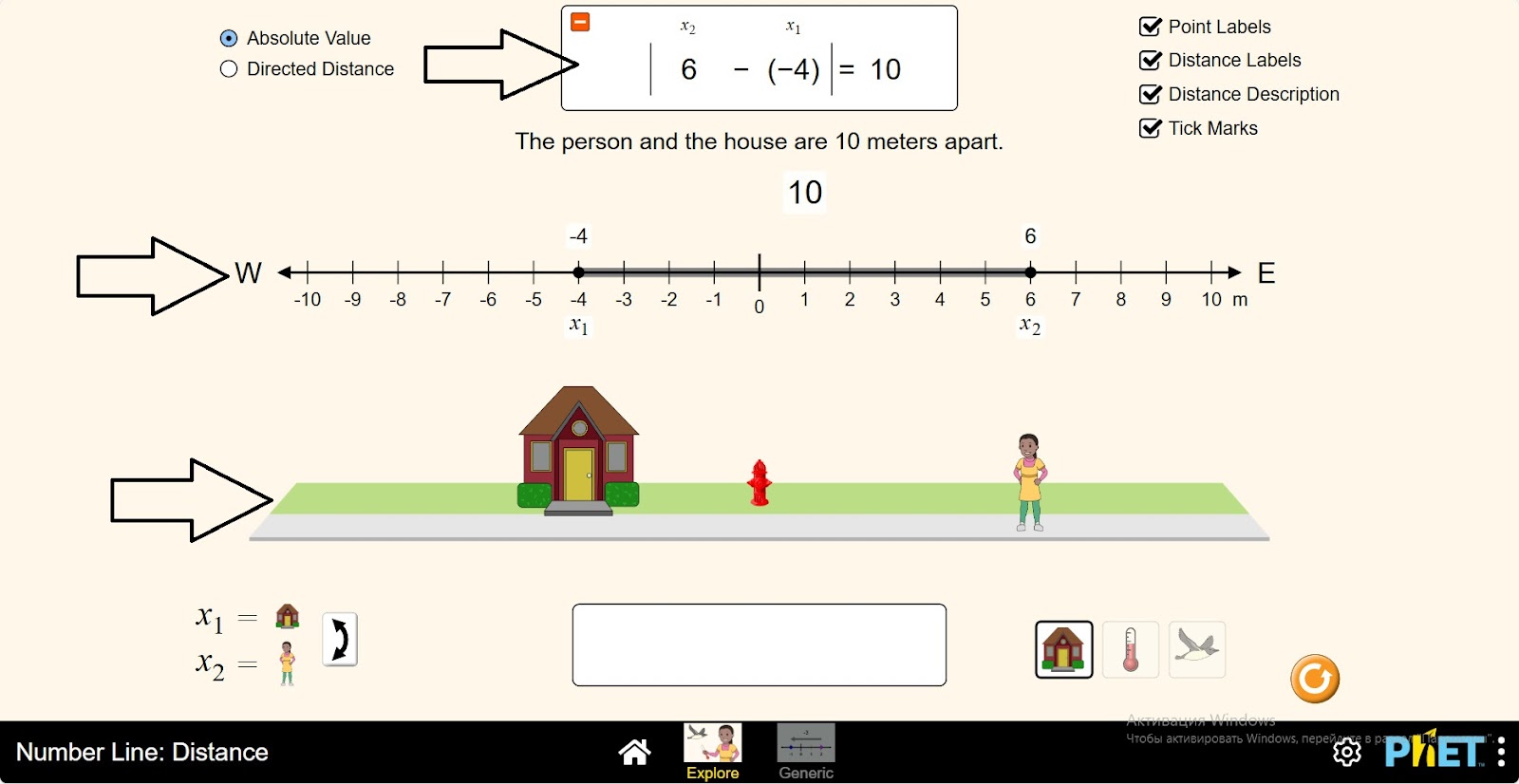
Step 3. Position the house and person on the plane. Examine the coordinate axis data. What is the absolute value?
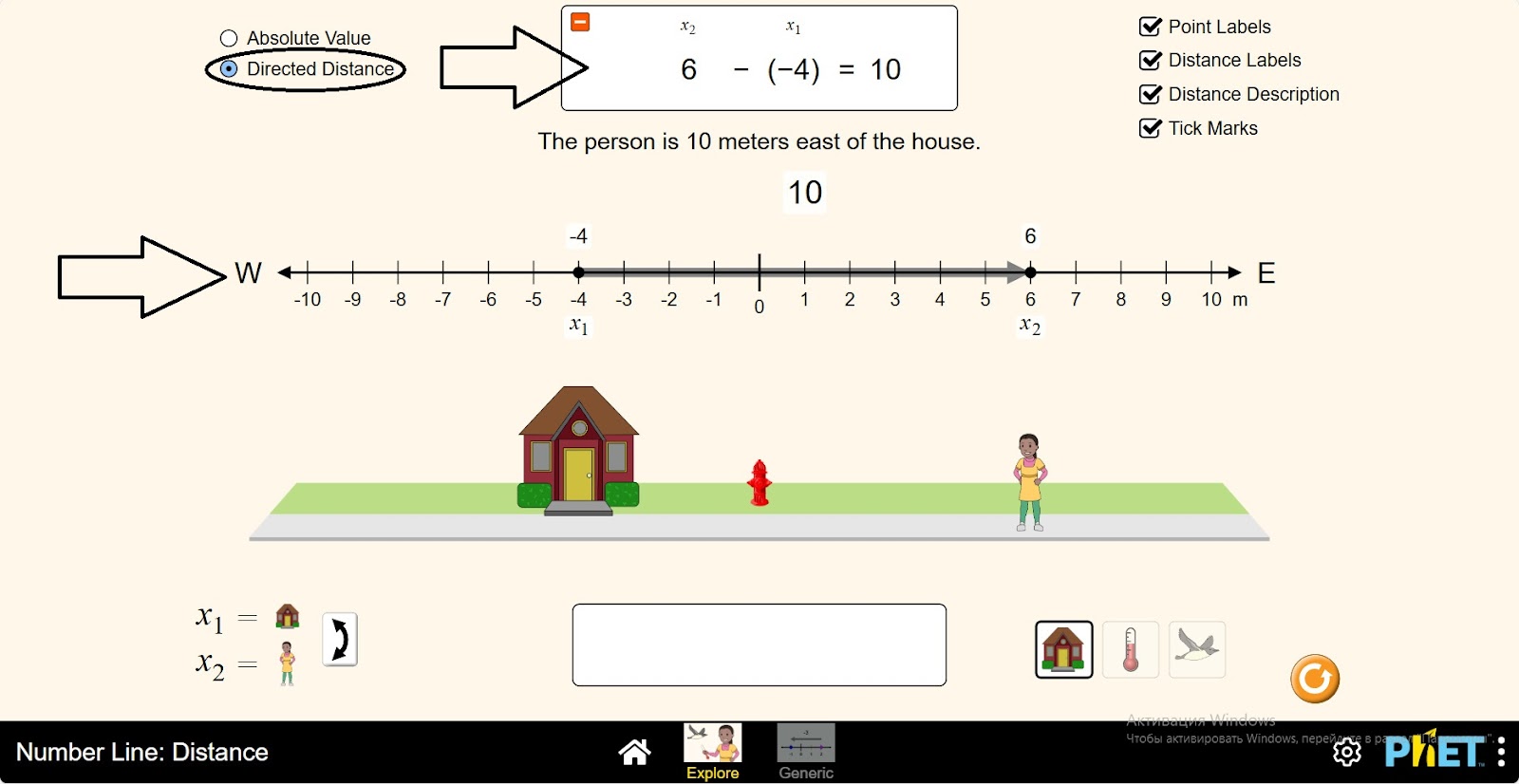
Step 4. Click the Simple Value button. How has the data changed in the Calculation Panel?
Step 5. Click the Move Bodies button. Examine the data on the coordinate axis and in the Calculation Panel.
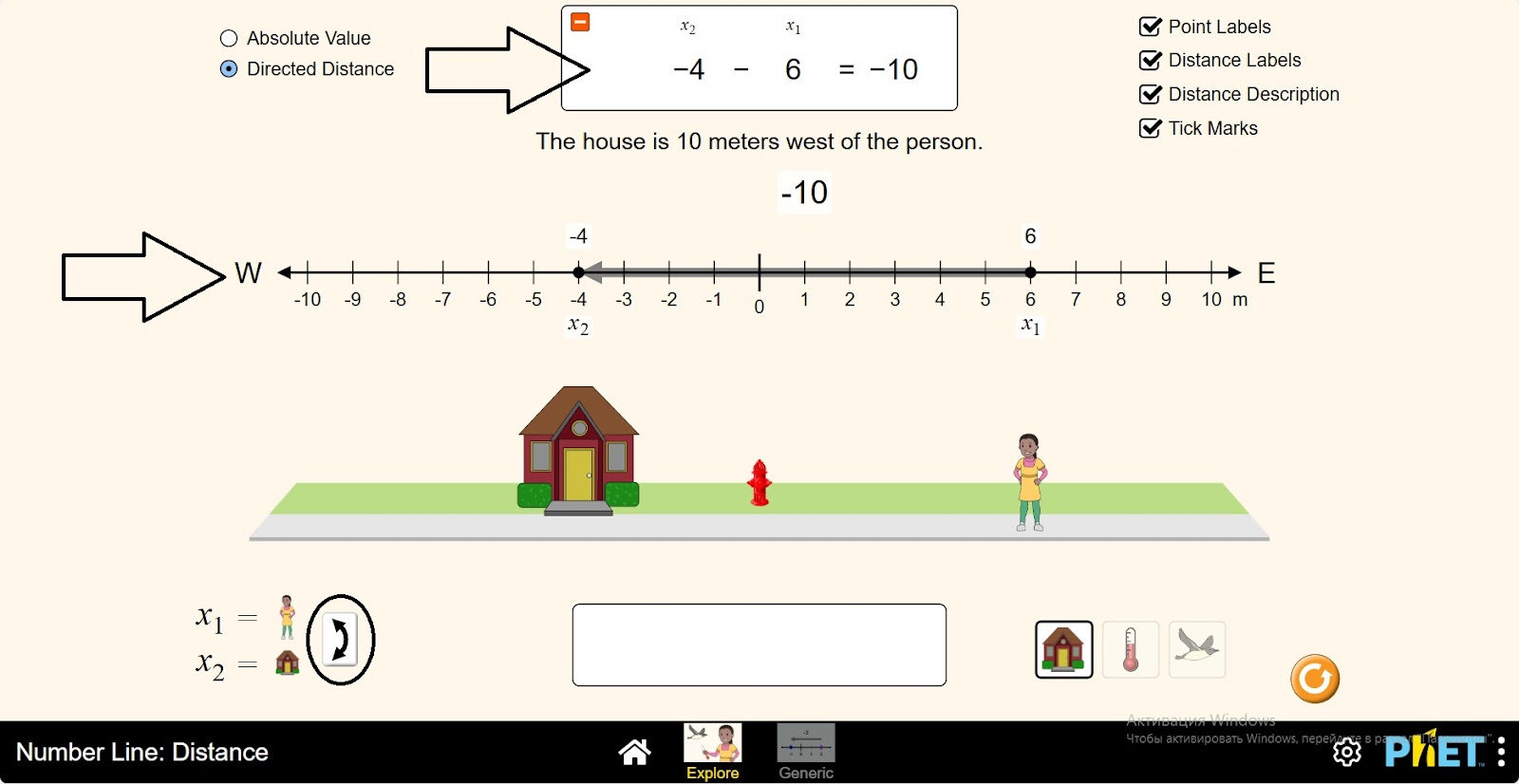
Step 6. Click the Absolute Value button. Examine the changes in the calculations again.
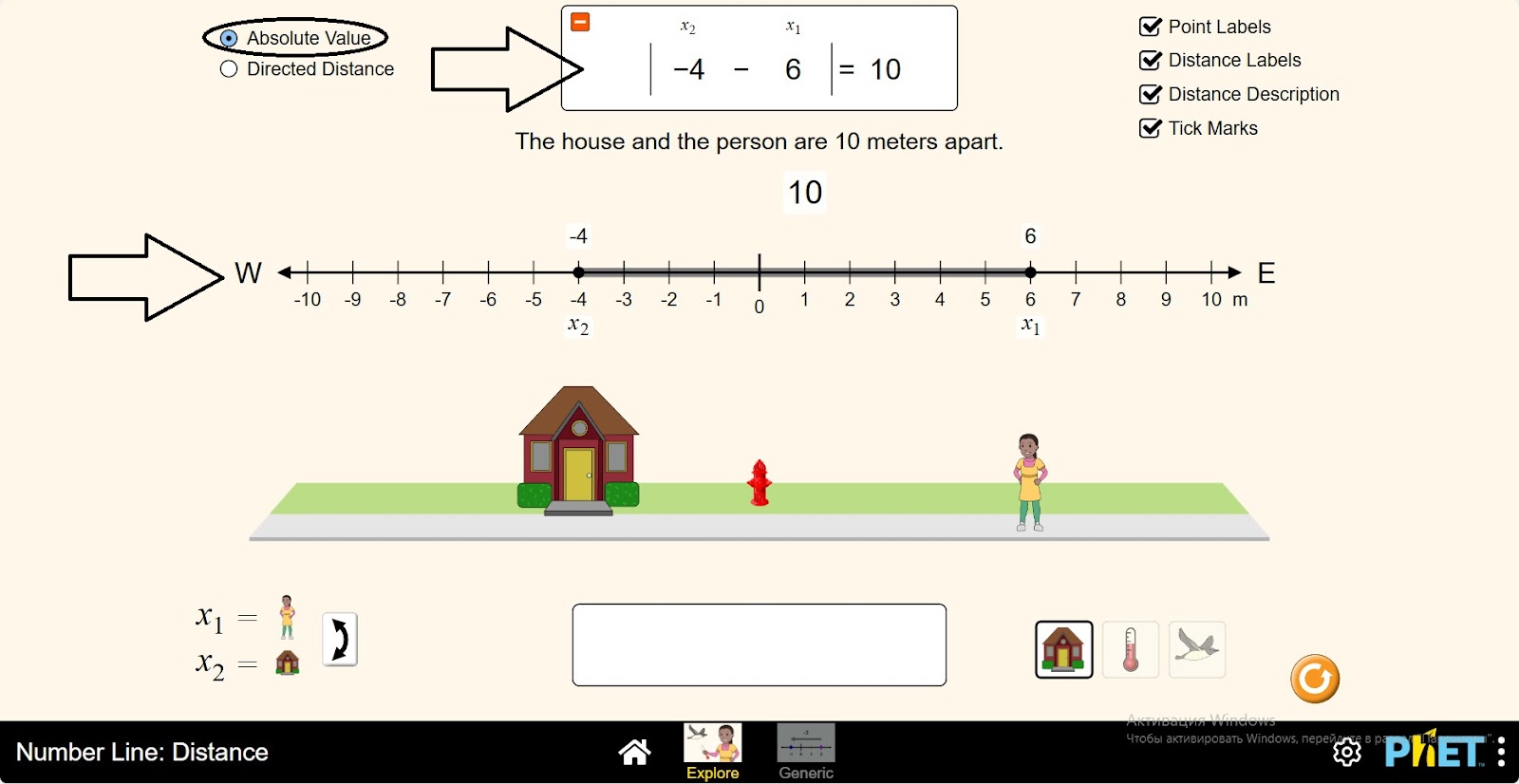
Step 7. Change the distance between the house and the person. Perform the study by repeating the above steps.
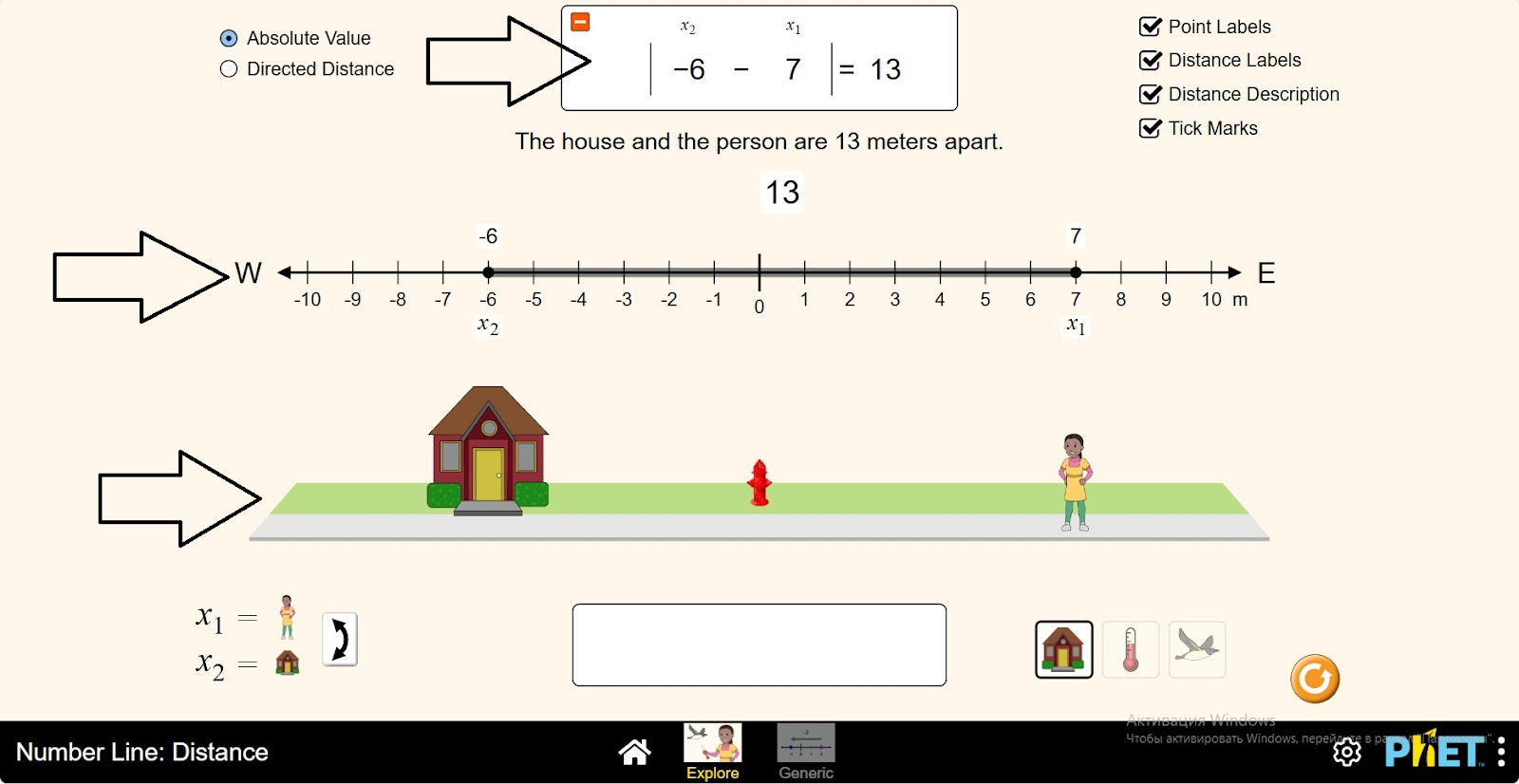
Step 8. Open the second case of the calculation. Here you will study the temperature difference.
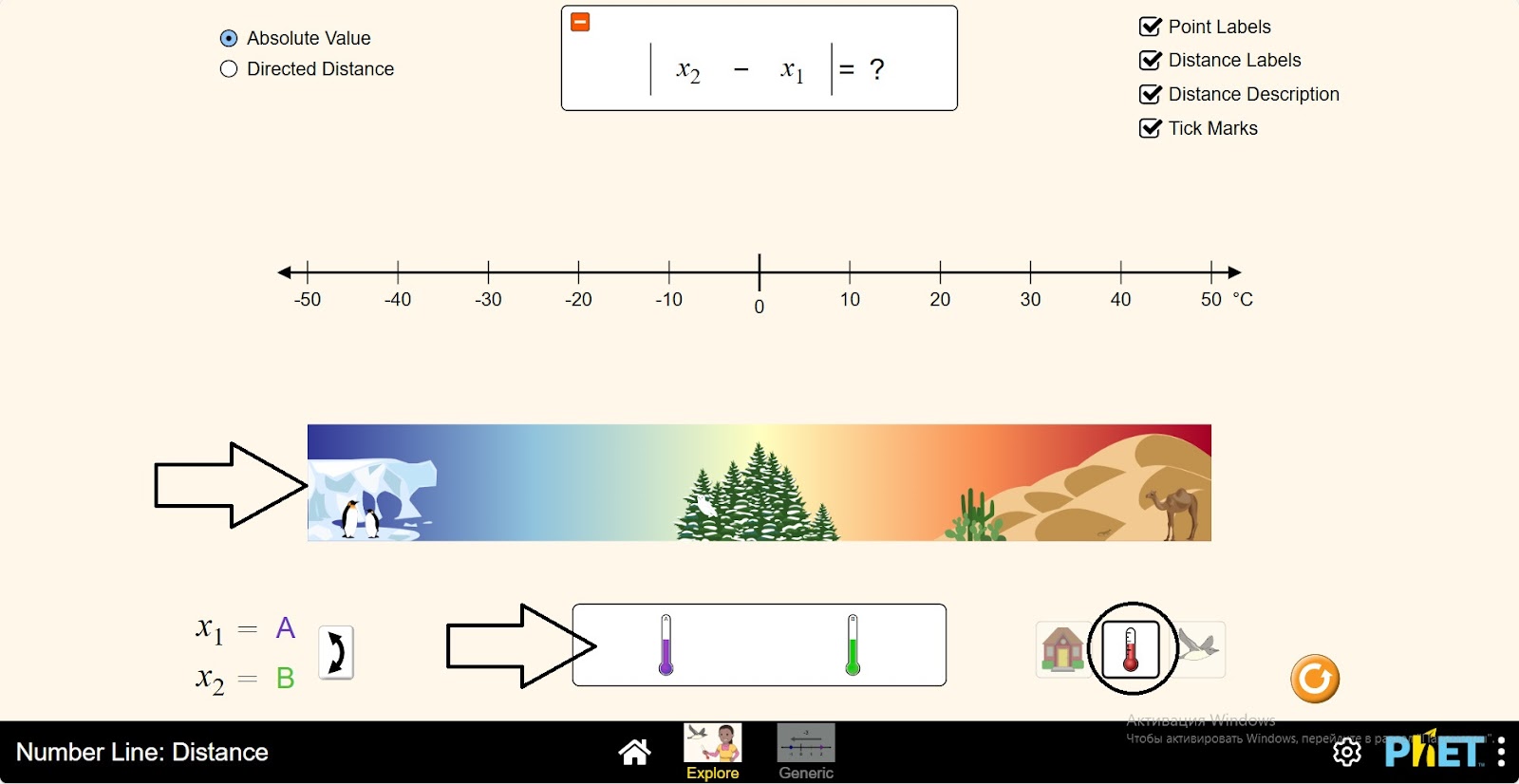
Step 9. Place the thermometers on a plane representing the seasons. Just as you would study the distance between a house and a person, you will study between temperatures.
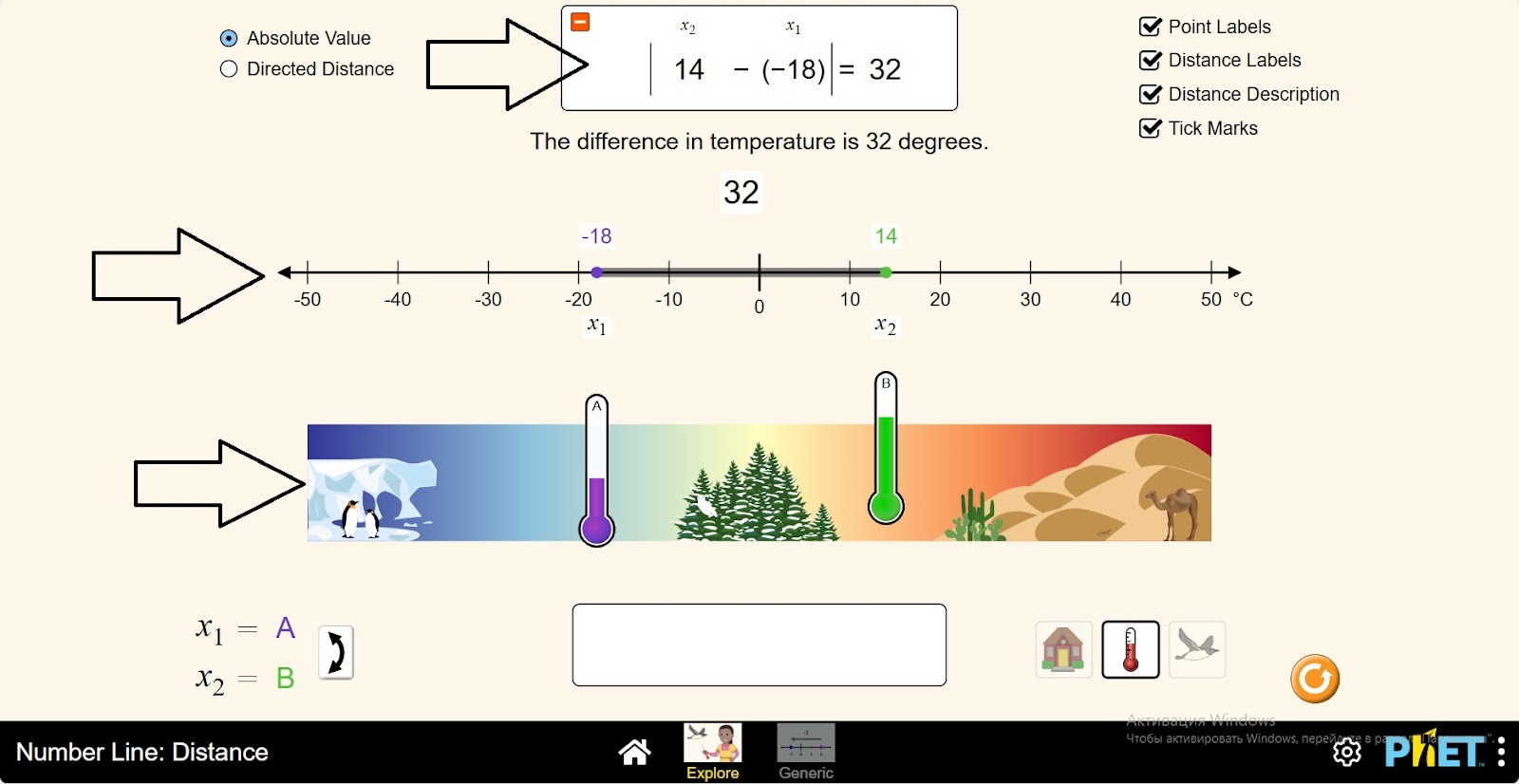
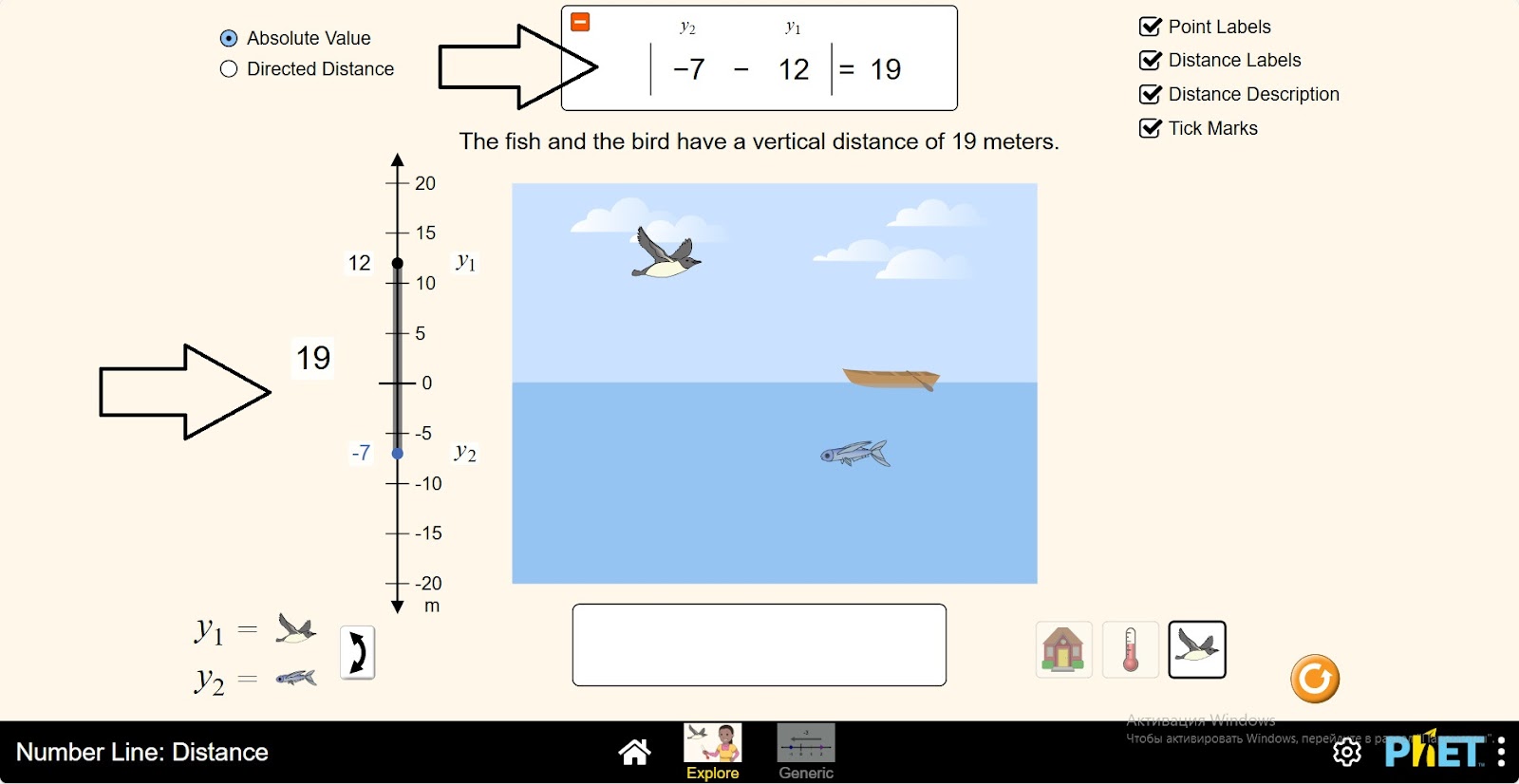
Step 10. Open a third case. Here you are investigating the vertical distance between a bird and a fish.
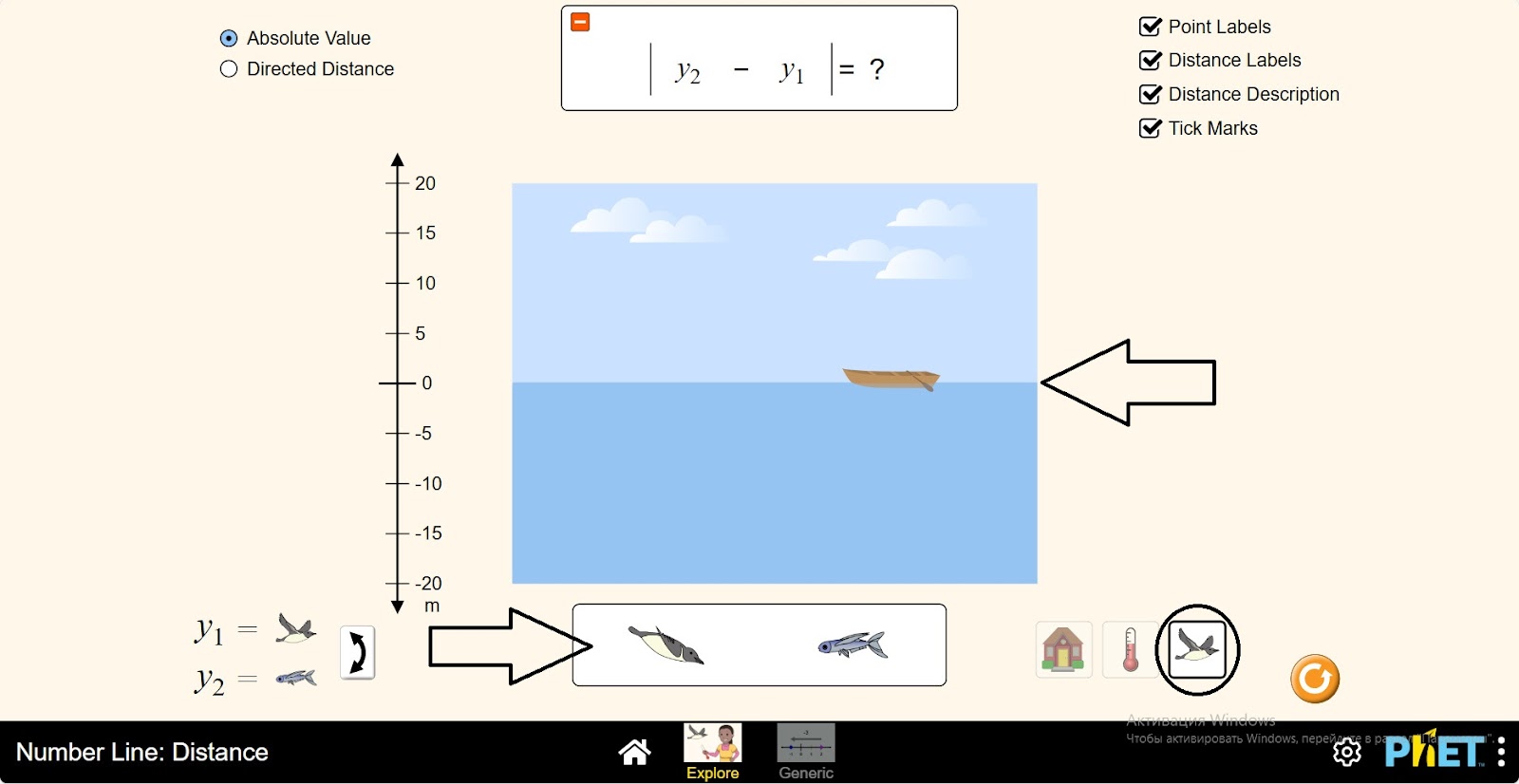
Step 11. Place the bird in the sky and the fish in the water. Research between them as you would research the distance between a house and a person.
Step 12. open the Generic section. In the workspace you are provided with:
- Coordinate axis (1);
- Placement points (2);
- Horizontal and vertical calculation conditions (3);
- Coordinate axis dimensions: (-10;10), (-30;30), (-100;100) (4);
- Board for calculating the distance between two points (5);
- Absolute value and simple value buttons (6);
- Coordinate axis data display and hide buttons (7);
- Body switch button (8);
- Reset button (9).
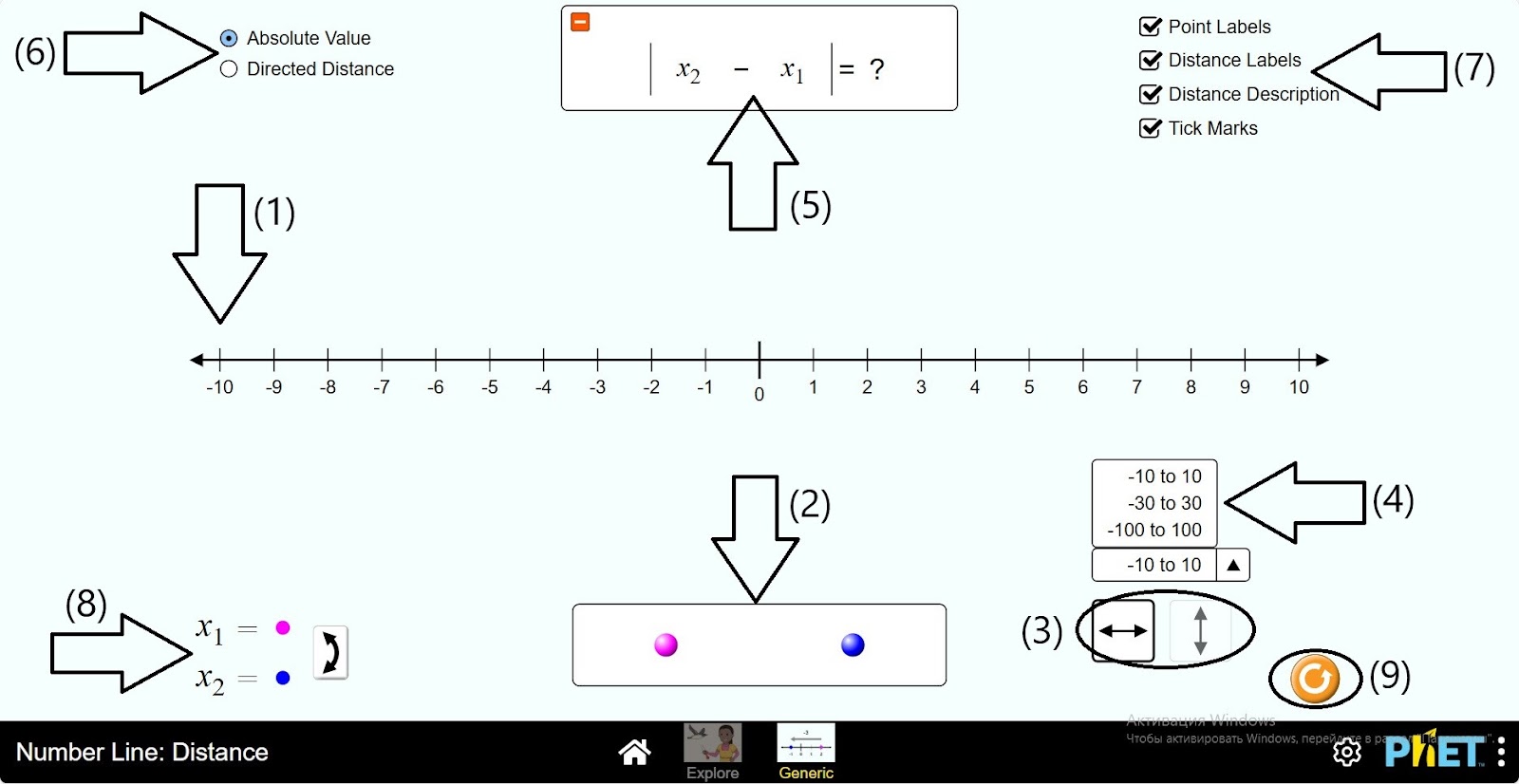
Step 13. Place two points on the coordinate axis. Examine the data on the Coordinate Axis and on the Calculation Panel.
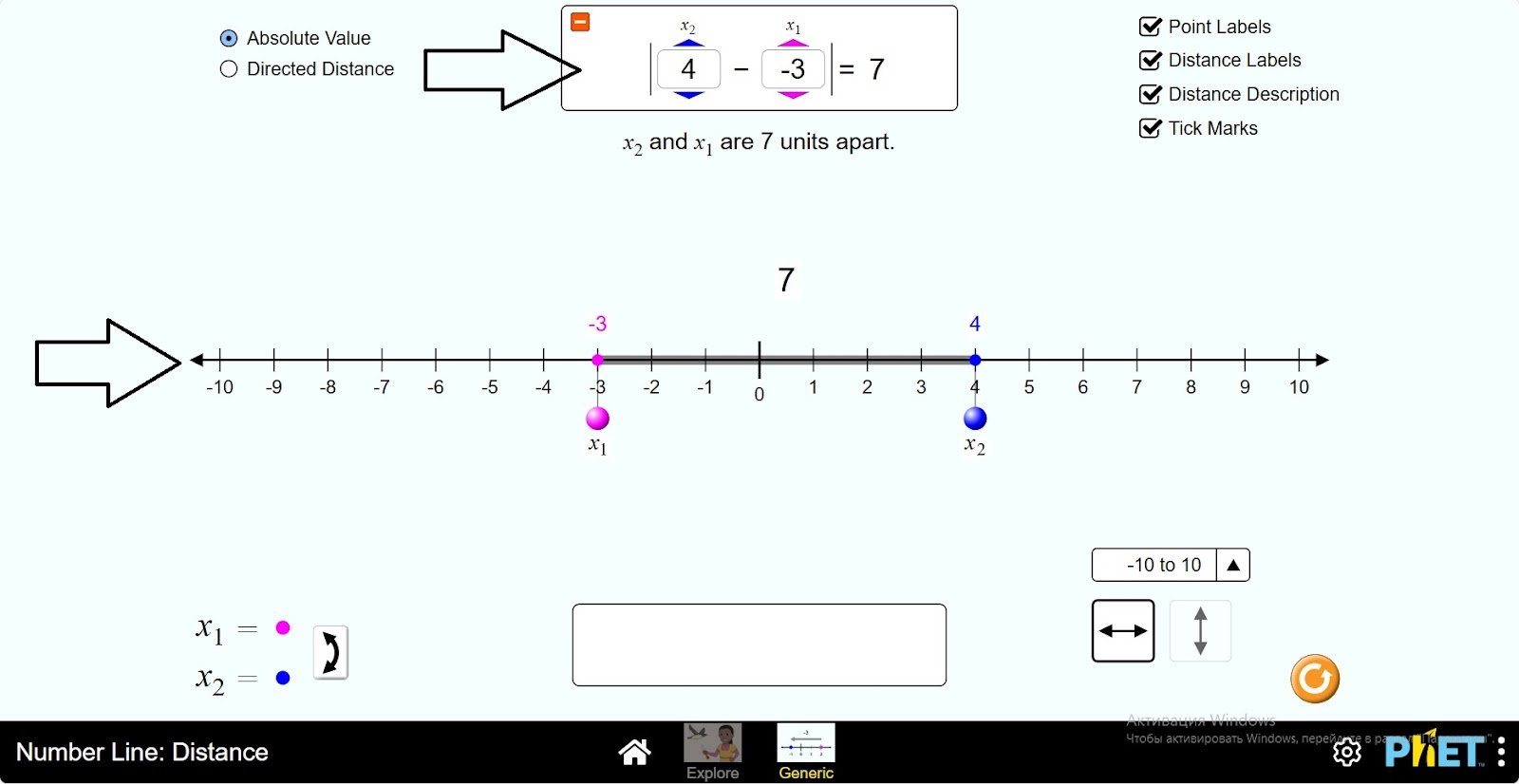
Step 14. Explore the distances between the bodies by performing different point calculations.
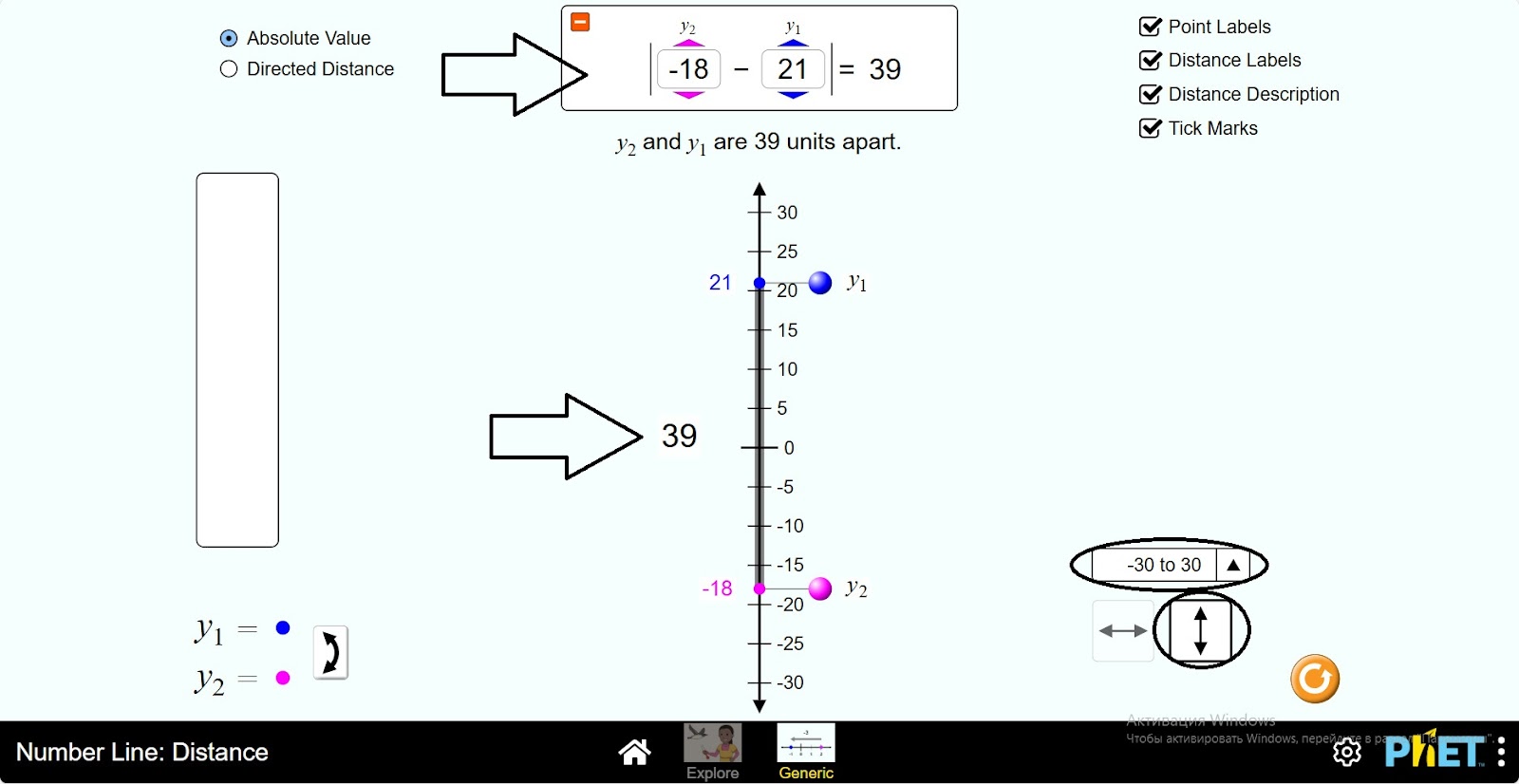
Conclusion
Students have explored the relationship between horizontal and vertical number lines and the coordinate plane. This simulation provides real-life situations that set the stage for applying the knowledge in real life. Absolute value, application of operations to rational numbers can serve as a tool for mastering the topics.