
Vector Addition
Vector Addition by PhET Interactive Simulations, University of Colorado Boulder, licensed under CC-BY-4.0 (https://phet.colorado.edu)
Objective:
- To describe a vector;
- To explain the method of adding vectors;
- Compare the values of the components;
- Decompose a vector into its components.
This virtual activity is designed for use in geometry lessons on the following topic:
Grade 9. “Sum of Vectors”.
Theoretical Part
A vector is a directed line segment that is characterized by
- Beginning: The point from which the vector starts.
- End: The point to which the vector points.
- Length: The distance between the start and the end.
- Direction: Indicated by the arrow at the end of the vector.
The Vector Addition Operation
Vector addition is a geometric operation to find a new vector by adding two or more vectors.
- Parallelogram Rule: If two vectors are set off from a point, their sum is equal to the diagonal of the parallelogram built on these vectors.
- Triangle rule: The end of the first vector is connected to the beginning of the second vector. The sum of the vectors is the vector drawn from the beginning of the first vector to the end of the second vector.
Properties of vector addition
- Commutativity: a + b = b + a (the sum does not change by permuting the summands).
- Associativity: (a + b) + c = a + (b + c) (the sum is not changed by the way the summands are combined).
- Existence of a zero vector: There exists a zero vector 0 such that for any vector a: a + 0 = a.
- Existence of an opposite vector: For any vector a, there exists an opposite vector -a such that a + (-a) = 0.
Virtual Experiment
In this virtual activity, students explore vectors in one-dimensional space and investigate how vectors add up. By placing vectors in Cartesian coordinates and examining the magnitude, angle, and components of each vector. They can use different representations to accomplish different tasks.
Workflow:
Step 1. Start the simulation: You will be presented with 4 different modes: “Explore 1D”, “Explore 2D”, “Lab” and “Equations”. In this paper you will work in the first 2 modes. Open the “Explore 1D” section.
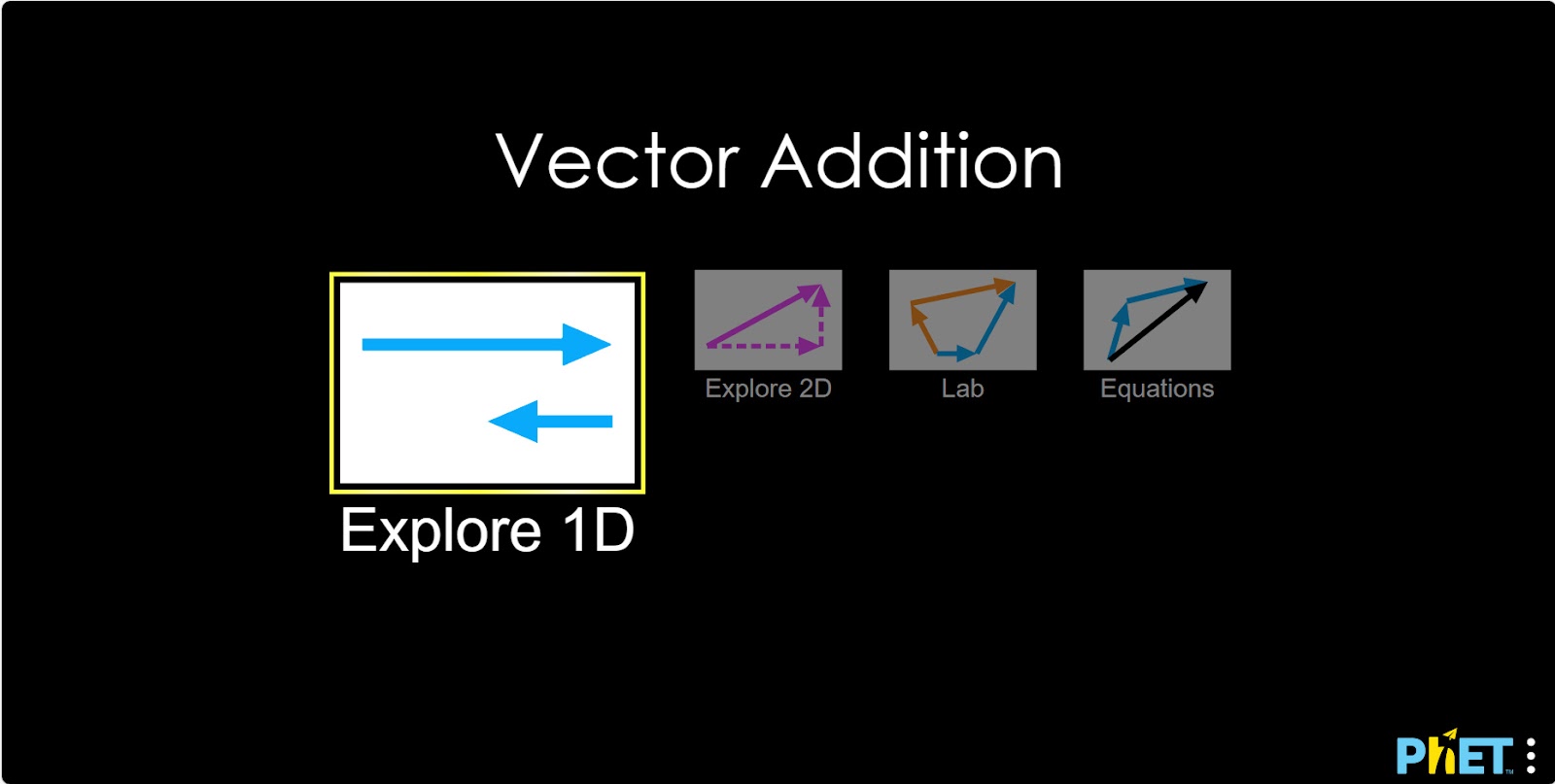
“Explore 1D” Section
One-dimensional space: This is a line that extends infinitely in two opposite directions. It is described by a single coordinate (for example, the X axis).
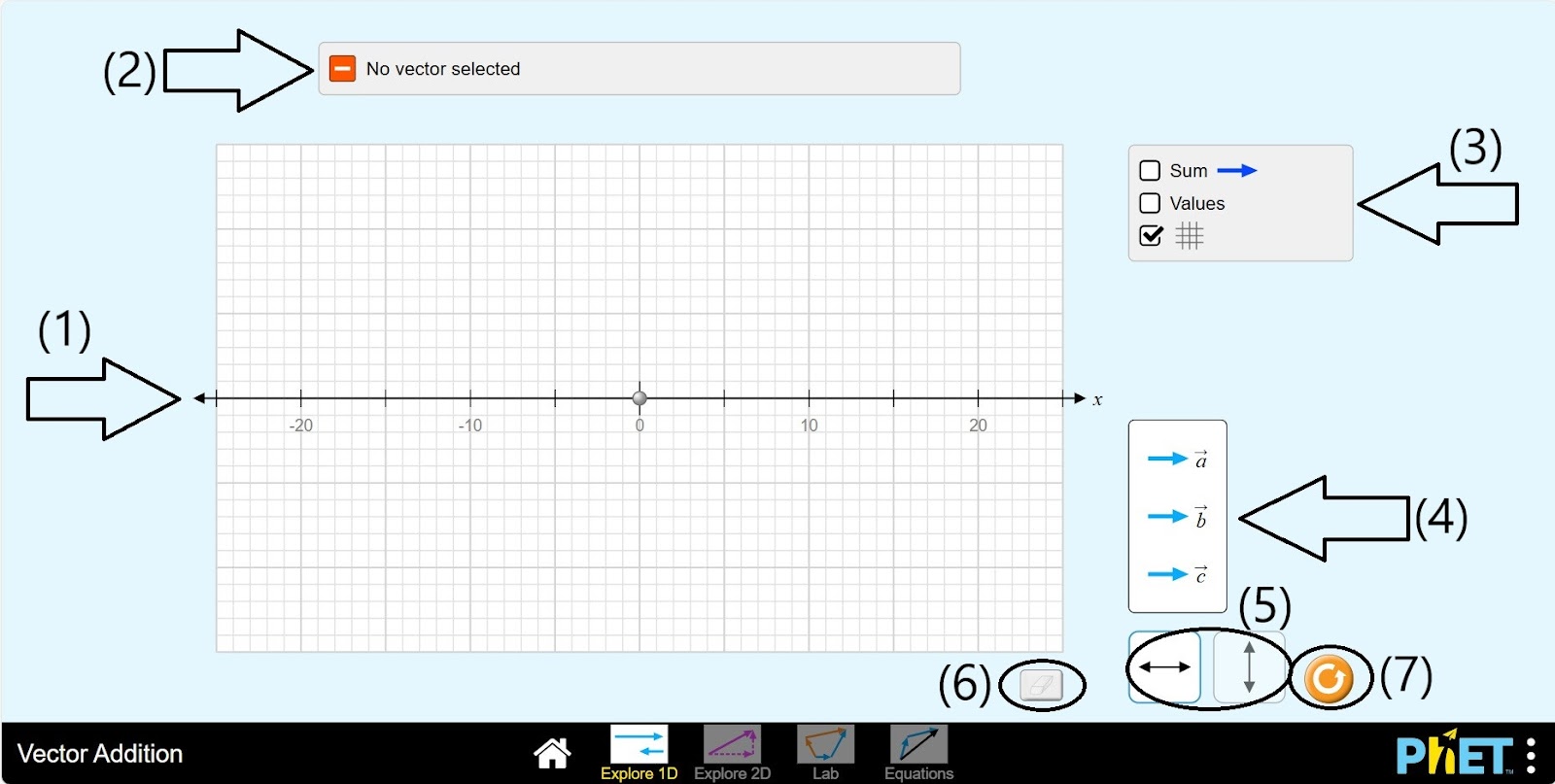
Step 2. In the workspace provided to you:
- An OX coordinate plane (1);
- A vector data plane (2);
- Add vectors, display dimensions, and a grid button panel (3);
- Vectors: a, b, c (4);
- Button to switch the coordinate plane from horizontal to vertical (5);
- Eraser (6);
- Reload button (7).
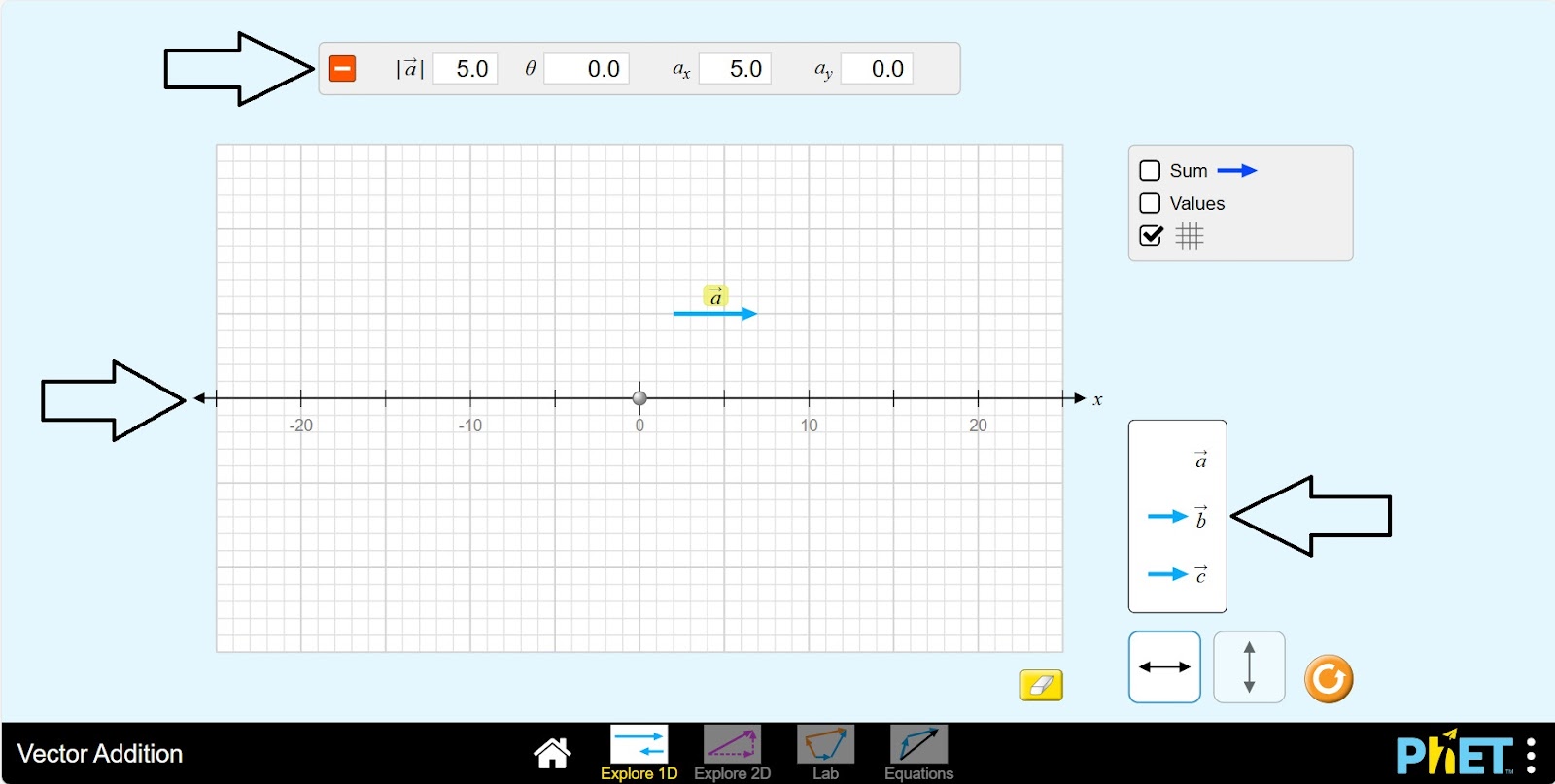
Step 3. Place the vector a on the coordinate plane. The board above shows the vector data.
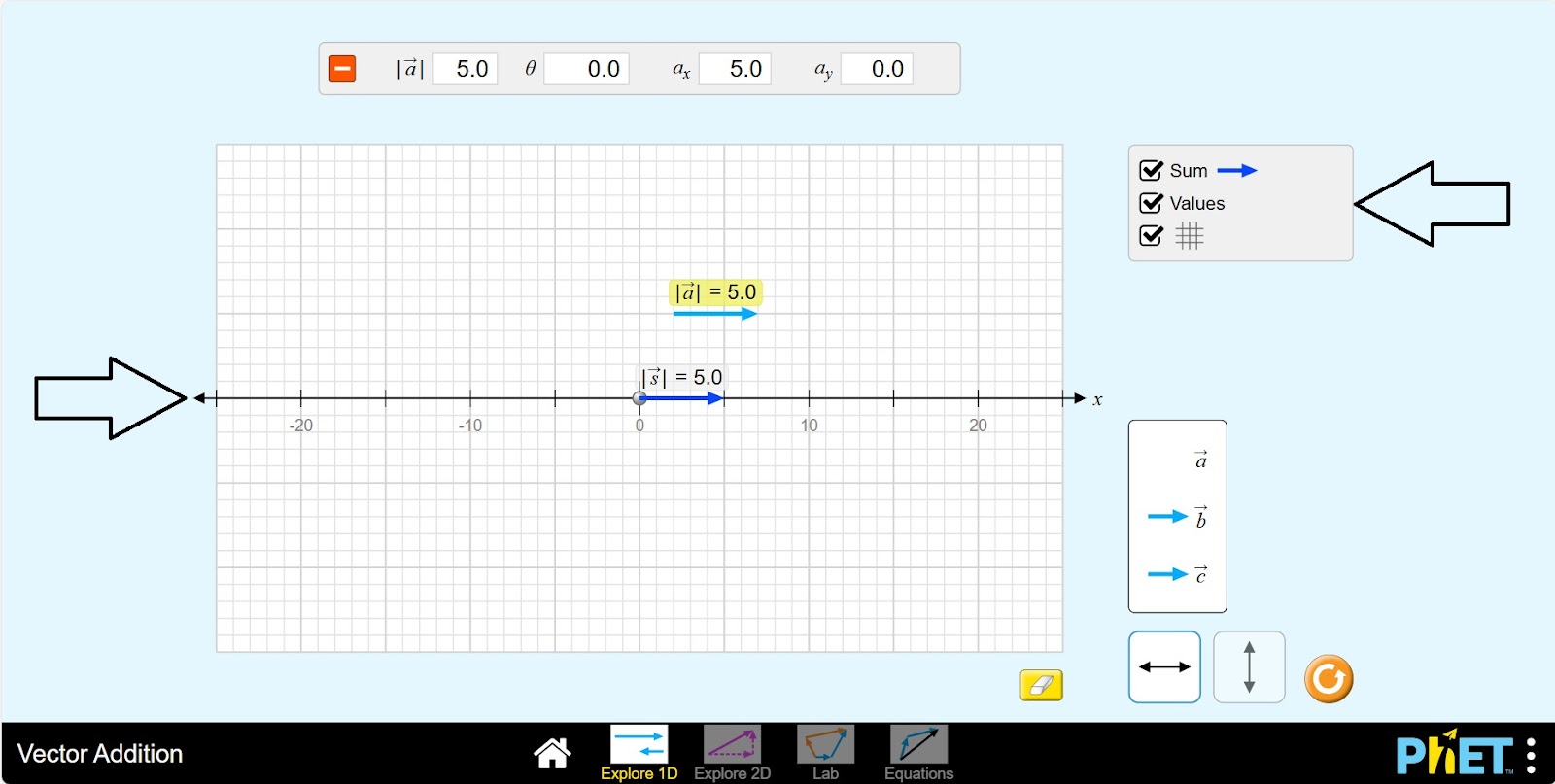
Step 4. Execute the buttons Sum, Values. Examine the vector a. |a| -values, |s| -sum.
Step 5. Place vector b in the plane. |b| – indicates the length of vector b, |s| -sum indicates the sum value of vectors a and b. Since |s| is the sum value, it does not depend on the location of vectors a and b in the plane, so the value of |s| does not change.
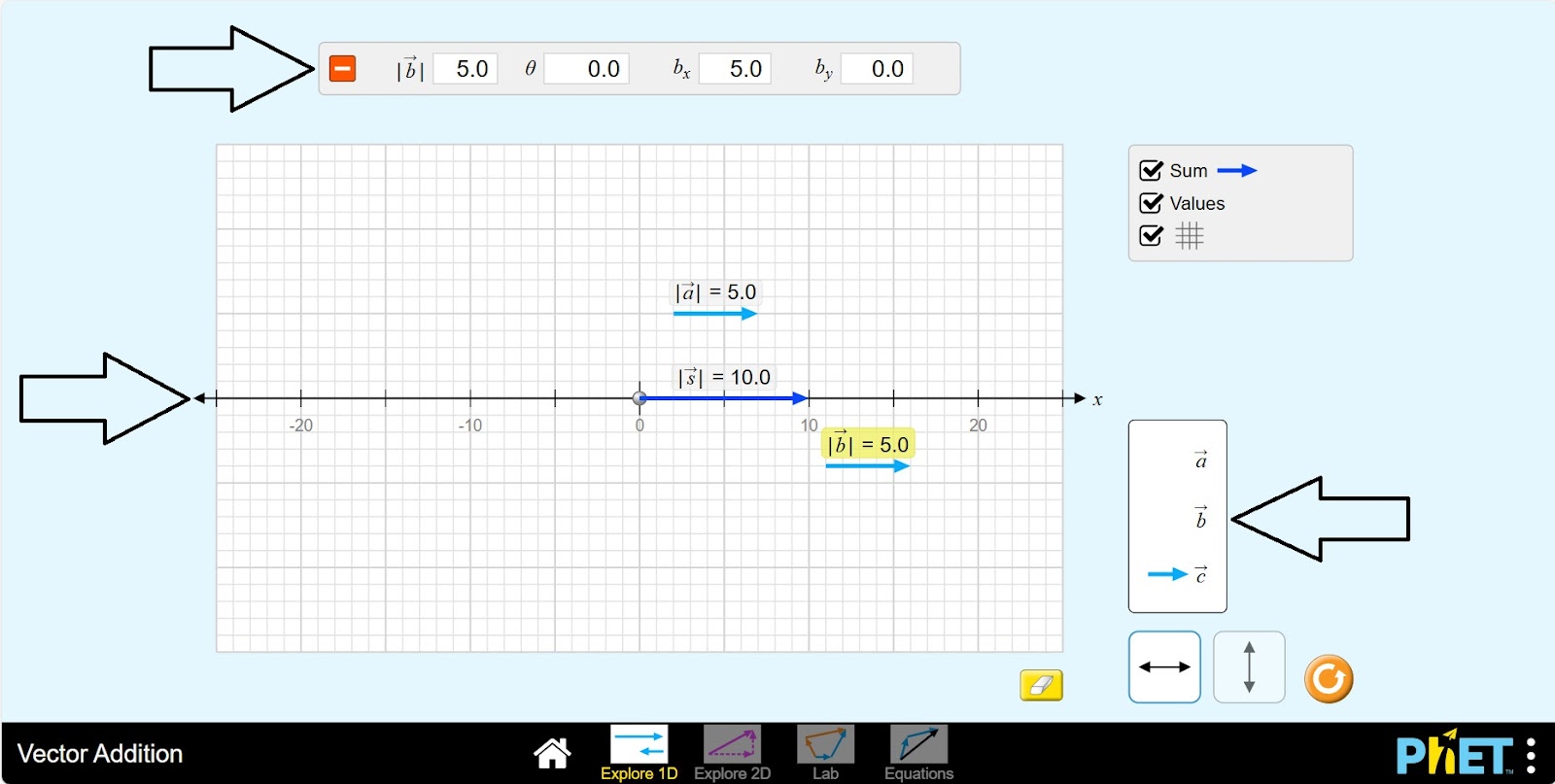
Step 6.Place the vector c in the plane. |c| is the length of the vector c, |s| is the sum value of the vectors sum a, b, c.
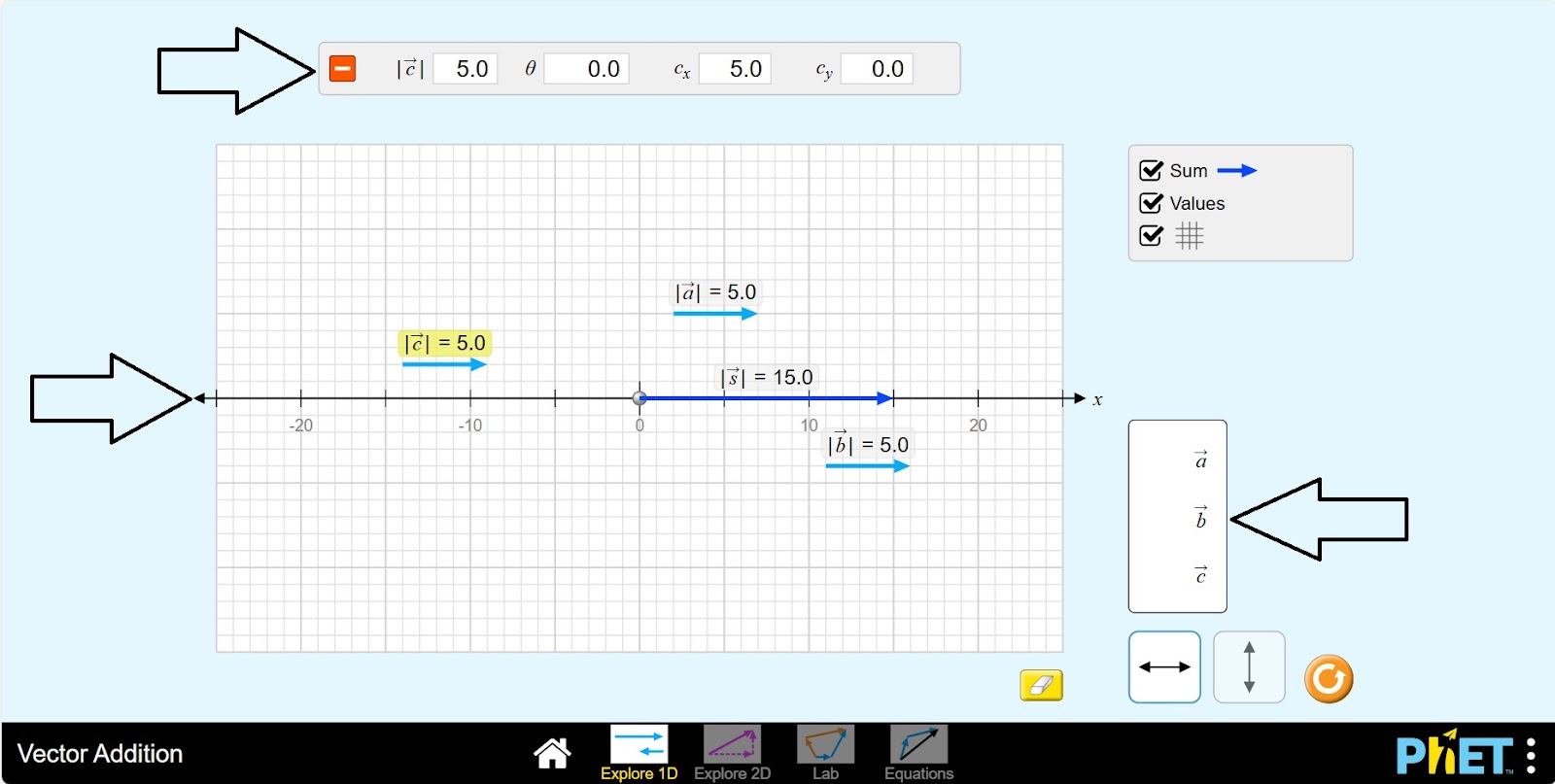
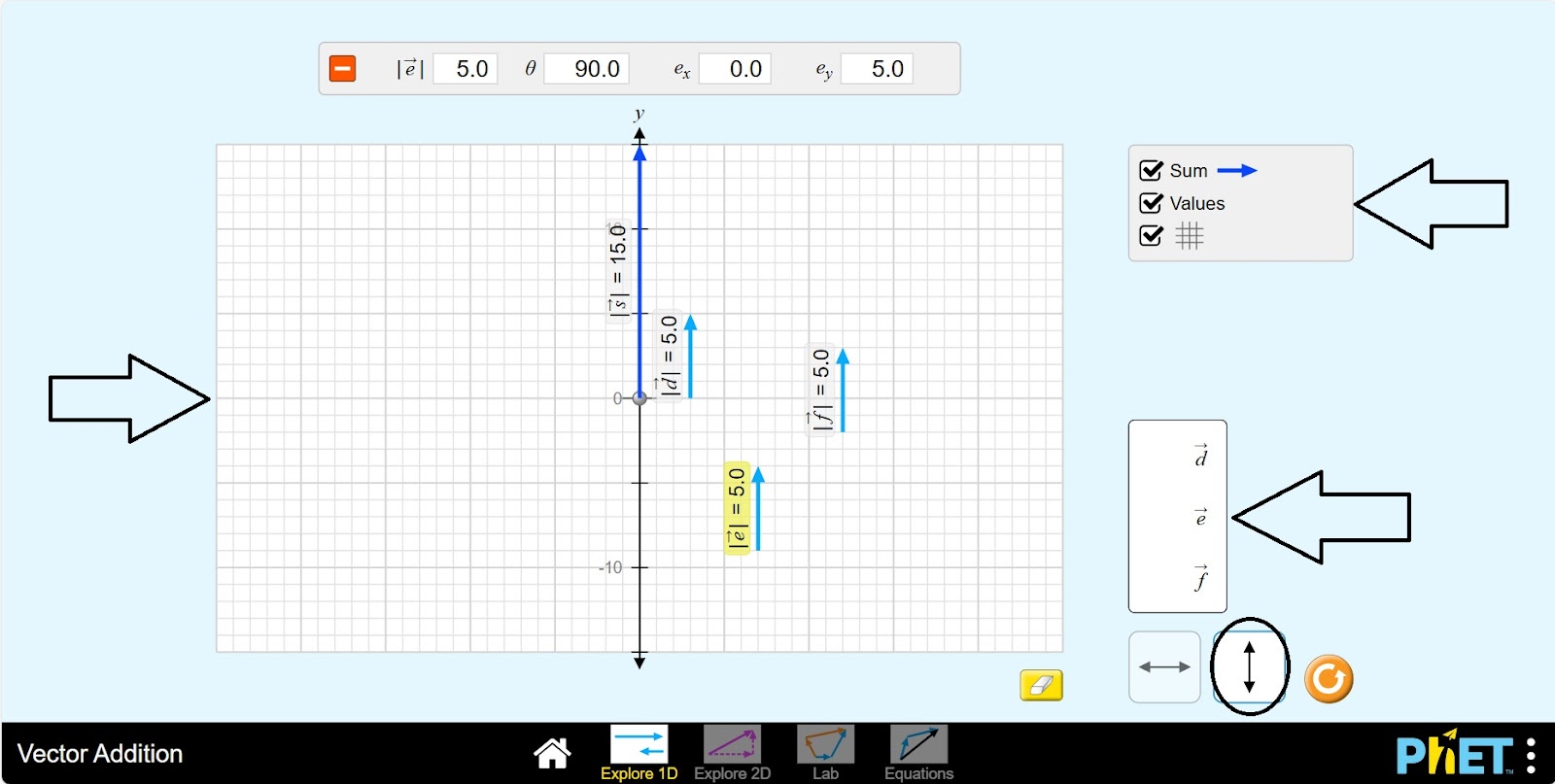
Step 7. You can move the coordinate plane from horizontal to vertical and perform calculations for vectors d, e, f.
“Explore 2D” Section
Two-dimensional space: used to graph functions and equations. The X-axis is horizontal and the Y-axis is vertical. All the shapes we learn in school geometry (triangles, squares, circles, etc.) are two-dimensional.
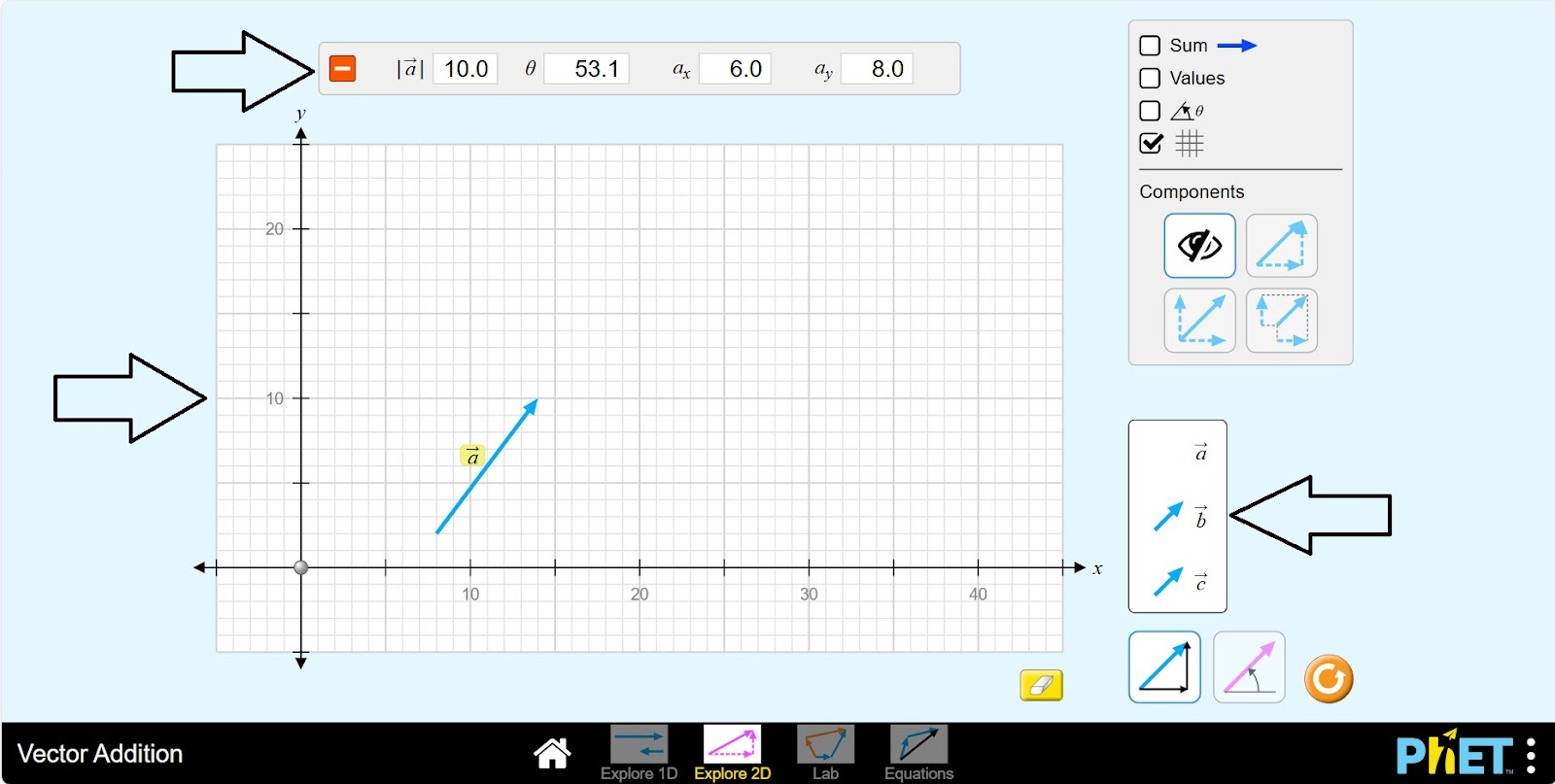
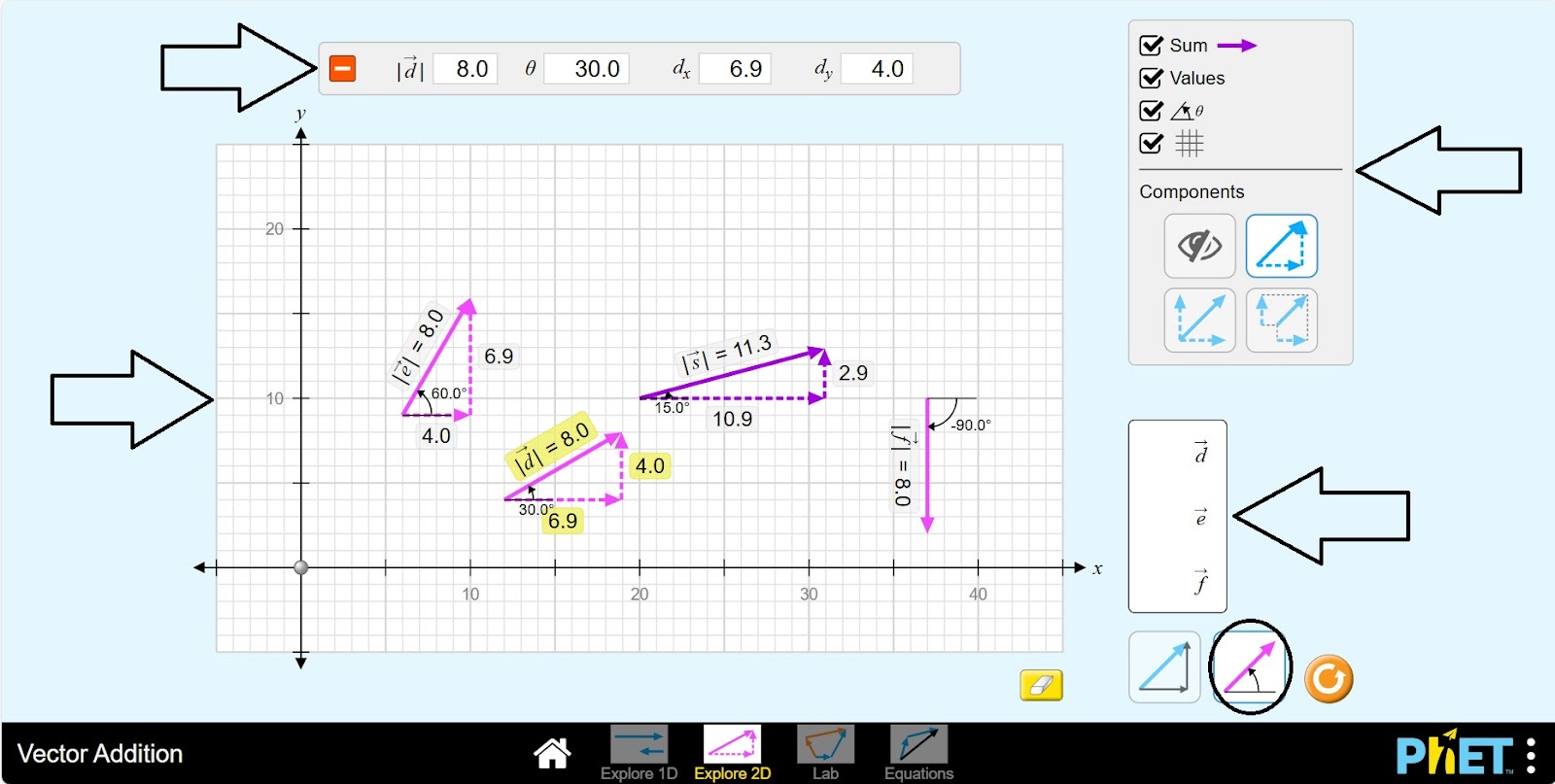
Step 8. In the workspace, you are given
- An OXY coordinate plane (1);
- A vector data plane (2);
- Adding vectors, dimension display, angle display, grid, panel with component buttons (3);
- Vectors: a, b, c (4);
- Select vector type: by size, by angle (5);
- Eraser (6);
- Reload button (7).
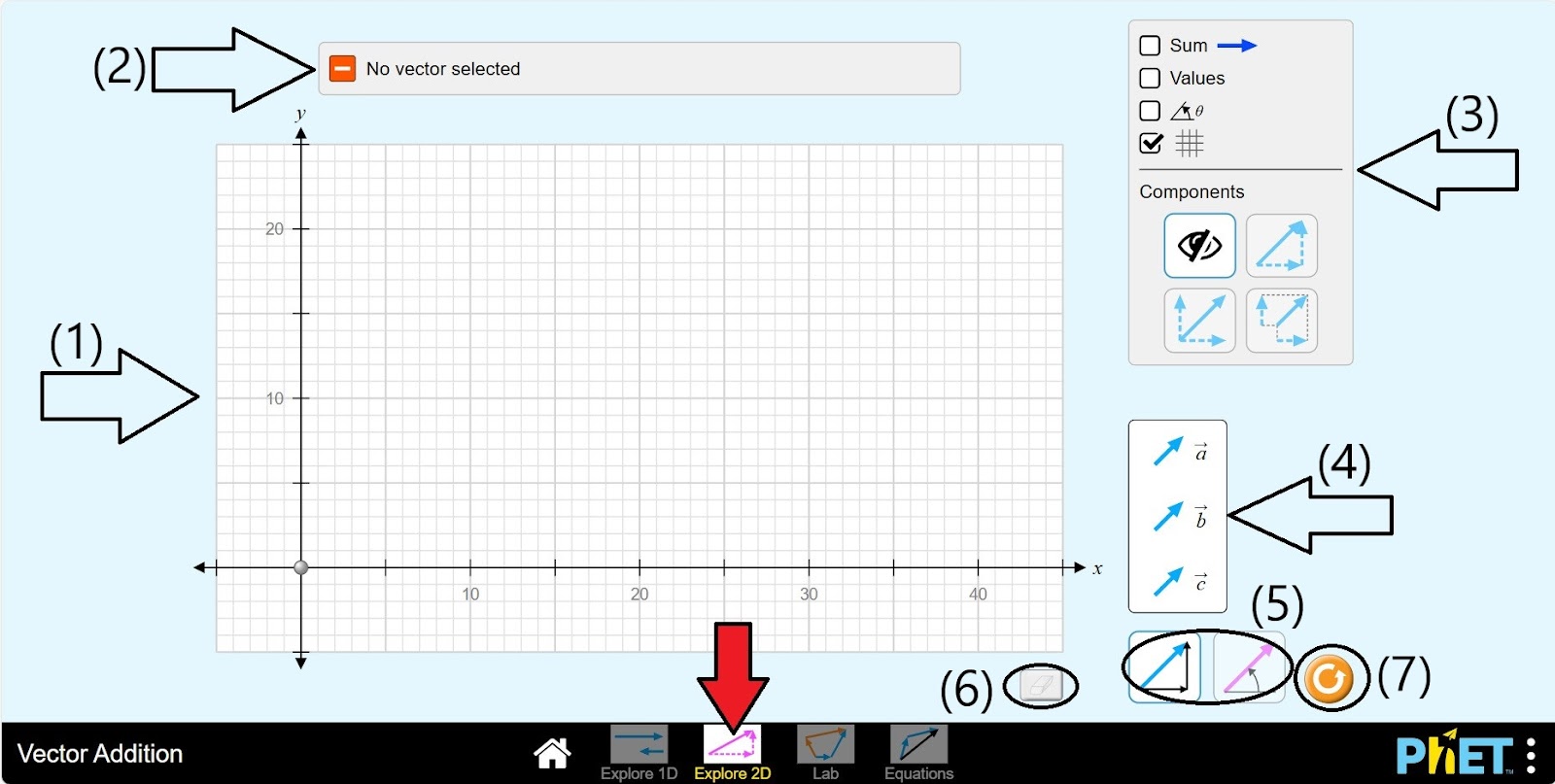
Step 9. Place the vector a on the coordinate plane. The table above shows the data of the vector. |a| – length of the vector, – angle, ax, ay – length along the x,y axes.
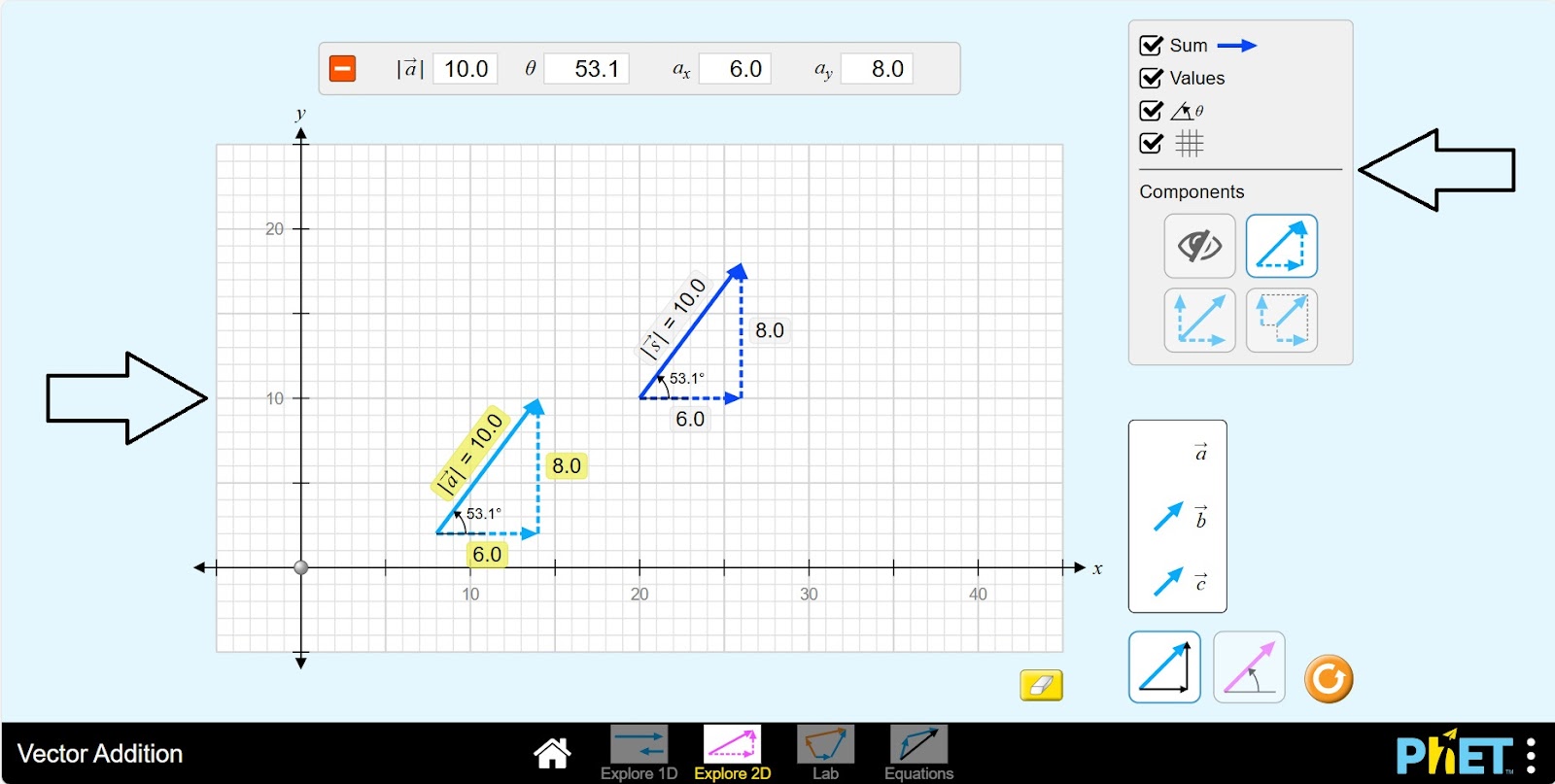
Step 10. Activate the Sum, Value, Angle buttons. Explore the different layouts of the vector a for ax, ay by clicking each button on the Component panel.
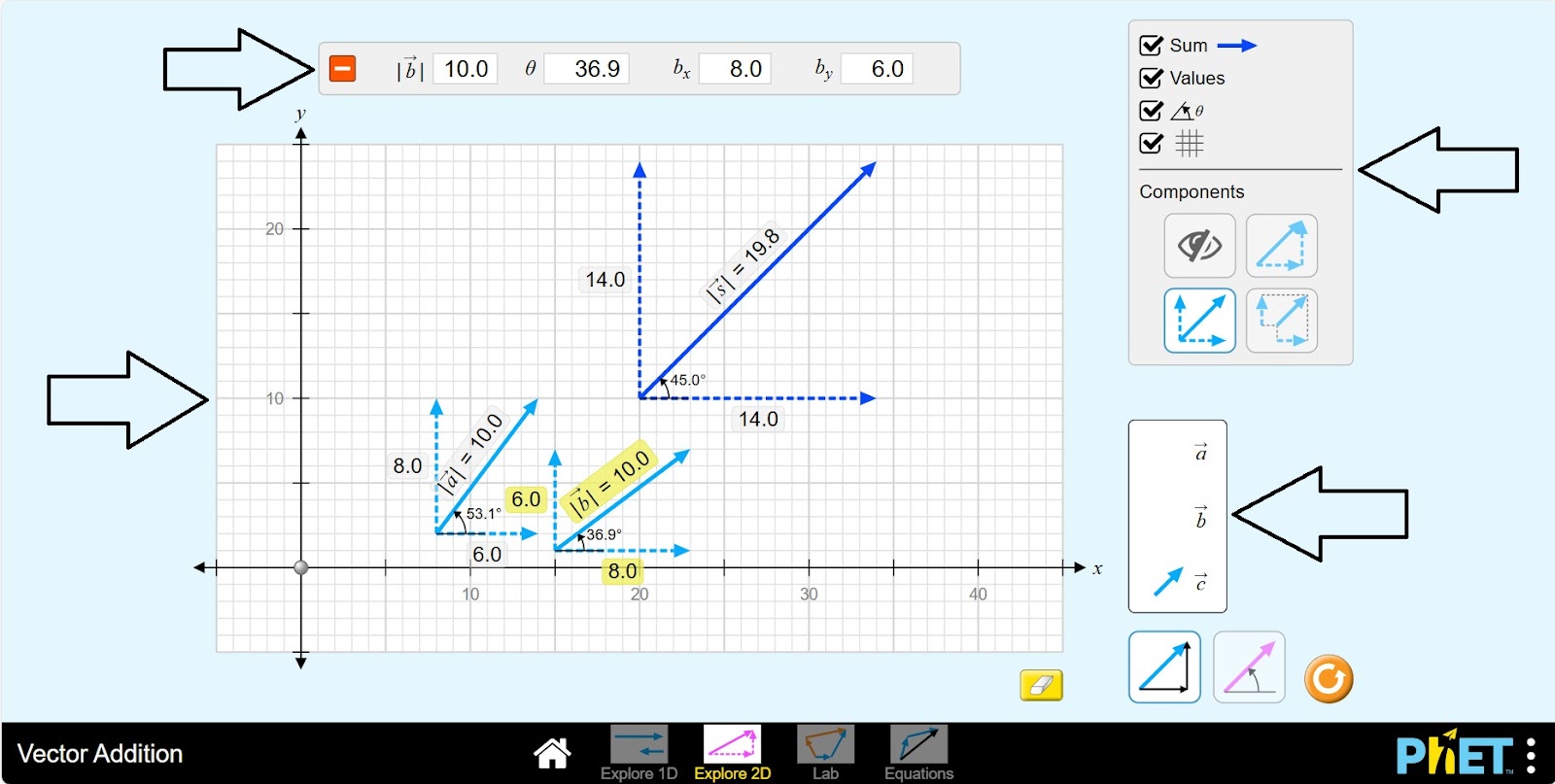
Step 11. Place vector b in the plane. Examine the value of the sum |s|.
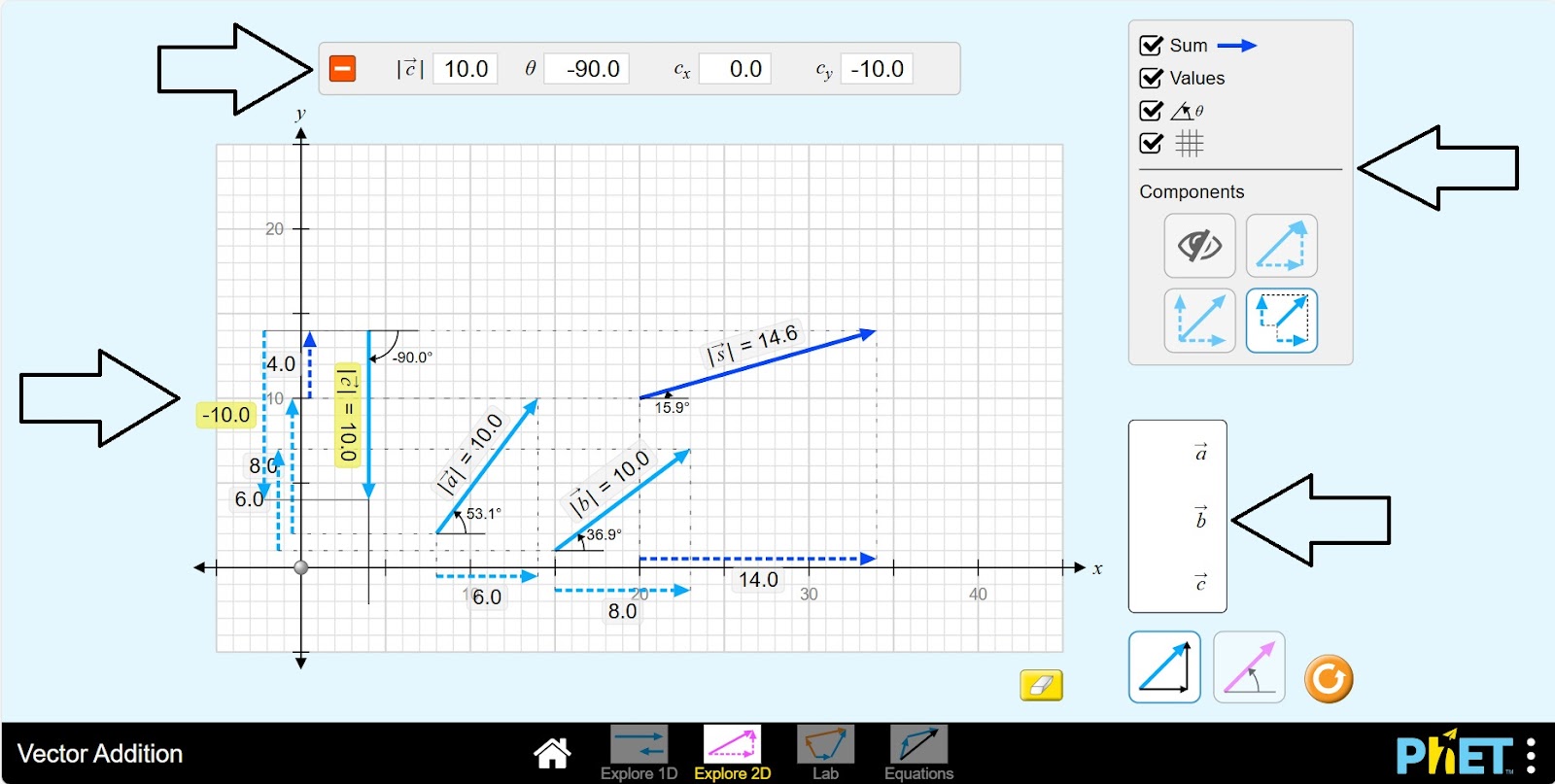
Step 12. Place vector c in the plane. Examine the value of the sum |s|.
Step 13. Choose the type of vector by angle and perform calculations for vectors d, e, f.
Conclusion
By working on this simulation, students became more familiar with the concept of vectors and sharpened their skills in adding vectors. Verified that the sum of vectors depends on their dimensions and angles. Studied the arrangement of vectors in one- and two-dimensional space and visualized the arrangement of objects in space.