
Ratio and Proportion
Ratio and Proportion by PhET Interactive Simulations, University of Colorado Boulder, licensed under CC-BY-4.0 (https://phet.colorado.edu)
Objective:
- Understand the concept of ratio and use ratio language to describe the relationship between two hand heights.
- Understand the concept of the unit rate a/b associated with the ratio a:b and use rate language in the context of ratio relationships.
- Identify and represent proportional relationships between hand heights.
This virtual activity is designed to be used in math lessons in the next chapter:
- Grade 6. “Ratios and Proportions”
Theoretical part
A ratio is a comparison of two quantities. It shows how many times one quantity is greater or less than the other. A ratio is written as a fraction or with a colon. For example, the ratio of the number of apples to the number of pears is 3:5, which means that there are 1.67 times fewer apples than pears.
Proportion is the equality of two ratios. It is written as two fractions separated by an equal sign. For example, 3/5 = 6/10 is a proportion. Proportions are widely used to solve various problems related to the proportional dependence of quantities.
Basic properties of proportions:
- The fundamental property of proportion: The product of the extreme terms of a proportion is equal to the product of the middle terms. In the proportion a/b = c/d, this is written as ad = bc.
- Reordering the middle terms: If we swap the middle terms in a proportion, we get a new correct proportion. For example, a/b = c/d becomes a/c = b/d.
- Reordering extreme terms: When you swap the extreme terms in a ratio, you get a new true ratio. For example, a/b = c/d becomes d/b = c/a.
Virtual experiment
In the Ratio and Proportions game, students explore the concepts of ratio and proportional reasoning by changing hand positions and supporting ratios with movement to find complex relationships. Move your hands to find a complex ratio and try to maintain the ratio by moving your hands together.
Workflow:
Step 1. You have 2 different modes, “Discover” and “Create”. Open the “Discover” section.
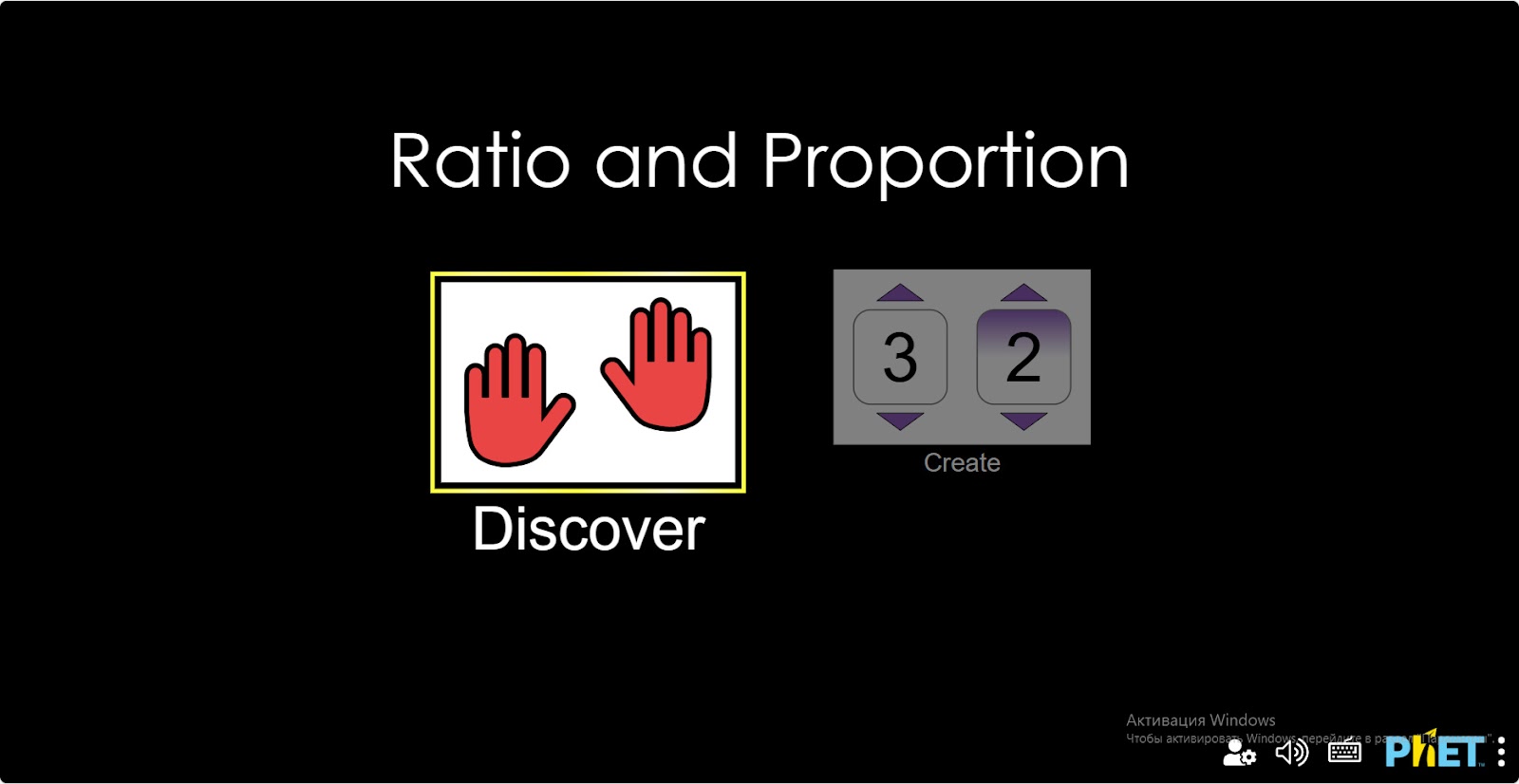
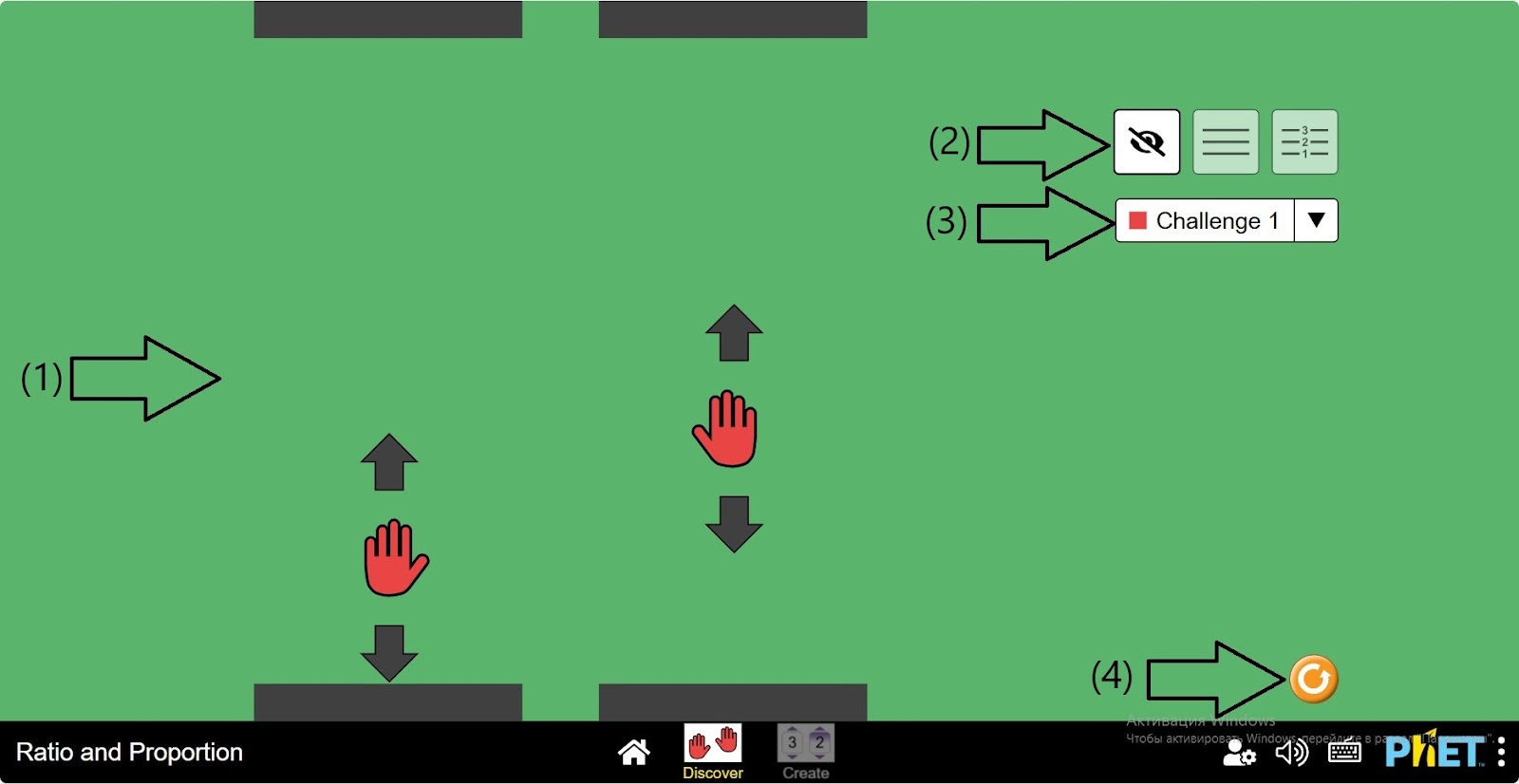
Step 2. Start the simulation. In the workspace you will see:
- 2 hand positions and their paths (1);
- Buttons without line scale display, with line scale display, with line scale display (2);
- Button for selecting the shuttle: there are 3 types of shuttle (3);
- Reset button (4).
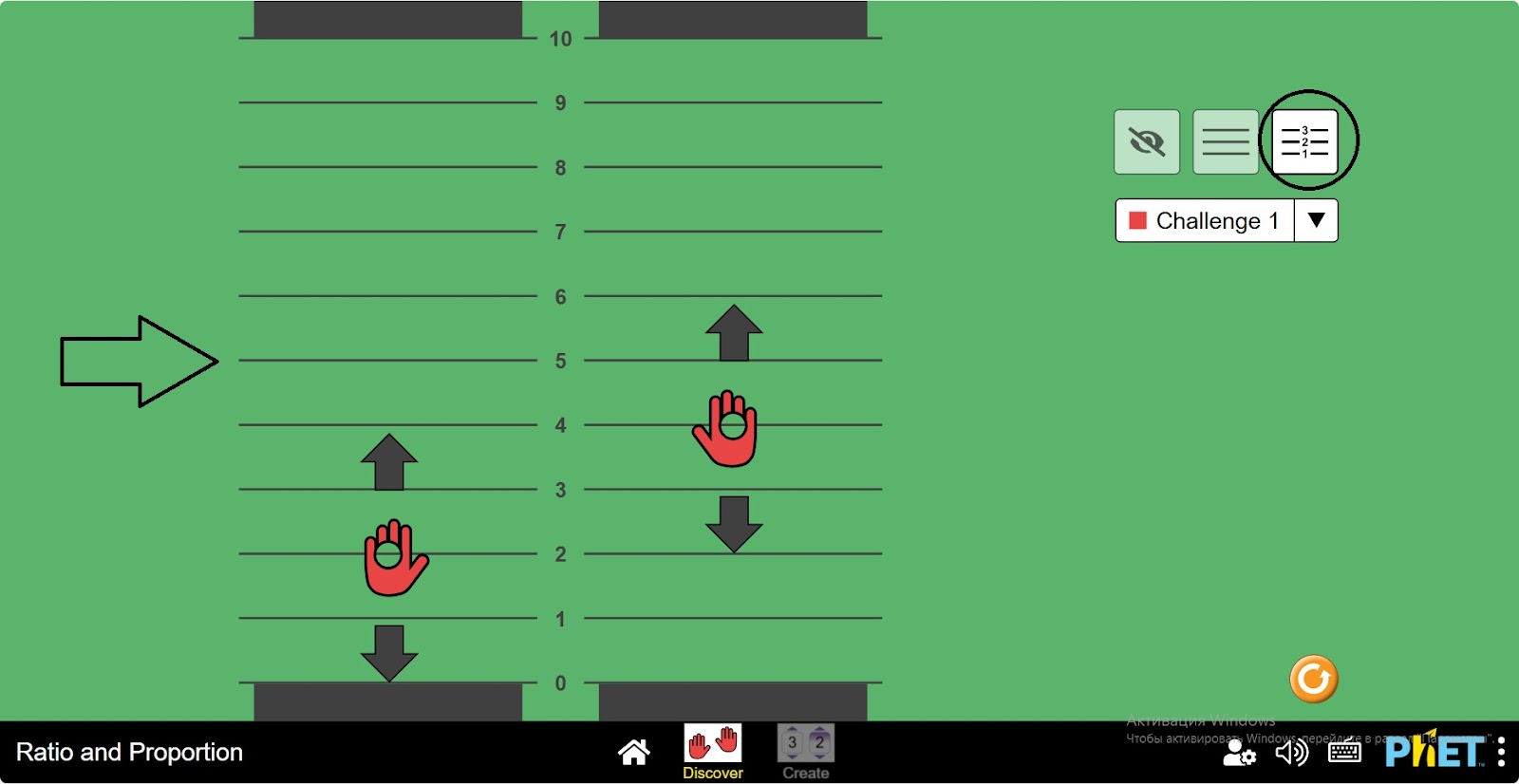
Step 3. Press the “Display with line scale” button. You will see that the pointer is in row 2 and 4 and the screen is green.
Step 4. If you change the position of one of the hands, you will notice that the screen color changes. This is because the ratio between the two numbers is broken. The ratio between the hands is 2 multiples of 2.
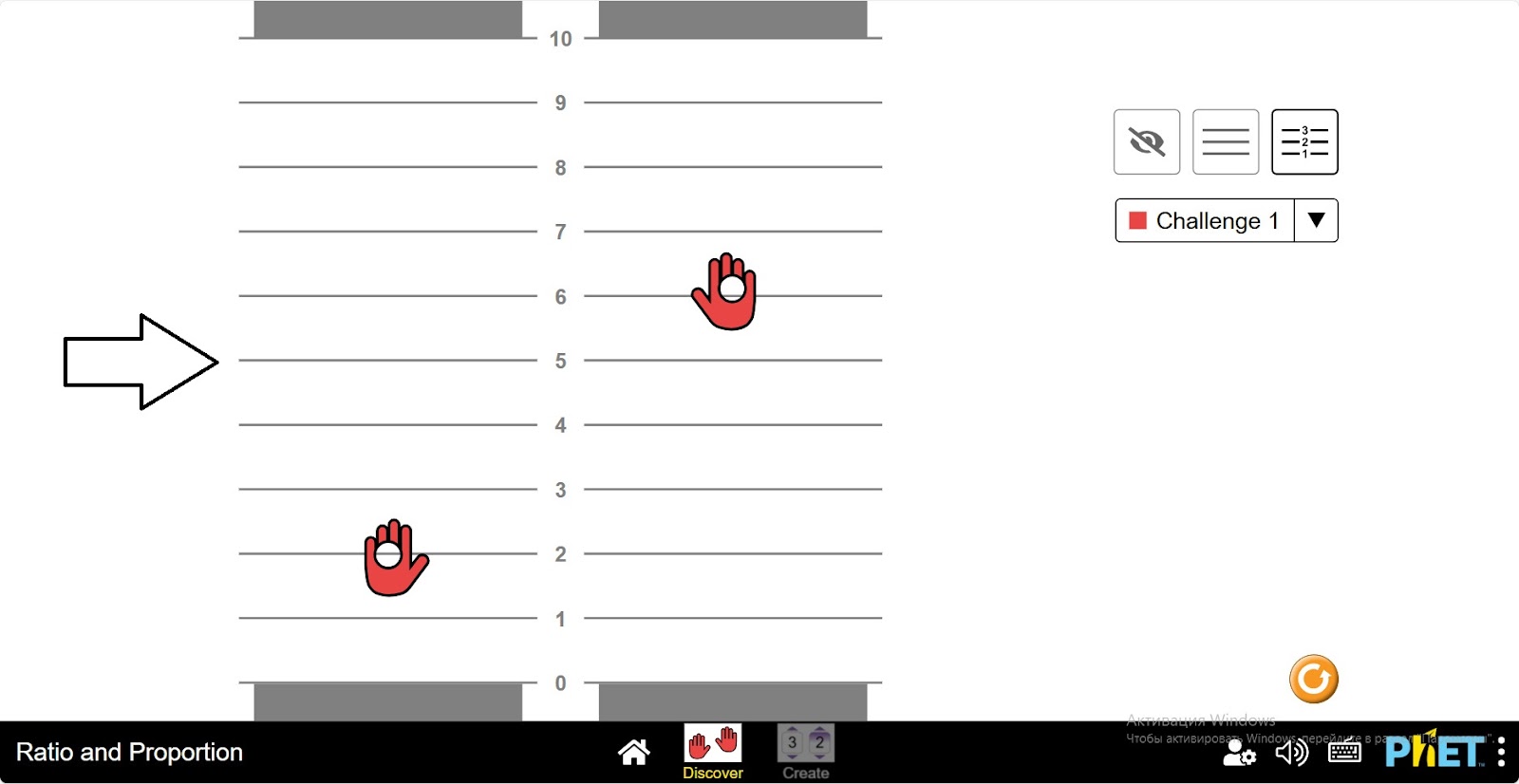
Step 5. Place one hand on the number 3. Place the value of the other hand on the number 6, which is 2 multiples of 2. The ratio of 2 is maintained and the screen turns green.
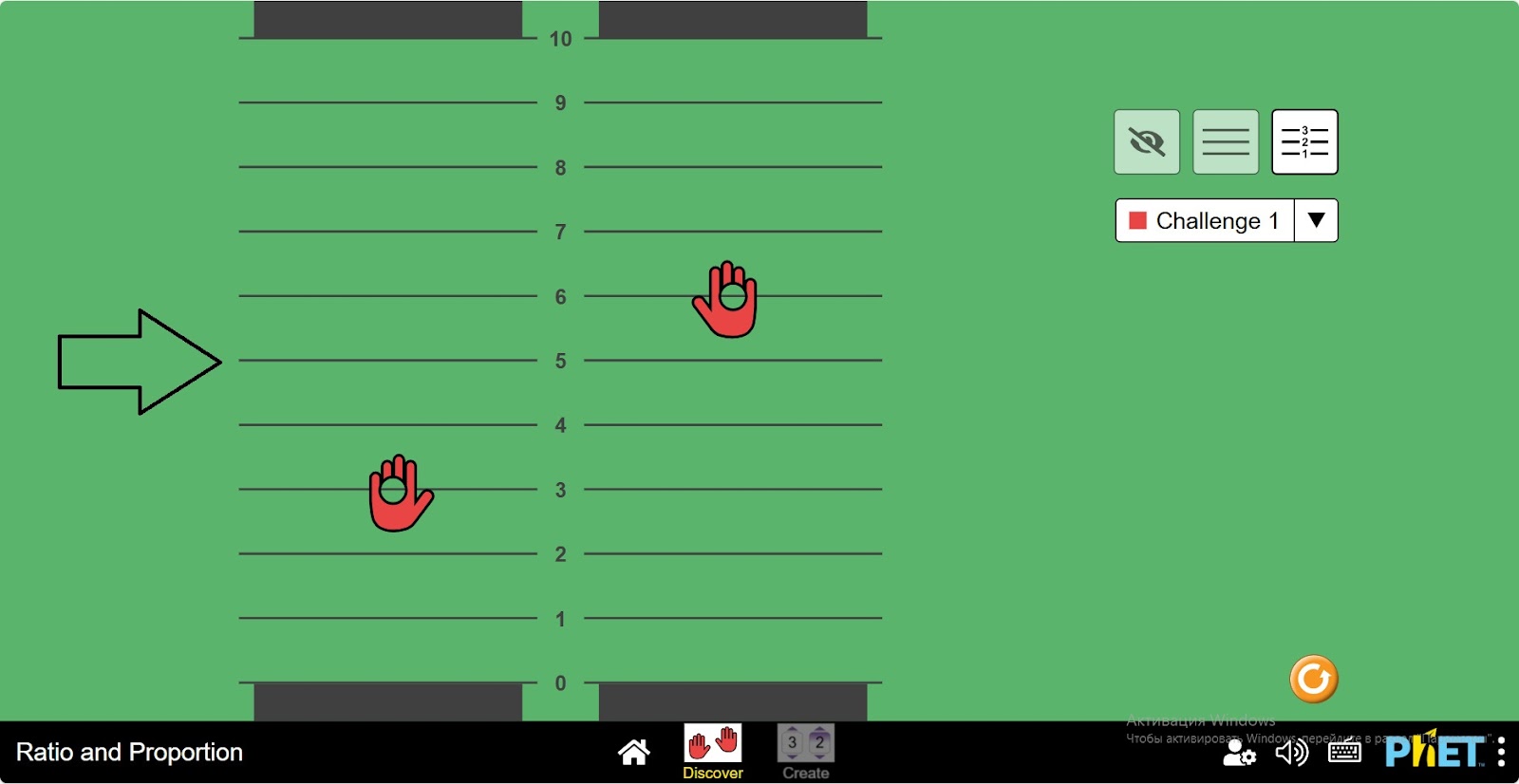
Step 6. Construct several proportions that maintain this ratio of numbers. For example, 3.5 and 7; 5 and 10, and so on.
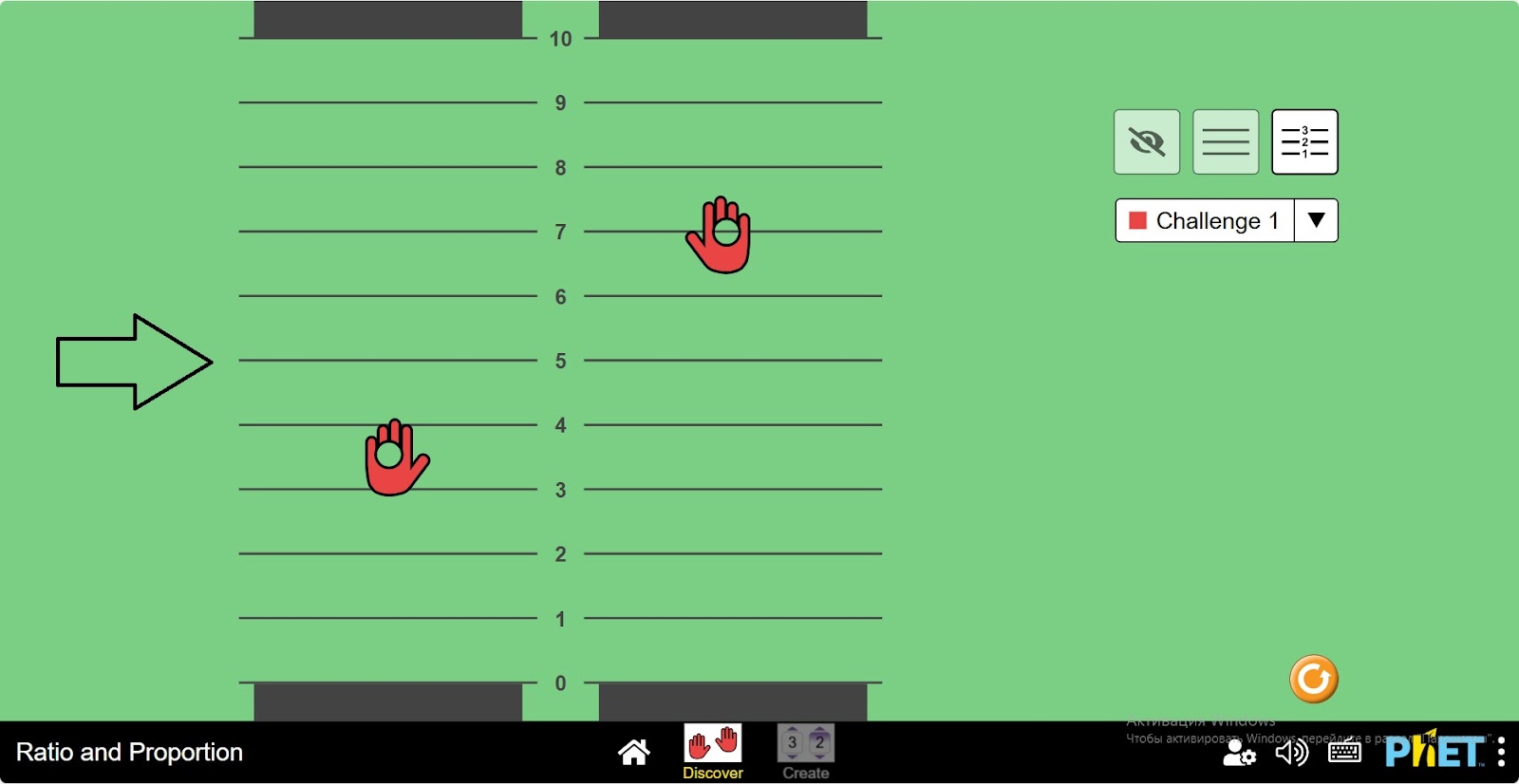
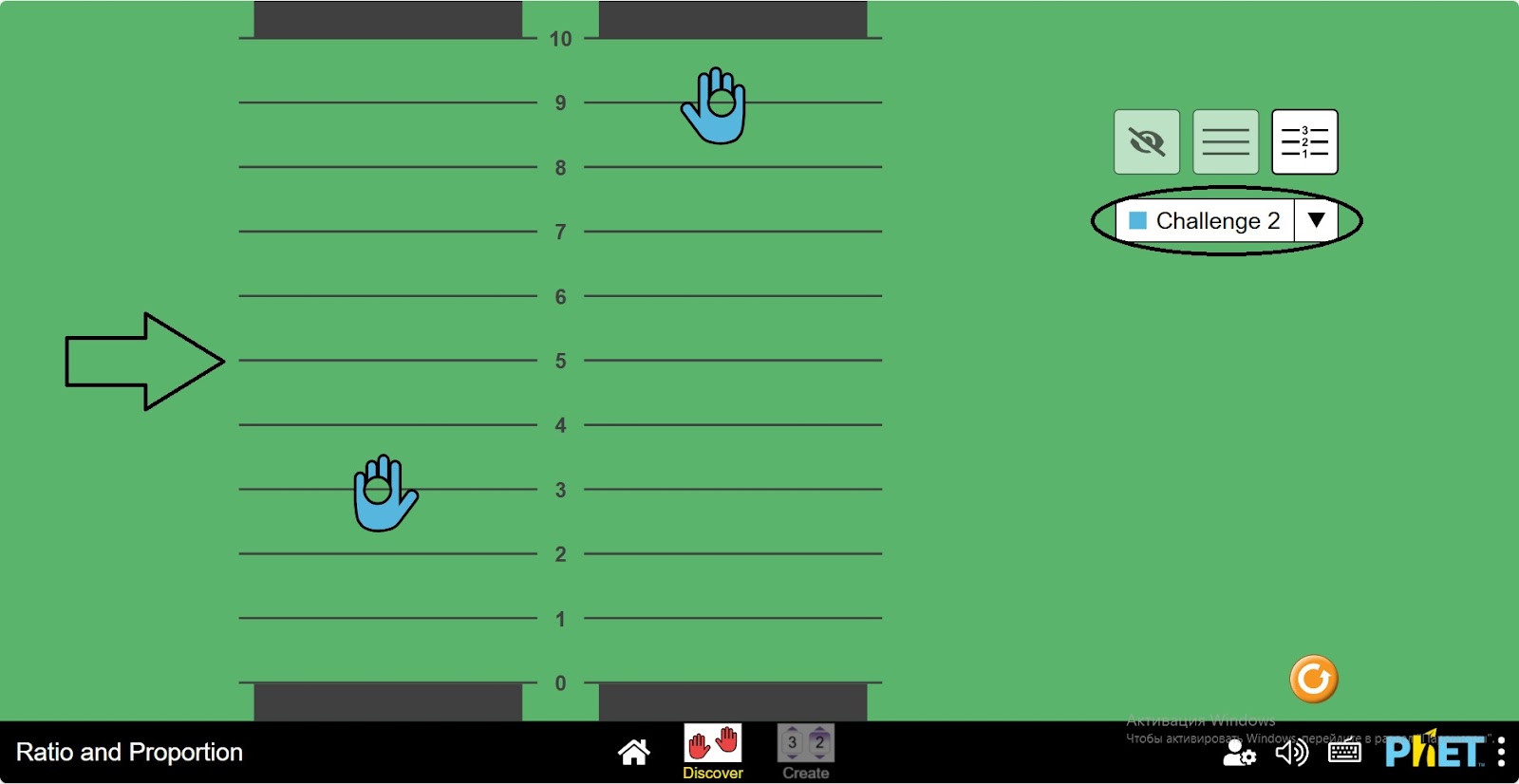
Step 7. Select Challenge 2. Here you construct a ratio of 3 times the numbers. For example, 1 and 3; 2 and 6, etc.
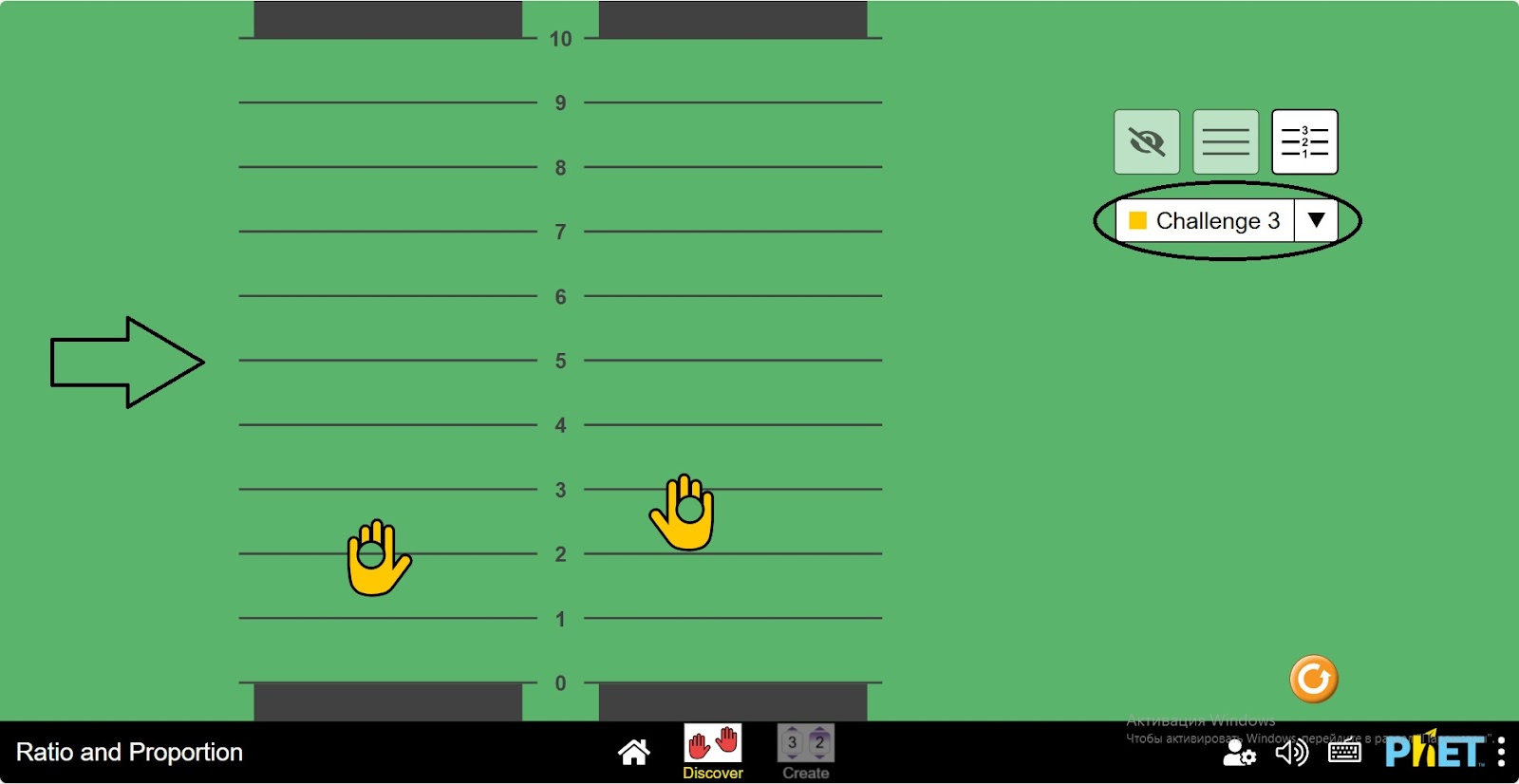
Step 8. Select Challenge-3. This is where you create a relationship to 1.33 times the numbers. For example, 2 and 2.66; 6 and 8, etc.
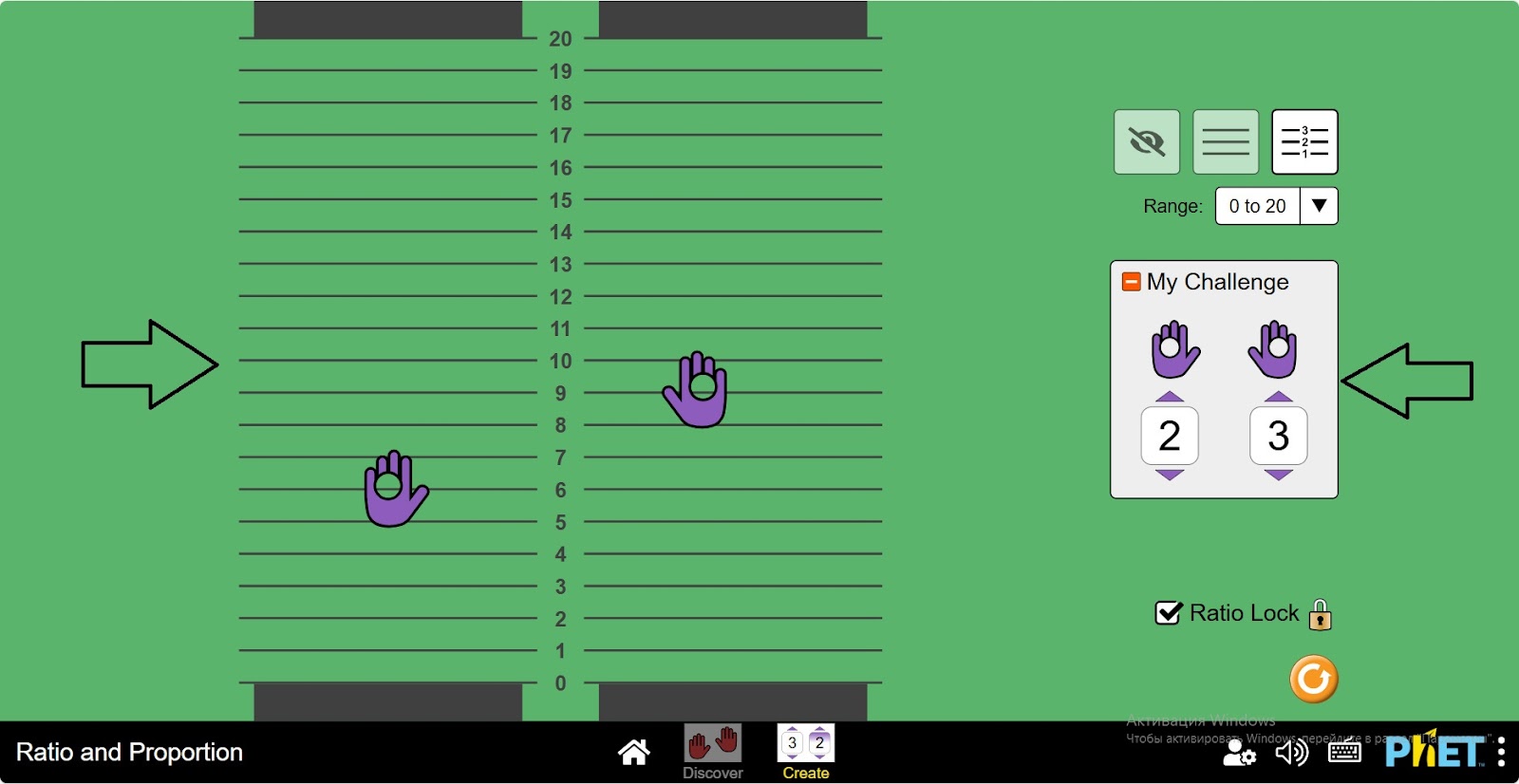
Step 9. Open the Create section. In the workspace you will see:
- 2 pointer positions and their paths (1);
- Buttons without ruler display, with ruler display, with ruler display (2);
- A panel for selecting the row size when displaying the row scale with measurements: (0;10), (0;20), (0;30) (3);
- Ratio selection button: you set the ratio between the numbers yourself (4);
- Lock button: to save the hand ratio and move on both lines (5);
- Reset button (6).
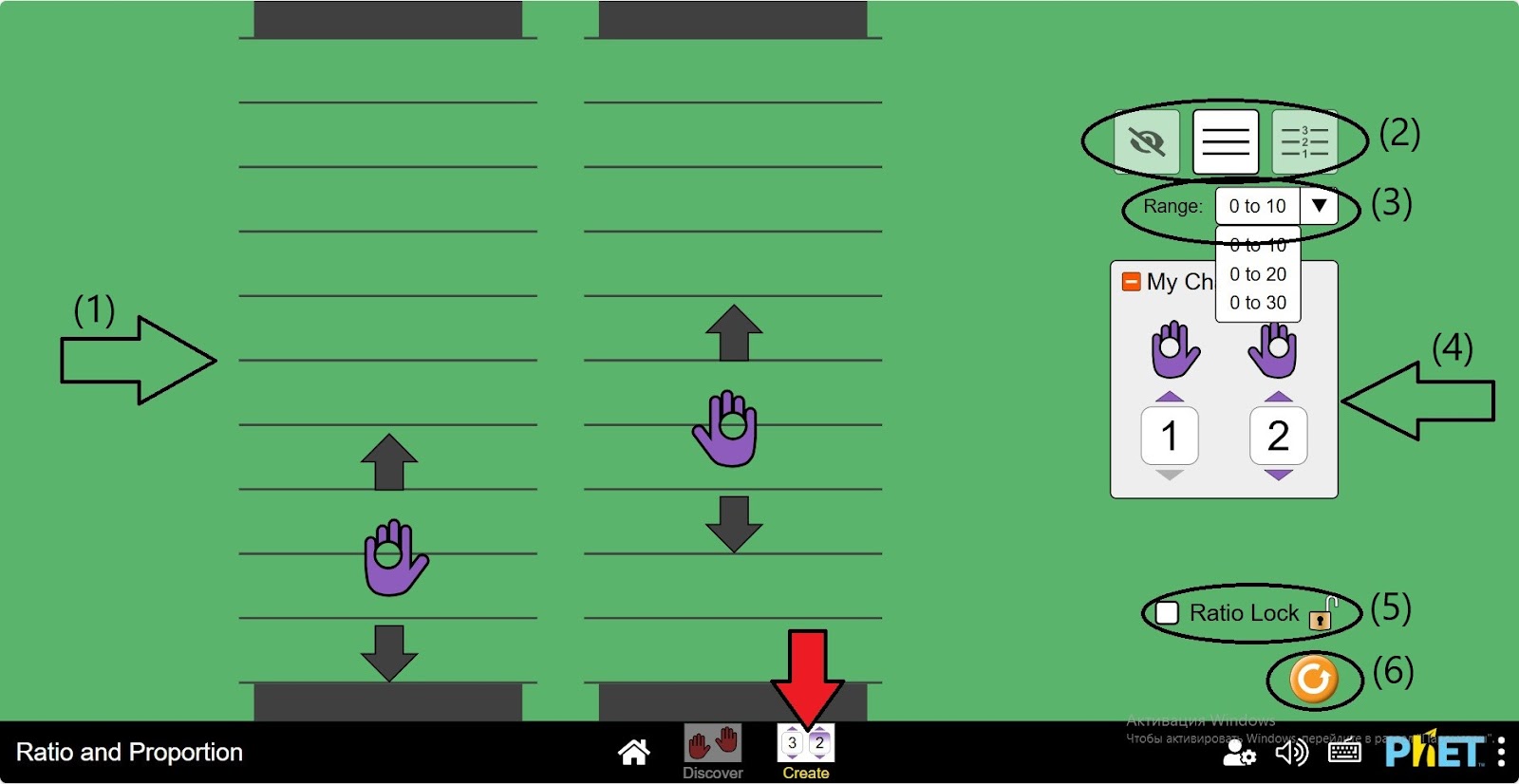
Step 10. Press the button “Display with line scale”. Choose the size of the line.
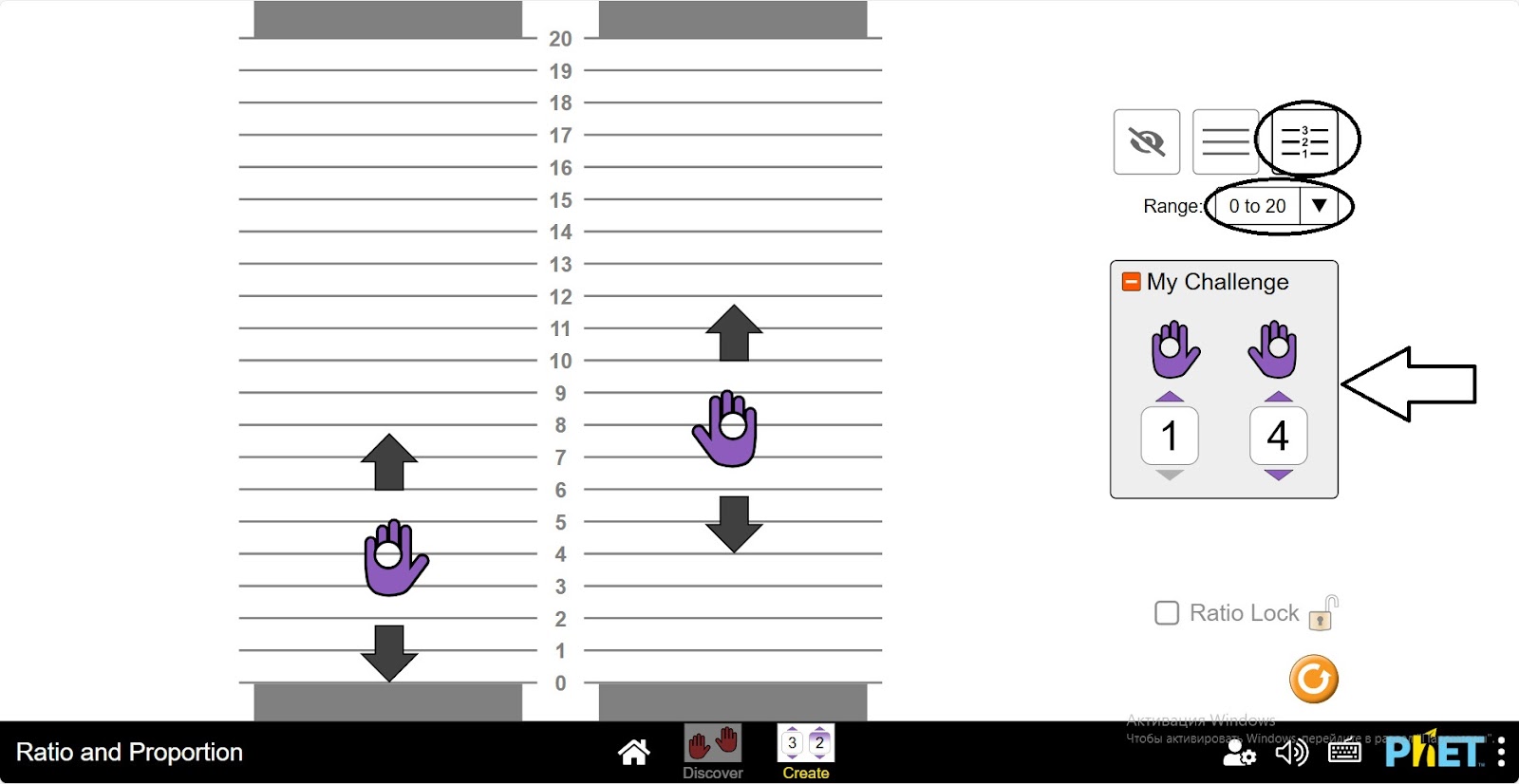
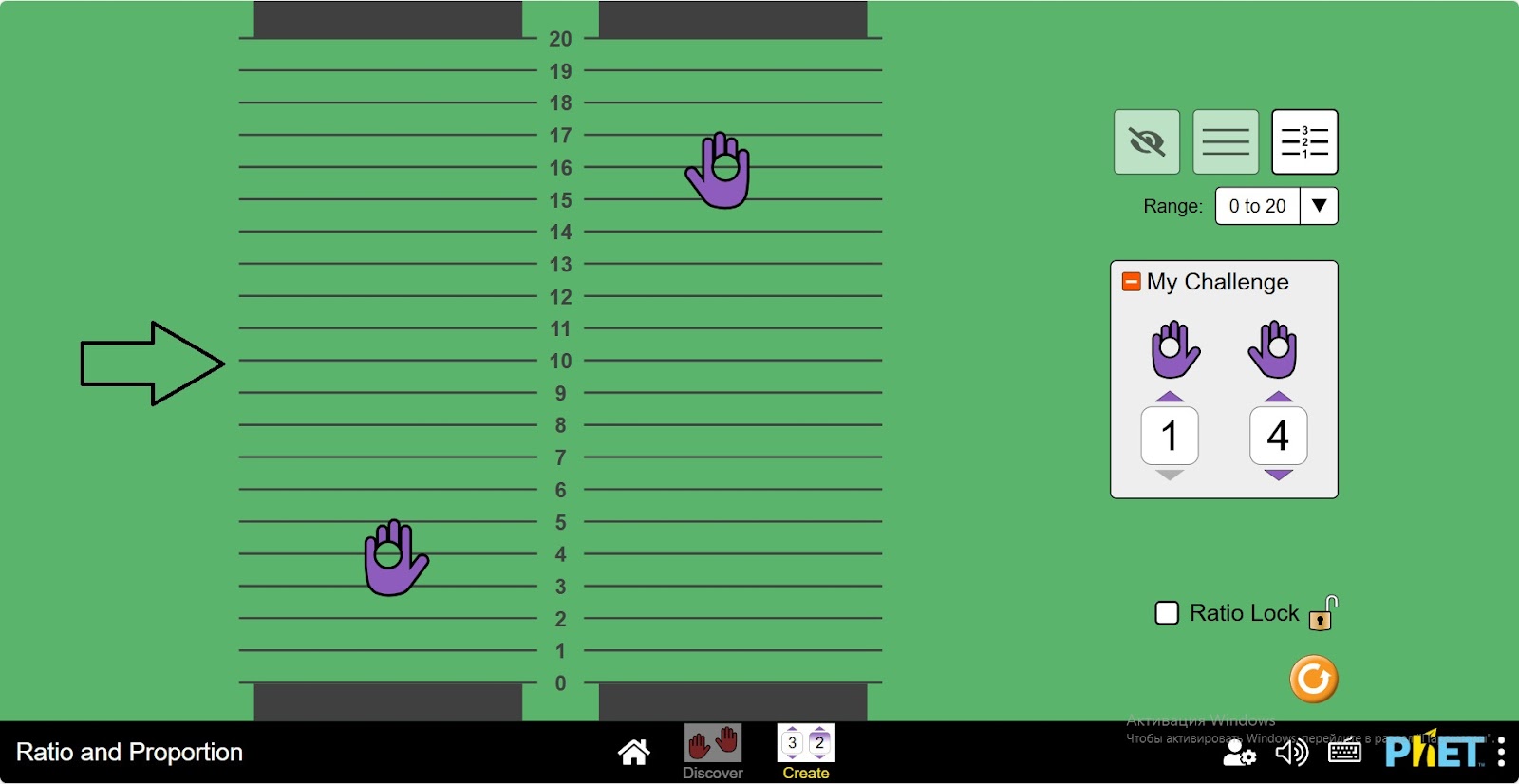
Step 11. Move your hand over the specified multiple. If it is correct, the screen will turn green.
Step 12. Activate the lock button. Create different proportions of numbers by moving your hands.
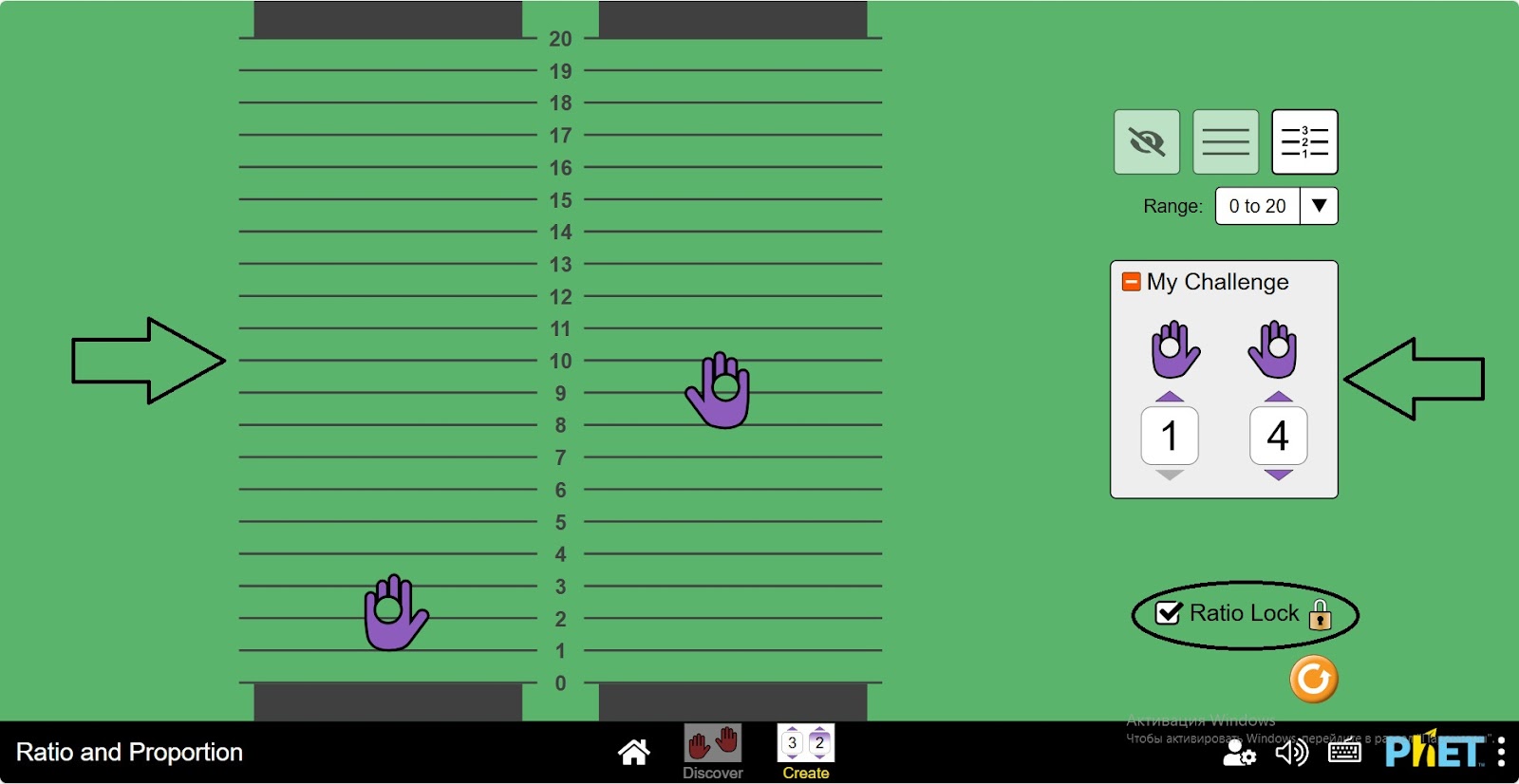
Step 13. Give other types of proportional relationships and do experiments.
Conclusion
This virtual activity can help students master the topic of proportions. Creates different relationships, and realizes the topic more deeply.