
Function
Function Builder by PhET Interactive Simulations, University of Colorado Boulder, licensed under CC-BY-4.0 (https://phet.colorado.edu)
Objective:
- Introduction to the topic of function;
- To find a given hidden function.
This virtual activity is designed for use in 7th grade algebra lessons on the following chapter:
- Grade 7. “Function.”
Theoretical Part
Imagine a machine that transforms some numbers into other numbers. You give it one number as an input and it gives you another number as an output. This machine is an example of a function!
A function is a rule that matches every number from one set with only one number from another set.
- Argument (x): The number we give to the function as input.
- Function value (y): The number the function returns as its output.
How do you write a function?
A function is usually written as a formula: y = f(x)
Here:
- y is the value of the function;
- f is the name of the function itself;
- x is the argument.
For example:
Function y = 2x + 1. If we replace x with the number 3, we get y = 2 * 3 + 1 = 7. The function has matched the number 7 with the number 3.
Examples of functions from life
- Price of a good: The price depends on the quantity of the good. This is a function where the quantity of a good is the argument and the price is the value of the function.
- Speed of travel: The speed depends on the distance traveled and the time traveled.
- Air temperature: Temperature depends on the time of day.
Virtual Experiment
This virtual activity introduces students to the concept of function. In the simulation, they will calculate and investigate a hidden function based on the given arguments and the value of the function.
Procedure:
Step 1. Launch the simulation. You have 4 different modes. “Patterns”, “Numbers”, “Equations” and “Mystery”. In this paper you will work in the “Mystery” section. Open “Mystery”.
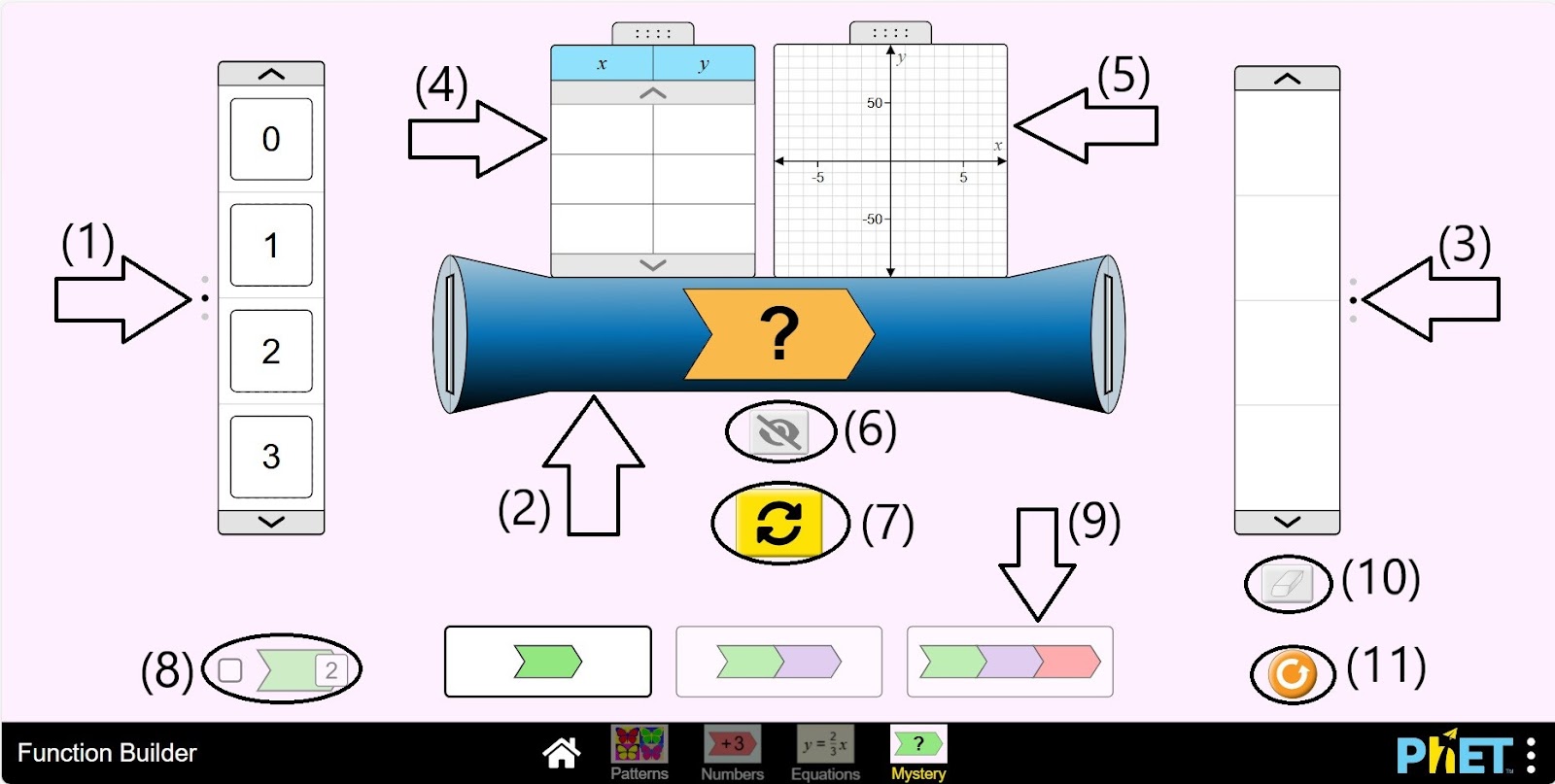
Step 2. In the workspace you will be given:
- Argument panel (1);
- The Function Machine (2);
- The function value panel (3);
- Table of arguments and function values (4);
- Graph of the function (5);
- Buttons to display the hidden operation on the function engine (6);
- Button to refresh the hidden function (7);
- One, two or three operations on the function engine (8);
- Button to display the value of the expression after each operation performed on the input number on the function machine (9);
- Eraser button (10);
- Reload button (11).
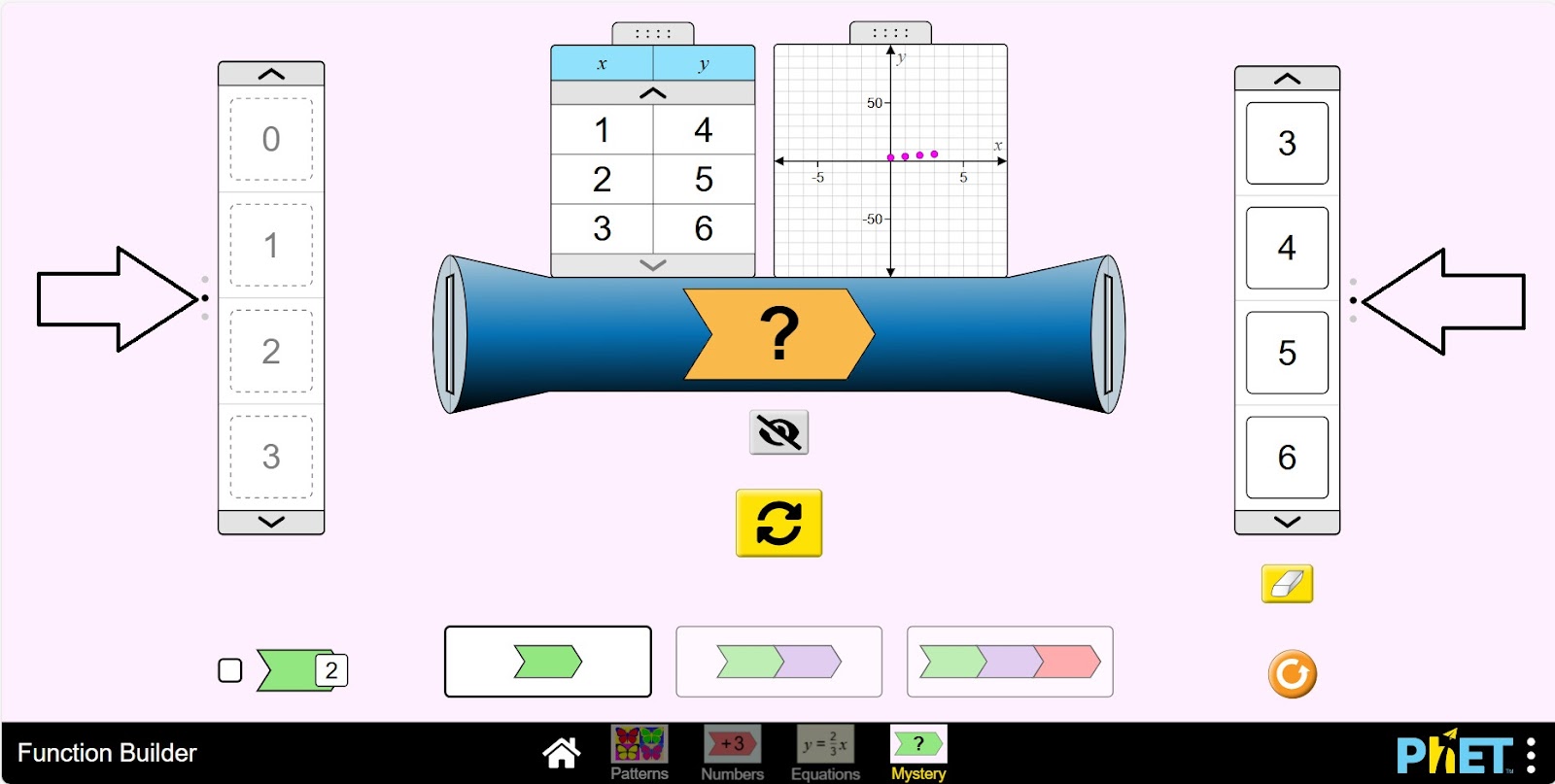
Step 3. Enter several arguments into the function machine. Examine the results, try to find the hidden function.
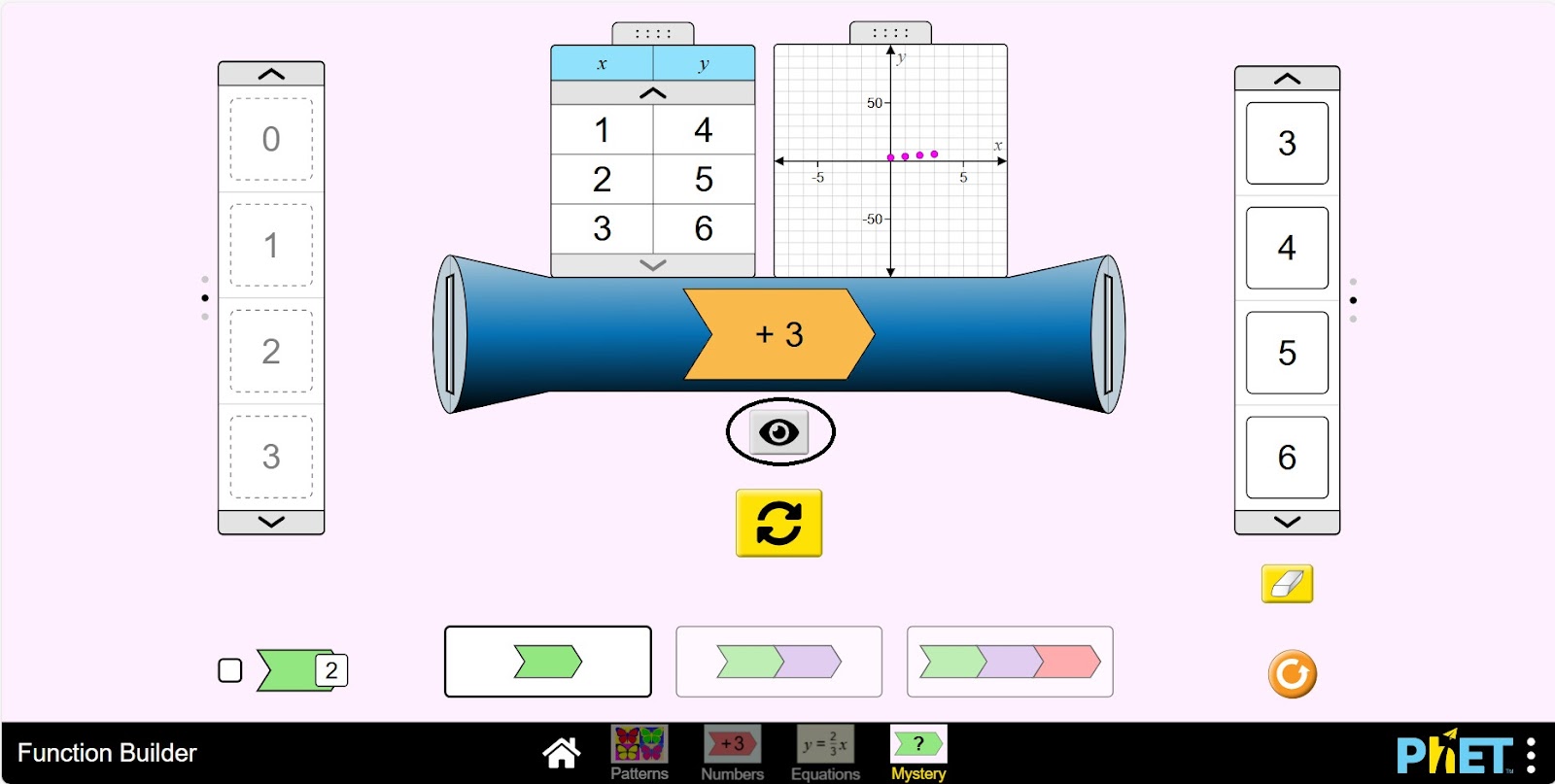
Step 4. Test your guess by clicking the “show hidden function” button hidden on the function engine.
Step 5. Refresh the hidden function. Enter the arguments and try to find the hidden function. Check your guess by clicking the “Show hidden function” button.
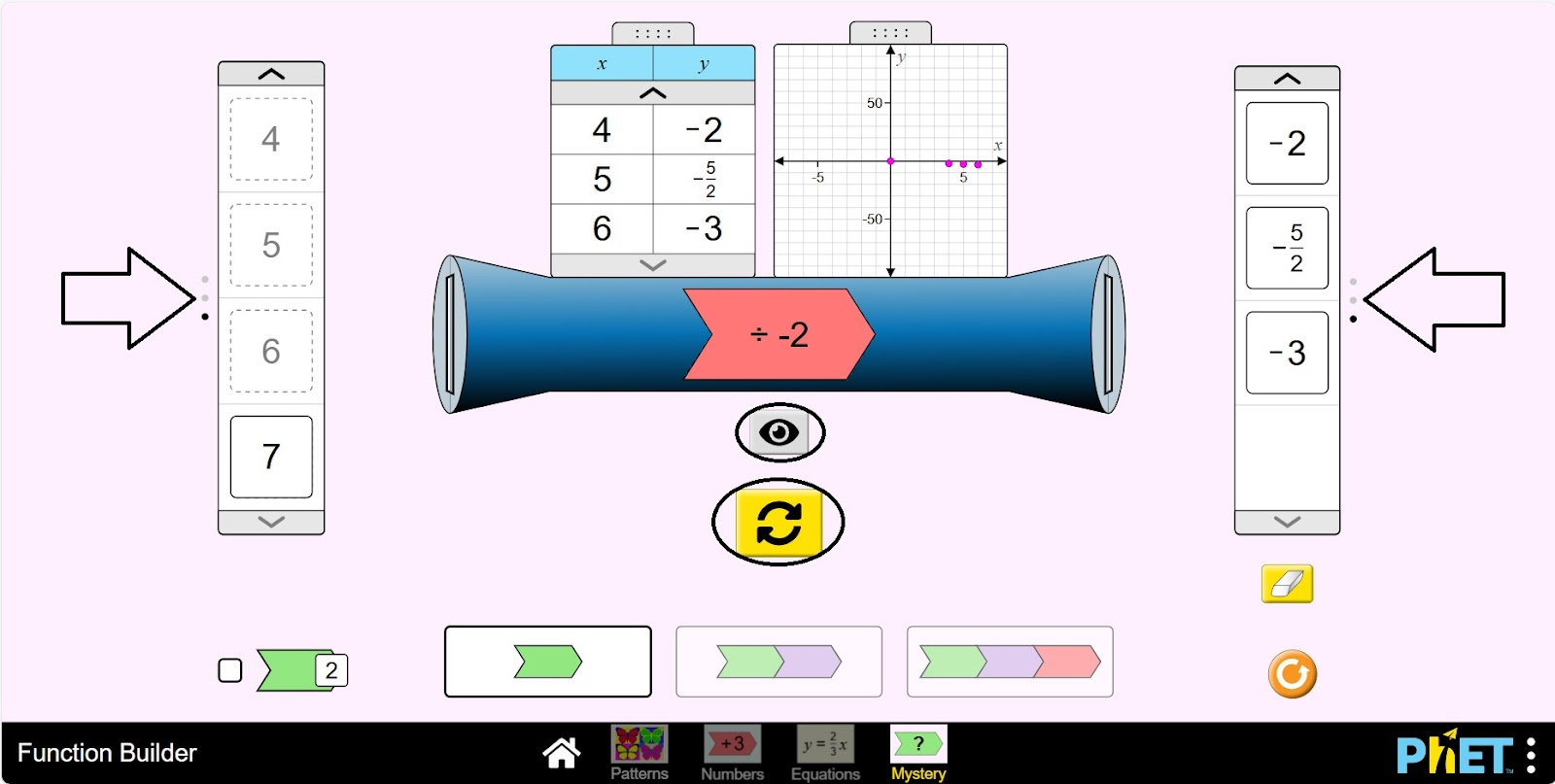
Step 6. Do some research on the function machine by increasing the number of operations by 2 and entering the arguments.
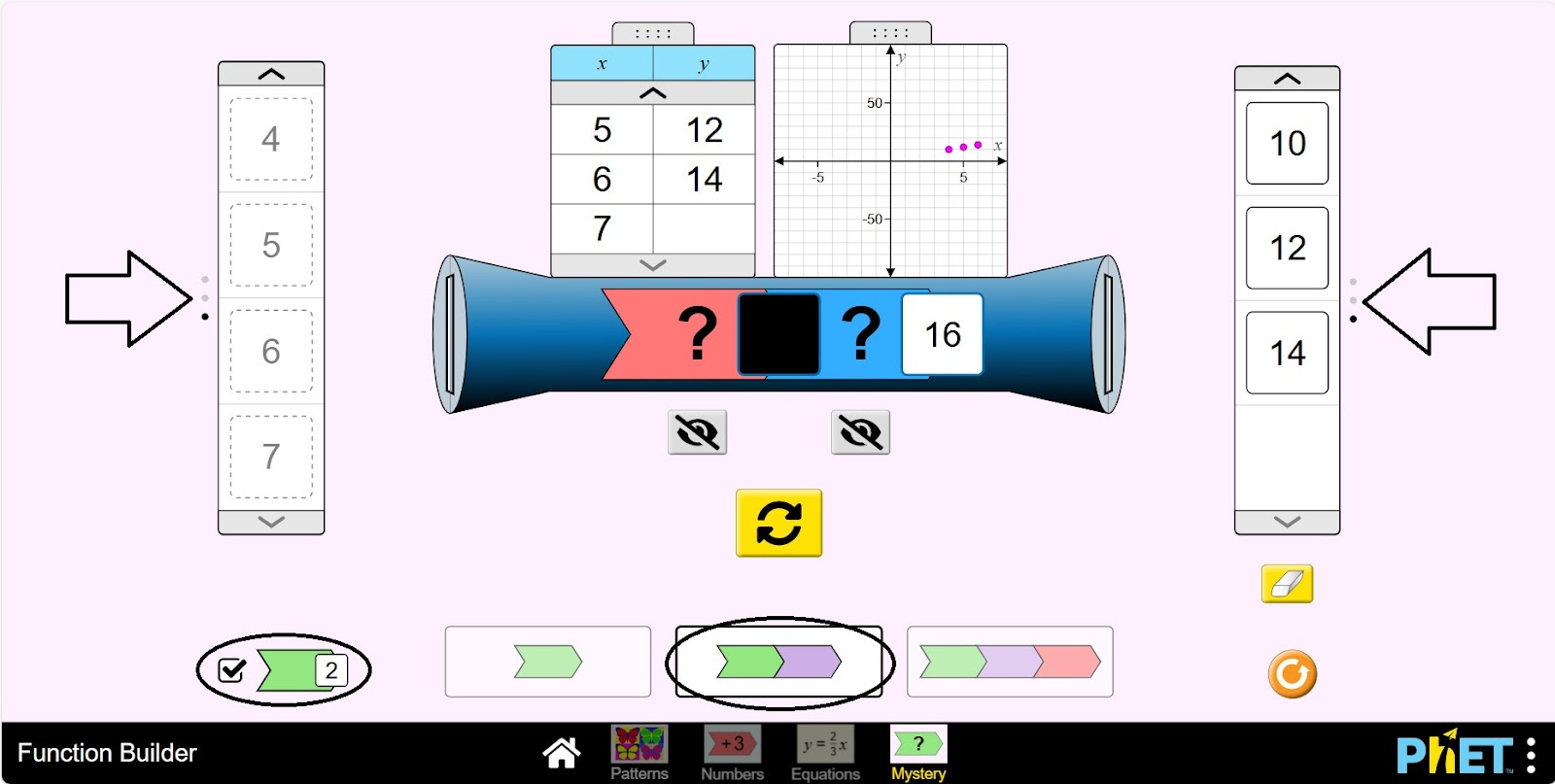
Step 7. Check your guess by clicking the “Show hidden function” button hidden on the function machine.
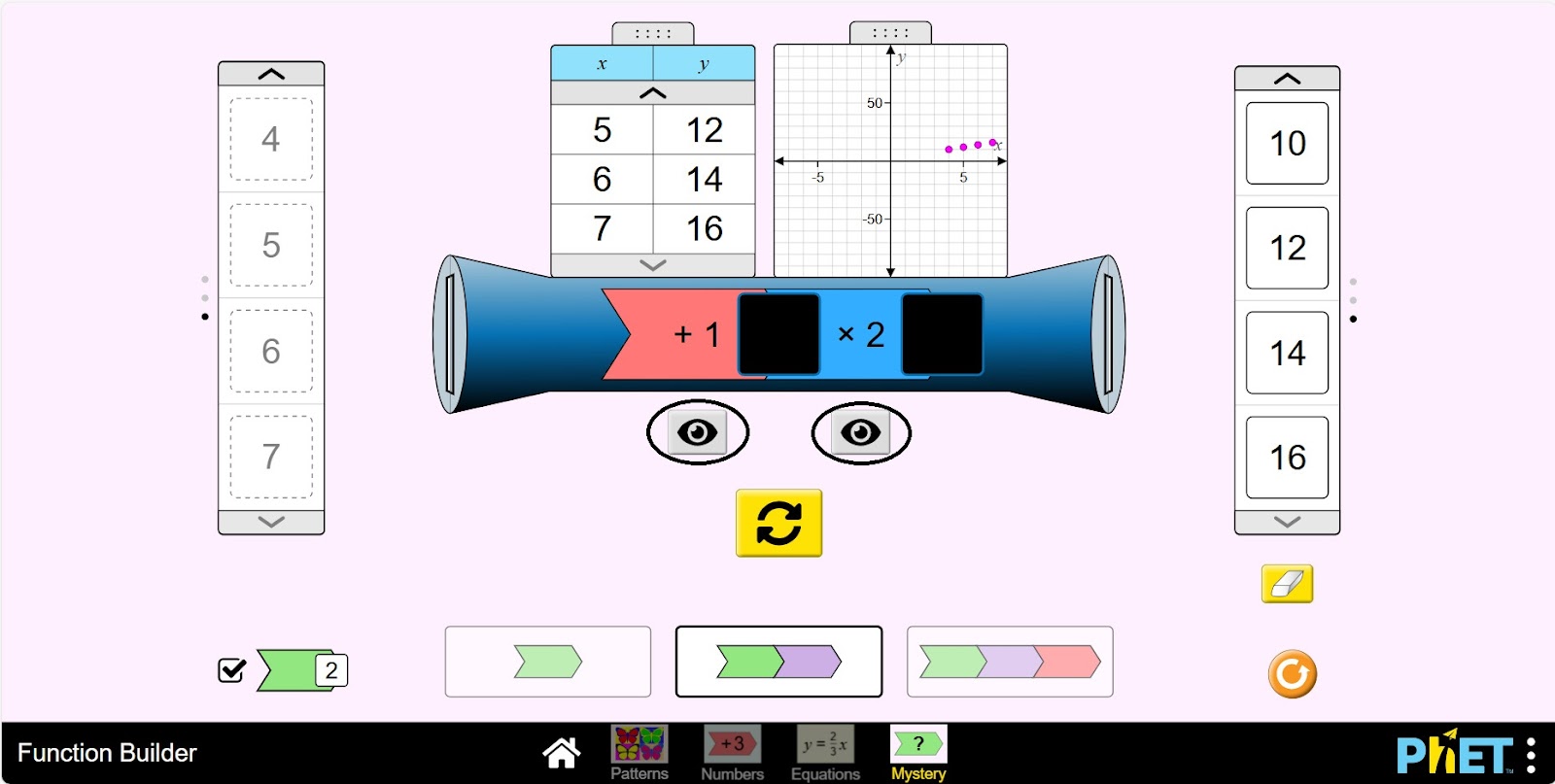
Step 8. Do some research by using the buttons presented on the screen on the function machine.
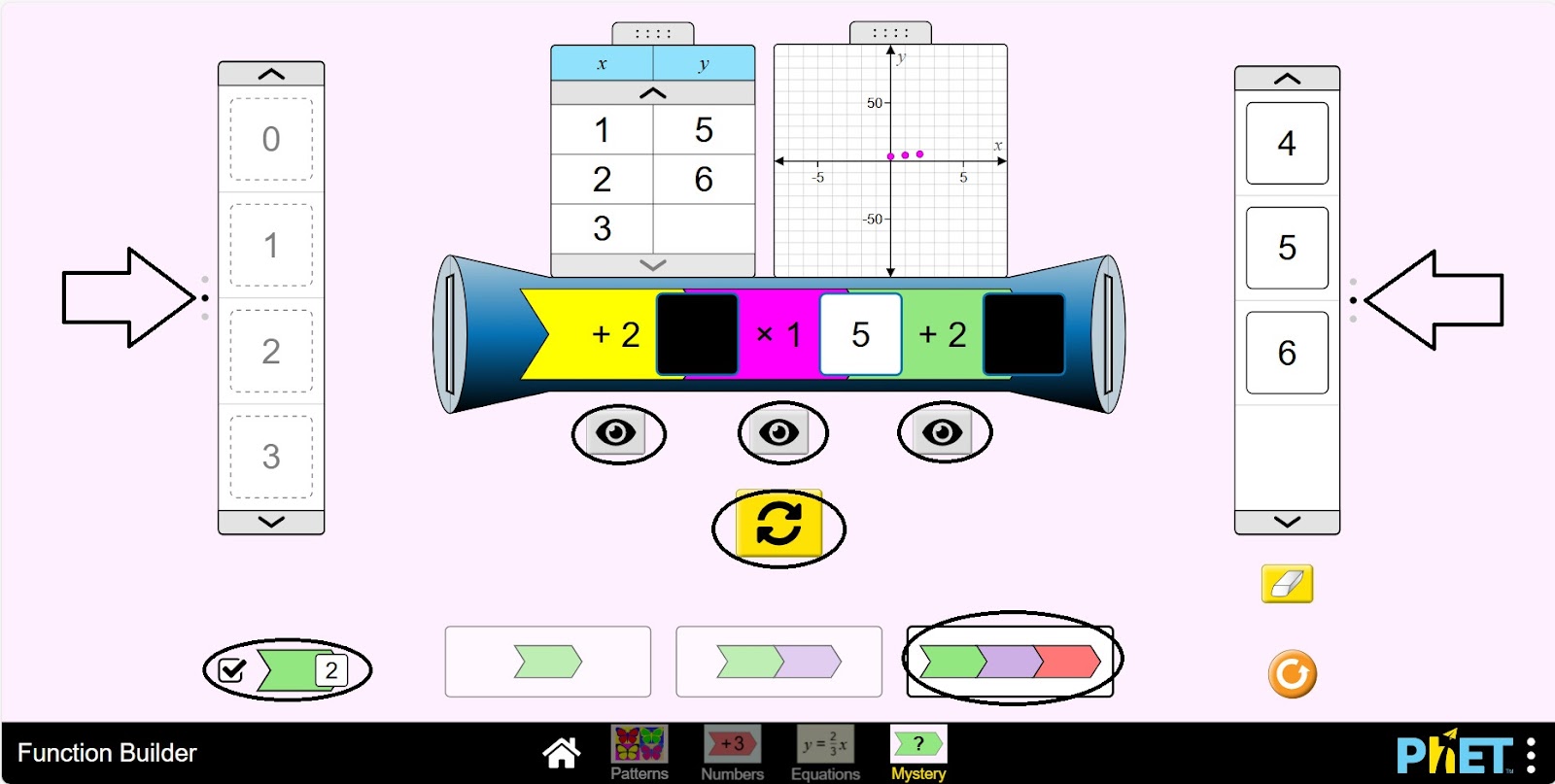
Conclusion
Students were introduced to the concept of function in a virtual activity. The function engine was an effective tool for visualizing and analyzing mathematical relationships. The variety of controls (panels, graphs, tables) gave students the flexibility to explore the function from different angles.