Lesson 2
Union types
In Pascal, there are two ways to create unions. One is the standard way through a variant record. The second is a nonstandard means of declaring a variable as absolute, meaning it is placed at the same memory location as another variable or at an absolute address. While all Pascal compilers support variant records, only some support absolute variables.
For the purposes of this example, the following are all integer types: a byte is 8-bits, a word is 16-bits, and an integer is 32-bits.
The following example shows the non-standard absolute form:
VAR
A: Integer;
B: Array[1..4] of Byte absolute A;
C: Integer absolute 0;
In the first example, each of the elements of the array B maps to one of the specific bytes of the variable A. In the second example, the variable C is assigned to the exact machine address 0.
In the following example, a record has variants, some of which share the same location as others:
ТYPE
TSystemTime = record
Year, Month, DayOfWeek, Day : word;
Hour, Minute, Second, MilliSecond: word;
end;
TPerson = RECORD
FirstName, Lastname: String;
Birthdate: TSystemTime;
Case isPregnant: Boolean of
true: (DateDue:TSystemTime);
false: (isPlanningPregnancy: Boolean);
END;
The structure of the program in the Pascal language
In a program written in the Pascal language, you can select:
1) program title;
2) a block describing the data used;
3) a block describing data transformation actions (a program block).
The program header consists of the service word program and the program name. A semicolon is placed after the program name.
The data description block consists of a constant description section (const), a variable description section (var), and some other sections. The variable descriptions section specifies the names of variables used in the program and their types. The program may not have a header; it may lack a data description block. A mandatory part of the program is the program block. It contains commands describing the algorithm for solving the problem. The program block begins with the word begin and ends with the word end with a dot.
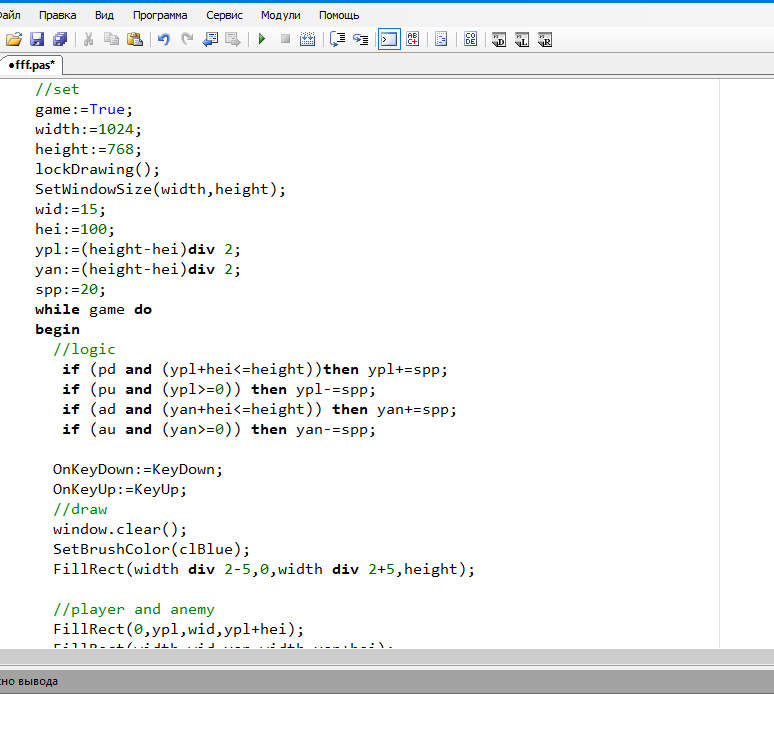
Below is a general view of the program:
Practical work
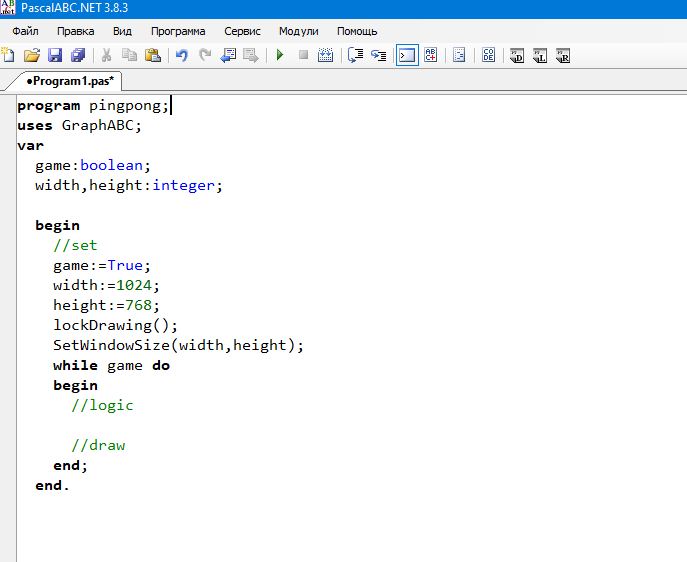
Step 1. To begin with, we will create a cycle where the work will be carried out.
“SET” settings where the initial values of variables will be set
Logic “Logic”
Drawing “Draw”
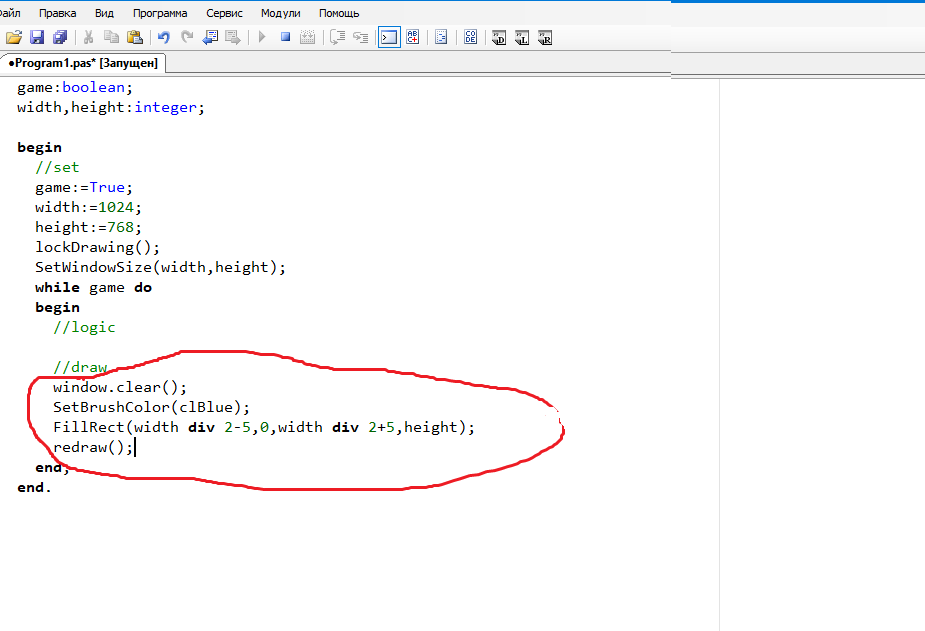
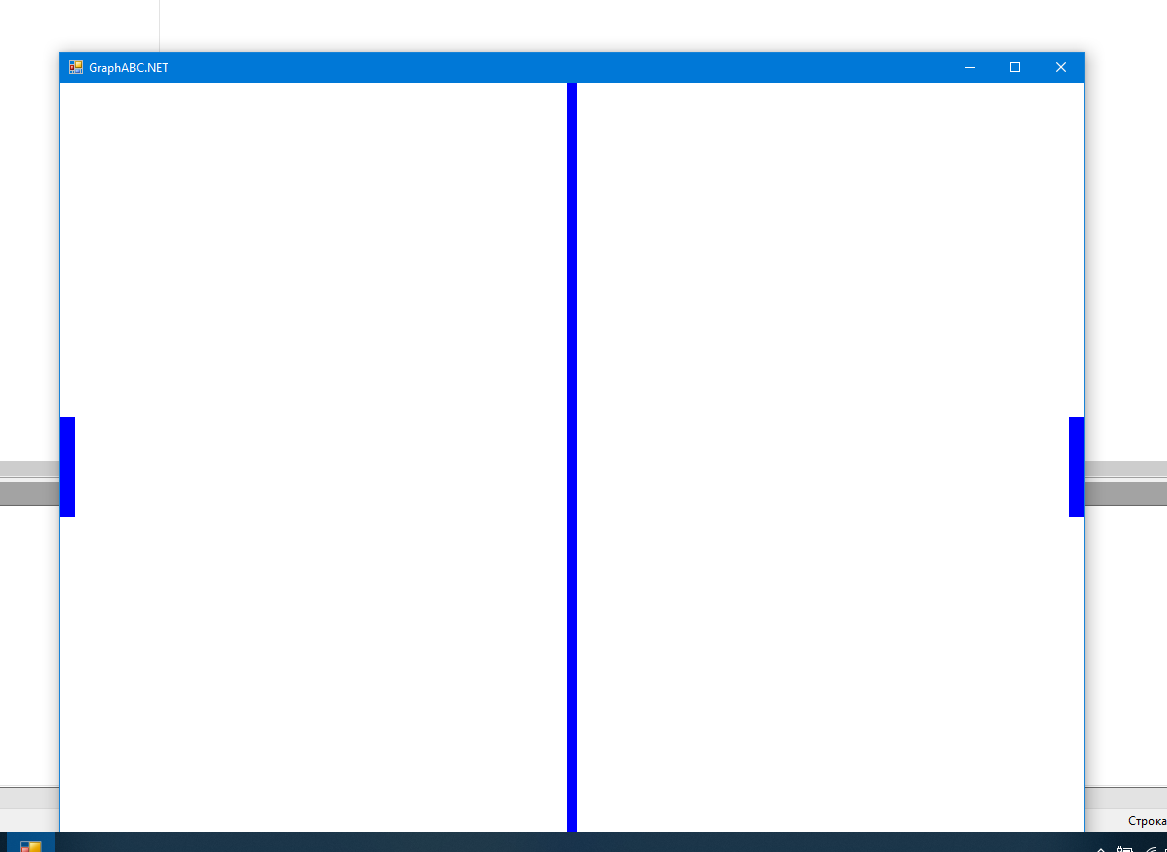
Step 2. Add a grid line along the middle of the screen
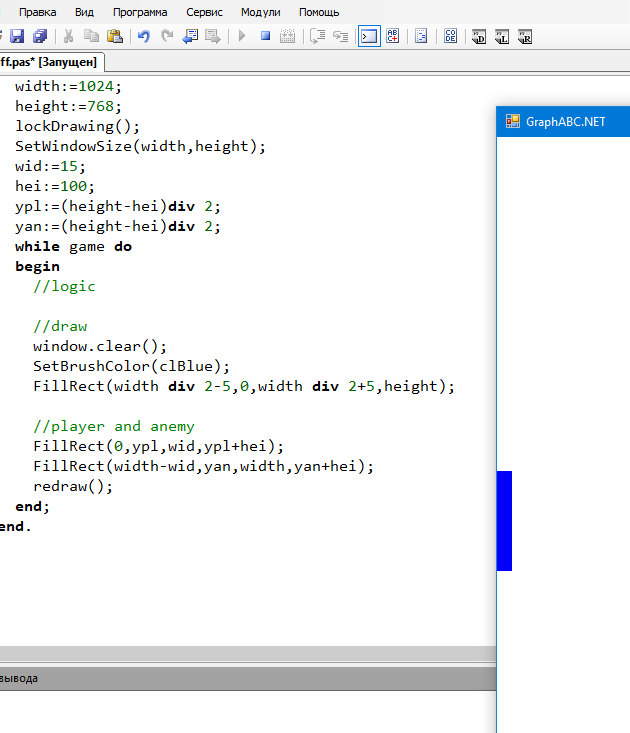
Step 3. Now let’s add players. Let’s create 4 variables:
The Y position of the player and the enemy
ypl:=(height-hei)div 2;
yan:=(height-hei)div 2;
Width and height of the racket
wid:=15;
hei:=100;
And add the initial values of these variables before the loop
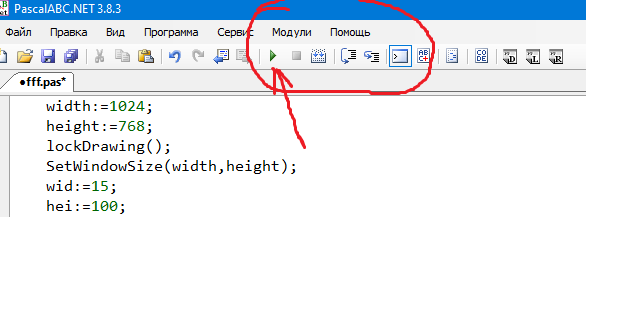
Step 4. You can view the window for the game. Click run and our game field will appear in a new window
Step 5. Now let’s make our players move.
Let’s add one variable responsible for the speed of movement of players spp
and 4 boolean pd,pu,ad,au
Let’s add the OnKeyDown and OnKeyUp functions,