
Lesson 1
Teacher’s Guide
– In the experimental part of the project, students work individually.
– Students must be equipped with a PC
– Before starting the experimental part, familiarize and provide students with all the necessary materials.
– Give a brief instruction on the operation of the PC, and on safety.
To evaluate the project, in the first week, provide this material (PBLrubrics) to students in order to:
– the students previously understood by what criteria they needed to prepare,
– the students were able to independently give an appropriate assessment to their colleagues.
Project objective
– Get acquainted with existing programs like Pascal ABC
– Create a game
– Work with Pascal codes
Expected results
After studying the project, students will be able to:
– to acquire the skill of cooperation with a teacher and work in a group, in pairs;
– analyze and summarize the information received;
– communicative competence will be formed in the course of educational activities.
Interdisciplinary communication:
– Computer Science (work on a PC, write code in Pascal)
Introduction
Programming languages are formal languages designed to write algorithms, the executor of which will be a computer. Algorithm entries in programming languages are called programs.
There are several thousand programming languages. We will get acquainted with the Pascal programming language, which was developed in the 70s of the last century by Niklaus Wirth (Switzerland). This language got its name in honor of the French scientist Blaise Pascal, known not only for his achievements in mathematics, physics and philosophy, but also for the creation of the world’s first mechanical machine that performed the addition of two numbers.
The Pascal language is considered a universal programming language, since it can be used to write algorithms for solving a variety of tasks (computational, text processing, graphic image construction, information retrieval, etc.).
It supports a procedural programming style, according to which a program is a sequence of operators that specify certain actions.
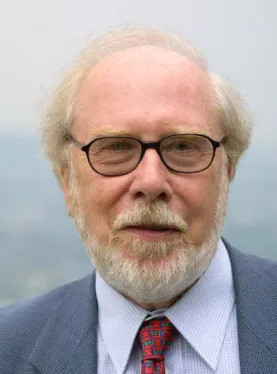
Niklaus Wirth (born in 1934) is a Swiss scientist, an expert in the field of computer science, one of the most famous theorists in the field of programming language development, professor of computer science.
Developer of the Pascal language and a number of other programming languages.
Alphabet and dictionary of the language
The basis of the Pascal programming language, like any other language, is the alphabet — a set of valid characters that can be used to write a program.
This:
- Latin capital letters (A, B, C, …, X, Y, Z);
- latin lowercase letters (a, B, c, …, x, y, z);
- arabic numerals (0, 1, 2, …, 7, 8, 9);
- special characters (underscores; punctuation marks; round, square and curly brackets; signs of arithmetic operations, etc.).
- The following sequences of characters are considered as indivisible elements (composite characters):
- := (assignment operation sign);
- >= and <= (signs ≥ and ≤);
- (* and *) (beginning and end of the comment).
There are also a number of different chains of symbols in the language, considered as single semantic elements with a fixed meaning. Such chains of symbols are called service words.
The table below shows the main service words that we will use when writing programs in the Pascal language.
The practical part of the work
Step 1. Download and install the Pascal program on your PC
Download link: http://pascalabc.net/ssyilki-dlya-skachivaniya
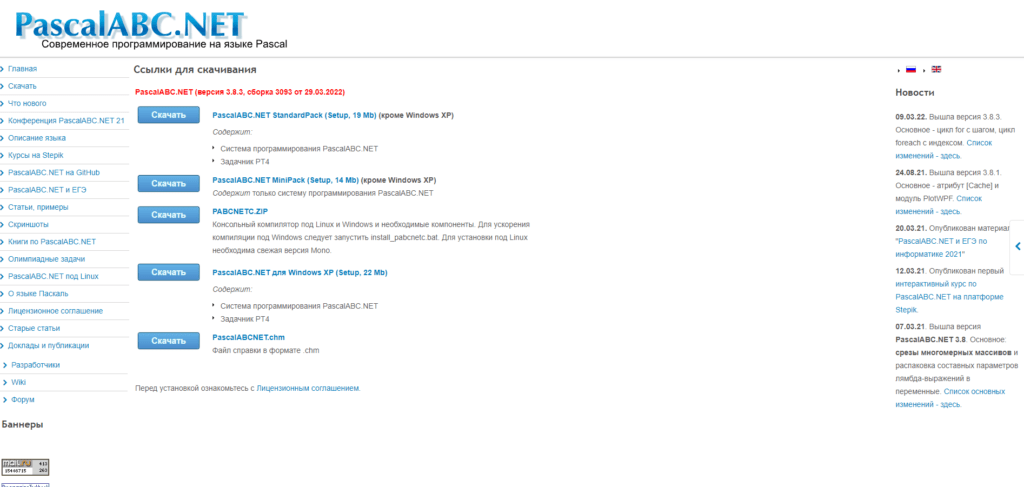
Step 2. Download the very first PascalABC.NET Standard Pack (Setup, 19 Mb) is tired.
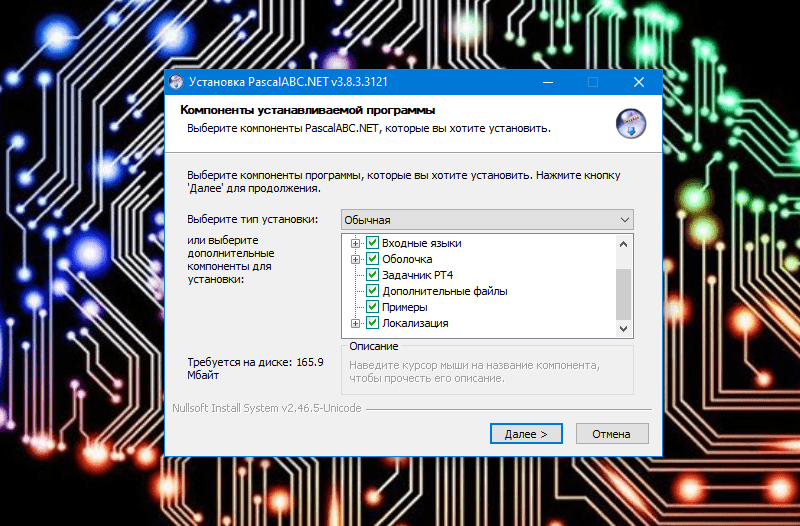
Step 3. Click Next>Select the installation folder (install the program where it is convenient for you to use it, and you can rename it).
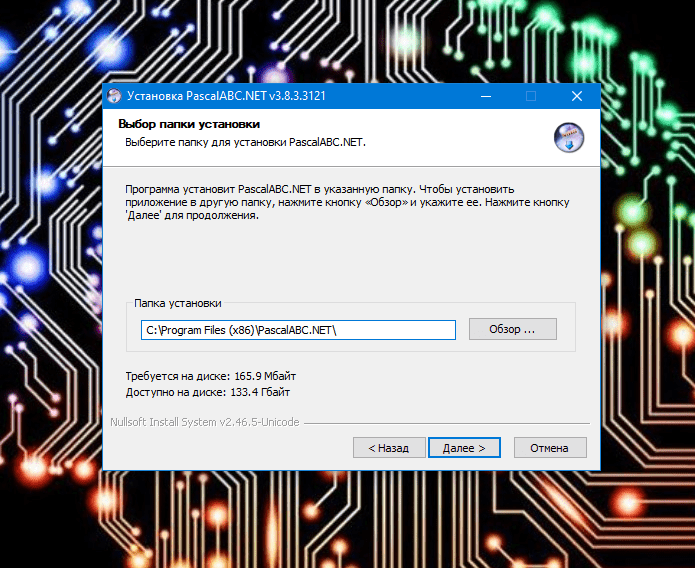
Step 4. Choose in which Working folder the finished game codes will be saved.
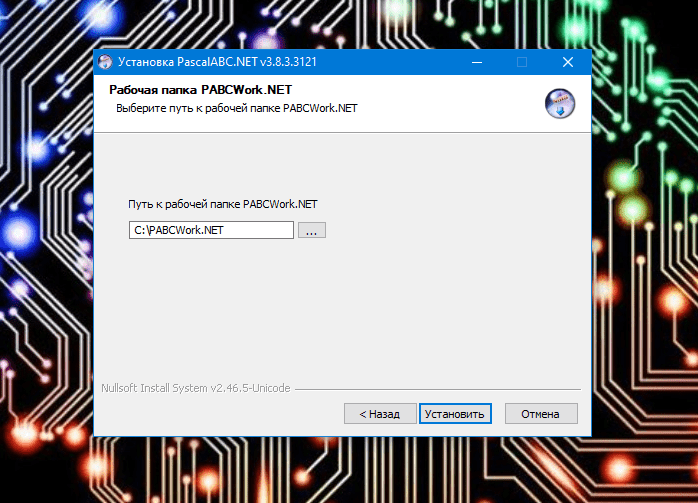
Step 5. After downloading the installation, the program is displayed on the desktop.
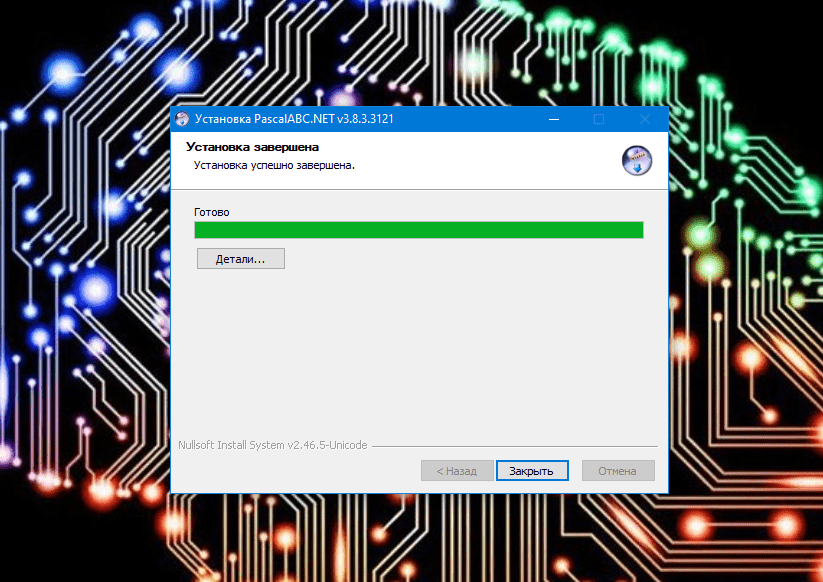
In the first week we got acquainted with the Pascal programming language. In the second week we will start writing codes.