
Applying arithmetic operations to rational numbers
Function Builder by PhET Interactive Simulations, University of Colorado Boulder, licensed under CC-BY-4.0 (https://phet.colorado.edu)
Objective:
- Performing addition of rational numbers with the same symbols and different symbols;
- Performing subtraction of rational numbers;
- Performing multiplication of rational numbers;
- Applying the properties of addition and multiplication of rational numbers;
- Performing division of rational numbers;
- Performing arithmetic operations with rational numbers.
This virtual activity is designed to be used in math lessons in the next chapter:
- Grade 6. “Applying arithmetic operations to rational numbers”.
Theoretical part
Addition and Subtraction:
Identical symbols:
Addition: When adding rational numbers with the same signs (e.g., + and +), add their numerators, keeping the sign. For example: 23+13=2+13=33=1

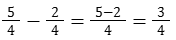
Subtraction: When subtracting rational numbers with the same signs (e.g., – and -), subtract their numerators, keeping the sign. For example: 54-24=5-24=34
Different Symbols:
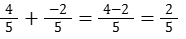
Addition: When adding rational numbers with different signs (e.g., + and – or – and +), subtract their numerators and keep the sign of the number that has the larger numerator. For example: 45+-25=4-25=25
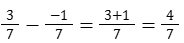
Subtraction: When subtracting rational numbers with different signs (e.g., + and – or – and +), subtract their numerators and keep the sign of the first number. For example: 37–17=3+17=47
Multiplication and division:
Same symbols:
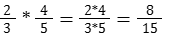
Multiplication: When multiplying rational numbers with the same signs (e.g., + and + or – and – and -), multiply their numerators and denominators. The sign of the result will be positive. For example: 23*45=2*43*5=815
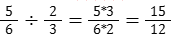
Division: When dividing rational numbers with the same signs (e.g., + and + or – and – and -), divide the numerator of the first number by the numerator of the second number, and the denominator of the first number by the denominator of the second number. The sign of the result will be positive. For example: 5623=5*36*2=1512
Different Symbols:
Multiplication: When multiplying rational numbers with different signs (for example, + and – or – and +), multiply their numerators and denominators. The sign of the result will be negative. For example: 34*-56=3*(-5)4*6=-1524

Division: When dividing rational numbers with different signs (for example, + and – or – and +), divide the numerator of the first number by the numerator of the second, and the denominator of the first by the denominator of the second. The sign of the result will be negative. For example: 79-23=7*(-2)9*3=-1427

Virtual experiment
On the numbers screen, students perform arithmetic operations on rational numbers. This allows them to understand arithmetic functions by comparing them in different representations.
Course of Work:
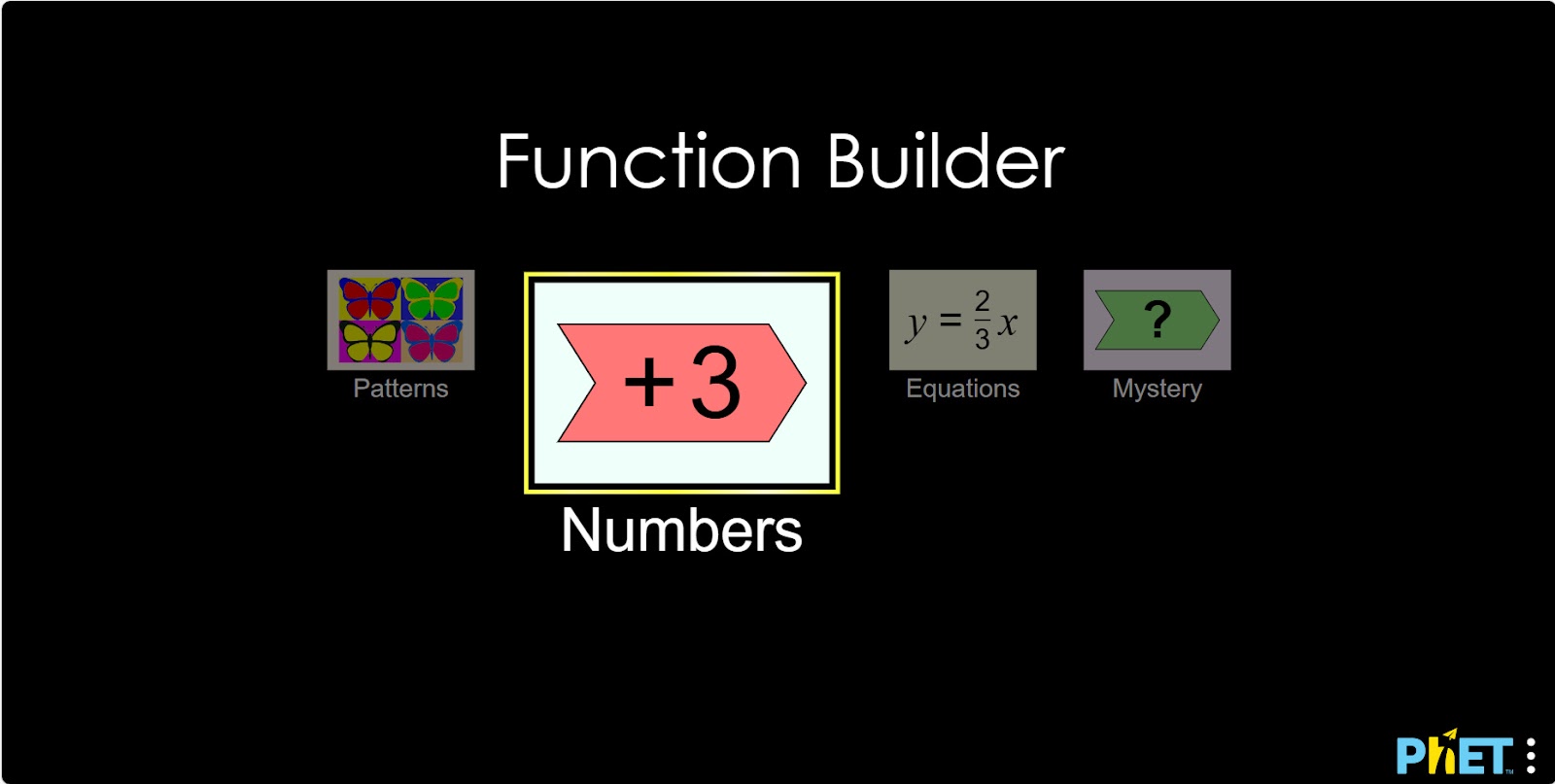
Step 1. Start the simulation: you will be presented with 4 different modes: “Patterns”, “Numbers”, “Equations” and “Mystery”. You will work on this experiment in the “Numbers” section. Open the “Numbers” section.
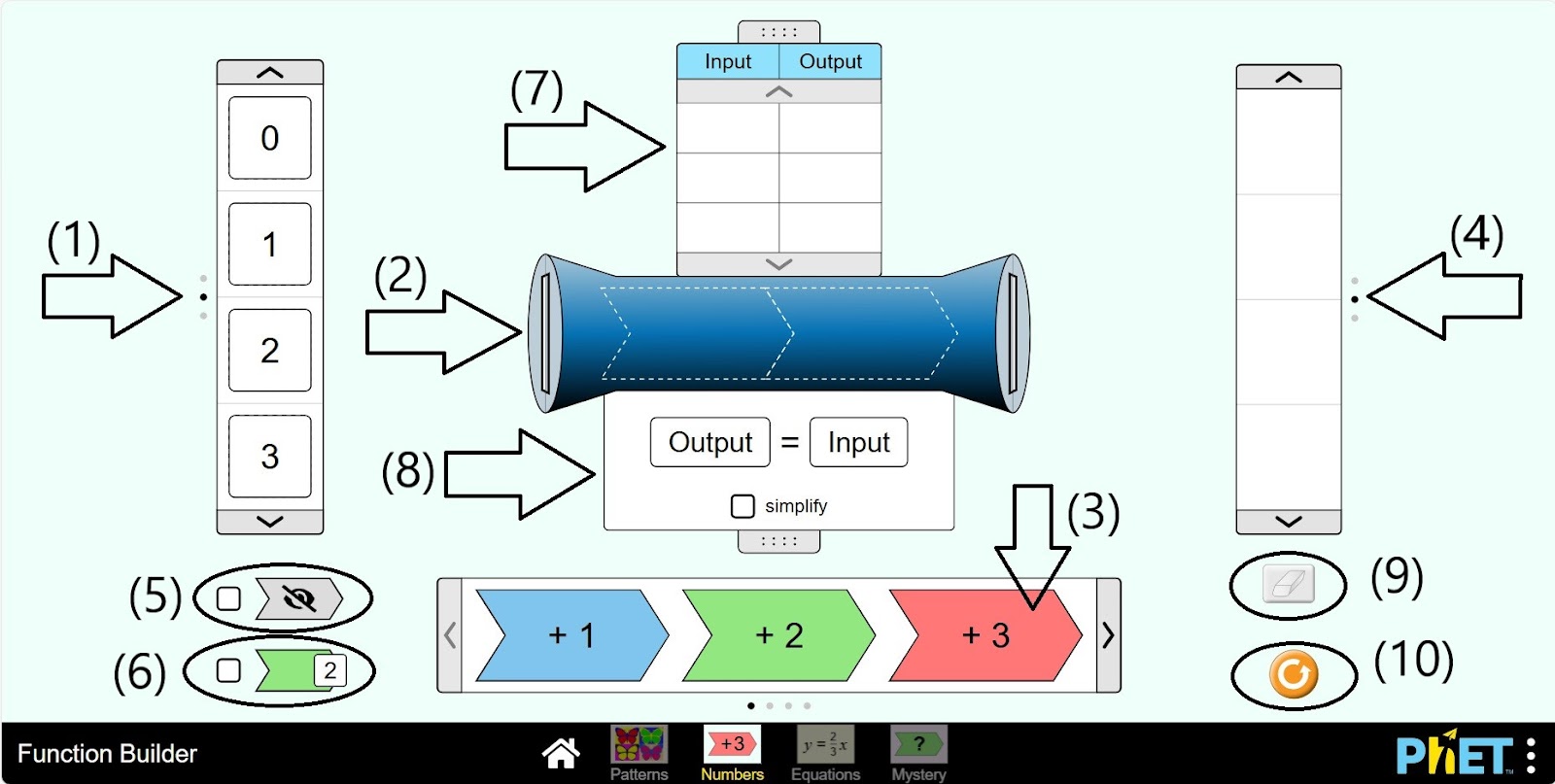
Step 2. You are given:
- An input number panel (1);
- The function machine (2);
- Arithmetic operations and numbers to construct the function (3);
- The value panel of the function (4);
- Button that hides the operations located on the function machine (5);
- Button showing the value of the expression after each operation performed with the input number on the function machine (6);
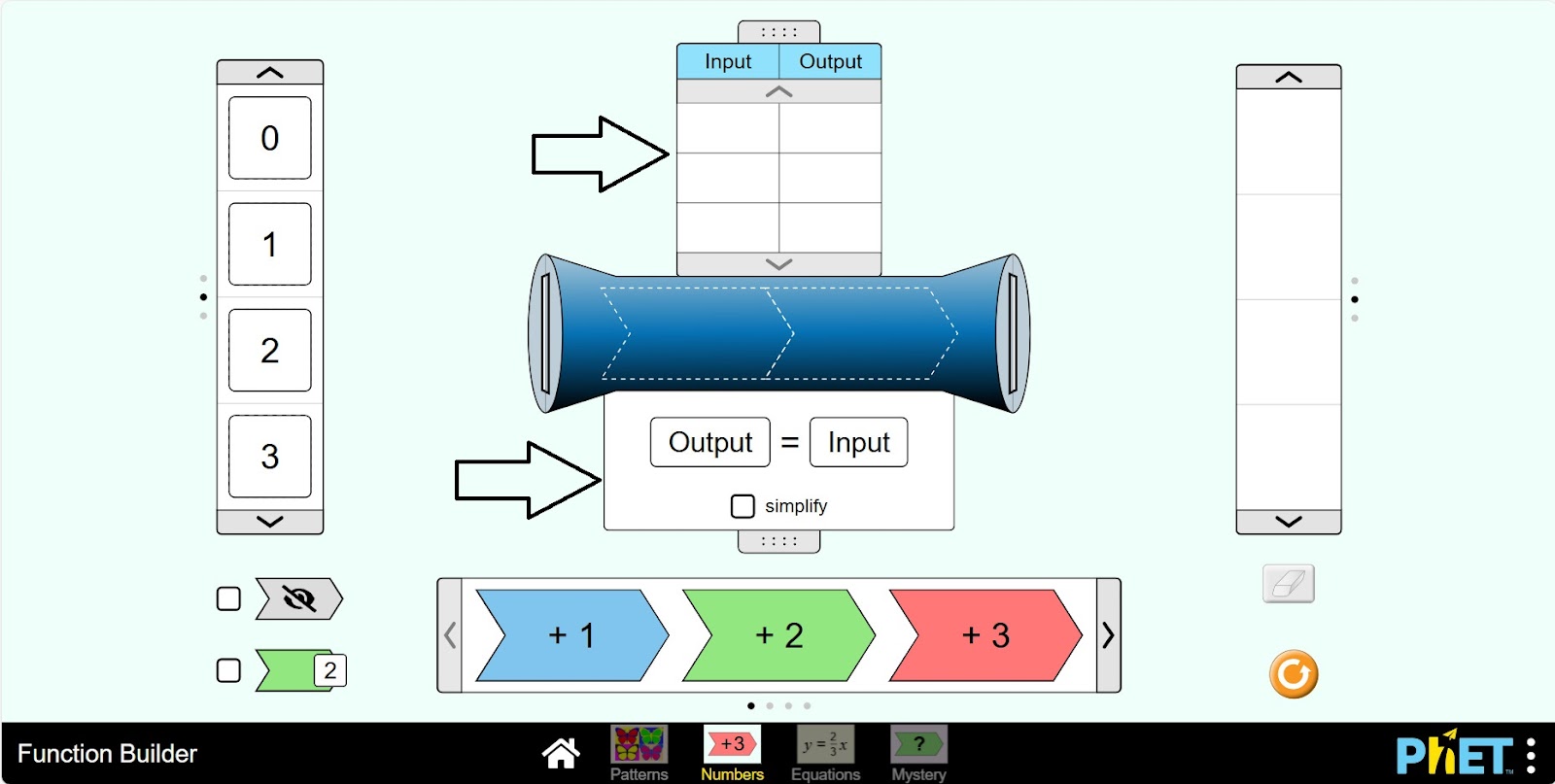
- A table showing the input numbers and the value of the function on the function machine (7);
- A table showing the type of expression in the function machine (8);
- Eraser function to erase numbers in the value panel (9);
- Reload button (10).
Step 3. Open the tables in the function machine.
Step 4. Place an arithmetic operation on the function machine. You can add and subtract numbers 1-3, multiply by numbers 0-2, and divide by numbers 1-3.
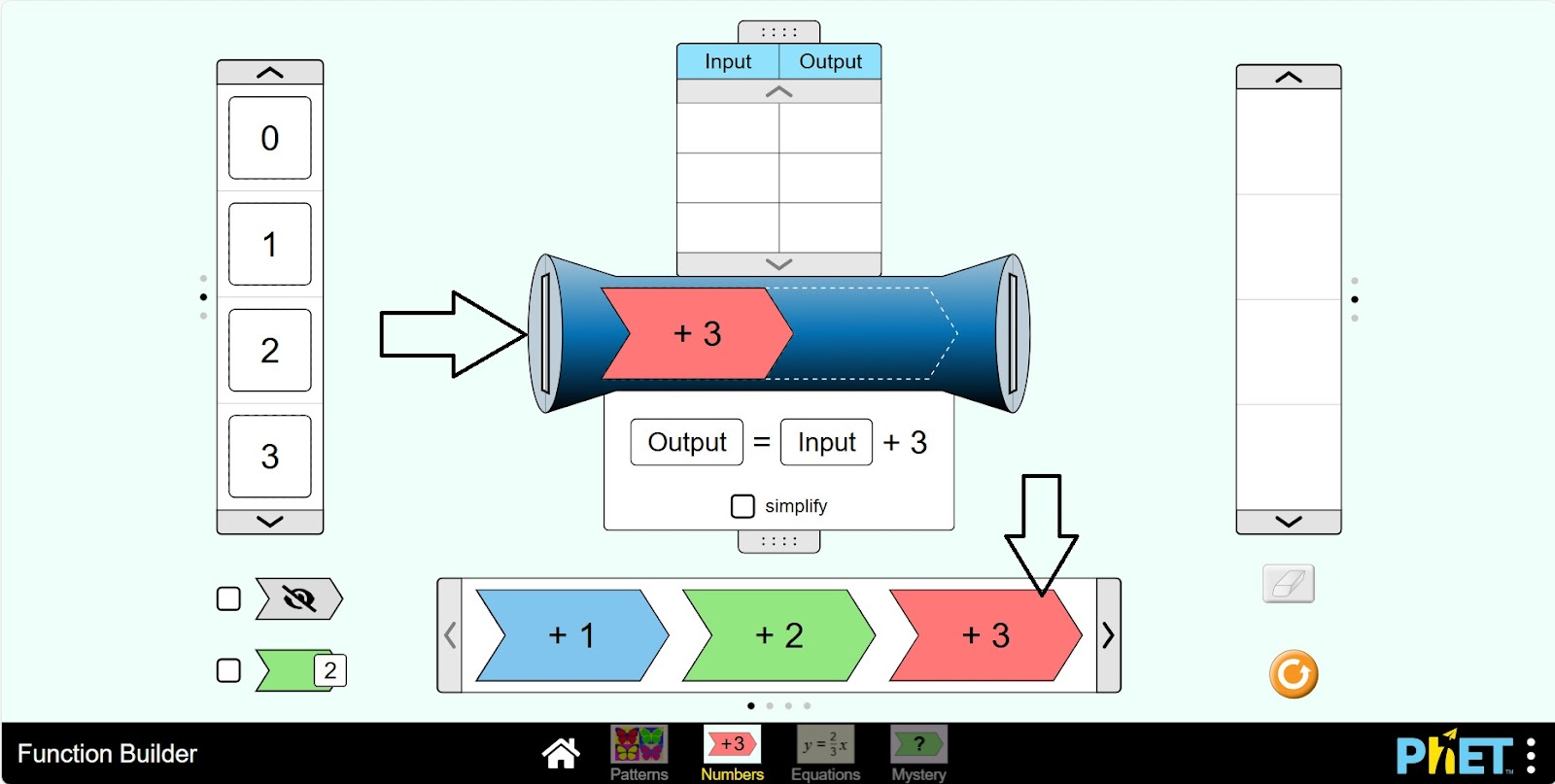
Step 5. Enter the incoming number into the function machine. The input panel shows the numbers (-4; 7).
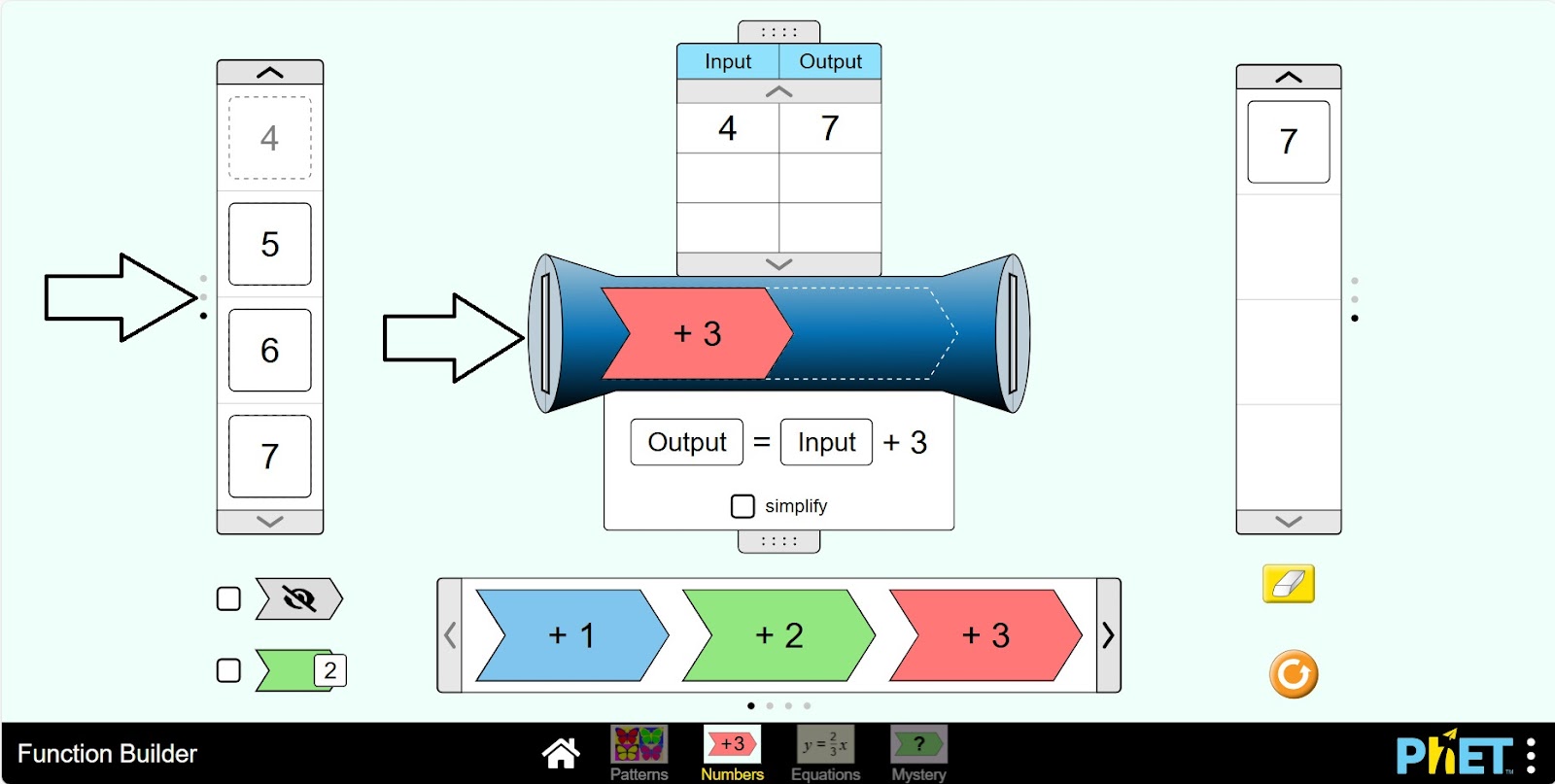
Step 6. You can see the number of inputs, function value and expression in the tables. The function value panel shows the value of the expression.
Step 7. Place another arithmetic operation on the function machine.
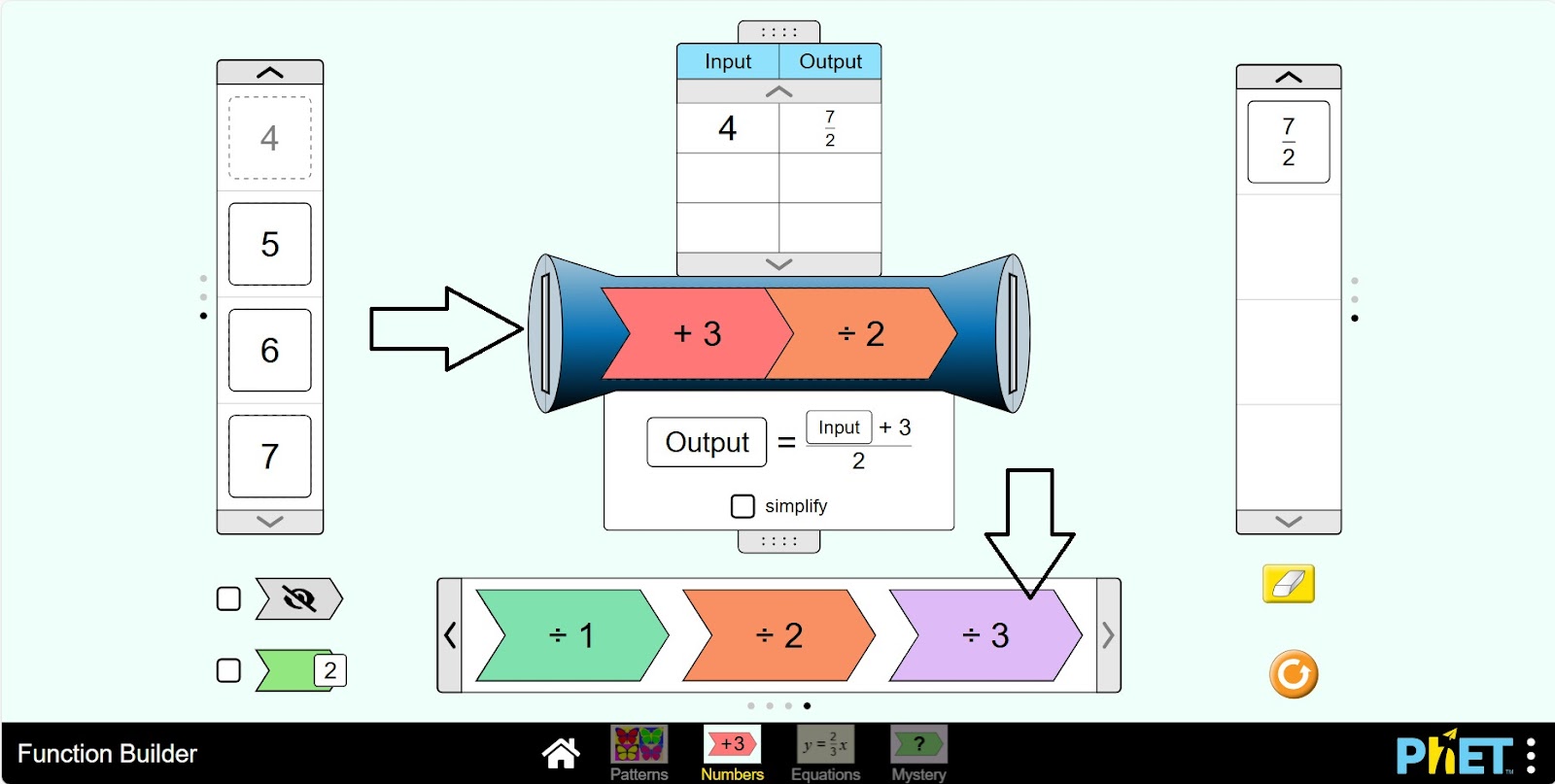
Step 8. Put an input number into the function machine. Examine the function data.
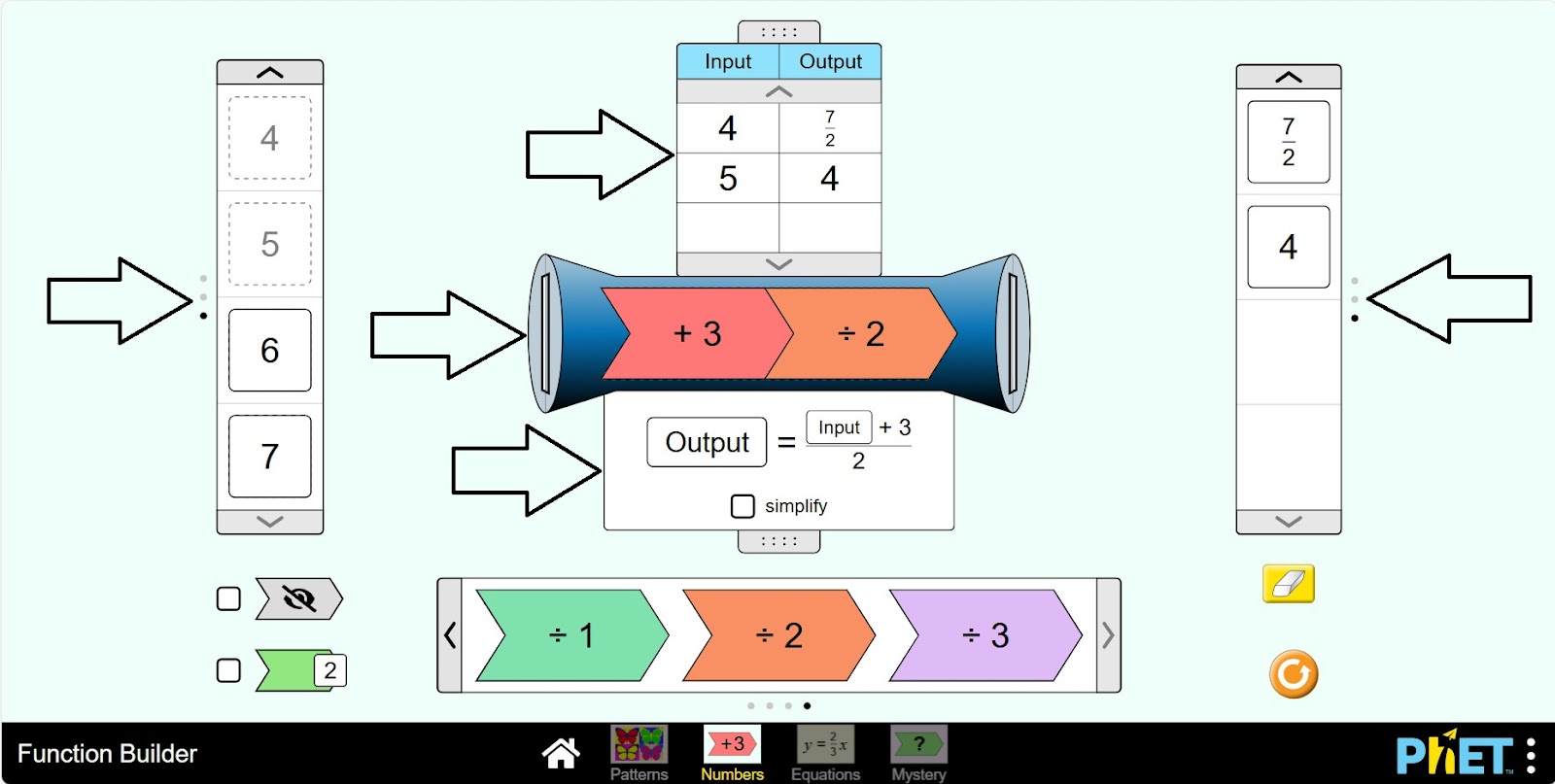
Step 9. Activate the button showing the value of the expression after each operation. Enter the number. After the first operation, the value of the expression is displayed.
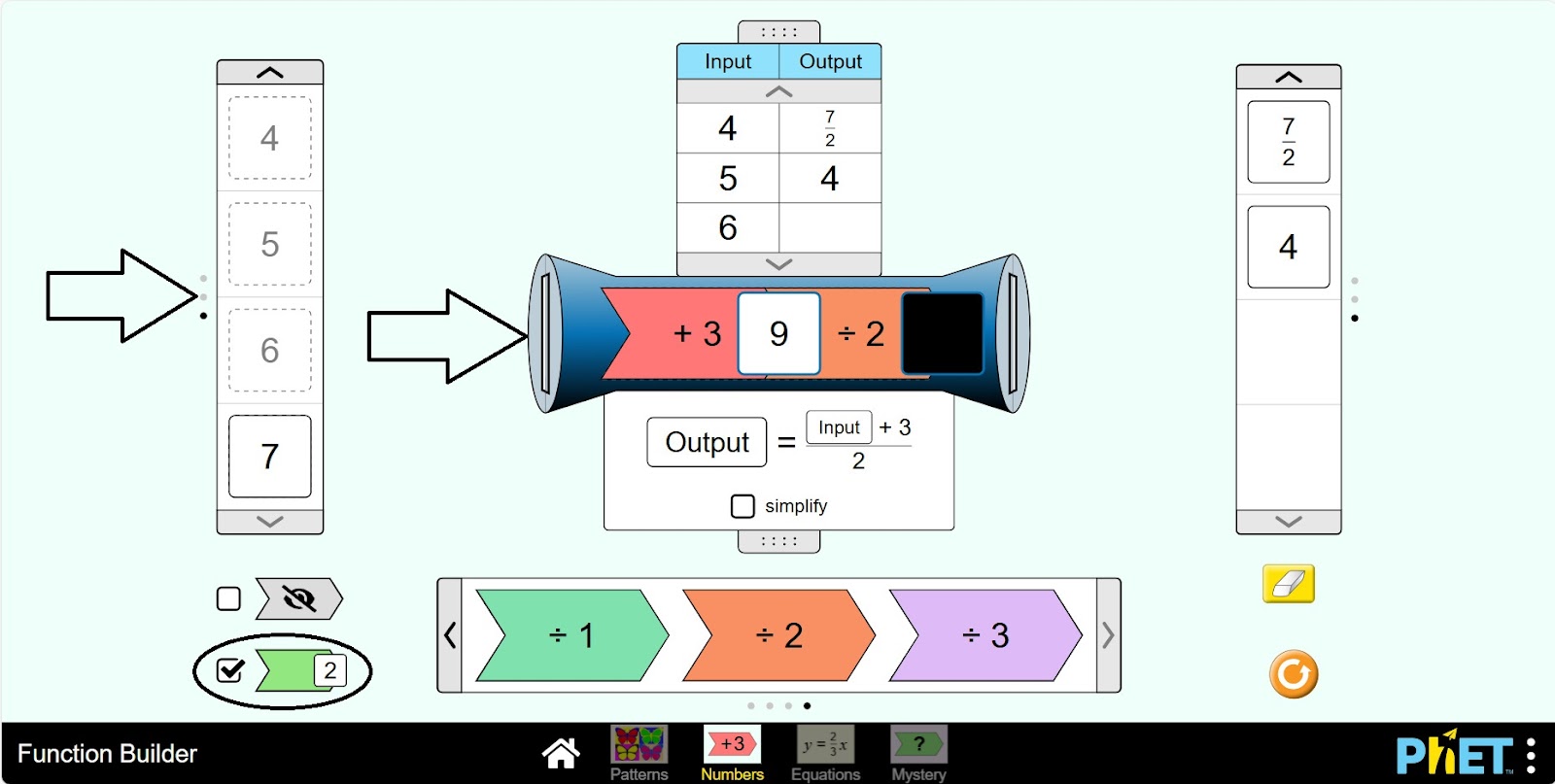
Step 10. To perform the next operation, you pass the expression value to the next operation by holding down the left side of the mouse.
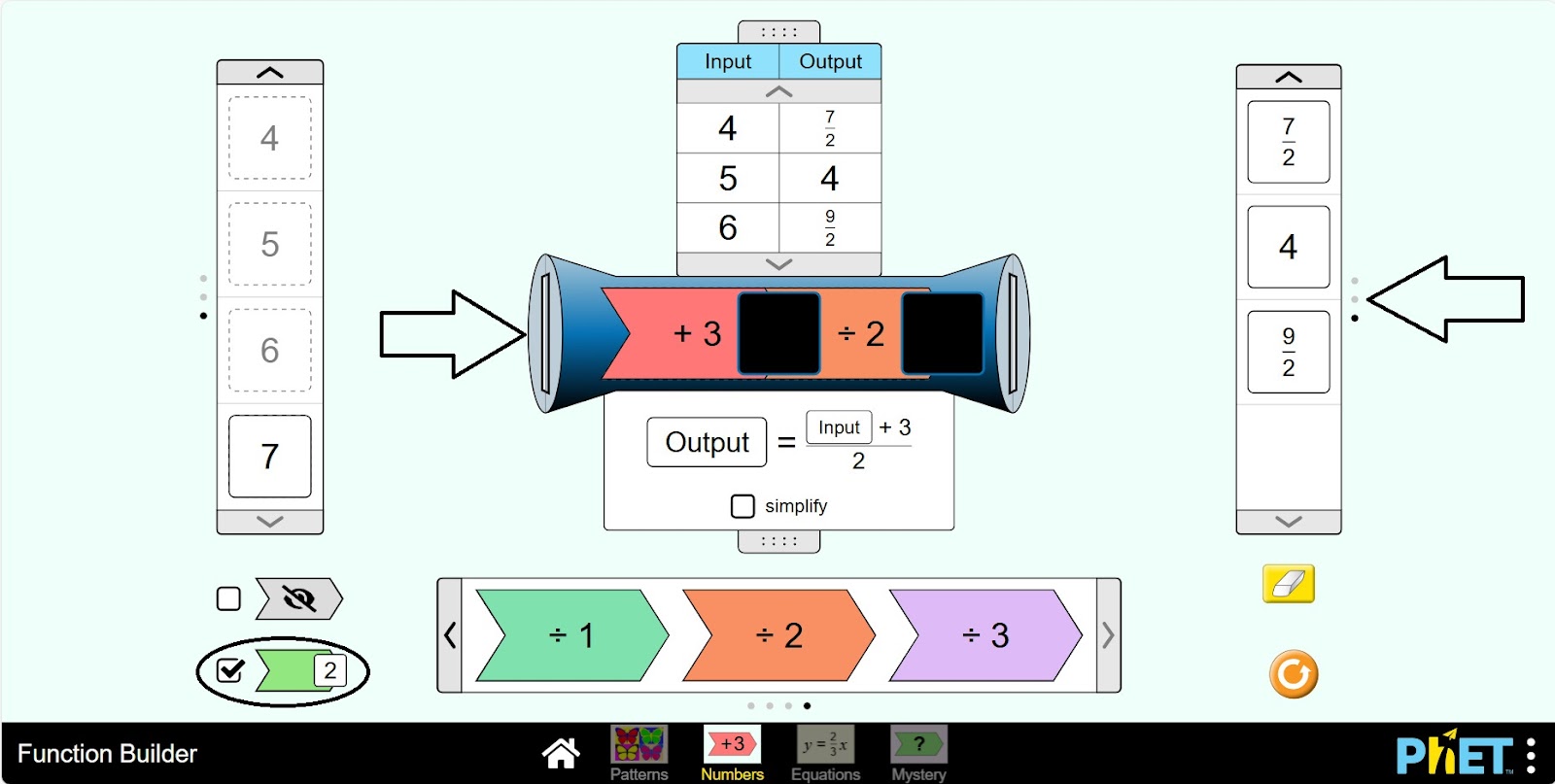
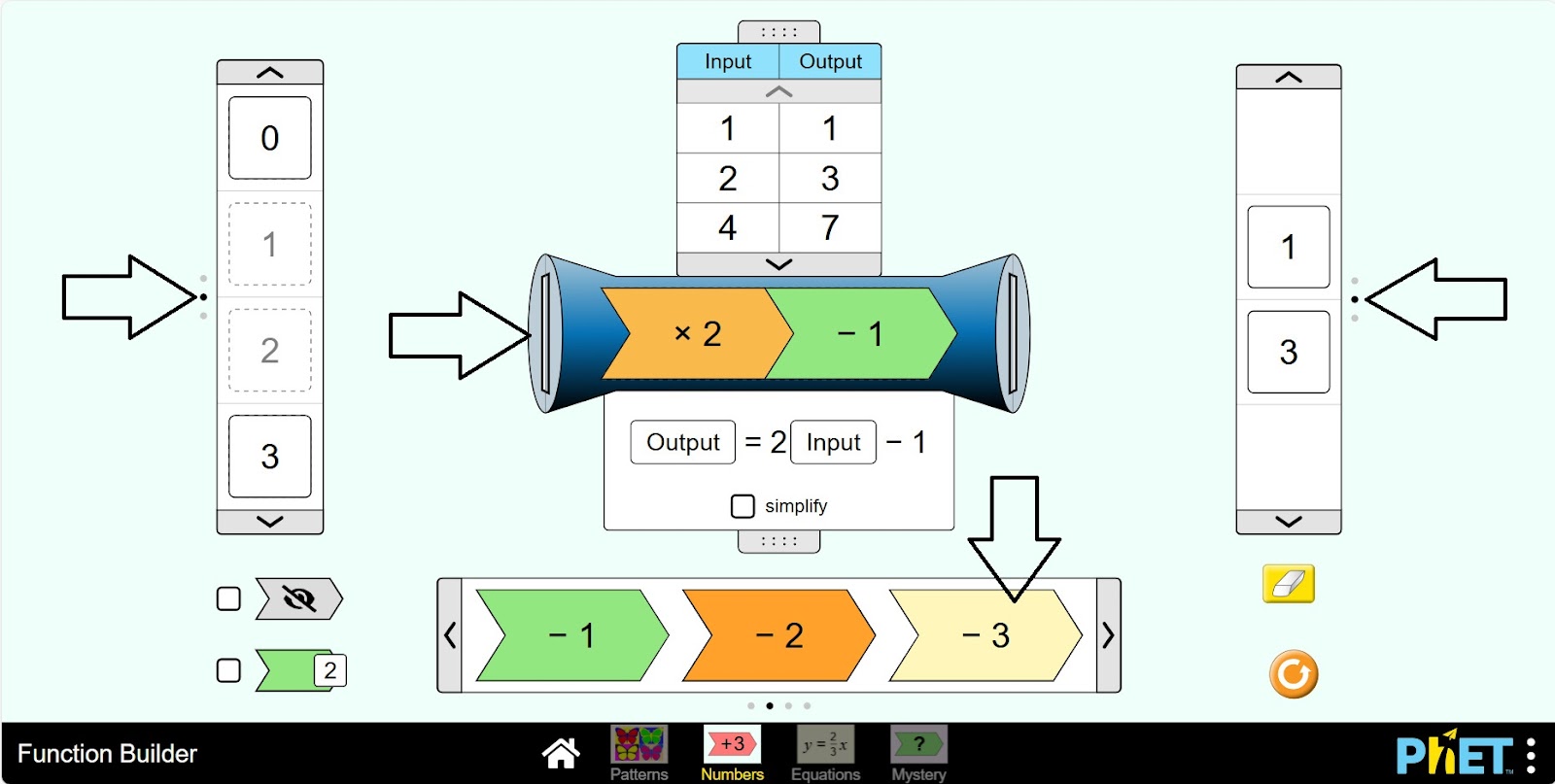
Step 11. Change the data as you see fit and create different expressions. You can use the input numbers panel, operations.
Conclusion
This simulation allows students to interactively learn arithmetic operations with rational numbers. That is, students can create expressions on their own, modify them, and track changes in the results. Presenting numbers and techniques on the screen makes learning to read understandable and engaging.
Overall, this simulation is a valuable tool for learning arithmetic operations with rational numbers. It can be used both as a supplement to traditional teaching methods and for independent research work.