
Lesson 1
Project objective
- To familiarise themselves with the sources of the website for the development of the ЕТМ (e-learning manual);
- To develop ЕТМs for each subject;
- To know how to work with different files;
- To prepare a methodical textbook.
Teacher’s manual
- In the experimental part of the project students work individually or in pairs.
- The students should be introduced to the topics of what an electronic manual is and its importance.
- Before beginning the experimental part, familiarise and provide the students with all the necessary materials.
For the evaluation of the project, in the first week, provide this material (PBL rubrics) to the students so that
- Pupils understand in advance what criteria they need to be prepared on,
- Students will be able to assess their peers beforehand.
Theoretical part
Nowadays the use of electronic materials in education is becoming more and more popular, as the material presented electronically is more accessible and easier to distribute than similar printed manuals and textbooks. The most user-friendly form is material bundled into an integrated learning package.
There are many definitions of “electronic textbook”.
An electronic textbook is a computer-based, pedagogical software which is primarily designed to present new information to supplement printed publications, serve for individual and individualised learning and allow limited testing of the acquired knowledge and skills of the learner.
Important advantages inherent in electronic textbooks are
- visibility of the presentation of the material (multimedia hyperlinks technology, which can be made to documents, illustrations, videos, sound, etc.)
- quick feedback (built-in test systems provide instant feedback on comprehension);
- interactive mode (allows students to control the speed of learning material);
- possibility to quickly find the necessary information.

Electronic textbook – basic educational electronic publication on an educational discipline, fully complying with the requirements and basic didactic units of the state educational standard of the specialty.
Electronic textbook – educational electronic publication, which partially or completely replaces or complements the electronic textbook. The content of electronic textbooks must meet the requirements and content of the educational program of the discipline, approved in the prescribed manner by the university.
An electronic textbook is a supplement to the traditional forms of teaching. This “electronic lecture book” is designed not only to preserve the advantages of an ordinary book (textbook), but also to take full advantage of modern information technologies and multimedia opportunities provided by the computer.
Such capabilities may include:
1.representation of physical, chemical and other processes in dynamics, visualization of models of objects and processes not accessible for direct observation (processes in the microcosm and in outer space;
2.computer simulation of processes and objects that require unique or expensive equipment, materials, reagents, as well as dangerous for human life and health, and their visual presentation
3.audio commentary by the author of the textbook, inclusion of audio and video clips, animation into the teaching material;
4.organisation of contextual cues and links;
5. well-developed system of instant navigation (hypertext);
6.fast complex calculations with presentation of results in specified (numeric or graphic) form;
7.prompt self-monitoring of student’s knowledge while performing exercises and tests.
Requirements for the creation of electronic textbooks
Textual requirements.
An e-textbook should contain only a minimum of textual information, since prolonged reading of text from a screen leads to considerable fatigue and consequently to a decrease in perception and learning
Requirements for graphic information
- An electronic textbook should contain a large number of illustrative material. Moreover, graphic images should have a simple design.
- The use of video fragments allows for conveying processes and phenomena dynamically. Despite the large size of the files, it is worthwhile to use them, since perception and student interest are enhanced and, as a consequence, the quality of knowledge is improved.
Textbook design requirements
- An electronic textbook must contain a list of recommended literature published in the traditional print format.
- A textbook should contain tasks for students’ self-control.
The sequence of e-textbook development
- Defining the goals and objectives of development.
- Designing the structure of an electronic textbook.
- Developing the content for the sections and topics of the textbook.
- Preparation of scripts for the individual structures of the electronic textbook.
- Implementation.
- Testing.
- Adjusting the content of the electronic textbook based on testing results.
- Preparation of a user’s manual.
Practical part
Creating an e-textbook with TurboSite Designer
- Installing TurboSite
- Creating a new project
- Designing an electronic textbook
- Basic textbook settings
- Adding textbook page
- Creating Table of Contents page
Step 1: Installing Turbo Site 1.7.1
The first thing to do is to download Turbo Site. And install it on your computer. You can download the program by following this link. Run Turbo Site. And see the welcome screen.
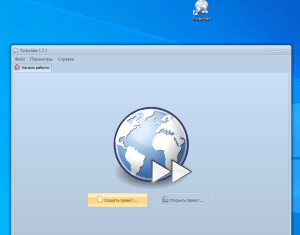
The next step is to open Explorer and create an empty folder there, for example I created a folder on my desktop called PHYSICS

Step 2: Go back to the welcome screen of TurboSite , and click Create Project
Save the e-textbook project to an empty folder. For example, in the “Physics” folder. After you save the project, the workspace of the program will appear. You can start creating e-textbook pages.
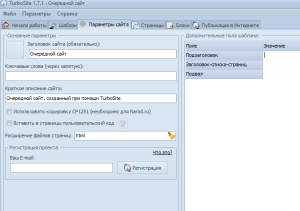
Step 3: Designing the e-textbook
Change the design of the textbook. To do this, go to the Template tab and select a template you like from the list. For example, this one (Condition) or one of your own choosing
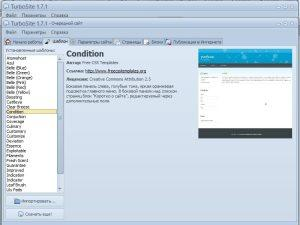
Press the Generate site button. The e-textbook is then generated and additional buttons are activated.
Generate site – applies all changes. You should always press when you want to finish your work and see the current result.
Open Site Folder – allows you to open a folder with all the files in your tutorial.
View Site – opens your tutorial. Shows the current result of your tutorial in the browser.
Step 4: Basic e-textbook settings
The Site Settings tab allows you to set the basic settings for the e-textbook.
We’ll only change three basic settings: the site title, sub-title, and footer. The rest of the settings you can try out on your own as you go along.
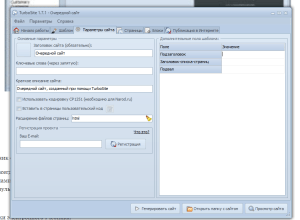
Step 5: Adding a tutorial page
Select the Pages tab. The left side of the window will display all the pages of your tutorial and the right side will display their contents.
By default, the main page (index) is already created. You can start entering data there, but usually it is used for table of contents. Click Add button. A new page will appear in the left window. Now insert your text on the right-hand side.
Any formatted text, with pictures, tables etc. can be copied to the right-hand side. To create an ЕТМ for Physics or for other subjects, you can take topics from a particular discipline. For example, in Physics I have chosen a topic or g chapter on Fundamentals of Thermodynamics. Pupils can choose not only one topic, but they can also choose one subject and design their own EOPS for the whole subject in all the topics they want. Here it is important to consider what they want to add to their textbook, maybe more laboratory work, or virtual laboratory work, or they can add a STEAM project as a practical work.
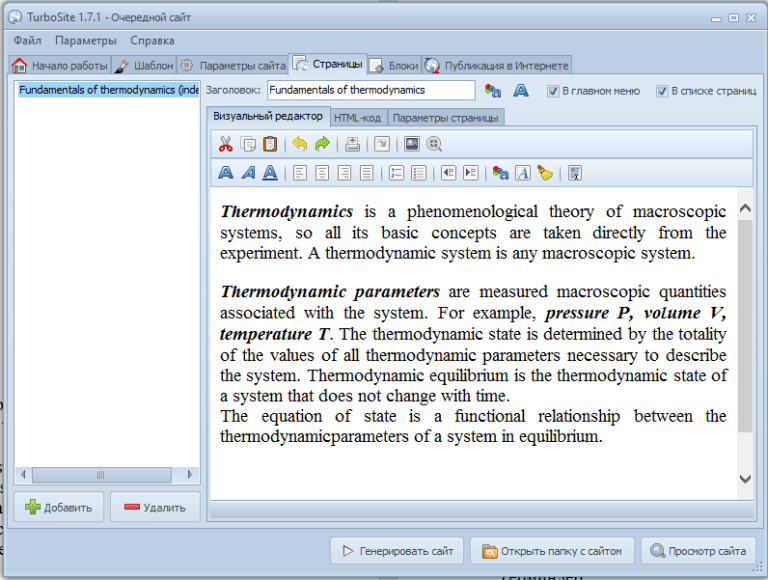
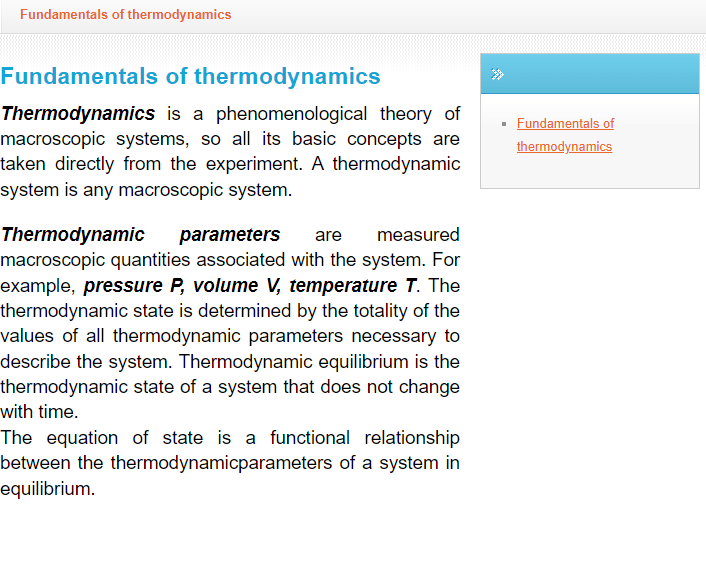
Doing so may cause the website to become overexposed and may result in fire or electric shock, This website is not intended to be a substitute for the site viewer.
Step 6. To add a photo, video, or change the text (font, font colour) in the upper corner we can see all the editors like in Word. We can use them to add photos, videos, etc.
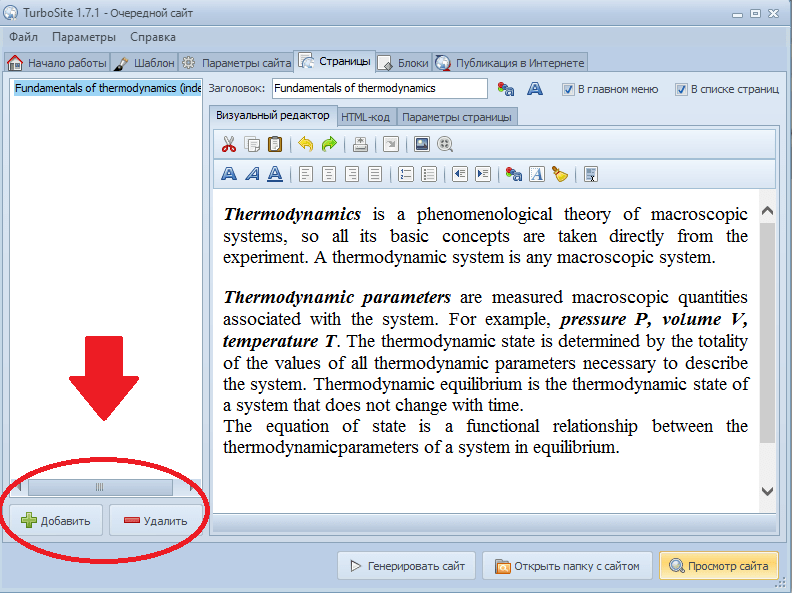
Next, to add a page, there are Add and Remove buttons in the bottom left corner.
Add button – add pages. Then a new blank page will appear.
Delete button – delete unnecessary pages
The students of TurboSite have been trained in the use of the bass editor. The following procedure is recommended for use with the TurboSite software. Doing so may result in fire or electric shock