
Rational expressions
Expression Exchange by PhET Interactive Simulations, University of Colorado Boulder, licensed under CC-BY-4.0 (https://phet.colorado.edu)
Objective:
- Performing addition of rational numbers with the same symbols and different symbols;
- Perform subtraction of rational numbers;
- Performing arithmetic operations with rational numbers.
This virtual activity is designed to be used in math lessons in the next chapter:
- Grade 6. “Applying arithmetic operations to rational numbers”.
Theoretical part
Definition and representation
- Positive numbers are numbers greater than zero (0).
- Negative numbers are numbers less than zero (0).
- Zero (0) is neither a positive nor a negative number.
Examples:
- Positive numbers: 1, 2, 3, 10, 100, …
- Negative numbers: -1, -2, -3, -10, -100, …
Operations on positive and negative numbers
Addition:
- The sum of two numbers with the same sign (positive or negative) is a number with the same sign.
- The sum of two numbers with different signs is the difference of the moduli of these numbers, and the sign of the sum is the same as the sign of the larger number.
For example, -12+(-3)=-15; -7+9=2.
Subtraction:
- Subtracting a number of one sign from a number of another sign is equal to adding the moduli of those numbers, and the sign of the result is the same as the sign of the first (decreasing) number.
For example, 18-(-23)=41.
Virtual Experiment
In this virtual experiment, students learn how to reduce an expression. Create complex expressions that may involve subtraction and negative variable values. Creates expressions that match the tasks in the Games section. Plays with variables in Levels 5-8. Levels 7-8 include division problems.
Workflow:
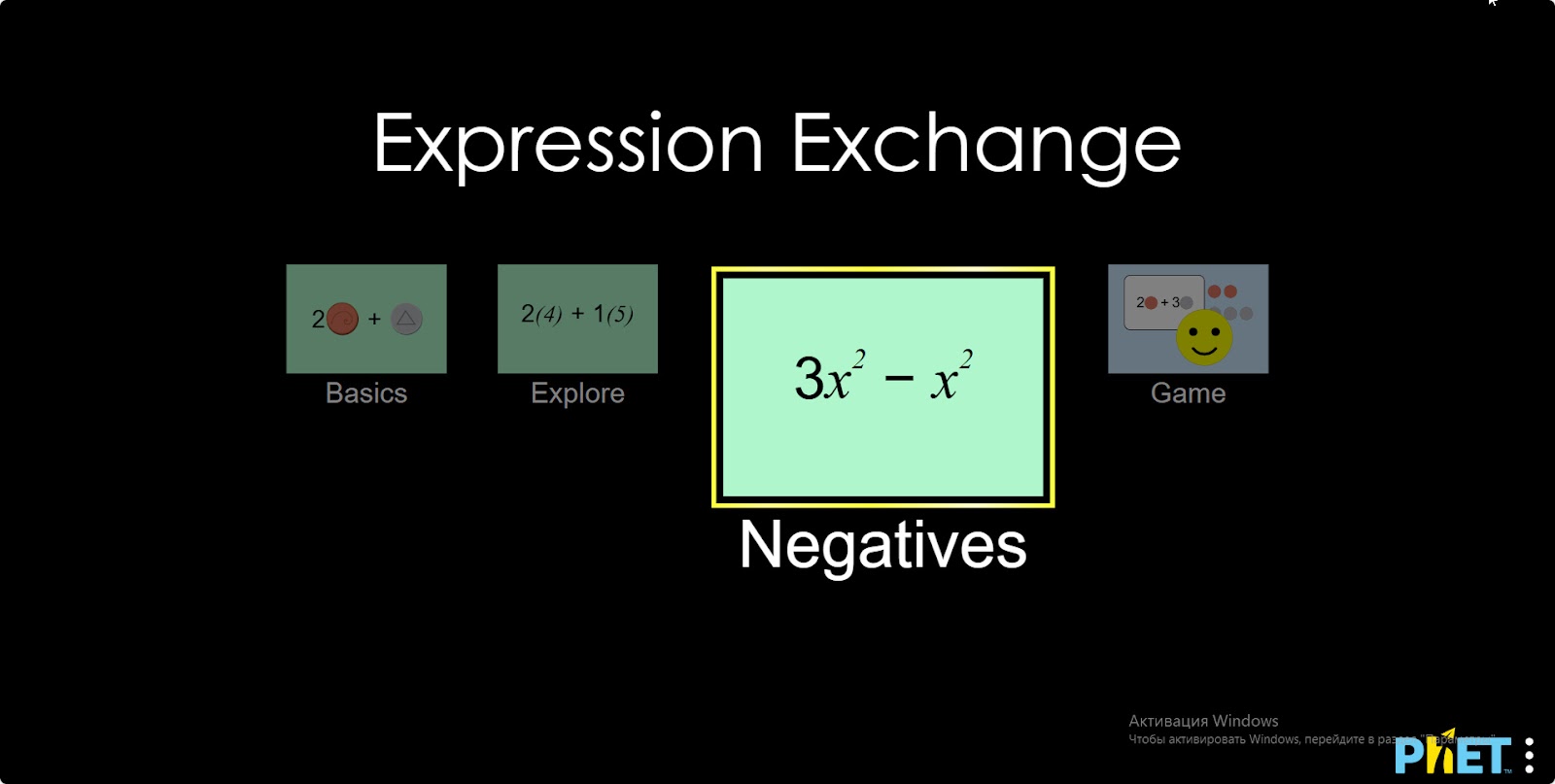
Step 1. Launch the simulation. There are 4 different modes. “Basics”, “Explore”, “Negatives” and “Game”. You will work in the “Negatives” and “Game” sections. Open the “Negatives” section.
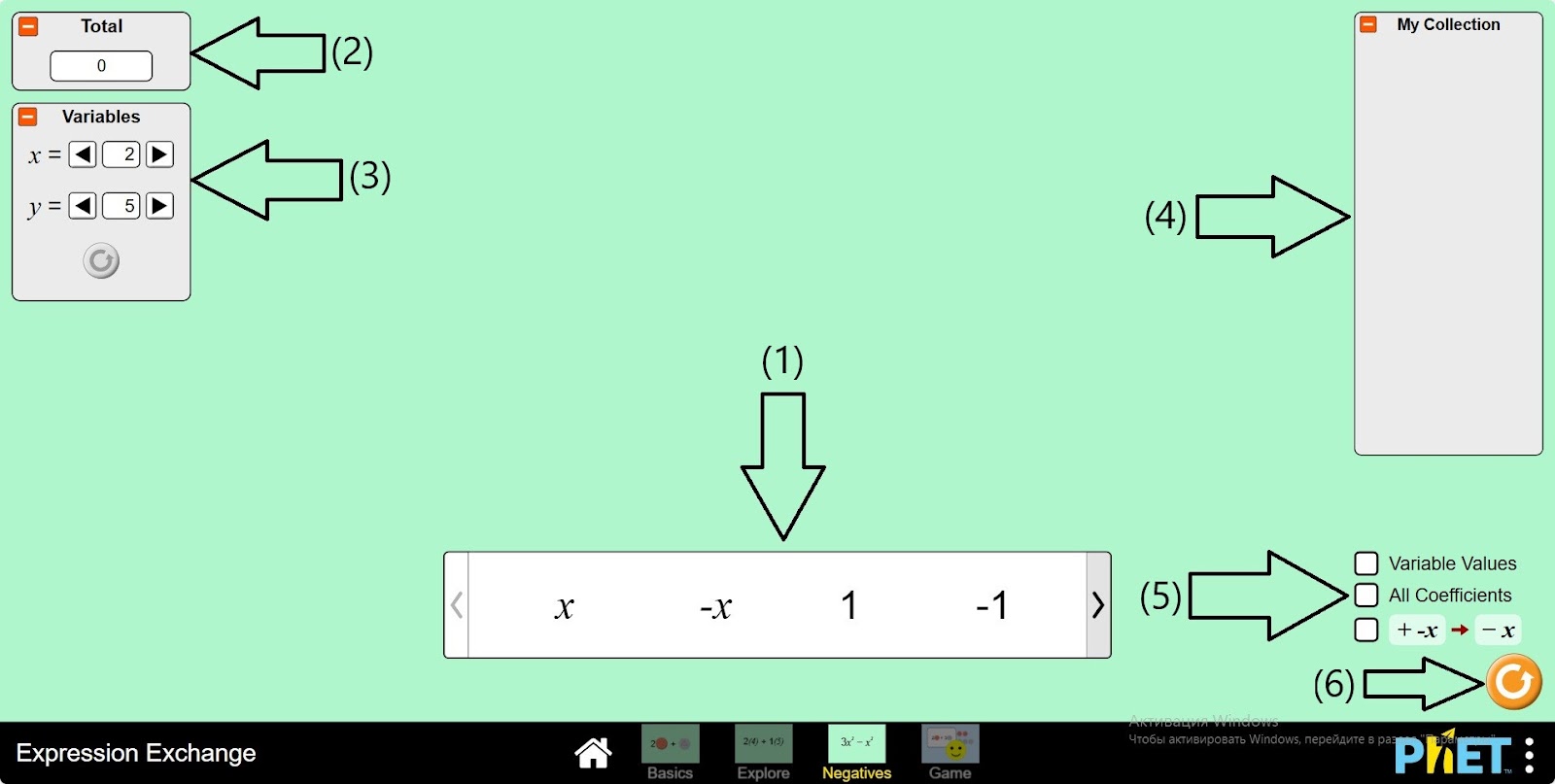
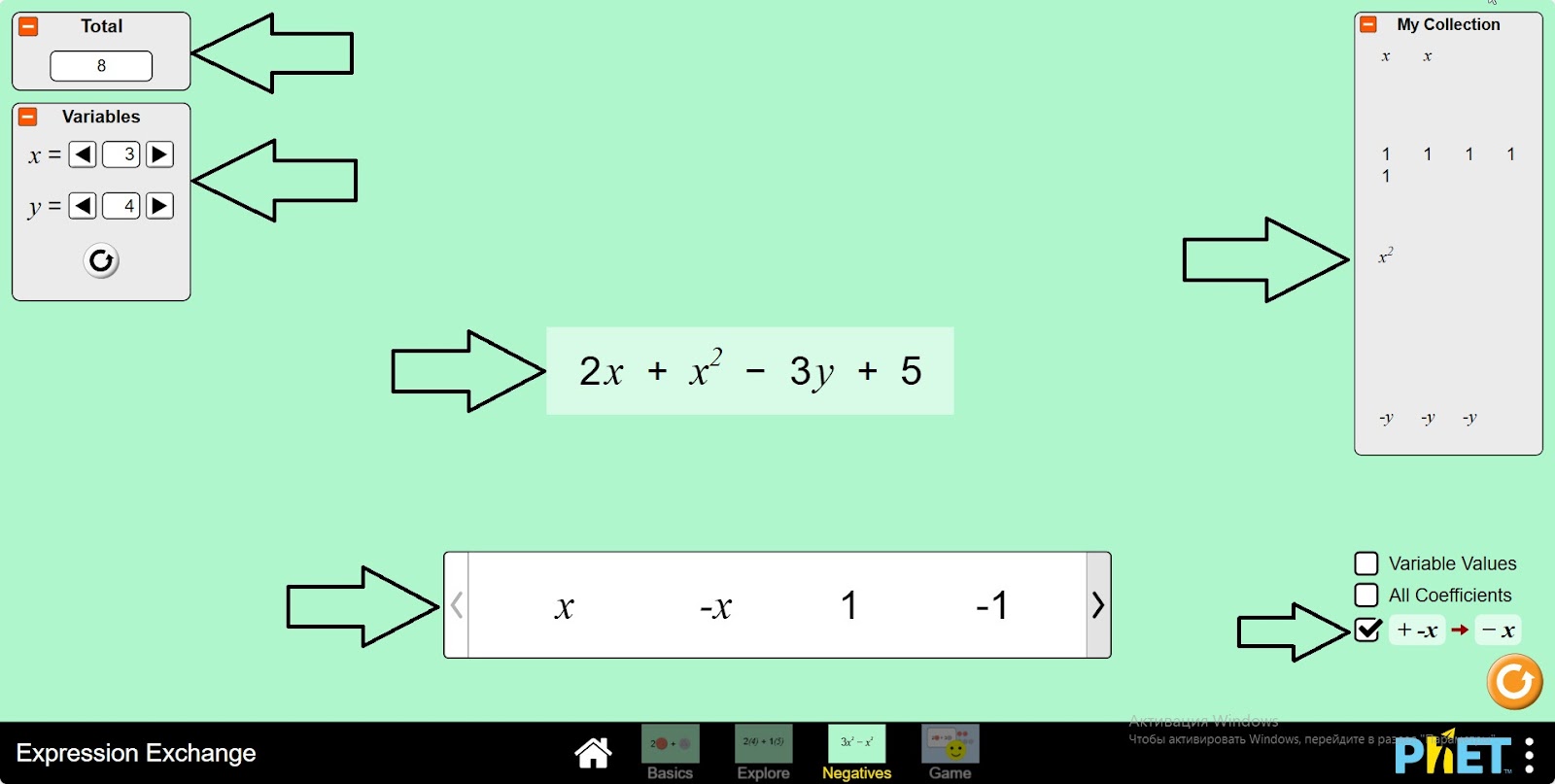
Step 2. In the workspace you are provided with:
- Variables and numbers: x, 1, x2, y (1);
- The value of the expression (2);
- The variable value passing panel (3);
- The “my collection” panel (4);
- Buttons for displaying variable values, coefficients and simplifying the operation (+-) to operation (-) (5);
- Reload button (6).
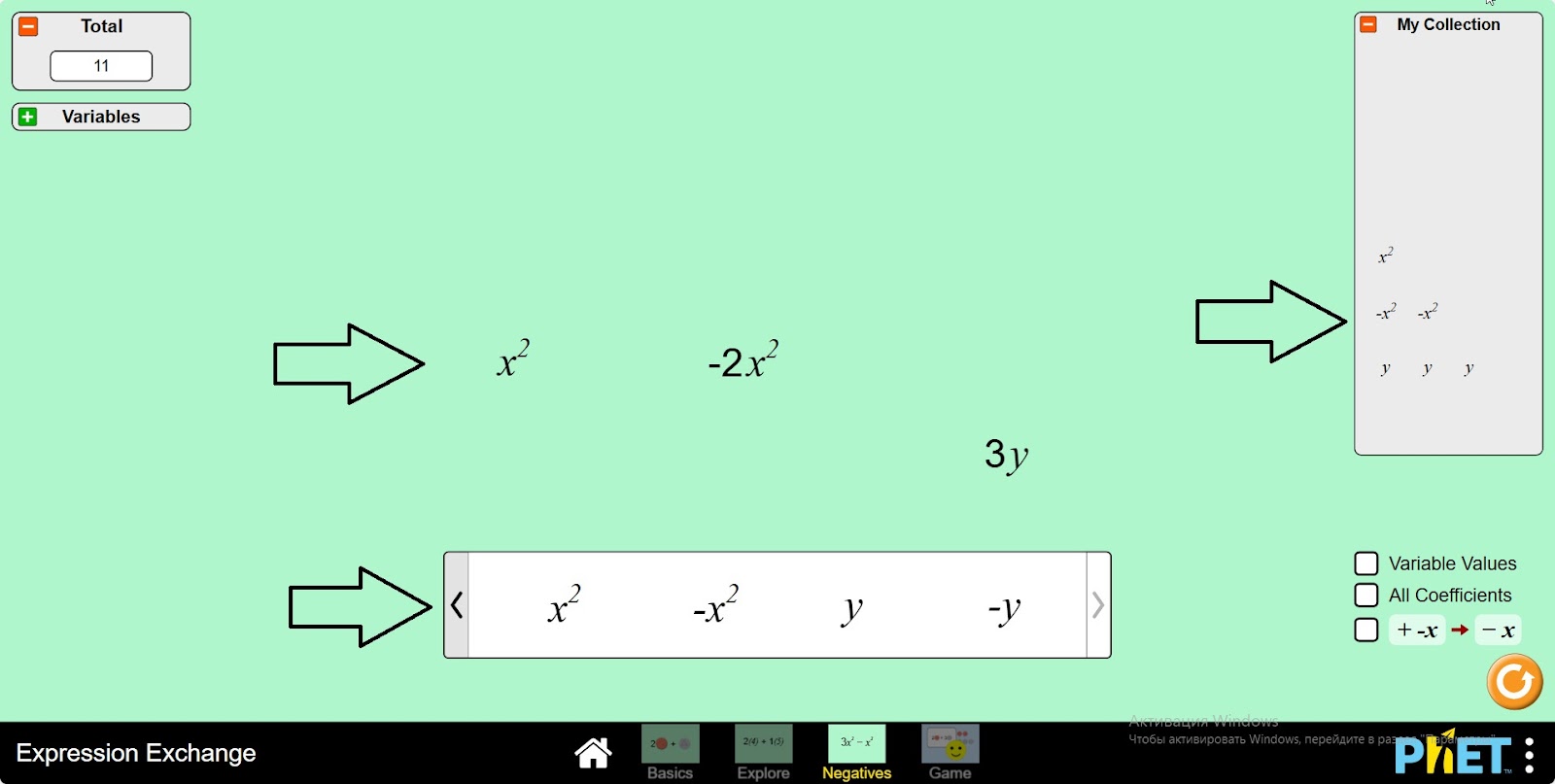
Step 3. Create the expression x2 – 2×2 + 3y in the workspace. If you place the second -x2 on top of the -x2 variable, you will see a yellow circle and the variables will be joined together to get – 2×2. Assemble each element in this way.
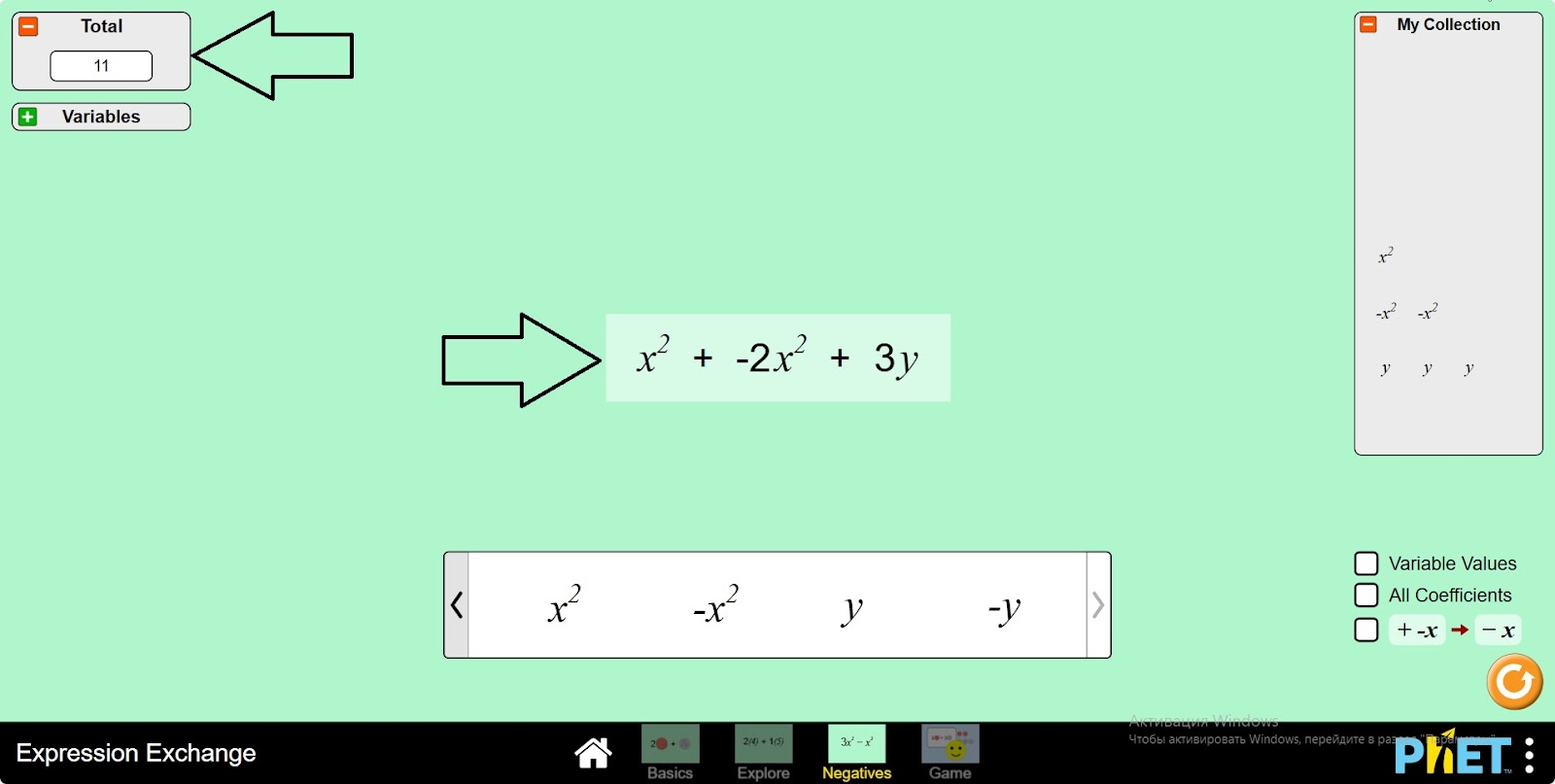
Step 4. If you keep the elements in the same row, the part of the screen where the pattern is will be light, making a sum. You can see the sum on the board where the value of the expression is displayed.
Step 5. Change the x and y values in the Variables panel. Try to calculate the expression yourself and compare it with the value of the expression shown on the board.
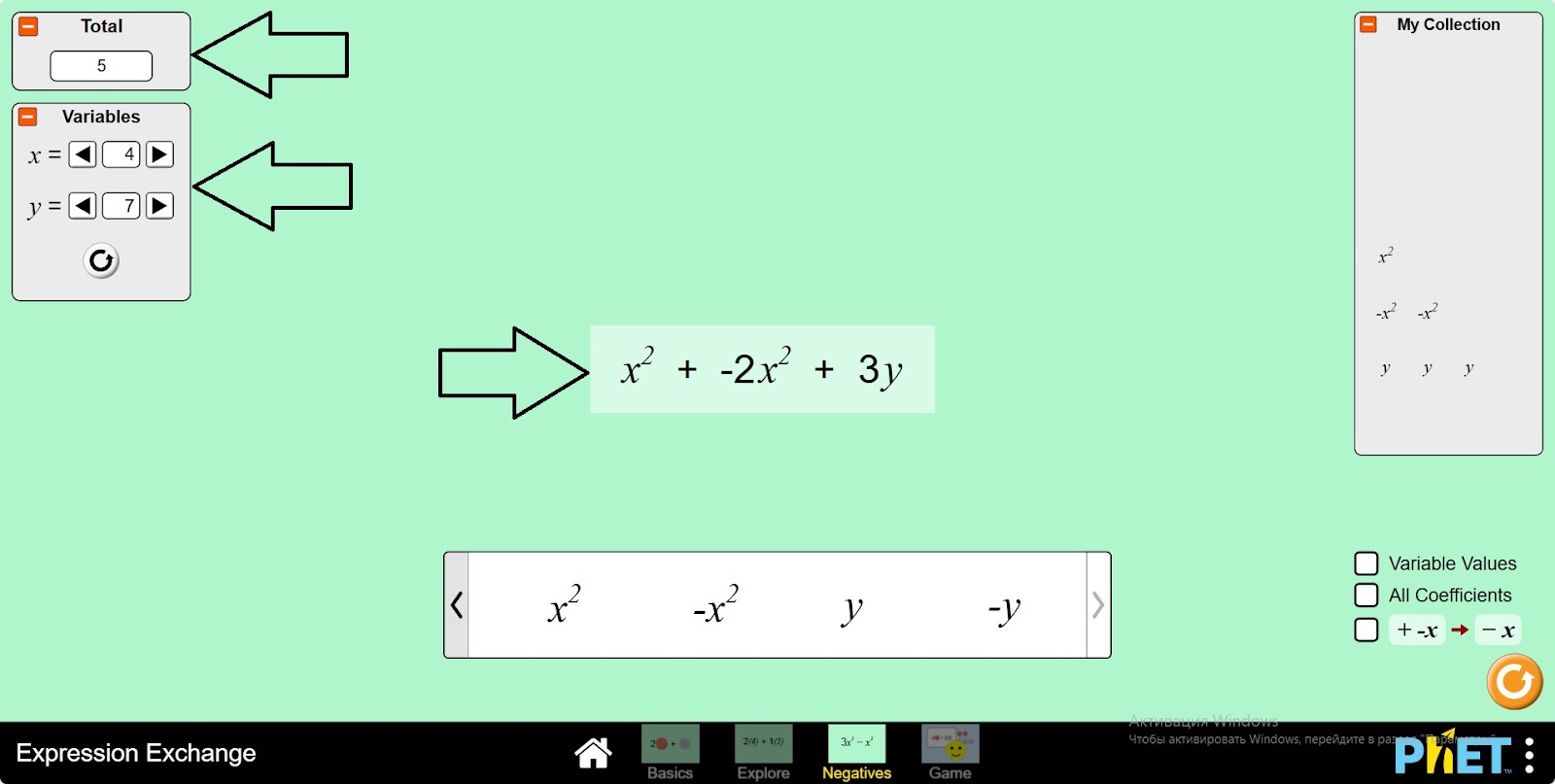
Step 6. To display the values and coefficients of the variables, run the simplify operation button (-) and calculate the expression.
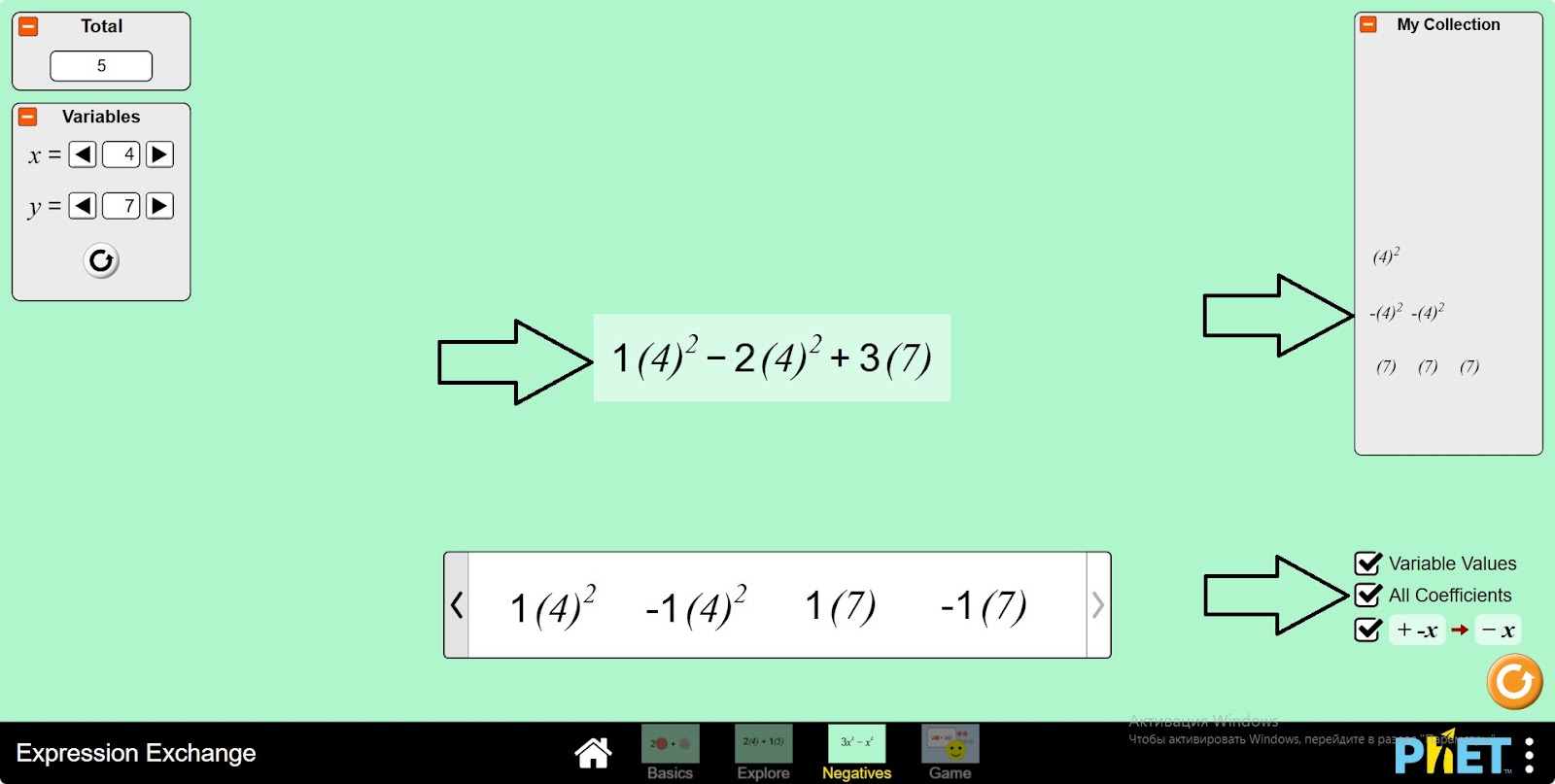
Step 7. Build the next expression. Create several expressions using variables.
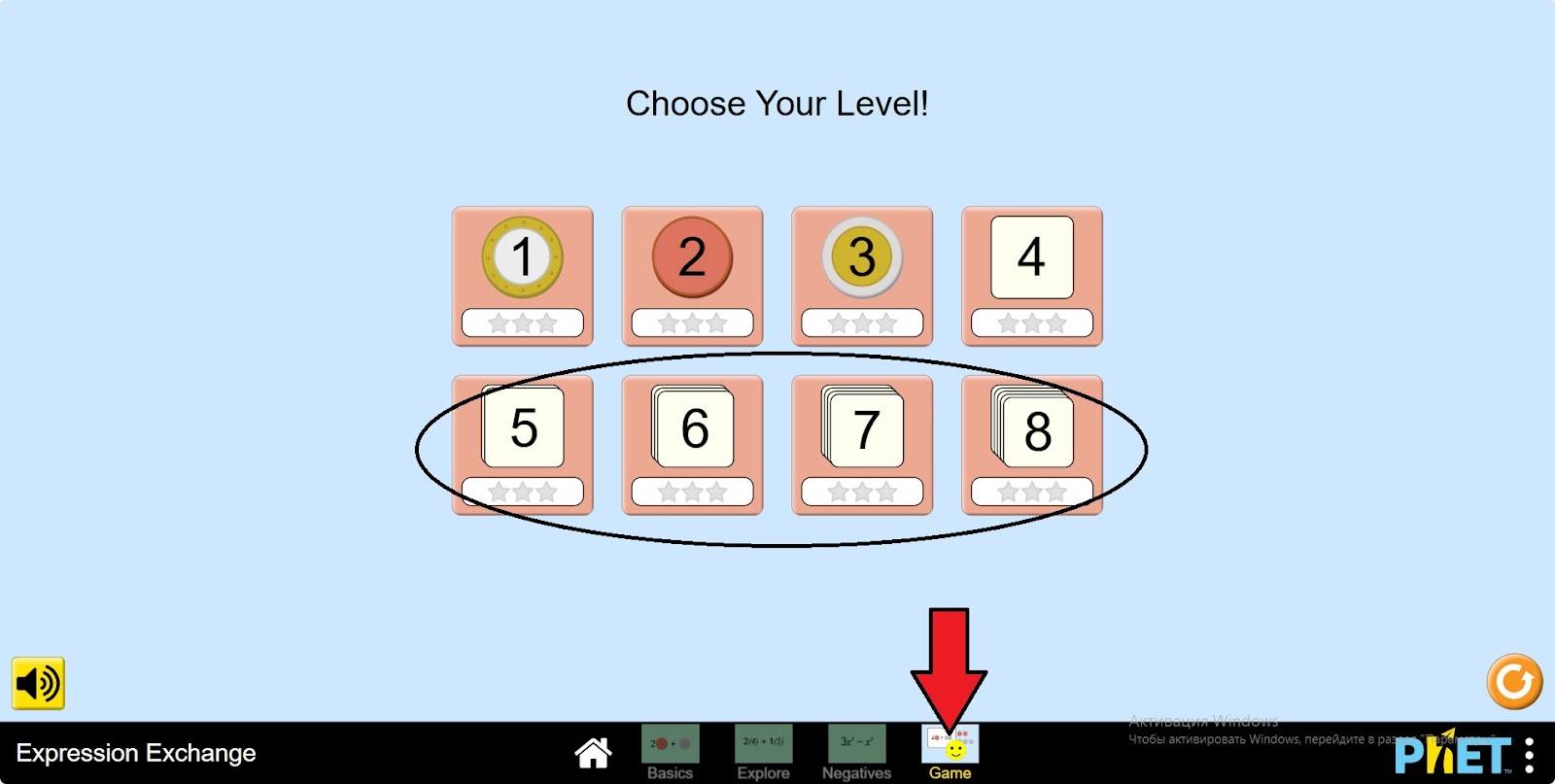
Step 8. Open the “Game” section. You are given 8 levels. In this lesson, you will work on levels 5-8.
Step 9. Open Level 5. In the work area, you are given:
- Variables (1);
- A table of expressions given to the assembly (2);
- A button to simplify an operation (+-) to an operation (-) (3);
- Return and update buttons (4).
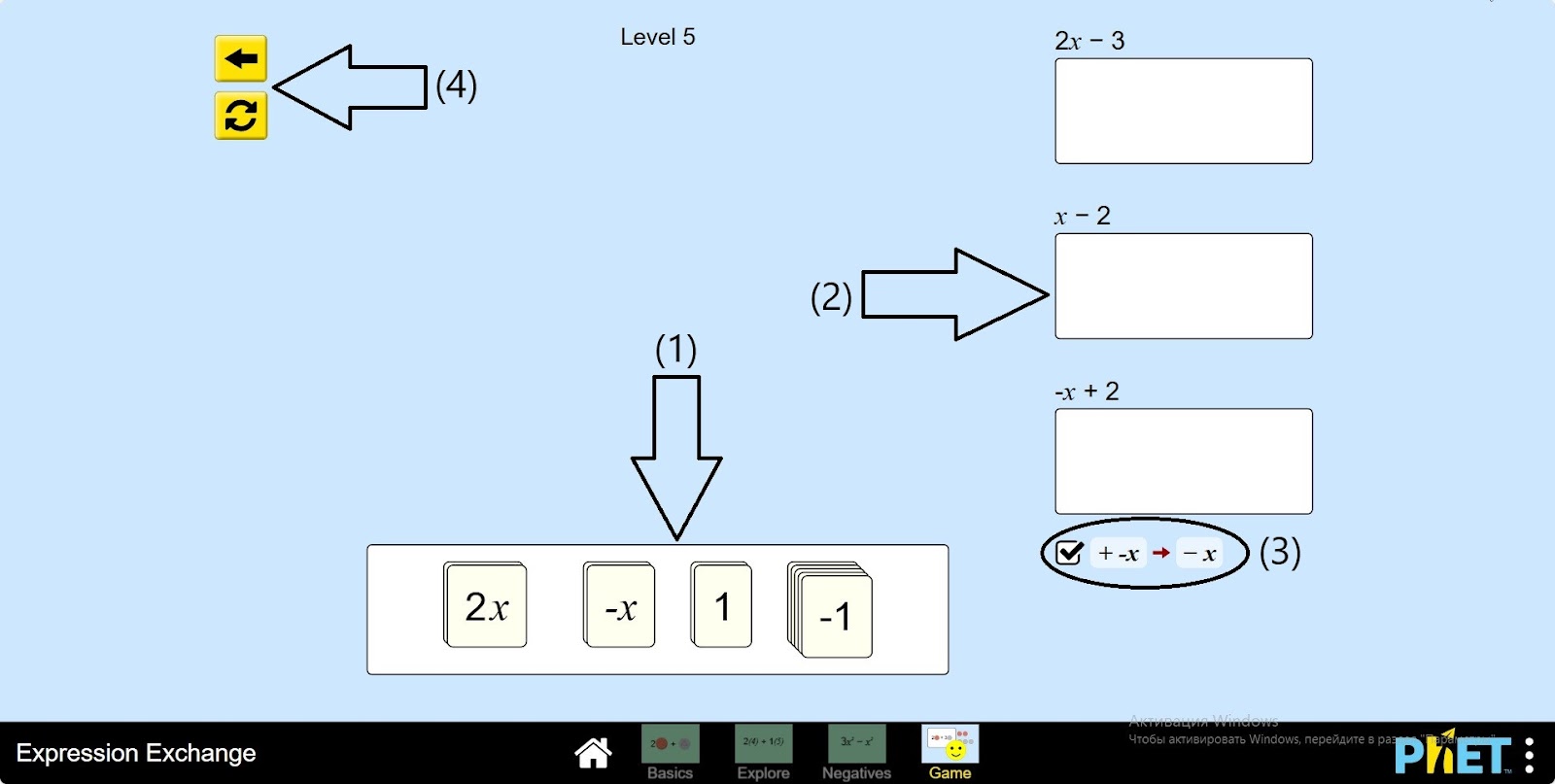
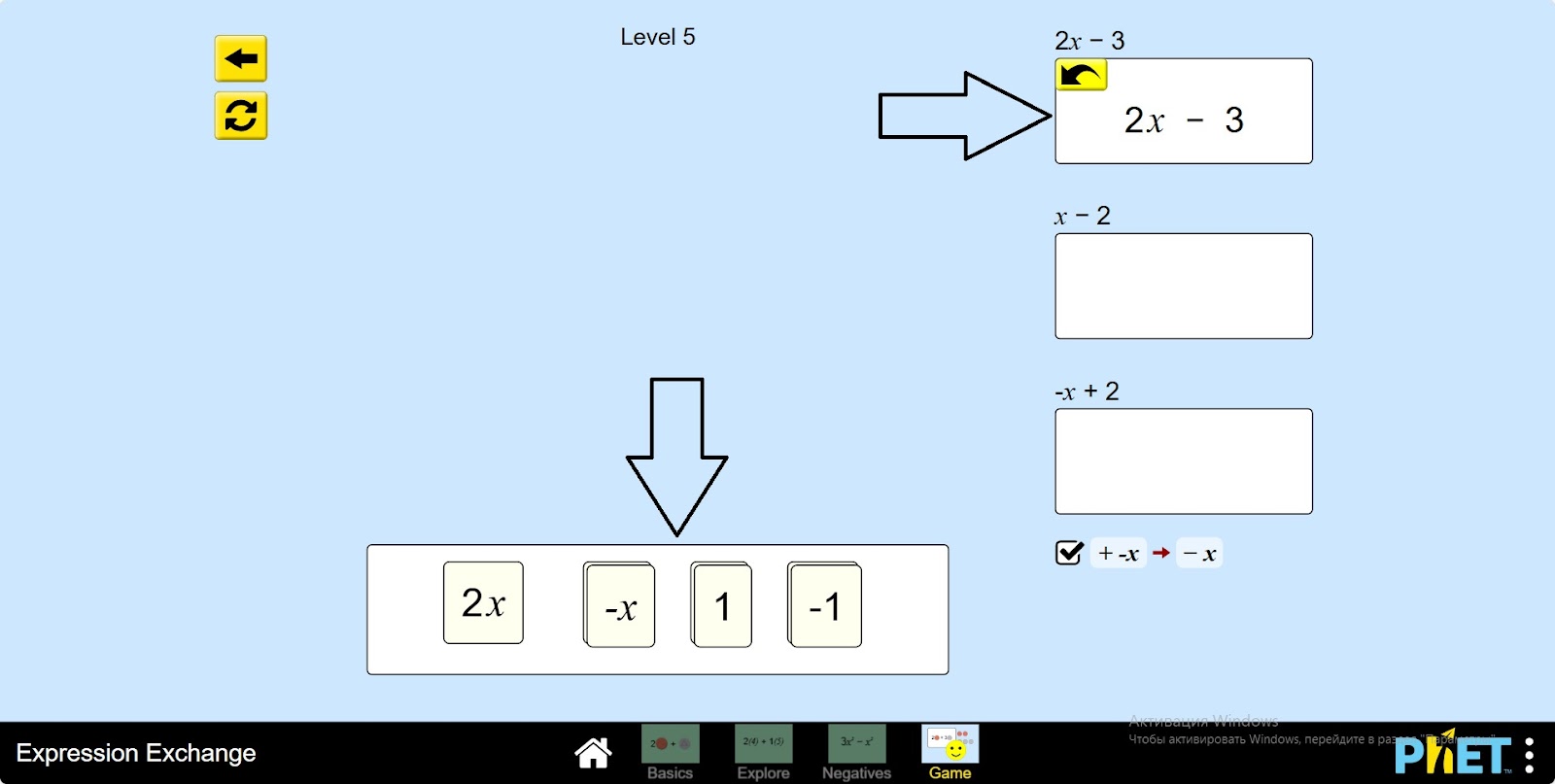
Step 10. Build the templates by looking at the expression bar provided for assembly and drag them into the empty space below the expression.
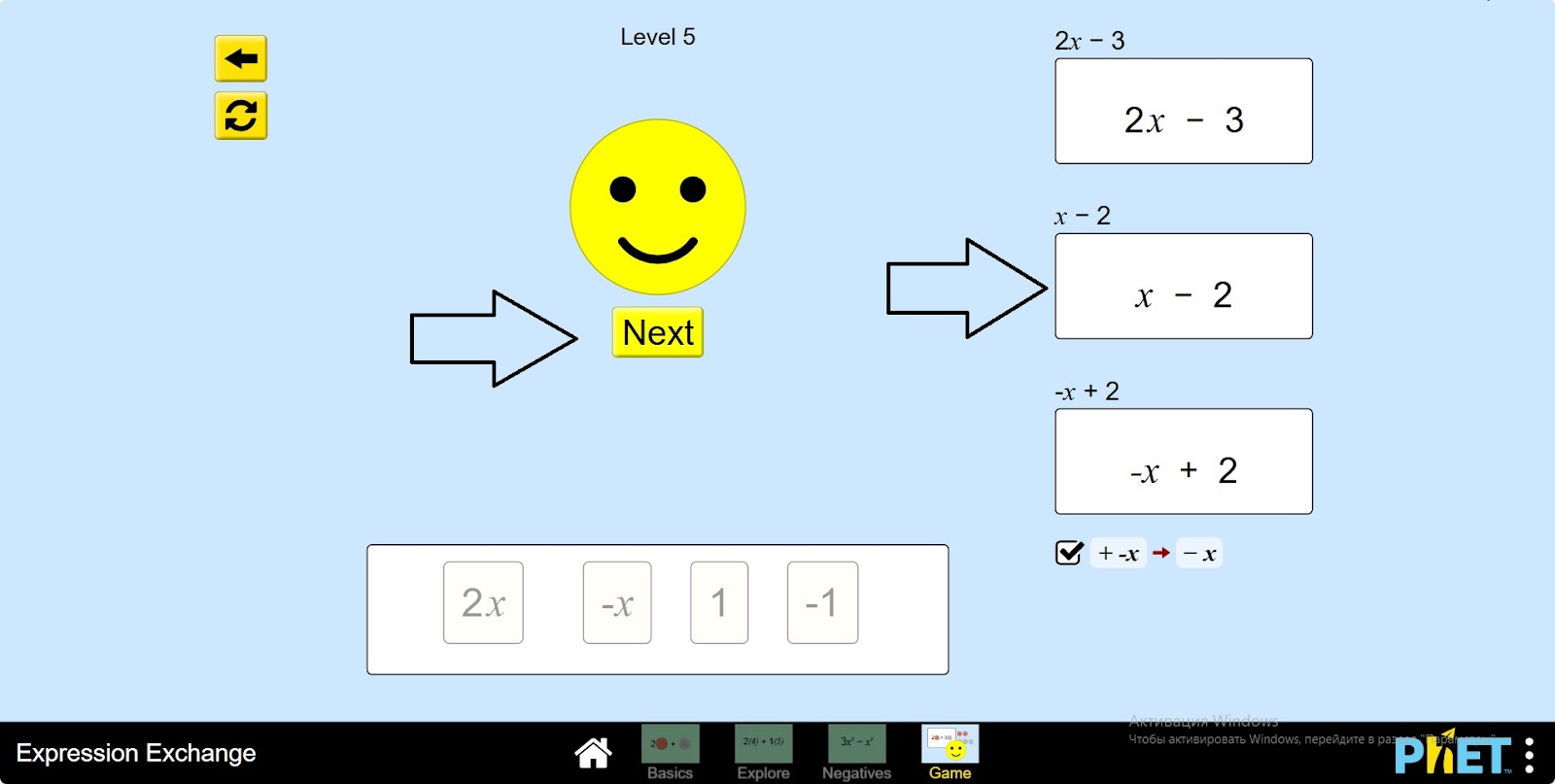
Step 11. Once you have completed all the expressions on the board, you can move to the next level by clicking the “Next” button.
Conclusion
Students, working on the simulator, performed calculations on the topic of summing expressions by similar terms, addition, subtraction of rational numbers.