Week 1
Goals:
- Introduction to the C++ programming language
- Learning to write code in C++
- Creating a simple calculator in C++
Expected results:
After learning the project, students will:
– be able to communicate well with the teacher
– analyze and summarize information
– Form a responsible attitude to learning
– accustomed to working independently
– independent logical reasoning and conclusion
– Learning to program in C++
– Understanding C++ structure
Introduction
C++, being one of the most popular programming languages, is widely used for software development. Its range includes creating operating systems, various application programs, device drivers, embedded system applications, high-performance servers, and entertainment applications (games).
In this project you will learn:
- Using arithmetic operations in C++ ;
- Working in .NET Framework in C++ ;
- Learn to write C++ code.
Interdisciplinary Connections:
- Computer science (working with the C++ programming language)
- Mathematics (using arithmetic operations)
Teacher’s guide:
- For the evaluation of the project, in the first week, provide this material (PBL rubrics) to students so that
– students understand in advance what criteria they need to prepare for,
– Students are able to independently assess their peers.
- At the beginning of the lesson it is recommended:
– to stimulate interest in the project, ask some “leading questions”, such as:
– what programming languages are you familiar with?
– have you tried writing code before?
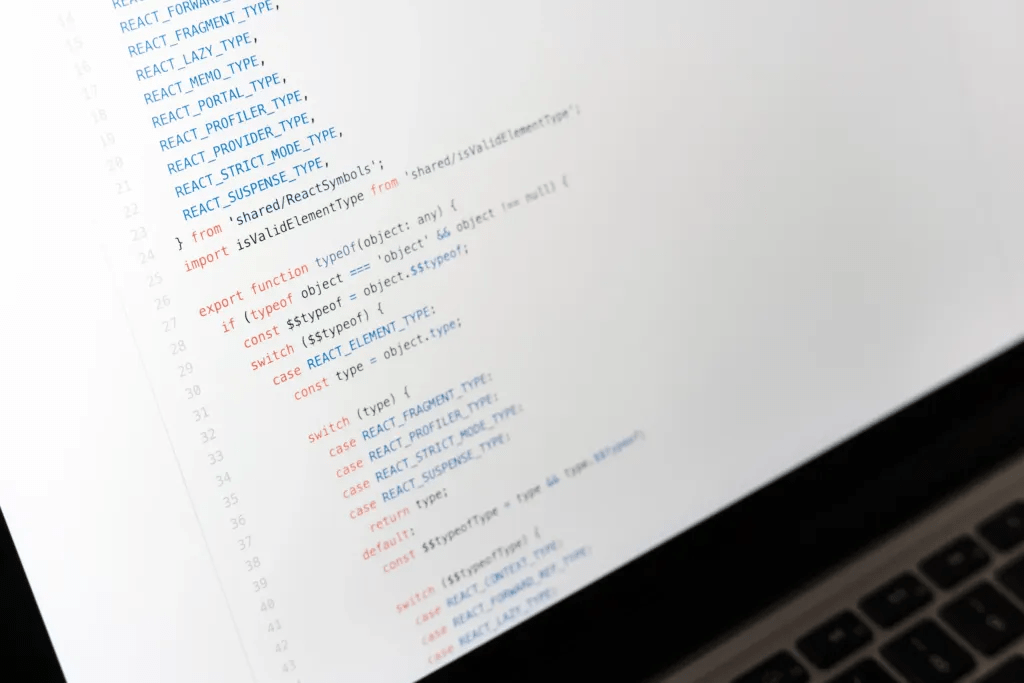
C++ is a statically typed, compiled general-purpose programming language.
It supports programming paradigms such as procedural programming, object-oriented programming, generalized programming, provides modularity, separate compilation, exception handling, data abstraction, object type (class) publishing, and virtual functions. The standard library includes common containers and algorithms. C++ combines properties of high-level and low-level languages.
The history of C++ starts with the C language. The C++ language emerged in the early 1980s, when Bjorn Straustrup of Bell Labs was making a series of updates to the C language. He argued that trying to use the then-existing modeling languages proved ineffective, and that using high-performance machine languages was extremely difficult because of their limited expressiveness. Some languages had features that could be very useful for creating surround sound software, but it was very slow, and some were very fast, but too close to low level languages and not suitable for creating surround sound software. Straustrup supplemented the language with features for working with classes and objects. As a result, practical modeling problems became available in terms of both development time and computation time.
Alphabet of the language:
The alphabet of the language includes:
- Capital Latin letters: A…Z.
- Small Latin letters: a…z.
- Arabic numerals: 0…9.
- Underscore character: _ (treated as a letter).
- Space characters.
- Special characters:” { } , I [ ] ( ) + – / % ; ” : = > ! ? < & # ~ ^ . *
Special characters also include spaces. Other characters (e.g. Russian letters) can be used in comments, strings and character constants. Combinations of some characters, not separated by spaces, are interpreted as one significant character. These include:
++ – == && || “” >= <= += – = = / = ?: / */ //
Identifiers
Names and identifiers are used to symbolically represent values, function names, etc. Identifiers in C++ are a sequence of characters, starting with a letter or an underscore character. In identifiers you can use uppercase and lowercase Latin letters, numbers and underscore characters. Identifiers are of any length.
Examples of a valid identifier:
- abc
- A12
- NameOfPerson
- BYTES_PER_WORD
Resources:
Введение в Си++ — документация oapisip 1
Practical part
Each student works individually.
Instruction How to install Visual Studio to work in the c++ programming language video at the link below. Using this video, students install Visual Studio on their computers.

Download Visual Studio by clicking here: Link
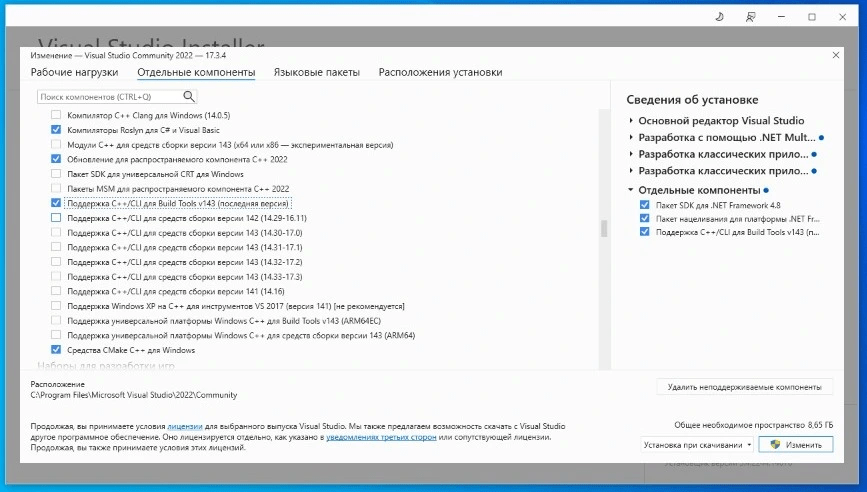
Installing CLI in Visual Studio 2022
After installing the program using C++ / CLI. We need to install a separate CLI for NET programming. C++/cli itself is not installed by default when installing the Visual Studio C++ workload.
To install:
To install the component after installing Visual Studio, open the Visual Studio Installer by selecting the Windows start menu and searching for the Visual Studio Installer. Click the change button next to the installed version of Visual Studio. Go to the individual components tab . Scroll down to the Compilers, Build Tools and Runtime section and select C++/CLI Support for v143 Build Tools (latest version). Select ” change ” to download the required files and update Visual Studio.