
Week 3
In this lesson, you will activate the buttons on the calculator skeleton created in the previous lesson.
Step 1. Click the Textbox button and open the properties window. Enter “0” in Text and select “Right” in TextAlign.
Step 2. Click the Textbox button and open the properties window. Enter “txtDisplay” in Name.
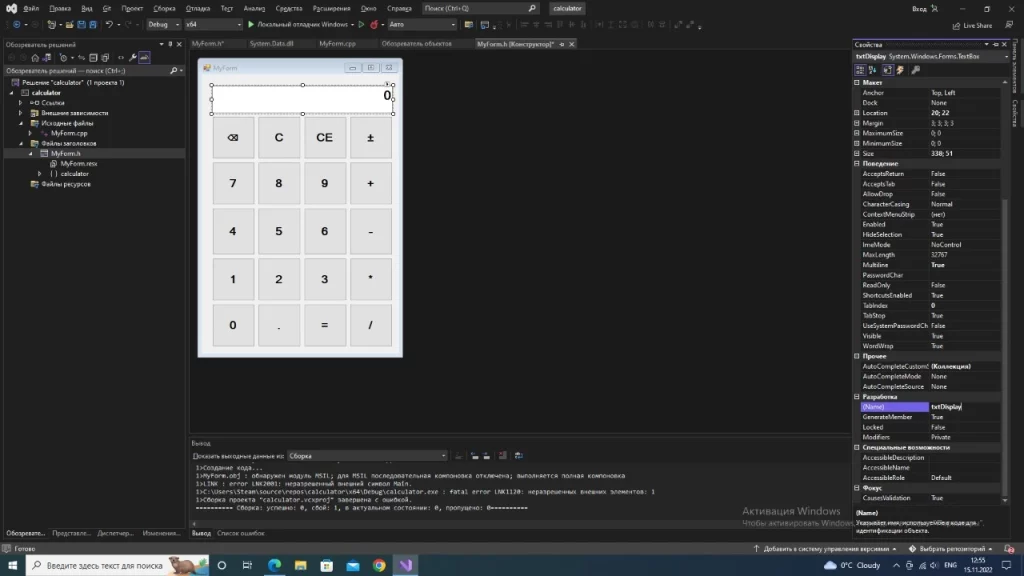
Step 3. Click “⌫” and open the properties window. Enter “btnSpace” in Name.
Step 4. Press “C” and open the properties window. Enter “btnClear” in Name. And we repeat the same process for the other buttons.
Enter:
- On the “CE” button – btnClearEntry;
- On the “±” button – btnPlusMinus;
- On the “+” button – btnPlus;
- On the “-” button – btnMinus;
- On the ” * ” button – btnMultiplication;
- On the ” / ” button – btnDivision;
- On the “=” button – btnEqual;
- On the ” ,” button – btnDecimal;
- On the “0” button – btnDigit0
- On button “1” – btnDigit1;
- On button “2” – btnDigit2
- On button “3” – btnDigit3;
- On button “4” – btnDigit4;
- On button “5” – btnDigit5;
- On button “6” – btnDigit6;
- On button “7” – btnDigit7;
- On button “8” – btnDigit8;
- On button “9” – btnDigit9.
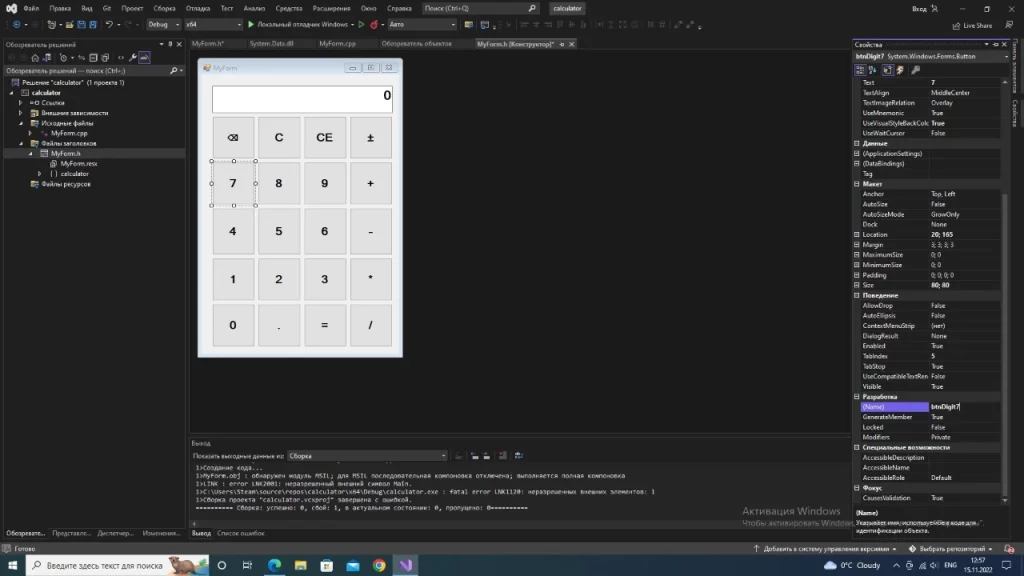
Step 5. When you have finished providing the function of all the buttons, double-click the MyForm calculator panel. You will then be presented with the code window as shown below.
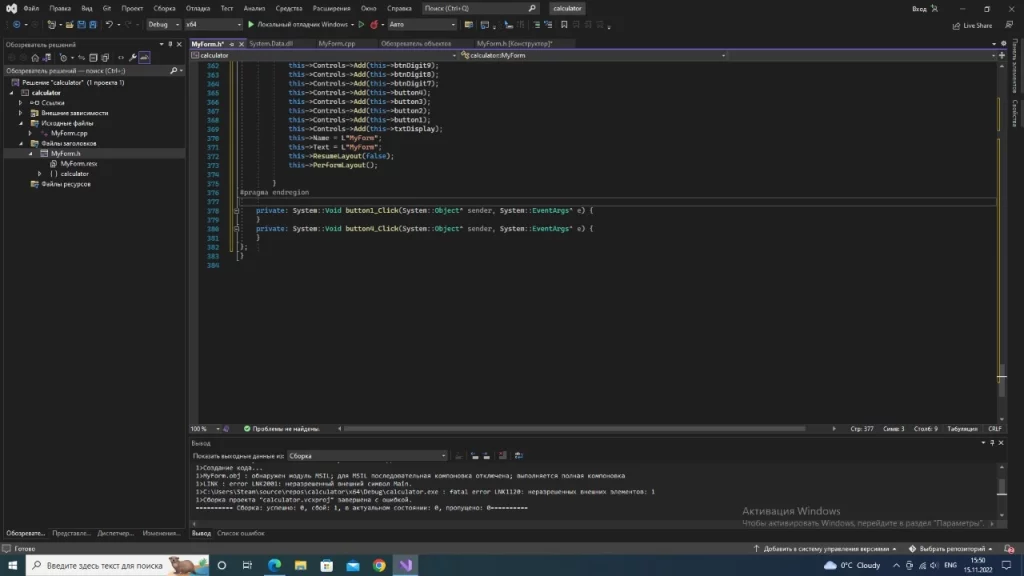
Step 6. Enter the following lines of code after the #Pragma endregion line in the code:
double firstDigit, secondDigit, result;

String^ operators;
Step 7. Open the MyForm constructor window. Mark the numbers from 1 to 9 on the calculator. Open the Properties window and click the “Events” button. In Click, enter “EnterNumber”. And repeat this process separately for 0.
Step 8. Type the code below after the line: private: System::Void EnterNumber(System::Object^ sender, System::EventArgs^ e) {
Button^ Numbers = safe_cast<Button^>(sender);

if (txtDisplay->Text == “0”)

{txtDisplay->Text = Numbers->Text;}

else

{txtDisplay->Text = txtDisplay->Text + Numbers->Text;}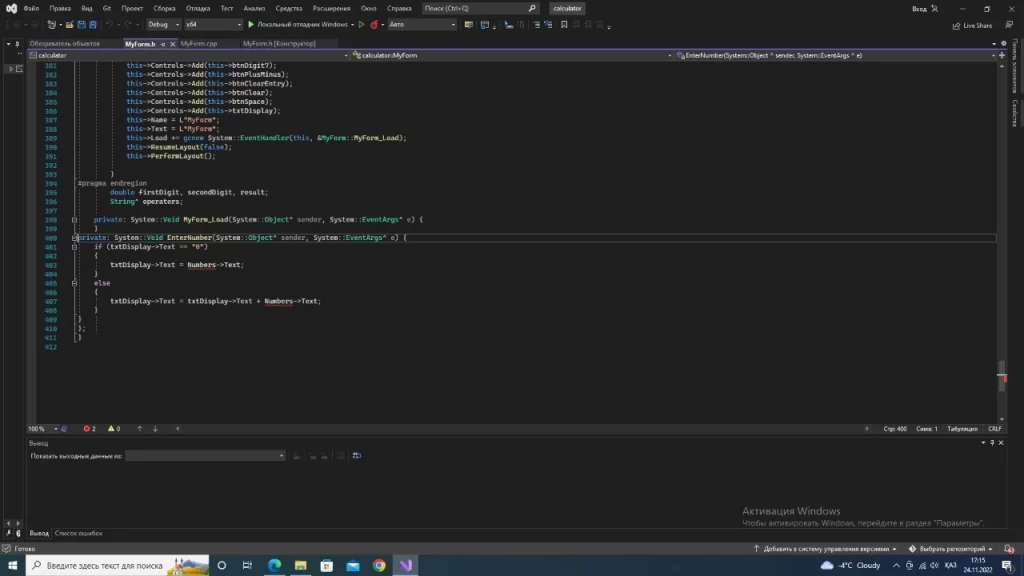
Step 9. Mark the ” +, -,*,/ ” on the calculator. Open the “Properties” window and click the “Events” button. In Click, enter “EnterOperator”.
Step 10. Enter the code below after the line: private: System::Void EnterOperator(System::Object^ sender, System::EventArgs^ e) { .
Button^ NumbersOp = safe_cast<Button^>(sender);

firstDigit = Double::Parse(txtDisplay->Text);

txtDisplay->Text = ” “;

operators = NumbersOp->Text;
Step 11. On the calculator, double-click the “,” symbol.
private: System:: Void btnDecimal_Click(System:: Object^ sender, System:: EventArgs^ e) {. After this line write the following code:
if (!txtDisplay->Text->Contains(“,”))

{txtDisplay->Text = txtDisplay->Text + “,”;}
Step 12. Double-click the “=” symbol on the calculator.
Enter the code below after the line appears private: System::Void btnEqual_Click(System::Object^ sender, System::EventArgs^ e) {.
secondDigit = Double::Parse(txtDisplay->Text);

if (operators == “+”)

{result = firstDigit + secondDigit;

txtDisplay->Text = System::Convert::ToString(result);}

else if (operators == “-“)

{result = firstDigit – secondDigit;

txtDisplay->Text = System::Convert::ToString(result);}

else if (operators == “/”)

{result = firstDigit / secondDigit;

txtDisplay->Text = System::Convert::ToString(result);}

else if (operators == “*”)

{result = firstDigit * secondDigit;

txtDisplay->Text = System::Convert::ToString(result);}
Save these written codes and close the program. You will continue with the rest of the buttons in the next lesson.