Lesson 3
9. Connect the ARDUINO UNO to the computer via USB, www.arduino.cc download the ARDUINO program to our computer.
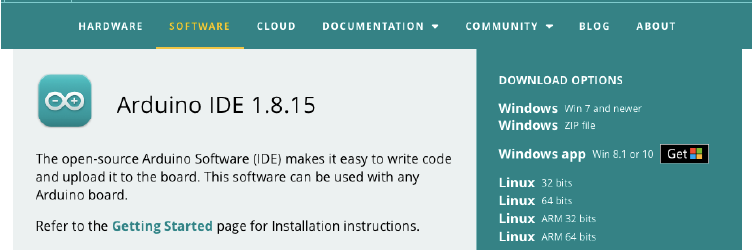
Fig. 23. Install ARDUINO by selecting it depending on the system program on your computer
10. After opening the ARDUINO program, run the command “File” – “Open” on the main page.
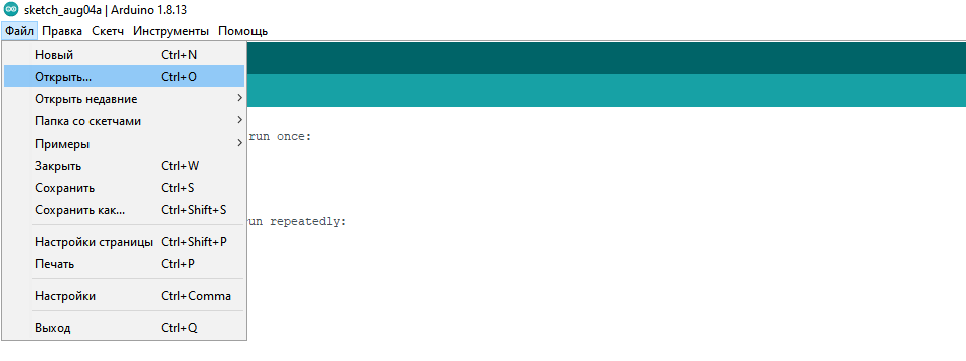
Figure 24. Home page of the ARDUINO program
Step 11. After the “Open” command, a new window opens in which you select the code you need and click the “Open” button.
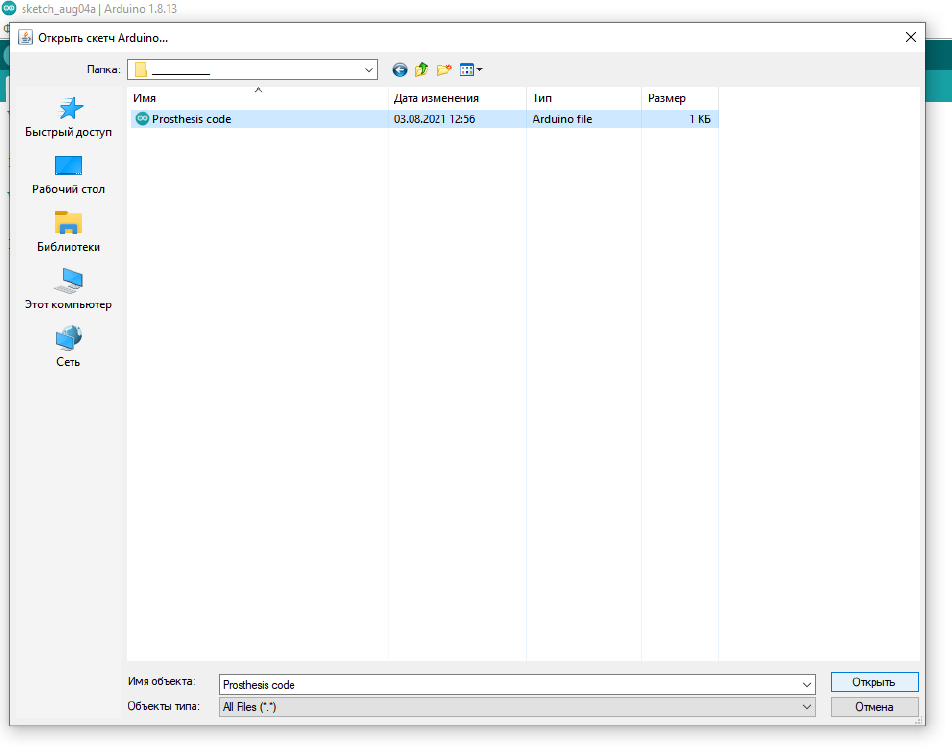
Figure 25. Select and open a code file in ARDUINO
Step 12. After the required code file opens on the main page, click on the button. Then wait for the code to load into the ARDUINO. After the download is complete, the ARDUINO UNO is ready for use.
Step 13. Connect the servo motor to the electrical circuit.
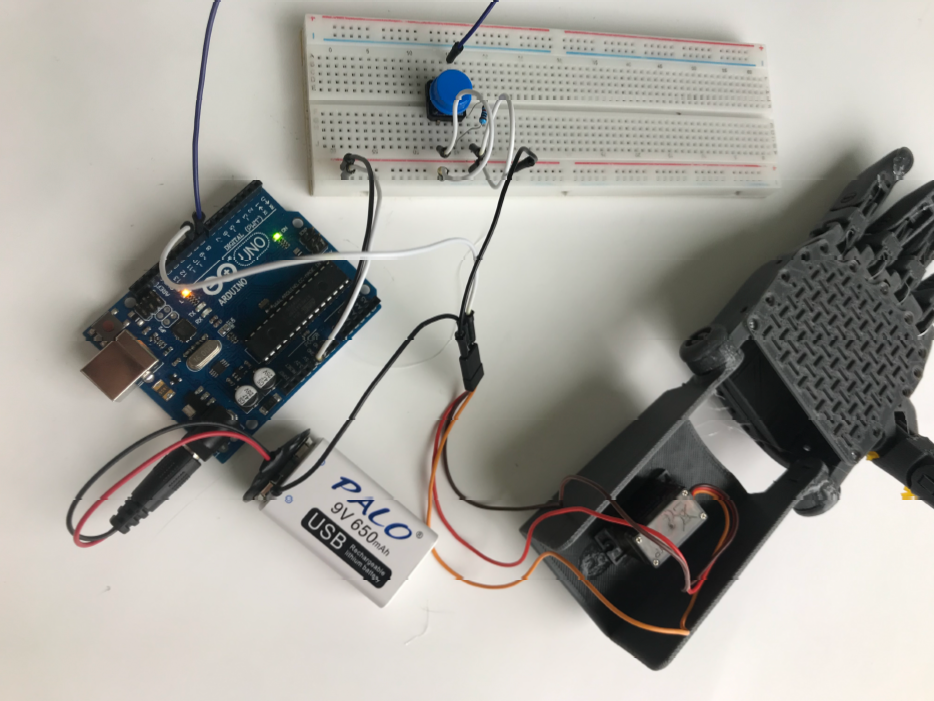
Fig. 26. A manual model connected to an ARDUINO microcontroller
Step 14. Now, to avoid slipping objects from your fingertips, apply a small hot glue to the tip and wait until it dries. Now your bionic robot arm is ready!
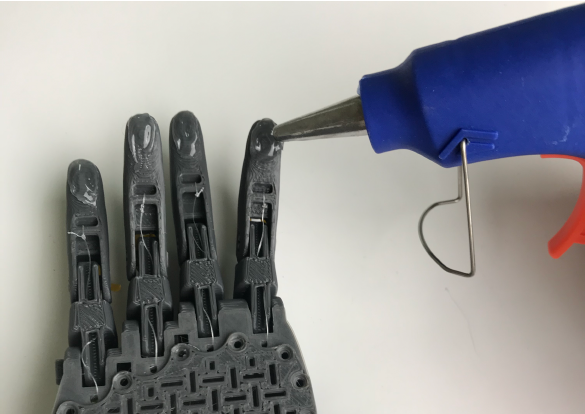
Fig.27. Apply the thermoelement to the fingertips
Evaluation
PBL evaluation criteria:
Project based learning (project-based learning) is a learning method in which students acquire knowledge and skills by working on one project for 3 or 4 weeks to research and find an answer to a genuine, interesting and complex question, problem or challenge (then follow the link PBL Rubrics on the headings).