Week 4
This week, you fill out your class schedule with the schedule you created the previous week, remembering the works you did in previous weeks.
Filling out the class schedule
In this lab, you will complete your own class schedules in the same way as you did in the previous week’s lab №2.
<tr bgcolor="#ffffff">
  <td>1</td>
  <td>first lesson start time <br/>first lesson end time</td>
  <td>First lesson on Monday</td>
  <td>First lesson of Tuesday</td>
  <td>First class on Wednesday</td>
  <td>First class on Thursday</td>
  <td>First class on Friday</td>
</tr>
As you noticed in Lab №2, the code consists of several of these parts. While the part starting with <td>1</td> represents the first lesson of each day, the part starting with <td>2</td> represents the second lesson of each day, and likewise the list of lessons continues. You have the parts as shown above based on the maximum number of activities in a week. If you have 6 lessons, then you continue to fill out your lesson schedules as in lab №1, and if you have 5 lessons, you delete one part and if you have 7 lessons, add another part.
Important! The parts are filled in by row, not by column. Therefore, be careful when filling out the class schedule.
Presentation of projects
Upon completion of the project development, students should submit their completed class schedule.
Conclusion
HTML is the basic language for creating web pages. In 4 weeks you got acquainted with the HTML language and its structure. Performed laboratory work on changing the font, text color. You learned how to code in HTML, and you wrote and published your schedules on a web page.
Assessment
PBL evaluation criteria:
Problem based learning (problem-oriented learning) is a learning method in which students acquire knowledge and skills by working on one project for 3 or 4 weeks to research and find an answer to a genuine, interesting and complex question, problem or challenge (then follow the PBL Rubrics link to the Rubrics).
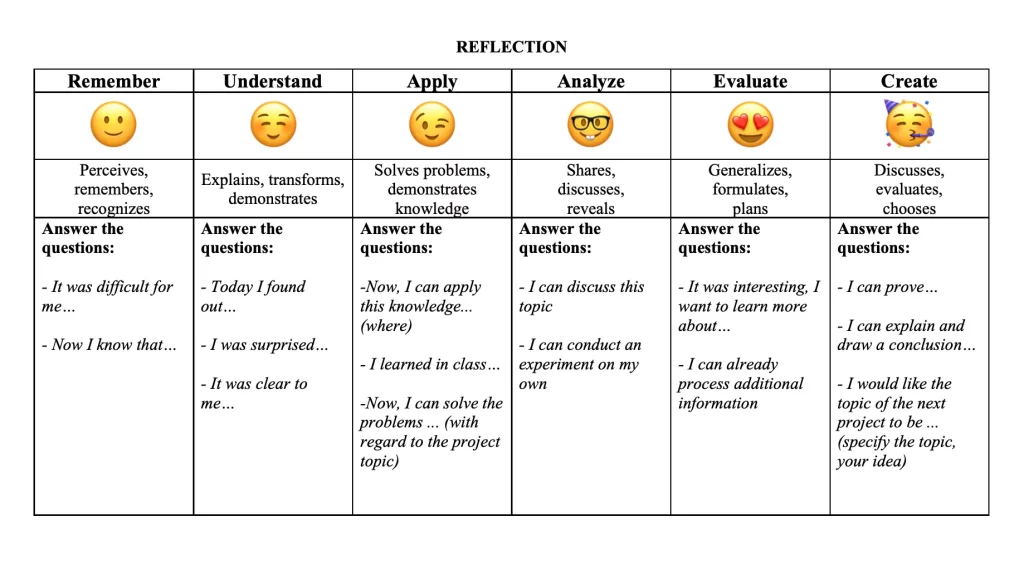
Reflection