
Week 3
Connecting the model to the Arduino
In this lesson, students:
- assemble a seismograph connection diagram
- connect the seismograph to the board
- write a program to display
You can proceed from the level of listeners and suggest connecting sensors to the board without a ready-made template
- The seismograph is connected to the board as a sensor with an analog output:
- connect one end of the coil to the analog pin;
- Connect the other end of the coil to GND.
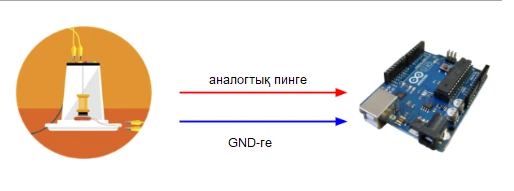
Also, depending on the level of listeners, you can try to write a program to display data
Use a serial port plotter to display data in a graph
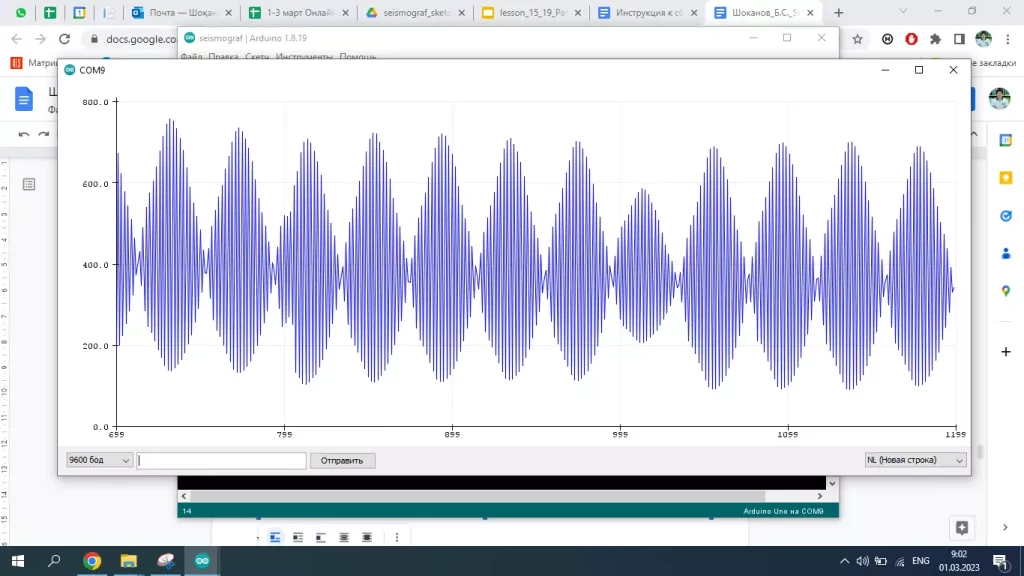
 void setup() {

  Serial.begin(9600);

  pinMode(A0, INPUT);

}


void loop()

{

  int seismo = analogRead(A0);

  Serial.print(seismo);

  Serial.println(); // Add final line ending character only once

  delay(10); //delay 10 millisecond before looping again